
Important Safety Information
Please read all instructions carefully before using your Ninja Detect Power Blender. Failure to follow these instructions may result in electric shock, fire, or serious injury.
- Always ensure the blender is unplugged when not in use, before assembling or disassembling parts, and before cleaning.
- Do not immerse the motor base in water or other liquids.
- Keep hands and utensils out of the container while blending to reduce the risk of severe injury to persons or damage to the blender.
- Blades are sharp. Handle with care.
- Do not operate any appliance with a damaged cord or plug.
- Ensure the lid is securely locked in place before operating the appliance.
Product Overview and What's Included
The Ninja Detect Power Blender + Personal Single-Serve (TB300) is designed for versatile blending and chopping tasks, featuring advanced BlendSense Technology for optimal results.
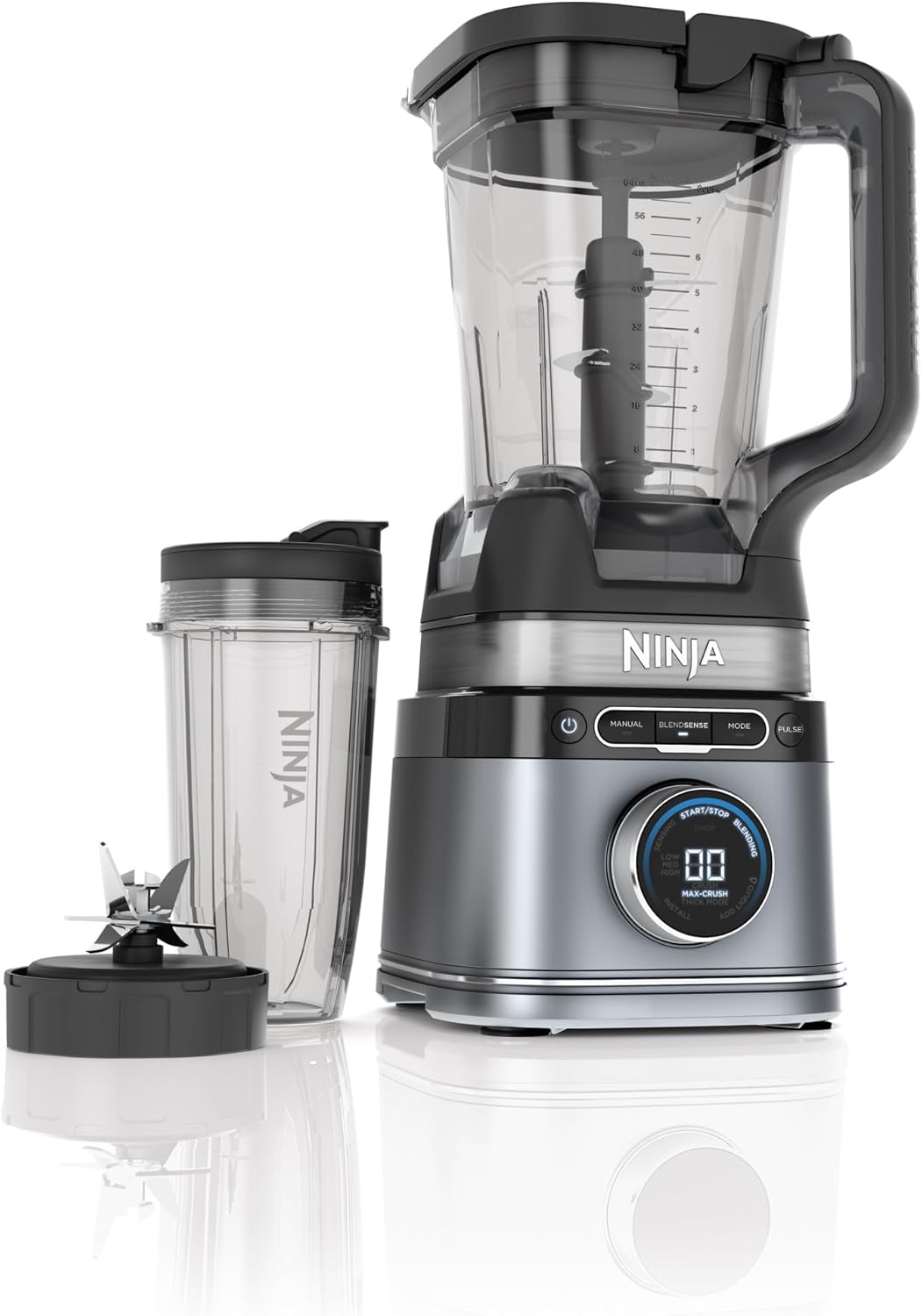
The Ninja Detect Power Blender system, including the motor base, 72 oz. full-size pitcher, and 24 oz. single-serve cup with blade assembly.
Included Components:
- 1700 Peak Watt Motor Base
- 72 oz. Full-Size Pitcher with Lid
- Total Crushing & Chopping Blade Assembly
- (1) 24 oz. Single-Serve Cup with Lid
- Hybrid Edge Blade
- 10-Recipe Book

All components included with your Ninja Detect Power Blender, ready for assembly.
Setup and Assembly
- Place Motor Base: Position the 1700 Peak Watt Motor Base on a clean, dry, level surface.
- Assemble Pitcher/Cup:
- For the 72 oz. Pitcher: Place the Total Crushing & Chopping Blade Assembly onto the drive gear inside the pitcher. Add your ingredients. Secure the pitcher lid by aligning the arrow on the lid with the arrow on the pitcher handle, then press down firmly until it clicks.
- For the 24 oz. Single-Serve Cup: Add your ingredients to the cup. Screw the Hybrid Edge Blade onto the top of the cup until tightly sealed.
- Attach to Motor Base: Place the assembled pitcher or single-serve cup onto the motor base. For the pitcher, ensure the handle is aligned slightly to the right of the base's center. For the single-serve cup, invert it and place it onto the motor base, twisting clockwise until it locks into place.
- Plug In: Plug the power cord into a standard electrical outlet. The power button will illuminate.
Operating Your Blender
The Ninja Detect Power Blender features an intuitive control panel with various modes to suit your blending needs.

The innovative Detect Dial indicates the precise blending program, making operation user-friendly.
Control Panel Functions:
- Power Button (⏻): Turns the unit on or off.
- MANUAL: Allows for manual control of blending speed and duration.
- BLENDSENSE: Ninja's smart technology that automatically adjusts speed and time for perfectly smooth results.
- MODE: Cycles through various pre-set programs for specific tasks (e.g., Mince, Small Chop, Large Chop).
- PULSE: Provides short bursts of power for controlled chopping and mixing.
BlendSense Technology:
BlendSense Technology senses and detects ingredients, then automatically adjusts blend time and speed for perfectly smooth results. This ensures consistent outcomes regardless of the ingredients or portion size.

BlendSense Technology senses ingredients, detects if they are fresh or frozen, adjusts time, speed, and pulsing, and delivers perfect results.

Experience endless blending possibilities with BlendSense Technology, which automatically adjusts for perfect results.
Special Features:
- Torque Detect: Identifies fresh or frozen ingredients and automatically boosts power to handle them effectively.
- Ice Detect: Auto-calibrates to power through ice for perfectly smooth drinks.
- Liquid Detect: Alerts you when liquid is needed (only in single-serve cup mode).
- Single Touch Preset Program: One-touch chop program allows you to process and chop ingredients in the 72 oz. pitcher for items like salsa.

Torque Detect identifies fresh or frozen ingredients and automatically boosts power for optimal blending.
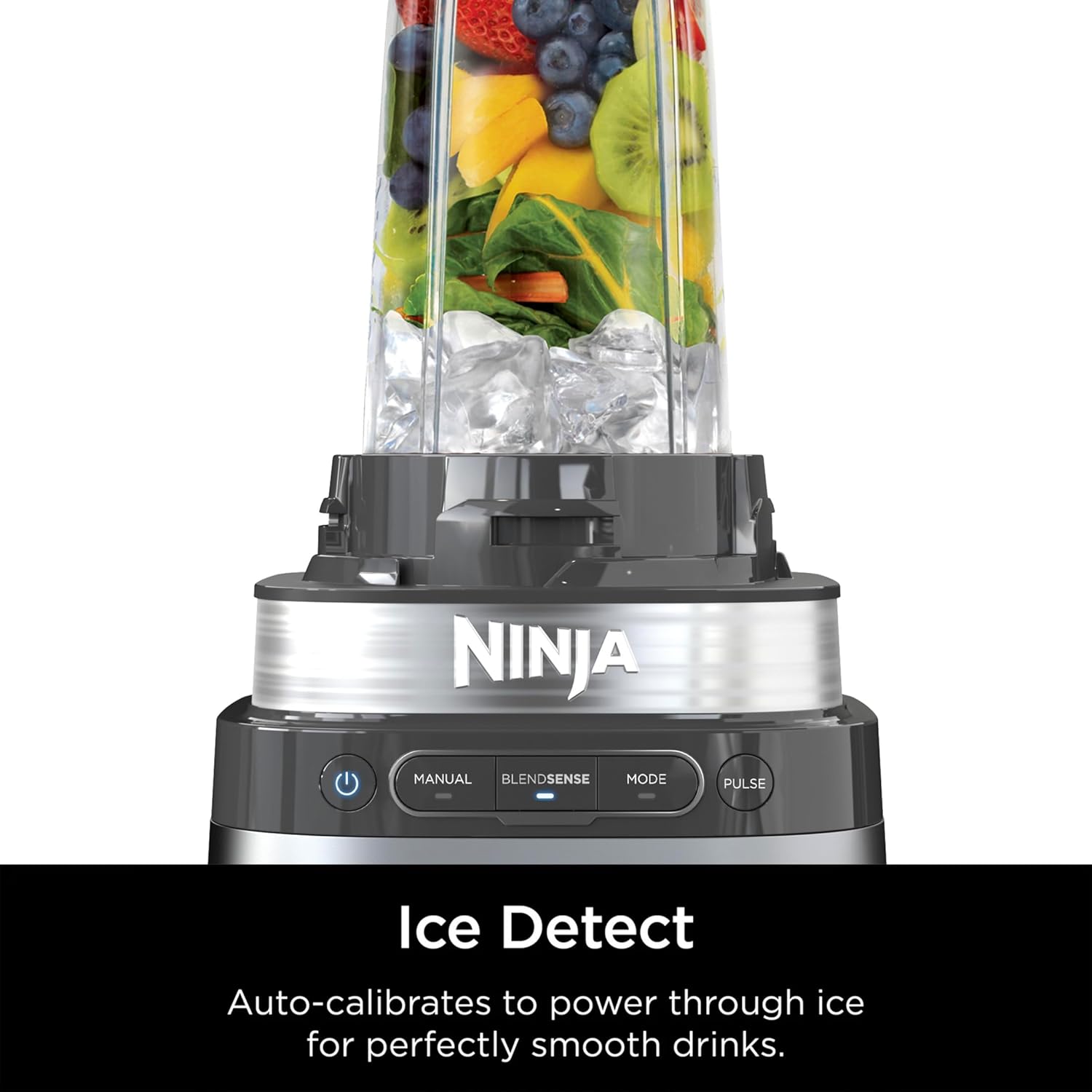
Ice Detect auto-calibrates to power through ice for perfectly smooth drinks.
Maintenance and Cleaning
Proper maintenance ensures the longevity and optimal performance of your Ninja Detect Power Blender.
- Dishwasher Safe: All containers, lids, and blade assemblies are top-rack dishwasher safe.
- Hand Washing: For best results, wash components in warm, soapy water. Use a dishwashing utensil with a handle to clean the blade assemblies. Rinse thoroughly and air dry.
- Motor Base Cleaning: Wipe the motor base clean with a damp cloth. Do not immerse the motor base in water or spray it with water.
- Storage: Store the blender assembled or with components neatly stored to prevent damage.
Troubleshooting
If you encounter issues with your Ninja Detect Power Blender, refer to the common solutions below.
| Problem | Possible Cause | Solution |
|---|---|---|
| Blender does not turn on. | Unit not plugged in; container not properly assembled or locked. | Ensure power cord is securely plugged in. Verify pitcher/cup and lid are correctly assembled and locked onto the motor base. |
| Ingredients not blending smoothly. | Too many ingredients; not enough liquid; ingredients are too large. | Reduce ingredient quantity. Add more liquid. Cut larger ingredients into smaller pieces. Use the PULSE function for stubborn ingredients. |
| Motor stops during operation. | Overheating due to overload. | Unplug the unit and let it cool for at least 15 minutes. Remove some ingredients if overloaded. Re-plug and try again. |
| Lid is difficult to remove. | Lid is sealed tightly after blending. | Ensure the pressure release button (if applicable) is pressed, or gently rock the lid to break the seal. |
If the issue persists after trying these solutions, please contact customer support.
Specifications
| Feature | Detail |
|---|---|
| Brand | Generic |
| Model Number | TB300 |
| Color | Silver |
| Special Features | Auto Shut Off, Multiple Speeds, BlendSense Technology, Torque Detect, Ice Detect, Liquid Detect |
| Capacity | 72 Fluid Ounces (Pitcher) |
| Product Dimensions | 7.5"D x 7.5"W x 17.5"H |
| Power Source | Corded Electric |
| Voltage | 120 Volts |
| Recommended Uses | Blending, Chopping |
Warranty and Support
Your Ninja Detect Power Blender comes with a limited warranty. Please refer to the warranty card included in your product packaging for specific terms and conditions.
For further assistance, product registration, or to purchase replacement parts, please visit the official Generic website or contact their customer support.