
1. Introduction
This manual provides detailed instructions for the setup, operation, and maintenance of your Generic H6 Smart Watch (Model T20 Pro). Please read this manual thoroughly to ensure proper use and to maximize the benefits of your device. The H6 Smart Watch is designed to assist you in monitoring your fitness activities and health metrics, offering features such as heart rate tracking, step counting, and various sport modes.
2. What's in the Box
- H6 Smart Watch (Model T20 Pro)
- Charging Cable
- User Manual
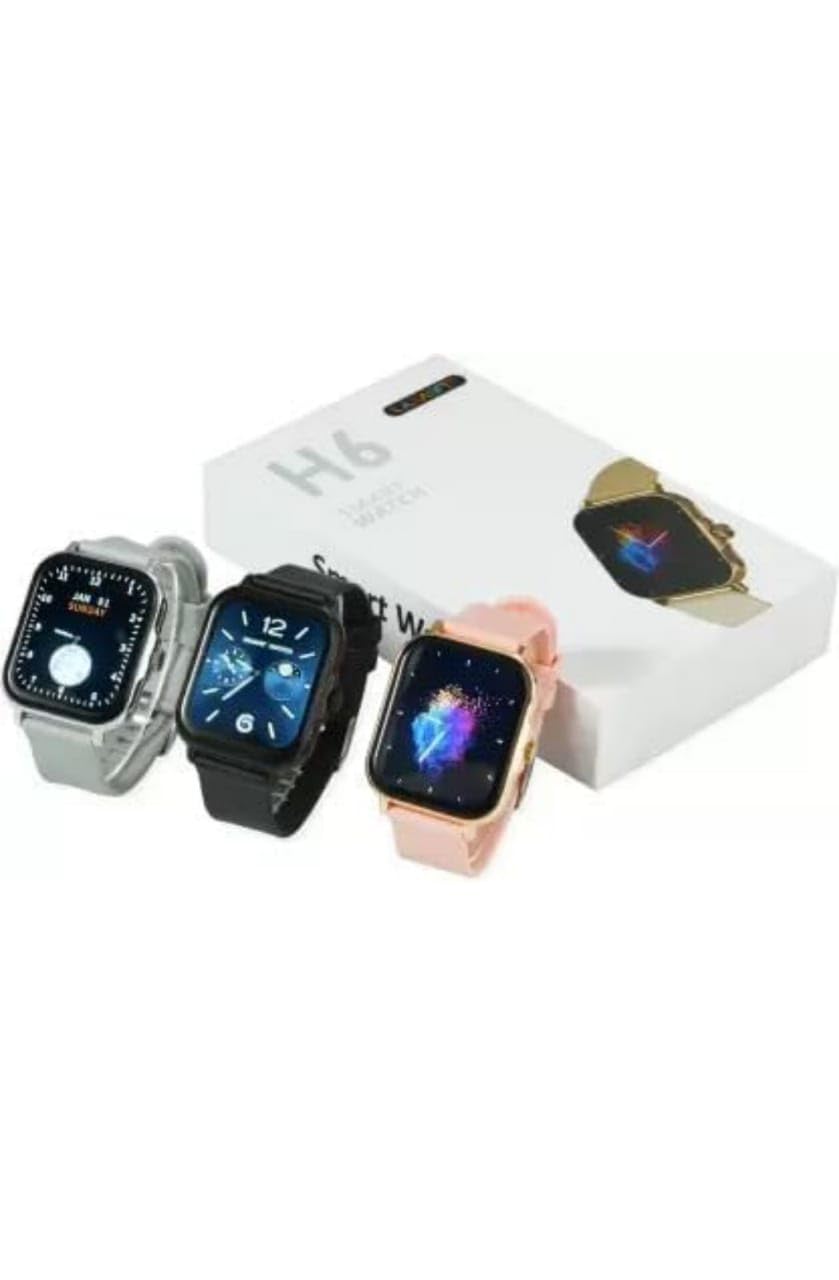
Image 1: Generic H6 Smart Watch packaging and available color variants.
3. Setup
3.1 Initial Charging
Before first use, fully charge your H6 Smart Watch. Connect the charging cable to the watch's charging port and a standard USB power adapter. A full charge typically takes approximately 2 hours. The watch has an average battery life of 24 hours depending on usage.
3.2 Powering On/Off
- To Power On: Press and hold the side button until the screen illuminates.
- To Power Off: Navigate to the settings menu on the watch, select 'Power Off', and confirm.
3.3 App Installation and Pairing
To unlock the full functionality of your H6 Smart Watch, download the companion application on your smartphone. The app is compatible with most smartphones. Once installed:
- Enable Bluetooth on your smartphone.
- Open the companion app and follow the on-screen instructions to create an account or log in.
- Select 'Add Device' or 'Pair Device' within the app.
- The app will search for available devices. Select 'H6 Smart Watch' or 'T20 Pro' from the list.
- Confirm the pairing request on both your smartphone and the watch.
4. Operating the Smart Watch
4.1 Basic Navigation
The H6 Smart Watch features a 2.09-inch touchscreen display. Swipe left, right, up, or down to navigate through menus and functions. Press the side button to return to the home screen or to access the main menu.
4.2 Customizing Watch Faces
The watch supports multiple customizable watch faces. To change the watch face, press and hold the current watch face on the home screen, then swipe left or right to browse available options. Tap to select your preferred watch face.
4.3 Fitness Tracking
Your H6 Smart Watch provides comprehensive fitness tracking capabilities:
- Steps, Distance, Calories: The watch automatically tracks your daily steps, estimated distance covered, and calories burned. These metrics are displayed on the watch face and in the companion app.
- Multiple Sport Modes: Select from various exercise modes such as running, cycling, swimming, walking, skipping rope, badminton, basketball, and football for more accurate tracking during specific activities.
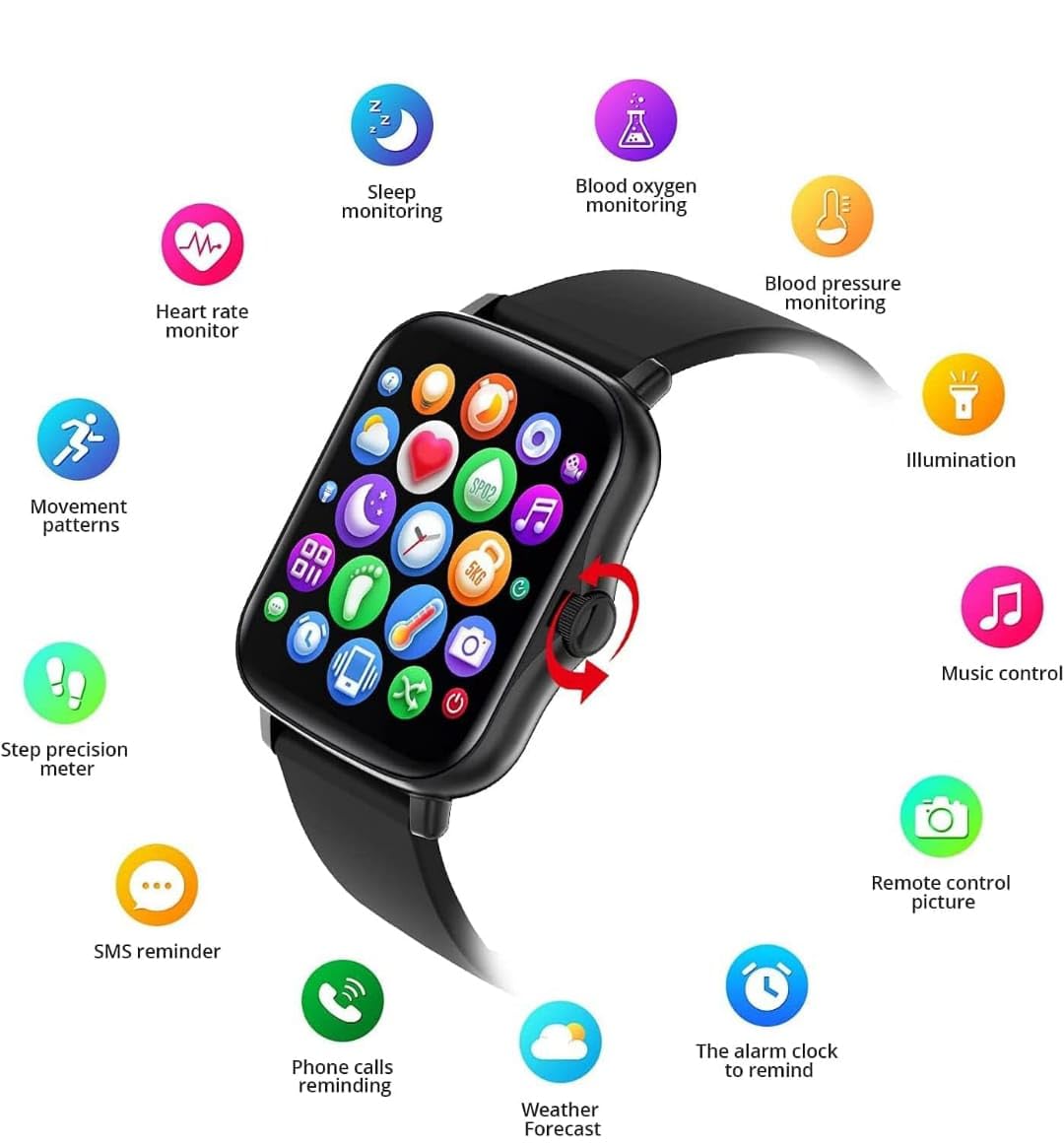
Image 2: H6 Smart Watch displaying fitness tracking metrics during a running activity.

Image 3: Overview of various workout modes available on the H6 Smart Watch.
4.4 Health Monitoring
The H6 Smart Watch includes several health monitoring features:
- Heart Rate Monitor: Provides continuous or on-demand heart rate readings in beats per minute (BPM).
- Sleep Monitoring: Tracks your sleep patterns, including deep sleep, light sleep, and wake times.
- Blood Oxygen Monitoring: Measures your blood oxygen saturation levels.
- Blood Pressure Monitoring: Provides estimated blood pressure readings.

Image 4: H6 Smart Watch displaying current time, date, and health metrics.
4.5 Smart Functions
When paired with your smartphone, the H6 Smart Watch offers convenient smart features:
- Notifications: Receive alerts for incoming calls, SMS messages, and app notifications directly on your wrist.
- Weather Updates: View current weather conditions and forecasts.
- Remote Camera Control: Use your watch as a remote shutter for your smartphone camera.
- Music Control: Play, pause, skip tracks, and adjust volume for music playing on your phone.
- Alarm Clock: Set alarms directly from the watch or through the app.
- GPS: The watch features GPS functionality for tracking routes during outdoor activities.

Image 5: H6 Smart Watch main menu showing various smart functions and health monitoring apps.
5. Maintenance
5.1 Cleaning
Regularly clean your watch and strap to prevent skin irritation and maintain device functionality. Use a soft, damp cloth to wipe the screen and body. Avoid harsh chemicals or abrasive materials.
5.2 Water Resistance
The H6 Smart Watch is designed to be waterproof and sweatproof, making it suitable for activities like swimming. However, avoid prolonged submersion in hot water or exposure to high-pressure water jets.
5.3 Battery Care
To prolong battery life, avoid fully discharging the watch frequently. Charge the device when the battery level is low. Store the watch in a cool, dry place when not in use for extended periods.
6. Troubleshooting
- Watch not powering on: Ensure the watch is fully charged. Connect it to the charger for at least 30 minutes.
- Unable to pair with smartphone: Check that Bluetooth is enabled on your phone and the watch. Ensure the watch is within range. Restart both the watch and your phone, then try pairing again.
- Inaccurate health readings: Ensure the watch is worn snugly on your wrist, about one finger's width above your wrist bone. Clean the sensor on the back of the watch.
- Notifications not appearing: Verify that notification permissions are enabled for the companion app in your phone's settings. Ensure the watch is connected via Bluetooth.
7. Specifications
| Brand | Generic |
| Manufacturer | Hryfine |
| Model | T20 Pro |
| Display Size | 2.09 Inches |
| Display Type | Digital, Touchscreen |
| Operating System | Proprietary OS |
| Memory Storage Capacity | 32 MB |
| Connectivity Technology | Bluetooth |
| Special Features | GPS, Heart Rate Monitor, Fitness Tracker, Sleep Monitor, Blood Oxygen Monitor, Blood Pressure Monitor |
| Compatible Devices | Smartphone |
| Battery Capacity | 300 Milliamp Hours |
| Battery Average Life | 24 Hours |
| Charging Time | 2 Hours |
| Item Weight | 150 g |
| Country of Origin | China |
8. Warranty and Support
For warranty information or technical support, please refer to the documentation provided at the point of purchase or contact the manufacturer, Hryfine, through their official channels. Keep your purchase receipt as proof of purchase.