
1. Introduction and Product Overview
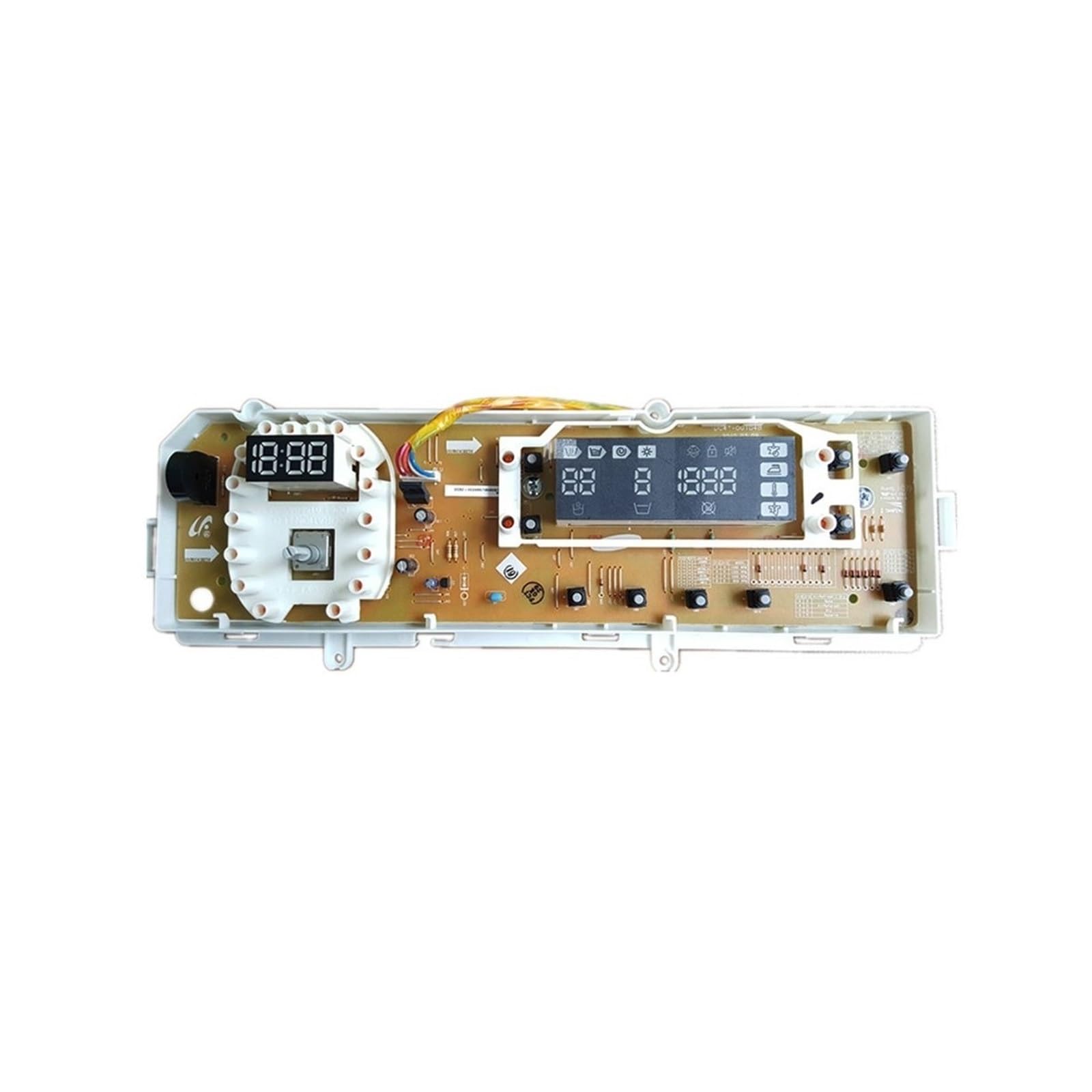
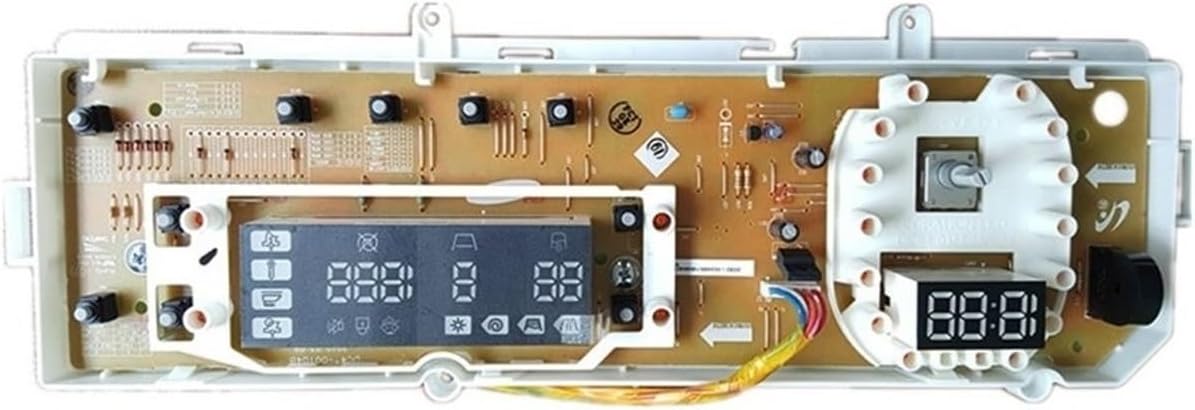
This manual provides detailed instructions for the installation, operation, and maintenance of the SQJZWOD Washing Machine Display Control Board, designed for compatibility with Samsung models DC92-00248E and DC41-00104B. This control board is a critical component for managing your washing machine's functions, restoring its user interface and program management capabilities.
Key Features:
- High-Quality Construction: Made from durable materials and advanced manufacturing processes for extended service life.
- Superior Performance: Meticulously crafted with high-quality components for reliable and consistent operation.
- Precise Program Management: Enables accurate control over washing, rinsing, and spinning programs.
- Fault Detection: Equipped with features to identify and signal problems for quicker diagnosis and repair.
- Multiple Safety Protections: Includes overheating protection, overcurrent protection, power leakage protection, and door lock protection.
2. Safety Information
WARNING: Disconnect power to the washing machine before attempting any installation, repair, or maintenance. Failure to do so may result in electric shock, serious injury, or death. Installation should only be performed by qualified personnel or individuals with experience in appliance repair.
- Always wear appropriate personal protective equipment (PPE), such as insulated gloves and eye protection, when working with electrical appliances.
- Ensure all wire connections are secure and correctly oriented before restoring power to the appliance.
- Keep children and pets away from the work area during installation and repair.
- Do not operate the washing machine if the control board or any other component appears damaged.
3. Installation Instructions
This section outlines the general steps for replacing a washing machine control board. Specific procedures may vary depending on your washing machine model. Always refer to your appliance's original service manual for detailed instructions.
Tools Required:
- Screwdriver set (Phillips and flathead)
- Pliers
- Digital camera or smartphone (for documenting connections)
- Multimeter (optional, for diagnostics)
Installation Steps:
- Disconnect Power: Crucial Safety Step. Unplug the washing machine from the electrical outlet and turn off the corresponding circuit breaker at your home's electrical panel.
- Access Control Panel: Locate and remove the screws or clips that secure the washing machine's top panel or control panel housing. Carefully lift or slide the panel to expose the existing control board.
- Document Connections: Before disconnecting any wires, take clear, well-lit photos or create detailed diagrams of all wire harness connections to the old control board. Pay close attention to the color, position, and orientation of each wire and connector. This step is vital for correct reassembly.
- Remove Old Board: Carefully disconnect all wire harnesses and any mounting screws or clips securing the old control board. Gently remove the old board from its housing.
- Install New Board: Position the new SQJZWOD control board (DC92-00248E / DC41-00104B) in the same location as the old one. Ensure it fits correctly and secure it with the original mounting screws or clips.
- Reconnect Wires: Using your photos or diagrams as a guide, carefully reconnect all wire harnesses to the new control board. Ensure each connection is firm, fully seated, and correctly oriented. Double-check every connection.
- Secure Panels: Reattach any panels or covers that were removed during access. Ensure all screws and clips are tightened securely.
- Restore Power: Plug the washing machine back into the electrical outlet and turn on the circuit breaker.
- Test Functionality: Perform a test cycle (e.g., a quick wash or rinse cycle) to ensure the new control board is functioning correctly and all washing machine features are operational. Observe the display and listen for normal operation.

4. Operating Instructions
The SQJZWOD Display Control Board restores the full functionality of your washing machine's user interface and program management. Once correctly installed, operate your washing machine as per its original manufacturer's instructions.
Key Functions Enabled by the Control Board:
- Program Selection: Use the program selector knob to choose desired wash cycles (e.g., Normal, Delicates, Heavy Duty, Quick Wash).
- Digital Display: View critical information such as cycle status, remaining time, selected options, and any error codes.
- Control Buttons: Adjust settings like water temperature, spin speed, number of rinse cycles, and initiate or pause wash operations.
- Safety Mechanisms: The board manages safety features such as door lock engagement and various protections during operation.
For detailed instructions on specific wash programs, features, and advanced settings, please refer to your washing machine's original user manual.

5. Maintenance
The SQJZWOD Display Control Board is engineered for durability and reliability, requiring minimal direct maintenance. Proper care of your washing machine, however, contributes to the longevity of all its components, including the control board.
- Cleaning: If the exterior of the control panel (which houses this board) becomes dirty, gently wipe it with a soft, slightly damp cloth. Avoid using abrasive cleaners, harsh chemicals, or excessive moisture, as these can damage the electronic components or the panel's finish.
- Environmental Conditions: Ensure the washing machine operates in a dry, well-ventilated environment, free from excessive humidity, extreme temperatures, or direct sunlight. These conditions can negatively impact the lifespan of electronic components.
- Connection Inspection: Periodically (e.g., annually) inspect the wiring connections to the control board for any signs of wear, corrosion, or looseness. Always disconnect power before inspection. Address any issues promptly to prevent intermittent operation or damage.
- Avoid Physical Impact: Protect the control panel from physical impacts or spills, which could damage the internal board.
6. Troubleshooting
This section provides guidance for common issues that may arise after installing the control board. For comprehensive troubleshooting, always consult your washing machine's original service manual, as many issues may stem from other components.
| Issue | Possible Cause | Solution |
|---|---|---|
| Display is blank or unresponsive. | No power to the machine, loose wire connection, or faulty board. | Ensure the washing machine is plugged in and the circuit breaker is on. Disconnect power and check all wire harness connections to the control board. If the issue persists, the board may be faulty or incorrectly installed. |
| Buttons or program knob do not respond. | Loose connection to the control panel, internal board issue, or damaged interface. | Disconnect power and verify all connections to the control board and the user interface panel. If the board was recently installed, recheck installation steps. If the issue persists, the board or the user interface may require replacement. |
| Washing machine does not start or complete cycles. | Incorrect program selection, door lock issue, water supply problem, or other component failure (not necessarily the control board). | Ensure the door is securely closed and latched. Check for any error codes displayed on the board and consult your washing machine's manual for their meaning. The control board manages programs, but other components (motor, pump, door lock, water valves) must also function correctly. |
| Error codes are displayed. | The control board is detecting a fault in another part of the washing machine or an internal board issue. | Note the specific error code and refer to your Samsung washing machine's user or service manual for specific diagnostic steps related to that code. The control board's fault detection feature helps identify problems elsewhere in the appliance. |
7. Specifications
| Brand | SQJZWOD |
| Compatible Model Numbers | Samsung DC92-00248E, DC41-00104B |
| Package Dimensions | 0.39 x 0.39 x 0.39 inches |
| Item Weight | 1.76 ounces |
| Number of Pieces | 1 |
| Assembly Required | No (installation into the appliance is required) |
8. Warranty and Support
For specific warranty information regarding your SQJZWOD Washing Machine Display Control Board, please refer to the documentation provided at the time of purchase or contact your retailer directly. Warranty terms typically cover manufacturing defects.
If you encounter any issues or have questions about the product that are not covered in this manual, please contact the seller or manufacturer, SQJZWOD, for technical assistance. They can provide further guidance and support.
Contact Information: Refer to your purchase invoice or the product packaging for the most up-to-date contact details for the seller or manufacturer.