
1. Introduction
The Huacaoe Tuya Smart WiFi 5V Garage Door Opener Controller allows you to remotely control and monitor your garage door using a smartphone application or voice commands. This device integrates with your existing garage door opener to provide smart home functionality, enhancing convenience and security.
Key Features:
- Remote control via Smart Life / Tuya app from anywhere.
- Voice control compatibility with Alexa and Google Assistant.
- Real-time garage door status monitoring.
- History records of open/close times.
- Configurable schedules and timers for automated operation.
- Support for 433Mhz RF function.
- Easy sharing of control with family members.
2. Setup and Installation
2.1 Compatibility Check
Before installation, verify compatibility with your existing garage door opener. Most major garage door openers are compatible. To test, use a wire with both ends stripped or a straightened paper clip. Touch each end to the same terminals where your wall button wires are connected. If your garage door activates (opens or closes), the opener is compatible. If the door does not activate, the opener is not compatible by default.
Note: Garage door openers with a yellow learn button and some with a purple learn button are generally not compatible.

2.2 Wiring Instructions
The controller can be wired in two primary ways:
- Connect the device to the motor: Connect the ON/OFF cable from the controller directly to the motor's control terminals.
- Connect the device to the remote controller: Connect the ON/OFF cable to the circuit board of your existing remote controller.
The device requires a 5V USB power supply. A 5V USB adapter is required and not included in the package.

2.3 Sensor Installation
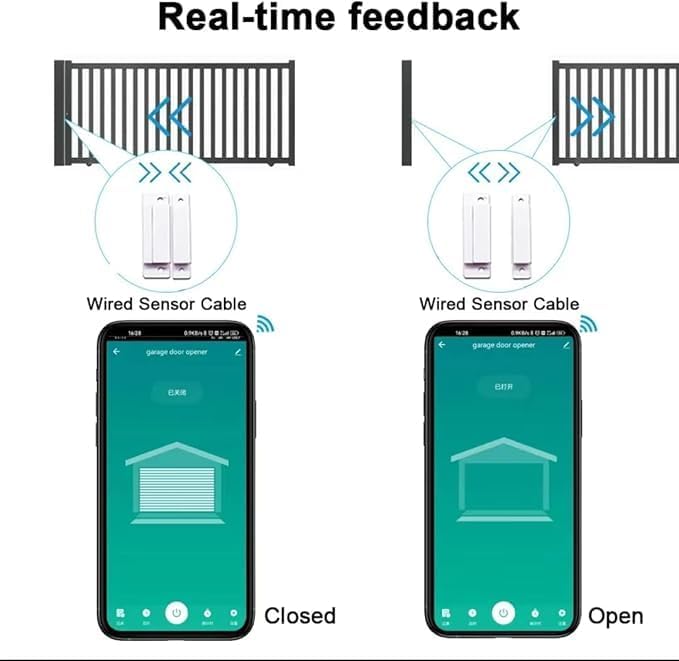
Install the magnetic door sensor on your garage door. The sensor consists of two parts: one part attaches to the garage door itself (the moving part), and the other part attaches to the wall or door frame (the stationary part). Ensure the two parts are aligned correctly and are within close proximity when the door is closed to register the 'closed' status. When the door opens, the parts separate, registering the 'open' status.

2.4 App Pairing and WiFi Connection
- Download the Smart Life or Tuya app from your smartphone's app store.
- Register or log in to your account.
- Power on the Huacaoe controller using a 5V USB adapter.
- Open the app. The app should automatically detect the new device. Tap to add it.
- Follow the in-app instructions to connect the device to your 2.4GHz WiFi network. Note: The device only supports 2.4GHz WiFi and is not compatible with 5G-WiFi, mesh WiFi, WiFi hue, or WiFi bridge networks.
3. Operating Instructions
3.1 Remote Control via App
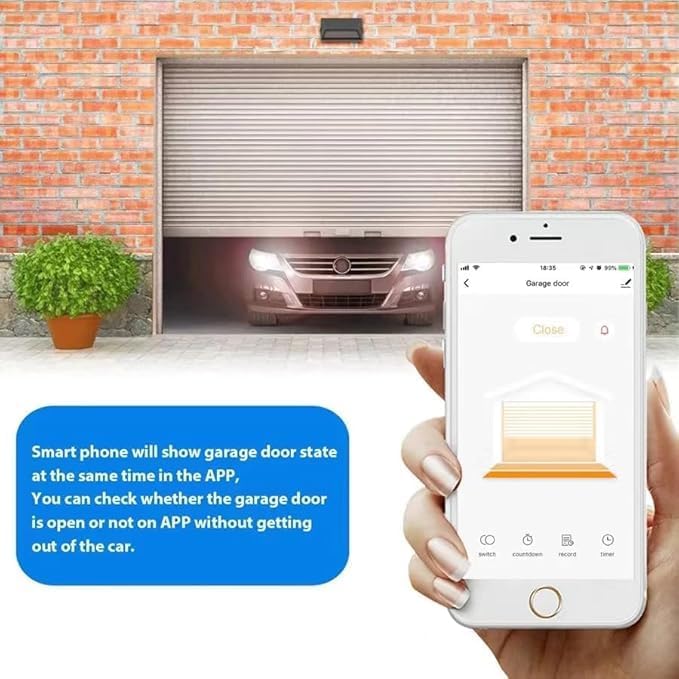
Once paired, you can control your garage door from anywhere using the Smart Life or Tuya app. The app displays the current status of your garage door (open or closed) and allows you to toggle its state with a tap.
3.2 Voice Control
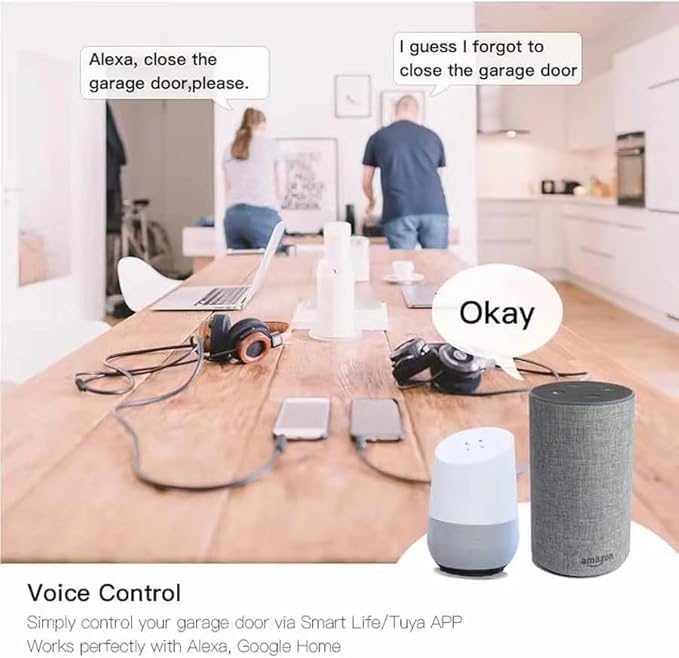
The controller is compatible with Amazon Alexa and Google Assistant. Link your Smart Life/Tuya account to your voice assistant app. You can then use voice commands such as "Alexa, open the garage door" or "Hey Google, close the garage door."
3.3 Real-time Monitoring and Notifications
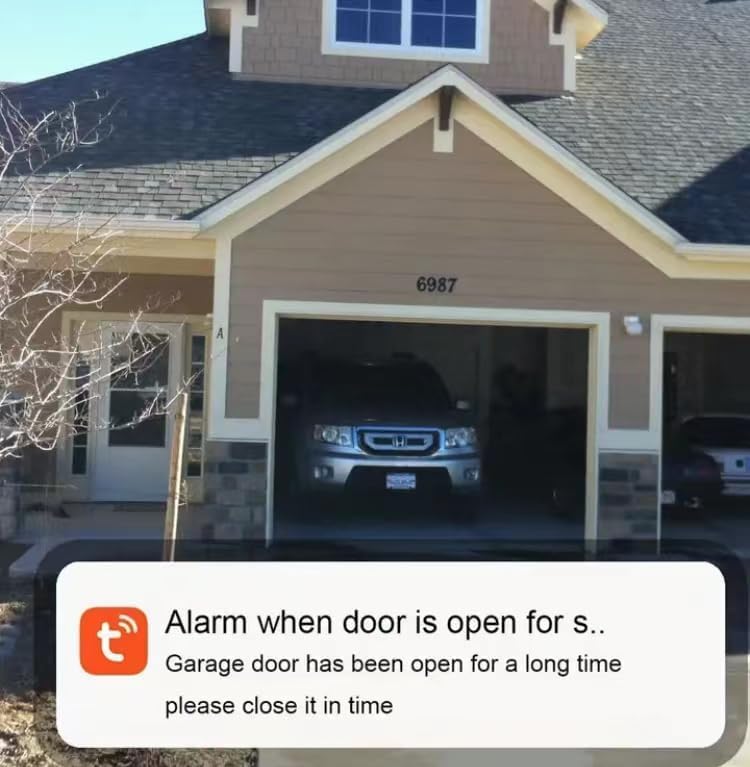
The app provides real-time feedback on your garage door's status. You will receive notifications for garage door open/close status, overtime open notifications, and overnight open notifications. You can also view a history log of the last 5 open/close events.
3.4 Scheduling and Timers
Within the app, you can set schedules to automatically open or close your garage door at specific times. Countdown and repeat timers are also available for customized control.
3.5 Share Control
You can authorize multiple individuals to access and control your garage door through the app, allowing family members or trusted guests to operate it remotely.
4. Maintenance
- Keep the controller unit and sensors clean and free from dust or debris.
- Periodically check all wiring connections to ensure they are secure.
- Ensure the magnetic sensor parts remain properly aligned for accurate open/close detection.
- Confirm your WiFi network is stable and operating on the 2.4GHz band for consistent connectivity.
5. Troubleshooting
- Device not connecting to WiFi: Ensure your WiFi network is 2.4GHz. The device does not support 5GHz, mesh WiFi, WiFi hue, or WiFi bridge. Check your router settings.
- Garage door not activating after wiring: Re-check the compatibility test (Section 2.1). Ensure all wiring connections are correct and secure.
- Incorrect garage door status in app: Verify that the magnetic sensor and its counterpart are properly aligned and within range when the door is closed. Clean any obstructions around the sensor.
- Voice control issues (e.g., Alexa asking for a password): This is often a setting within the Alexa app for security. Review your Alexa app settings for garage door control or smart home device security.
- Buggy behavior with voice assistants: Ensure the Smart Life/Tuya app and your voice assistant app are updated to their latest versions. Check for any firmware updates for the Huacaoe controller within the Smart Life/Tuya app.
- No power to the device: Ensure the 5V USB adapter is functioning correctly and the USB cable is securely connected.
6. Specifications

| Feature | Specification |
|---|---|
| Model Number | TYLk-H1-RF |
| Input Voltage | DC 5V |
| Working Humidity | ≤80% |
| Working Temperature | -20°C ~ 70°C |
| WiFi Standard | WiFi 2.4GHz b/g/n (2.4G only) |
| Material | ABS |
| Product Dimensions | 88 x 38 x 22 mm (Controller) |
| Item Weight | 1.6 ounces |
| Included Components | Wireless relay module, 3m cable with sensor |
7. Warranty Information
Specific warranty details for the Huacaoe Tuya Smart WiFi 5V Garage Door Opener Controller are not provided in the product information. Please refer to the seller's return policy or contact the manufacturer directly for warranty terms and conditions.
8. Customer Support
For further assistance, technical support, or inquiries, please contact the seller through the platform where the product was purchased or visit the official Huacaoe website for contact information.