Product Overview
This instruction manual provides detailed guidance for the use and maintenance of your BOVUGAC protective case, specifically designed for the Callsky T12s Android 12 Inch Tablet. This case offers full protection, featuring a folding stand, pencil holder, and wrist strap, crafted from premium PU material for scratch resistance.

Figure 1: The BOVUGAC Sky Blue protective case for Callsky T12s tablet, showcasing its integrated stand.
Setup and Installation
Before installing the case, ensure your tablet is a Callsky T12s model. This case is precisely engineered for this specific model and may not fit other devices correctly.
- Verify Compatibility: Confirm your tablet is the Callsky T12s. Check the model number on your tablet's settings if unsure.
- Clean Your Tablet: Gently wipe your tablet to remove any dust or smudges before placing it into the case.
- Insert Tablet: Carefully align your Callsky T12s tablet with the case. Start by inserting one side of the tablet into the case, then gently press the other side until the tablet is securely seated within the protective shell. Ensure all corners are properly covered.
- Check Fit: Once inserted, gently press around the edges of the case to ensure a snug fit. Verify that all ports, buttons, and camera lenses are unobstructed and accessible.

Figure 2: Proper handling of the tablet with the installed protective case.
Operating Instructions
The BOVUGAC tablet case is designed with multiple features to enhance your tablet experience.
Folding Stand Functionality
The integrated folding stand allows for versatile viewing and typing angles.
- Viewing Angle: Fold the back cover to form a triangular stand. This position is ideal for watching videos, browsing, or video calls.
- Typing Angle: Adjust the stand to a lower, more reclined angle. This position provides a comfortable incline for typing on the screen keyboard.

Figure 3: The case configured for an optimal viewing angle.

Figure 4: Illustration of the two primary kickstand positions: Viewing Angle and Typing Angle.
Pencil Holder and Wrist Strap
- Pencil Holder: A dedicated slot is provided for securely storing your stylus or digital pen. Insert the pen gently into the holder when not in use.
- Wrist Strap: The built-in hand strap allows for a secure, one-handed grip, enhancing portability and reducing the risk of accidental drops. Slide your hand through the strap for comfortable holding.
Precise Cutouts and Accessibility
The case features precise cutouts ensuring full access to all tablet functions without removal.
- Ports: Charging port and audio jack remain fully accessible.
- Buttons: Volume and power buttons are easily pressed through the case.
- Camera: The camera cutout ensures unhindered photo and video capture.
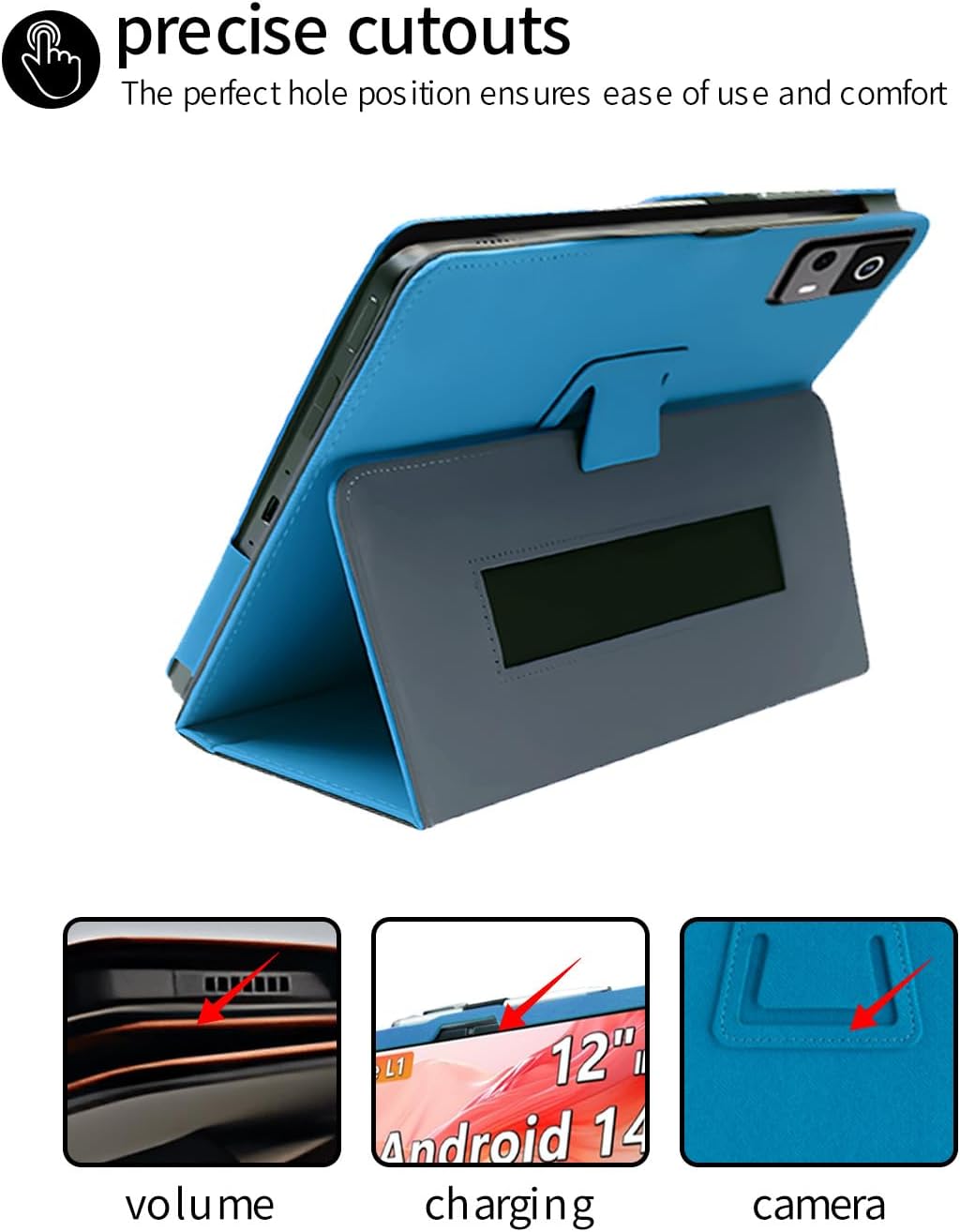
Figure 5: Detailed view of the precise cutouts for tablet functions.
Maintenance and Care
Proper care will extend the life and maintain the appearance of your tablet case.
- Cleaning: Use a soft, damp cloth to wipe down the exterior of the case. For stubborn dirt, a mild soap solution can be used, but ensure to wipe it off thoroughly with a clean, damp cloth afterwards. Avoid harsh chemicals or abrasive cleaners.
- Material Properties: The case is made from premium PU material, designed to be scratch-resistant and offer a degree of water resistance. While it provides protection, avoid prolonged exposure to excessive moisture or sharp objects.
- Drop Resistance: The case features four-corner thickening for enhanced drop resistance. While designed to protect, extreme impacts should still be avoided.

Figure 6: Overview of the case's material properties.
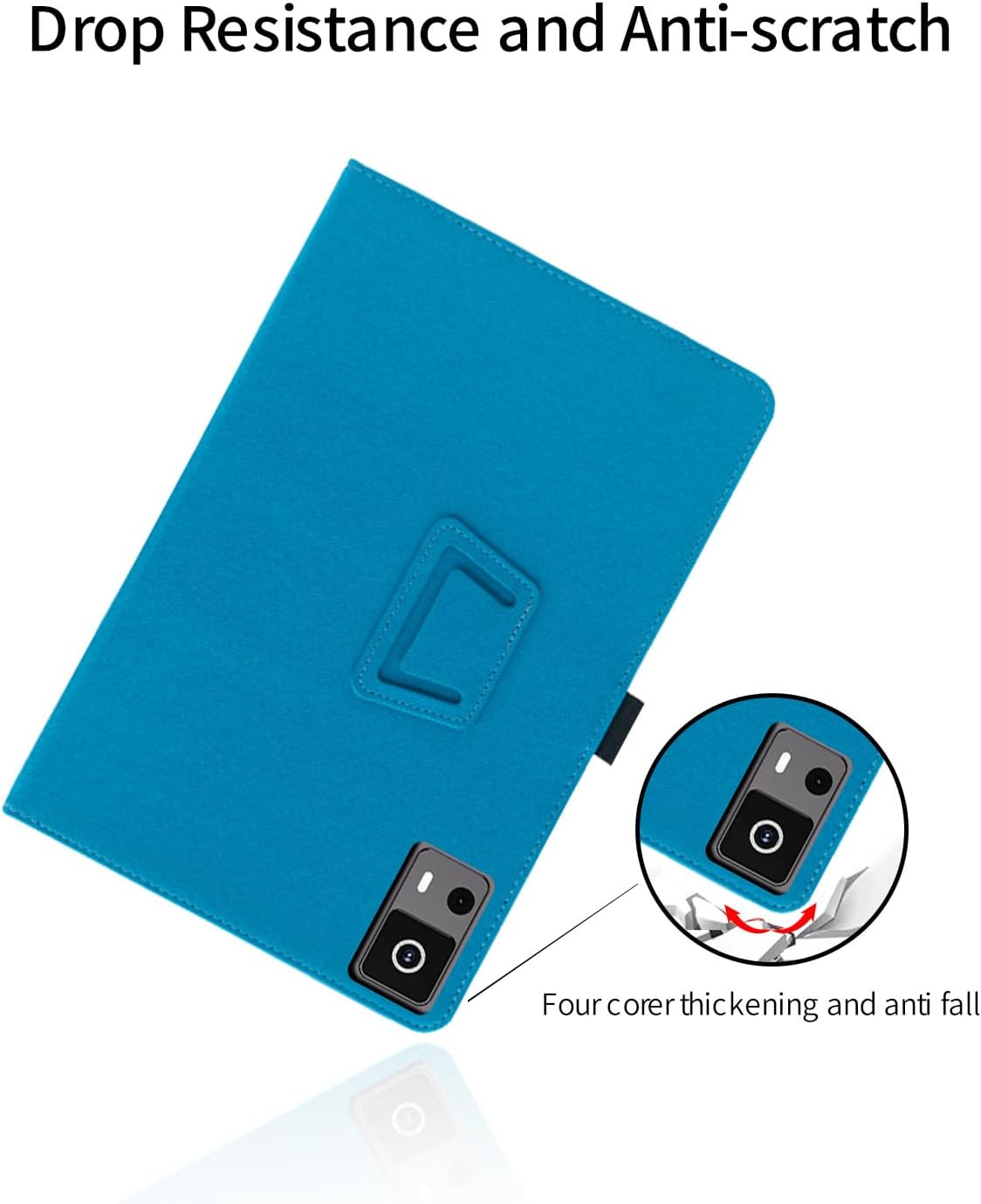
Figure 7: Highlight of the case's drop resistance and anti-scratch features, particularly the reinforced corners.
Troubleshooting
If you encounter any issues with your tablet case, please refer to the following common solutions.
| Problem | Possible Cause / Solution |
|---|---|
| Case does not fit the tablet properly. | Cause: Incorrect tablet model. Solution: This case is specifically designed for the Callsky T12s tablet. Please double-check your tablet's model number. If it is not a T12s, the case will not fit correctly. |
| Buttons or ports are obstructed. | Cause: Tablet not seated correctly in the case. Solution: Remove the tablet and re-insert it, ensuring it is perfectly aligned with all cutouts. Apply gentle pressure around the edges to ensure a secure and flush fit. |
| Stand feature is unstable. | Cause: Improper folding or uneven surface. Solution: Ensure the stand is folded into a stable triangular shape. Place the tablet on a flat, stable surface. Avoid placing it on soft or uneven surfaces that may compromise stability. |
Product Specifications
| Feature | Detail |
|---|---|
| Brand | BOVUGAC |
| Compatible Devices | Callsky T12s Tablet |
| Model Number | T12s |
| Color | Sky Blue |
| Form Factor | Case |
| Shell Type | Soft |
| Special Features | Slim Fit, Folding Stand, Pencil Holder, Wrist Strap, Scratch Resistant, Drop Resistance (Four-corner thickening) |
| Item Weight | 3.52 ounces |
| Package Dimensions | 0.3 x 0.3 x 0.3 inches |
Warranty and Support
Your BOVUGAC tablet case is designed for durability and protection. While specific warranty details are not provided in this manual, we are committed to customer satisfaction.
If you have any questions, concerns, or require assistance with your product, please do not hesitate to contact us. We will do our best to solve your problems and ensure a positive experience with our product.
For returns or issues related to your purchase, please refer to the retailer's return policy (e.g., Amazon's 30-day refund/replacement policy).