
1. Introduction
This manual provides essential information for the safe and efficient operation of your OSCAL Power Station PowerMax 3600 with 400W Solar Panel. Please read this manual thoroughly before using the product and retain it for future reference. Proper use and maintenance will ensure optimal performance and longevity of your power station.
Safety Information
- Do not disassemble, repair, or modify the unit.
- Keep the unit away from heat sources, direct sunlight, and flammable materials.
- Ensure proper ventilation during use and charging.
- Do not expose the unit to water or excessive humidity.
- Keep out of reach of children and pets.
2. Package Contents
Verify that all items are present in your package:
- OSCAL PowerMax 3600 Power Station
- 400W Solar Panel
- AC Charging Cable
- Car Charging Cable
- Solar Charging Cable
- User Manual (this document)
- Warranty Card
3. Product Overview
The OSCAL PowerMax 3600 is a high-capacity portable power station designed to provide reliable power for various applications, from home backup to outdoor activities. It features multiple output ports and supports various charging methods.
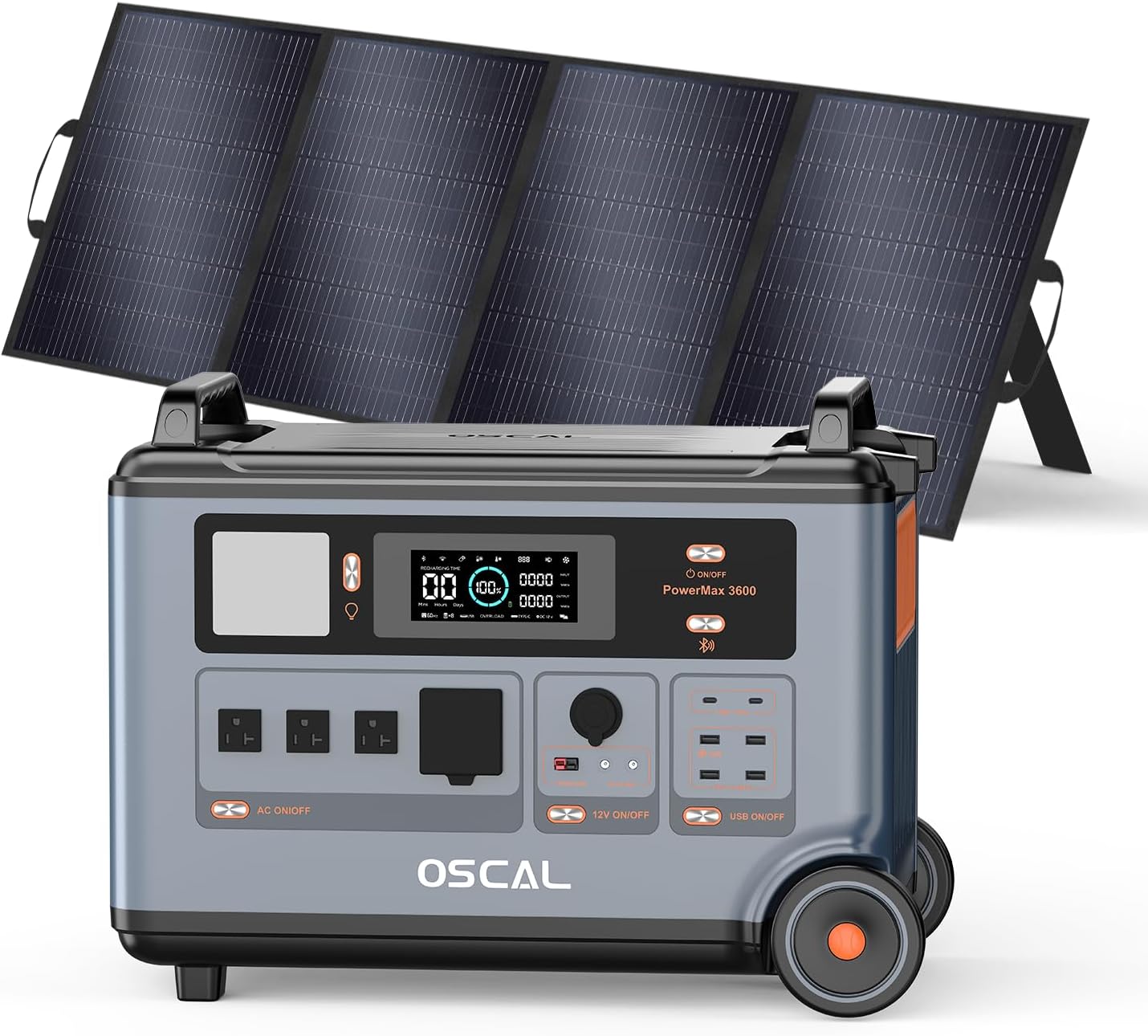
Figure 3.1: OSCAL PowerMax 3600 Power Station with accompanying 400W Solar Panel. The power station features a robust design with wheels for portability and various output ports on the front panel.
Key Components:
- Main Unit: Contains the LiFePO4 battery, inverter, and control systems. Features a display screen, AC outlets, USB-A and USB-C ports, DC outputs, and a car charger port.
- 400W Solar Panel: Foldable solar panel for efficient solar charging.
- Display Screen: Shows battery level, input/output wattage, remaining charge time, and error indicators.
- Input Ports: AC input, Solar/Car charging input.
- Output Ports: 4 AC outlets (Pure Sine Wave, 3000W continuous, 7200W surge), 1 USB-A, 3 USB-A Fast Charging, 2 USB-C (100W Max each), Car Charger, 2 DC5521, Anderson Output.
4. Setup
Initial Charging
Before first use, fully charge the PowerMax 3600. Use the provided AC charging cable to connect the unit to a standard wall outlet. The display will indicate charging status. A full charge from 0% to 100% can be completed within approximately 1.96 hours using the 1800W AC input.
Connecting the Solar Panel
To charge using the solar panel:
- Unfold the 400W solar panel and position it in direct sunlight for maximum exposure.
- Connect the solar charging cable to the solar panel's output port.
- Connect the other end of the solar charging cable to the solar input port on the PowerMax 3600.
- The display will show the solar input wattage, indicating active charging.
5. Operating Instructions
Turning On/Off
Press and hold the main power button for a few seconds to turn the unit on or off. The display screen will illuminate upon activation.
Using Output Ports
Each output section (AC, DC, USB) has its own power button. Press the respective button to activate or deactivate the desired output. The display will show the active output wattage.

Figure 5.1: The PowerMax 3600 connected to and powering various household appliances and electronics, demonstrating its versatility for essential devices like coffee makers, lawn mowers, toasters, and washers.
Smart APP Control
The PowerMax 3600 can be controlled via a smartphone application. Download the OSCAL application, pair your device via Wi-Fi or Bluetooth, and monitor power usage, control charging speed, and manage output settings remotely.

Figure 5.2: A smartphone screen showing the OSCAL application interface, which allows users to monitor battery percentage, input/output wattage, and control various functions of the PowerMax 3600 remotely.
EPS (Emergency Power Supply) Function
The PowerMax 3600 features an Uninterruptible Power Supply (UPS) function. In the event of a power outage, the unit can automatically switch to battery backup within 5-8 milliseconds, ensuring continuous power for connected devices. This is ideal for sensitive electronics like computers or medical equipment.

Figure 5.3: The PowerMax 3600 illustrating its use in scenarios requiring uninterrupted power, such as for CPAP machines, remote work setups, and emergency operations, highlighting its fast 5-8ms UPS switchover capability.
6. Charging Methods
The PowerMax 3600 supports multiple charging methods:
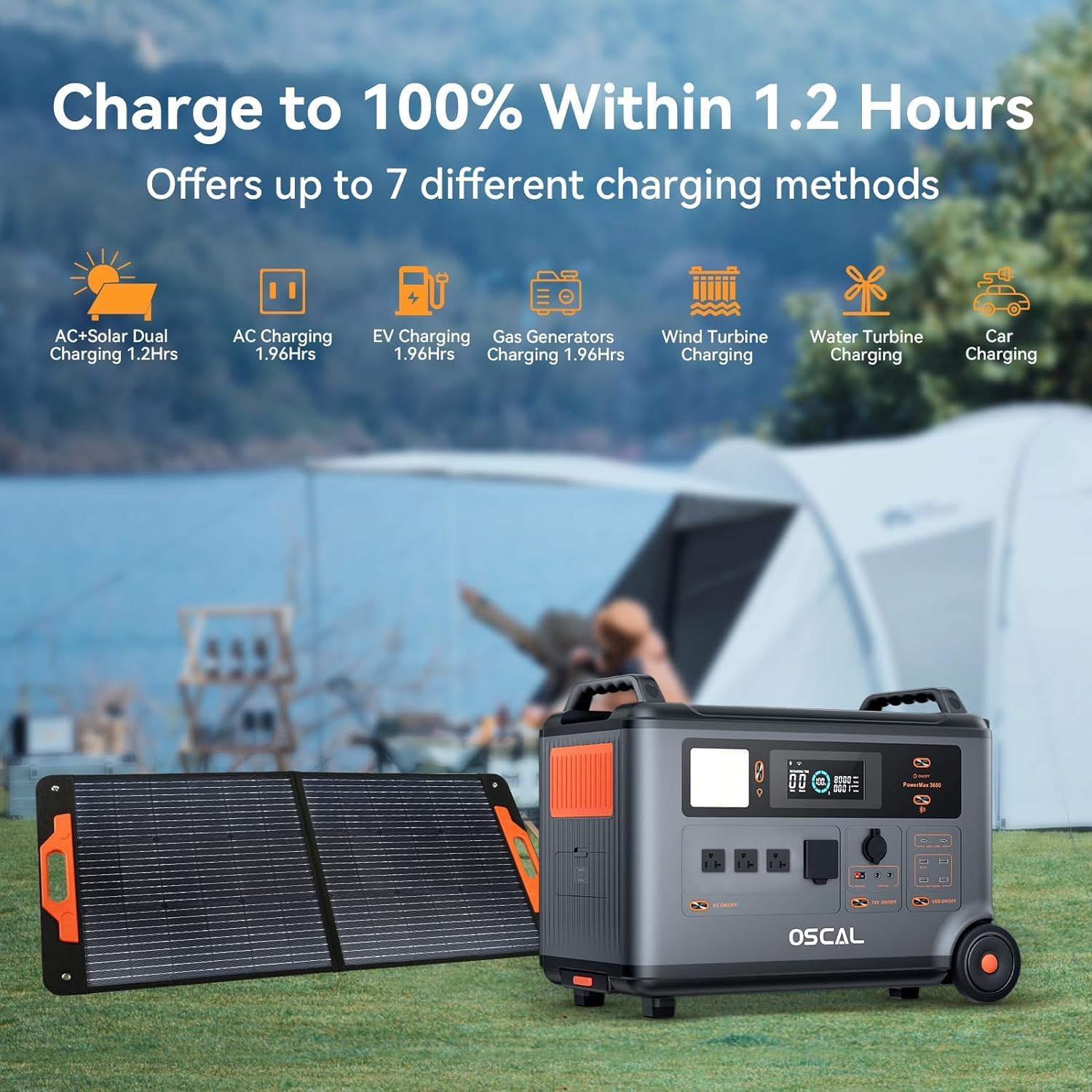
Figure 6.1: An illustration detailing seven different charging methods for the PowerMax 3600, including AC+Solar Dual Charging (1.2 Hrs), AC Charging (1.96 Hrs), EV Charging (1.96 Hrs), Gas Generators Charging (1.96 Hrs), Wind Turbine Charging, Water Turbine Charging, and Car Charging.
- AC Wall Outlet Charging: Connect the provided AC charging cable to a standard wall outlet. Supports 1800W fast charging.
- Solar Charging: Connect the 400W solar panel using the solar charging cable. Supports up to 1600W solar input.
- Car Charging: Use the provided car charging cable to charge from your vehicle's 12V outlet.
- AC + Solar Dual Charging: Combine AC and solar input for the fastest charging, achieving a full charge in approximately 1.2 hours with a maximum input of 2400W.
7. Maintenance
Battery Care
The PowerMax 3600 uses LiFePO4 batteries, known for their durability and long cycle life. These batteries are rated for 3500+ charge and discharge cycles to 80% capacity, providing a service life of up to 25 years under typical usage. To maximize battery life:
- Avoid extreme temperatures. Store and operate the unit within the recommended temperature range.
- For long-term storage, charge the unit to approximately 50-60% and recharge every 3-6 months.
- Avoid fully discharging the battery frequently.

Figure 7.1: The PowerMax 3600 highlighting its expandable capacity from 3600Wh up to 57600Wh with additional BP3600 batteries, and an internal view illustrating the LiFePO4 battery technology with 3500+ cycles.
Cleaning and Storage
- Clean the unit with a dry, soft cloth. Do not use abrasive cleaners or solvents.
- Ensure all ports are free of dust and debris.
- Store the unit in a cool, dry place, away from direct sunlight and moisture.
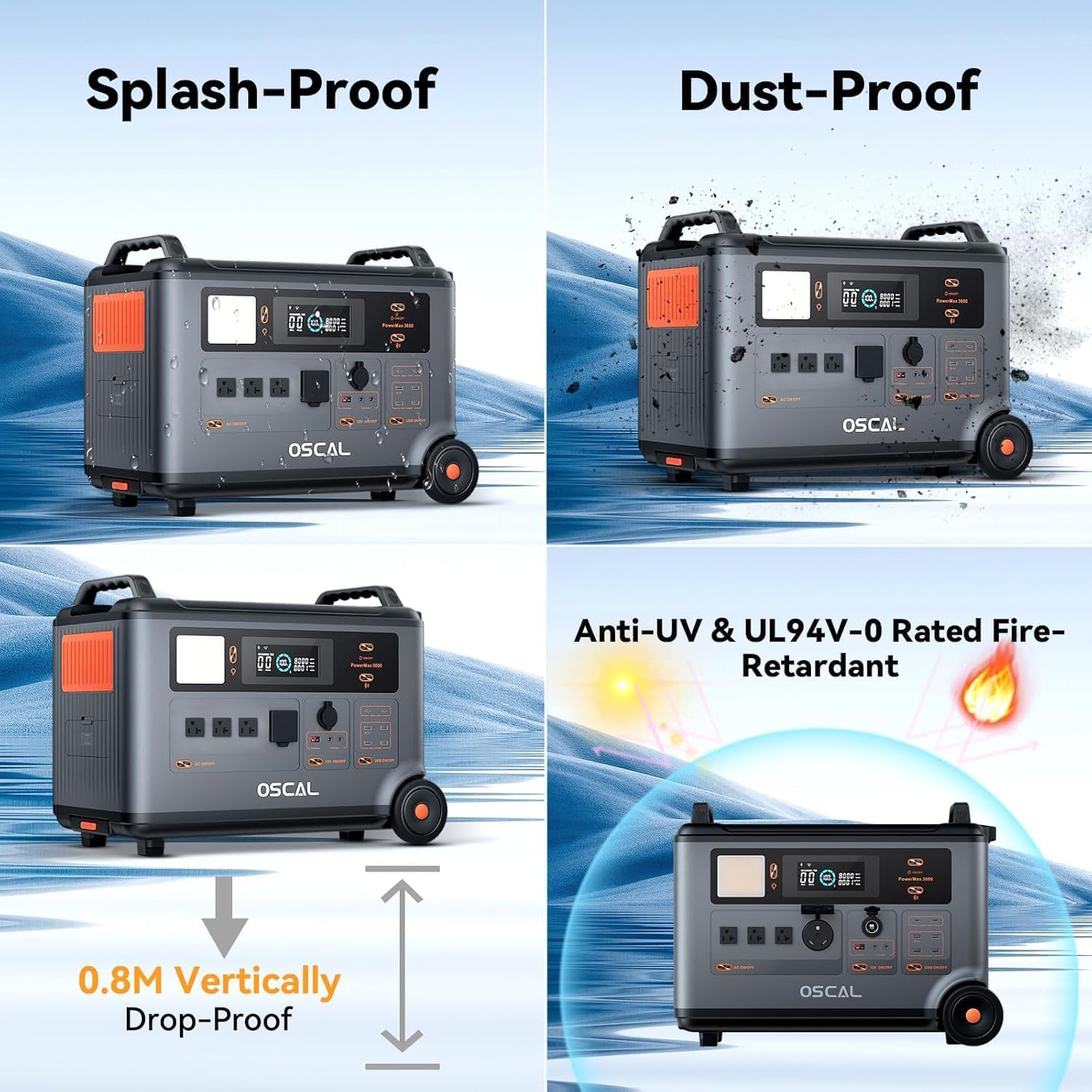
Figure 7.2: The PowerMax 3600 showcasing its robust design with features such as splash-proof, dust-proof, 0.8M vertically drop-proof, and Anti-UV & UL 94V-0 Rated Fire-Retardant properties, ensuring durability in various environments.
8. Troubleshooting
If you encounter issues with your PowerMax 3600, refer to the following common problems and solutions:
| Problem | Possible Cause | Solution |
|---|---|---|
| Unit does not turn on | Battery fully discharged; Power button not pressed long enough. | Charge the unit; Press and hold the power button for 3-5 seconds. |
| No output from AC/DC/USB ports | Output port not activated; Overload protection triggered; Low battery. | Press the respective output button; Reduce load; Recharge the unit. |
| Slow charging or no solar input | Insufficient sunlight; Solar panel not properly connected; Damaged cable. | Reposition solar panel; Check cable connections; Replace cable if damaged. |
| Display shows error code | Internal fault; Over-temperature; Over-voltage. | Refer to the specific error code in the full manual (if available) or contact customer support. |
If the problem persists after attempting these solutions, please contact customer support.
9. Specifications
| Feature | Detail |
|---|---|
| Brand | ECOGREAT |
| Model Name | Powermax 3600 |
| Wattage | 3000 watts (Running), 7200W (Peak) |
| Fuel Type | Electric |
| Power Source | Solar Powered |
| Item Weight | 44.5 Kilograms (97.9 pounds) |
| Voltage | 120 Volts (AC) |
| Product Dimensions | 23.2"L x 13.8"W x 17.5"H |
| Material | ABS, Plastic |
| UPC | 637609160813 |
| Battery Type | LiFePO4 |
| Battery Capacity | 3600Wh (Expandable up to 57600Wh) |
| AC Input | 1800W Fast Charging |
| Solar Input | 11-150V=15A Max, 1600W Max |
| UPS Switchover Time | 5-8 ms |
| Special Features | Adjustable, Fast Charging, Overload Protection, Portable, USB Port, APP Control |
10. Warranty and Support
Your purchase of the OSCAL PowerMax 3600 is backed by a 2-year warranty. This warranty covers defects in materials and workmanship under normal use.
For technical support, warranty claims, or any inquiries regarding your product, please refer to the contact information provided on the warranty card included in your package or visit the official ECOGREAT website.