
Introduction
This manual provides comprehensive instructions for the installation, operation, maintenance, and troubleshooting of your Tomantery Motorized Blind Motor. Please read this manual carefully before use to ensure proper function and longevity of the product.
The Tomantery Motorized Blind Motor is a DC 5V rechargeable lithium battery-powered tubular motor designed for roller shades, offering APP and voice control capabilities for smart home integration.
Product Overview

Figure 1: Main view of the Tomantery Motorized Blind Motor. This image shows the yellow tubular motor with black end caps.
The Tomantery Motorized Blind Motor is designed for easy integration into existing roller shades. It features a compact tubular design, a built-in rechargeable lithium battery, and smart control options.
- App Control: Manage your roller blinds from your smartphone or tablet.
- Voice Control: Compatible with smart home systems via a Zigbee hub for voice commands.
- Rechargeable Battery: Integrated lithium battery provides long-lasting power, reducing the need for frequent charging.
- Child Safety: Cordless design enhances safety in homes with children and pets.
Package Contents
Verify that all items are present in the package:
- 1 x Smart Roller Blinds Motor
- 1 x USB Cable
- 1 x User Manual (this document)

Figure 2: The motorized blind motor shown alongside its included USB charging cable.
Setup and Installation
1. Initial Charging
Before first use, fully charge the motor's built-in lithium battery. Connect the provided USB cable to the motor's charging port and to a standard USB power adapter (not included). A full charge can last up to half a year with daily up and down use.
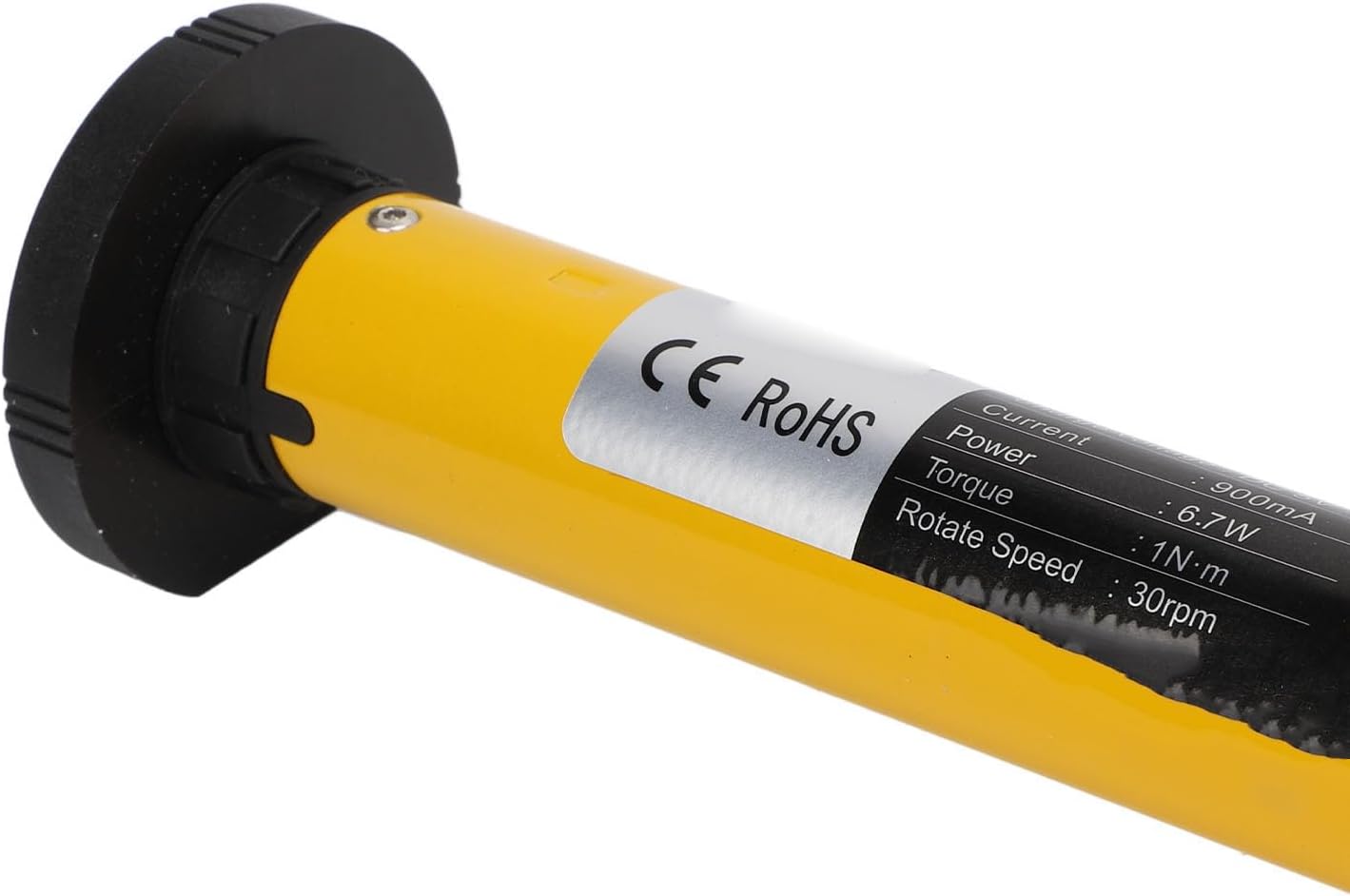
Figure 3: Close-up view of the motor's label, displaying specifications such as voltage, current, power, torque, and rotation speed. The charging port is typically located near one of the end caps.
2. Motor Installation into Roller Shade
The motor is designed for hassle-free installation into the tubular core of your roller shade. Ensure the motor fits securely within the shade's tube. The end caps are designed to integrate with standard roller shade brackets.
- Remove the existing manual mechanism from your roller shade.
- Insert the Tomantery Motorized Blind Motor into the roller shade tube. Ensure it is centered and securely fitted.
- Attach the roller shade with the installed motor to your window brackets.
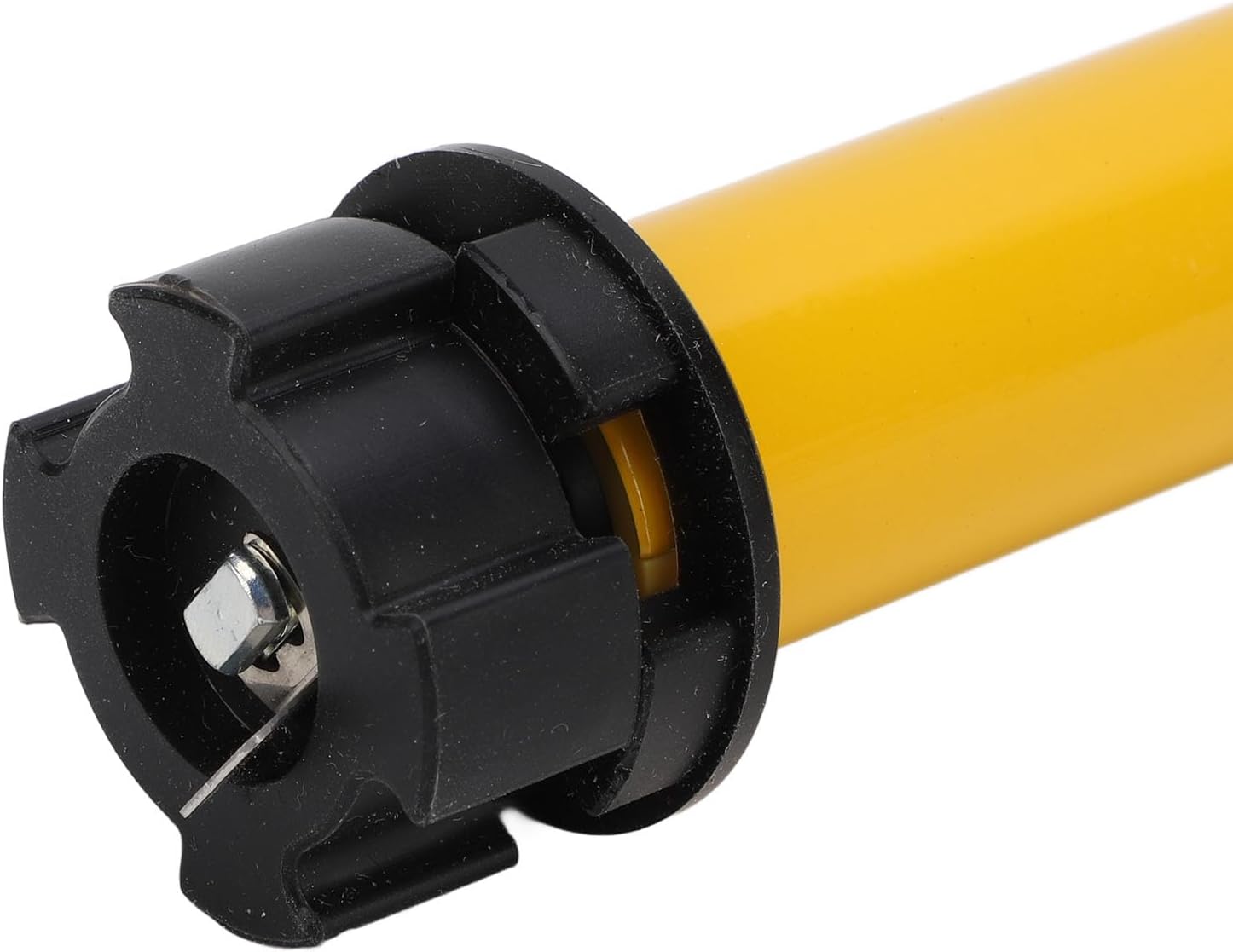
Figure 4: Detailed view of one end cap of the motor, showing the mounting point for securing it within the roller shade mechanism.

Figure 5: Detailed view of the opposite end cap of the motor, illustrating its design for integration with roller shade brackets.
3. App Control Setup
Download the dedicated control application from your smartphone's app store. Follow the in-app instructions to pair your motor. This typically involves:
- Opening the app and creating an account if necessary.
- Selecting "Add Device" or a similar option.
- Following prompts to put the motor into pairing mode (refer to app for specific instructions, as this may vary).
- Completing the pairing process.
4. Voice Control Setup (via Zigbee Hub)
For voice control functionality, the motor can be connected via a compatible Zigbee hub (not included). Refer to your Zigbee hub's instructions for adding new devices. Once connected to the hub, you can integrate it with your preferred voice assistant (e.g., Amazon Alexa, Google Assistant) if supported by your Zigbee hub.
Operating Instructions
Using the App
Once paired, the app provides intuitive controls for your roller shades:
- Open/Close: Tap the designated buttons to fully open or close the shades.
- Adjust Position: Use a slider or percentage input to set the shades to a specific height.
- Scheduling: Set timers for automatic opening and closing at specific times.
- Scenes: Create custom scenes to control multiple shades simultaneously or integrate with other smart home devices.
Using Voice Commands
After successful integration with a Zigbee hub and voice assistant, you can use commands such as:
- "Alexa, open the living room blinds."
- "Hey Google, close the bedroom shade."
- "Open blinds to 50%." (Specific commands may vary based on your voice assistant and hub configuration).
Maintenance
Charging the Battery
The motor's built-in lithium battery offers low power consumption. When fully charged, it can last up to half a year with daily use. Recharge the motor when the battery indicator (if available) shows low power or when performance degrades. The charging process is simple: connect the USB cable to the motor and a power source.
It is recommended to fully charge the motor approximately every 6 months, or as needed based on usage.
General Care
- Keep the motor clean and free from dust. Use a dry, soft cloth for cleaning.
- Avoid exposing the motor to extreme temperatures or moisture.
- Do not attempt to disassemble the motor, as this will void the warranty.
Troubleshooting
| Problem | Possible Cause | Solution |
|---|---|---|
| Motor does not respond to app/voice commands. | Low battery; Not paired; Zigbee hub issue; App connectivity issue. | Charge the motor; Re-pair the motor with the app/hub; Check Zigbee hub status; Ensure smartphone has internet connection. |
| Shades move erratically or not to desired position. | Obstruction; Calibration issue. | Check for any physical obstructions; Refer to app for recalibration options. |
| Battery life is shorter than expected. | Frequent usage; Extreme temperatures. | Charge more frequently; Ensure motor is not exposed to extreme heat or cold. |
If you encounter issues not listed here or if solutions do not resolve the problem, please contact customer support.
Specifications
| Feature | Specification |
|---|---|
| Model Number | Tomanteryc0g7bqa58r |
| Voltage | DC 5V |
| Current | 900mA |
| Power | 6.7W |
| Torsion | 1N.M |
| Rotation Speed | 30rpm |
| Battery Type | Lithium Battery (built-in) |
| Battery Capacity | 2600mAh |
| Voice Control Support | Via Zigbee hub |
| Product Dimensions | 18.5"L x 1.96"W |
| Item Weight | 1.35 pounds |
Warranty and Support
This product comes with a standard manufacturer's warranty. Please retain your proof of purchase for warranty claims. For technical support, troubleshooting assistance, or warranty inquiries, please contact Tomantery customer service through the retailer where the product was purchased.
For the most up-to-date support information, please visit the official Tomantery website or contact your local distributor.