
1. Setup
This section guides you through the initial setup of your Fastrack Limitless FS2 Pro Smart Watch.
1.1 Unboxing and Initial Charge
Carefully remove all components from the packaging. The box should contain the Fastrack Limitless FS2 Pro Smart Watch and a charging cable.

Image: The Fastrack Limitless FS2 Pro Smart Watch connected to its charging cable.
Before first use, fully charge the device. Connect the charging cable to the watch's charging port and a compatible USB power source. A full charge typically takes approximately 1 hour. A 10-minute charge can provide up to one full day of battery life under standard conditions.
1.2 Powering On/Off
- To Power On: Press and hold the side button until the Fastrack logo appears on the screen.
- To Power Off: Press and hold the side button, then select the 'Power Off' option on the screen.
1.3 Pairing with Your Smartphone
To utilize all features, pair your smartwatch with the Fastrack companion application on your smartphone. The watch is compatible with Android 9.0+ and iOS 10.0+ devices.
- Download and install the official Fastrack application from your smartphone's app store.
- Ensure Bluetooth is enabled on your smartphone.
- Open the Fastrack application and follow the on-screen instructions to add a new device.
- Select 'Fastrack Limitless FS2 Pro' from the list of available devices.
- Confirm the pairing request on both your smartphone and the smartwatch.

Image: The Fastrack Limitless FS2 Pro demonstrating its seamless Bluetooth calling feature with a call interface and dial pad.
2. Operating Instructions
Learn how to navigate and use the various features of your Fastrack Limitless FS2 Pro Smart Watch.
2.1 Display and Navigation
The smartwatch features a 1.96" AMOLED display with a resolution of 410x502 pixels. Navigation is primarily done via the touchscreen and the physical crown/button.
- Swipe Up/Down: Scroll through menus and notifications.
- Swipe Left/Right: Access quick widgets or different screens.
- Tap: Select an item or open an application.
- Press Side Button: Return to the home screen or access the app menu.

Image: The Fastrack Limitless FS2 Pro showcasing its 1.96" Super AMOLED Arched Display with high pixel resolution.
2.2 Bluetooth Calling
With SingleSync™ BT Calling (Bluetooth v5.2), you can make and receive calls directly from your wrist. The watch is equipped with a high-quality microphone for clear communication.
- Answering Calls: Tap the green icon on the watch screen when a call comes in.
- Making Calls: Access the dial pad or contact list through the watch's menu.
2.3 AI Voice Assistant
Activate the integrated AI Voice Assistant for hands-free control. This feature allows you to perform tasks, ask questions, and control smart home devices using voice commands.

Image: The Fastrack Limitless FS2 Pro showing icons for AI voice assistants like Google Assistant and Siri.
2.4 Sports Modes
The watch supports over 100 sports modes to track various physical activities. Select your desired activity from the sports mode menu to begin tracking.
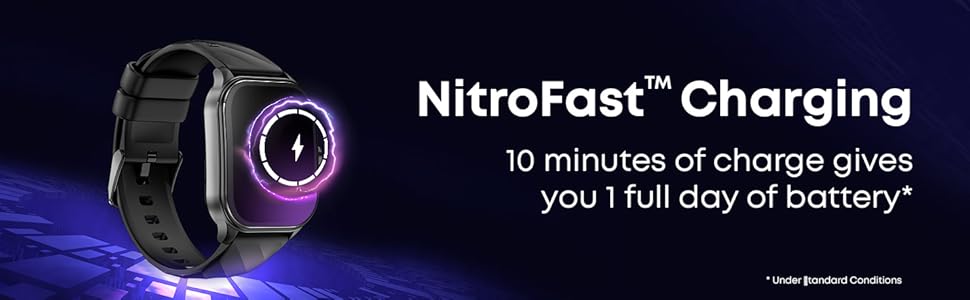
Image: The Fastrack Limitless FS2 Pro showing a selection of sports mode icons and a screen displaying multisport records.
2.5 Health Tracking
Monitor your health with continuous tracking features:
- Heart Rate Monitor: Provides 24x7 heart rate tracking.
- SpO2 Monitor: Measures blood oxygen levels.
- Stress Monitor: Tracks stress levels throughout the day.
- Sleep Tracker: Analyzes sleep patterns and duration.
- Period Tracker: For menstrual cycle tracking.
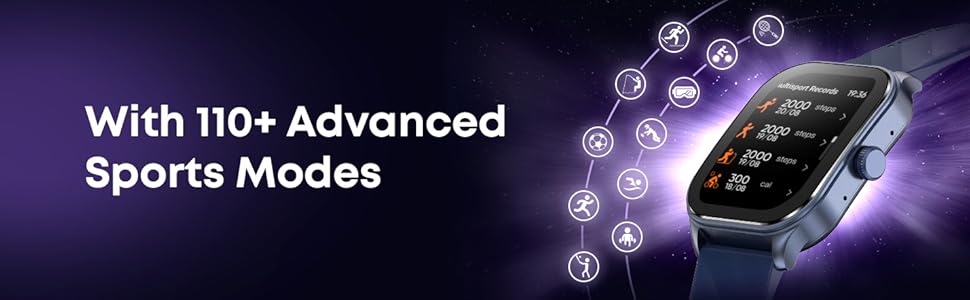
Image: The Fastrack Limitless FS2 Pro showing screens for auto stress monitor, 24x7 heart monitor, SpO2 monitor, period tracker, and sleep tracker.
2.6 Watch Faces and Games
Customize your watch with over 200 trendy watch faces available through the companion app. The watch also includes 4 mini dynamic games for entertainment.
3. Maintenance
Proper care ensures the longevity and optimal performance of your smartwatch.
3.1 Cleaning
Wipe the watch screen and body with a soft, lint-free cloth. For stubborn dirt, slightly dampen the cloth with water. Avoid using harsh chemicals or abrasive materials.
3.2 Water Resistance
The Fastrack Limitless FS2 Pro is IP68 water-resistant, meaning it can withstand immersion in water up to 1.5 meters for 30 minutes. It is suitable for activities like swimming and running in the rain. However, it is not recommended for diving or high-pressure water activities.
3.3 Charging
Use only the provided charging cable. Ensure the magnetic charging pins are clean and properly aligned with the watch's charging contacts. Avoid exposing the charging port to water or sweat.

Image: The Fastrack Limitless FS2 Pro being charged, highlighting its NitroFast™ Charging capability.
3.4 Software Updates
Regularly check for and install software updates through the Fastrack companion application. Updates often include performance improvements, new features, and bug fixes.
4. Troubleshooting
This section addresses common issues you might encounter with your Fastrack Limitless FS2 Pro Smart Watch.
| Issue | Possible Solution |
|---|---|
| Watch not powering on | Ensure the watch is fully charged. Connect it to the charger for at least 30 minutes. If it still doesn't power on, contact support. |
| Bluetooth disconnection | Ensure the watch is within range of your phone. Restart both the watch and your phone. Re-pair the devices through the Fastrack app. Check for app updates. |
| Inaccurate health/activity tracking | Ensure the watch is worn snugly on your wrist. Calibrate the sensors through the app if available. Ensure your personal information (height, weight) is accurate in the app. |
| Charging issues (e.g., magnet not holding) | Ensure the charging pins on both the cable and watch are clean and free of debris. Try a different USB power source. If the issue persists, the charging cable or watch may be faulty. |
| Screen unresponsive or freezing | Restart the watch by pressing and holding the side button. If the issue continues, perform a factory reset (refer to the app for instructions, as this will erase data). |
| Raise-to-wake feature not working | Check the settings in the Fastrack app to ensure 'Raise to Wake' is enabled. Adjust the sensitivity if possible. Ensure your wrist movement is clear and deliberate. |
5. Specifications
Detailed technical specifications for the Fastrack Limitless FS2 Pro Smart Watch.
- Model Number: 38086PP01K
- Display: 1.96" AMOLED, 410 x 502 Resolution
- Battery: 280 mAh Lithium Polymer, up to 5 days average life, 1-hour charge time
- Connectivity: Bluetooth v5.2
- Compatibility: Android 9.0+ / iOS 10.0+
- RAM: 64 MB
- Water Resistance: IP68 (up to 1.5 meters)
- Sensors: Heart Rate Monitor, Blood Oxygen Monitor (SpO2), Stress Monitor
- Features: BT Calling, AI Voice Assistant, 100+ Sports Modes, Health Tracking, 200+ Watch Faces, 4 Mini Games
- Case Material: Polycarbonate (PC)
- Band Material: Plastic
- Dimensions (D x W x H): 13D x 47W x 39H Millimeters
- Weight: 46 Grams
- Box Contents: Smartwatch, Charging Cable
6. Warranty
The Fastrack Limitless FS2 Pro Smart Watch comes with a 1-year limited warranty from the date of purchase. This warranty covers manufacturing defects. For detailed terms and conditions, please refer to the warranty card included with your product or visit the official Fastrack website.
7. Support
For further assistance, technical support, or warranty claims, please contact the manufacturer:
Manufacturer: Titan Company Limited
Address: 3 Sipcot Industries complex, Hosur- 635126
Please have your product model number (38086PP01K) and proof of purchase ready when contacting support.