
Uziurl M-20
Uziurl M-20 Microphone Amplifier User Manual
Model: M-20
Introduction
Thank you for choosing the Uziurl M-20 Microphone Amplifier. This device is designed to enhance the performance of both dynamic and 48V condenser microphones, providing a fuller and more powerful sound for various audio applications, including live sound cards and stereos. Please read this manual carefully before use to ensure proper operation and to maximize the product's lifespan.
Safety Information
- Do not expose the device to water or excessive moisture.
- Avoid extreme temperatures.
- Do not attempt to disassemble or modify the device. This will void the warranty and may cause damage.
- Use only the provided charging cable or a compatible mobile phone charging head for charging.
- Important: Do not turn on the 48V switch when using a dynamic microphone. This can damage the microphone.
Package Contents
Please check the package carefully to ensure all items are present:
- 1 x Uziurl M-20 Microphone Amplifier
- 1 x Charging Cable (USB to Micro USB)
- 1 x XLR Cable

Image: The Uziurl M-20 Microphone Amplifier shown with its included charging cable and XLR cable. The amplifier is black with "M-20 Mic amplifier" printed on top, and features a power button, XLR input, and gain knob on the front.
Product Overview
Familiarize yourself with the various parts and controls of your Uziurl M-20 Microphone Amplifier.
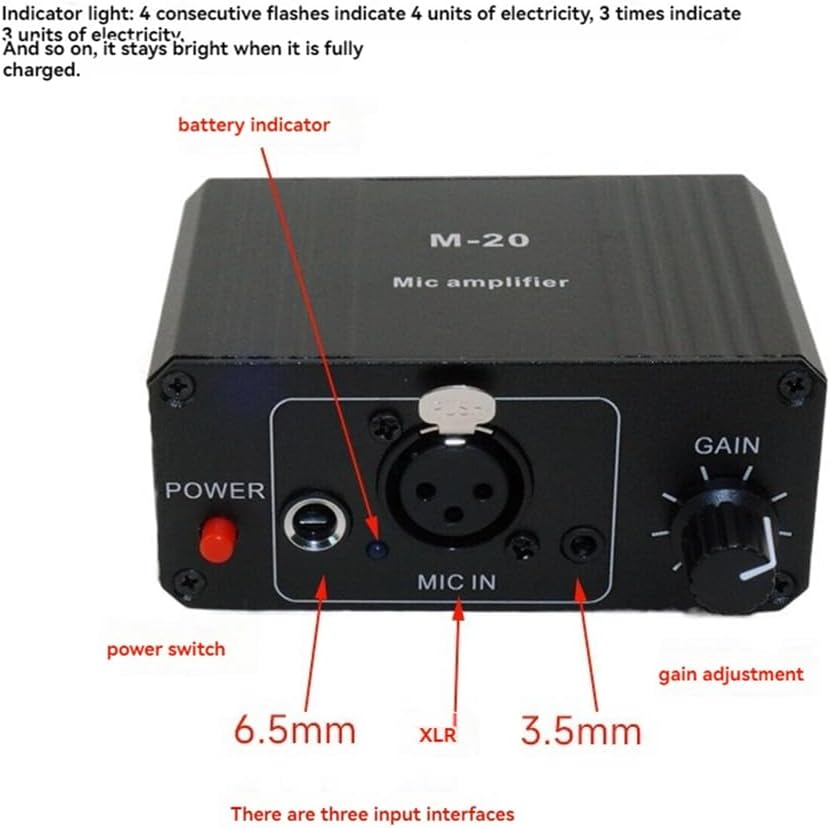
Image: A close-up view of the front panel of the Uziurl M-20 amplifier. Labels indicate the "POWER" switch (red button), a 6.5mm input jack, an XLR input jack ("MIC IN"), a 3.5mm input jack, a battery indicator light, and a "GAIN" adjustment knob.

Image: A close-up view of the rear panel of the Uziurl M-20 amplifier. Labels indicate a 6.5mm output jack, an XLR output jack ("MIC OUT"), a 3.5mm output jack, a "48V switch" (for phantom power), and a "DC5V Charge" charging interface (Micro USB port).
Key Features:
- Support for 48V condenser microphones and dynamic microphones.
- Balanced amplifier circuit for enhanced sound quality.
- Adjustable gain control (up to 20dB).
- Multiple input (6.5mm, XLR, 3.5mm) and output (6.5mm, XLR, 3.5mm) interfaces.
- Built-in rechargeable battery with indicator.
Setup
1. Charging the Amplifier
Before initial use, fully charge the amplifier.
- Connect the provided charging cable to the "DC5V Charge" port on the rear of the amplifier.
- Connect the other end of the charging cable to a standard USB power adapter (e.g., a mobile phone charging head).
- The battery indicator light on the front panel will show charging status. It will stay bright when fully charged.
Battery Life: Dynamic microphones can be used continuously for over 10 hours. Condenser microphones (with 48V turned on) can be used for approximately 3-5 hours. Actual battery life may vary depending on microphone type and usage.
2. Connecting a Microphone
The M-20 amplifier supports various microphone types.
- For Dynamic Microphones: Connect your dynamic microphone to any of the "MIC IN" ports (XLR, 6.5mm, or 3.5mm) on the front panel. Ensure the 48V switch on the rear panel is OFF.
- For 48V Condenser Microphones: Connect your condenser microphone to the XLR "MIC IN" port on the front panel. After connecting, turn the "48V switch" on the rear panel to the ON position.
3. Connecting to an Audio Device (Sound Card/Stereo)
Connect the amplifier's output to your sound card, stereo, or other audio input device.
- Use an appropriate audio cable (e.g., XLR to XLR, 6.5mm to 6.5mm, or 3.5mm to 3.5mm) to connect one of the "MIC OUT" ports (XLR, 6.5mm, or 3.5mm) on the rear panel of the amplifier to the microphone input of your sound card or stereo.

Image: A diagram illustrating the connection flow. A microphone icon points to the "MIC IN" port of the M-20 amplifier. An arrow then points from the amplifier's output to a generic "sound card or stereo microphone interface." This visually represents how the amplifier acts as an intermediary between the microphone and the audio input device.
Operating Instructions
1. Powering On/Off
- To power on the amplifier, press the red "POWER" button on the front panel. The battery indicator light will illuminate.
- To power off, press the "POWER" button again.
2. Adjusting Gain
The "GAIN" knob on the front panel allows you to adjust the input sensitivity of the microphone.
- Rotate the knob clockwise to increase the gain (make the microphone signal louder).
- Rotate the knob counter-clockwise to decrease the gain (make the microphone signal quieter).
- Adjust the gain to an appropriate level to avoid distortion while ensuring sufficient volume.
3. Using 48V Phantom Power
The 48V switch on the rear panel provides phantom power for condenser microphones.
- Only activate the 48V switch when using a condenser microphone that requires phantom power.
- Never activate the 48V switch when using a dynamic microphone, as this can cause damage.
Maintenance
- Clean the device with a soft, dry cloth. Do not use liquid cleaners or solvents.
- Store the amplifier in a cool, dry place away from direct sunlight and extreme temperatures.
- When not in use for extended periods, ensure the device is fully charged before storage and recharge periodically to maintain battery health.
Troubleshooting
| Problem | Possible Cause | Solution |
|---|---|---|
| No sound output. |
|
|
| Sound is distorted. |
|
|
| Battery not charging. |
|
|
Specifications
| Feature | Detail |
|---|---|
| Model | M-20 |
| Brand | Uziurl |
| Color | Black |
| Material | Metal + Plastic |
| Microphone Support | Dynamic, 48V Condenser |
| Gain Adjustment | Up to 20dB |
| Input Interfaces | XLR, 6.5mm, 3.5mm |
| Output Interfaces | XLR, 6.5mm, 3.5mm |
| Power Supply | Built-in rechargeable battery, DC5V charging |
| Battery Life (Dynamic Mic) | >10 hours |
| Battery Life (Condenser Mic w/ 48V) | ~3-5 hours |
| Product Dimensions | 17 x 13 x 5 cm (approx.) |
| Item Weight | 367 Grams (approx.) |
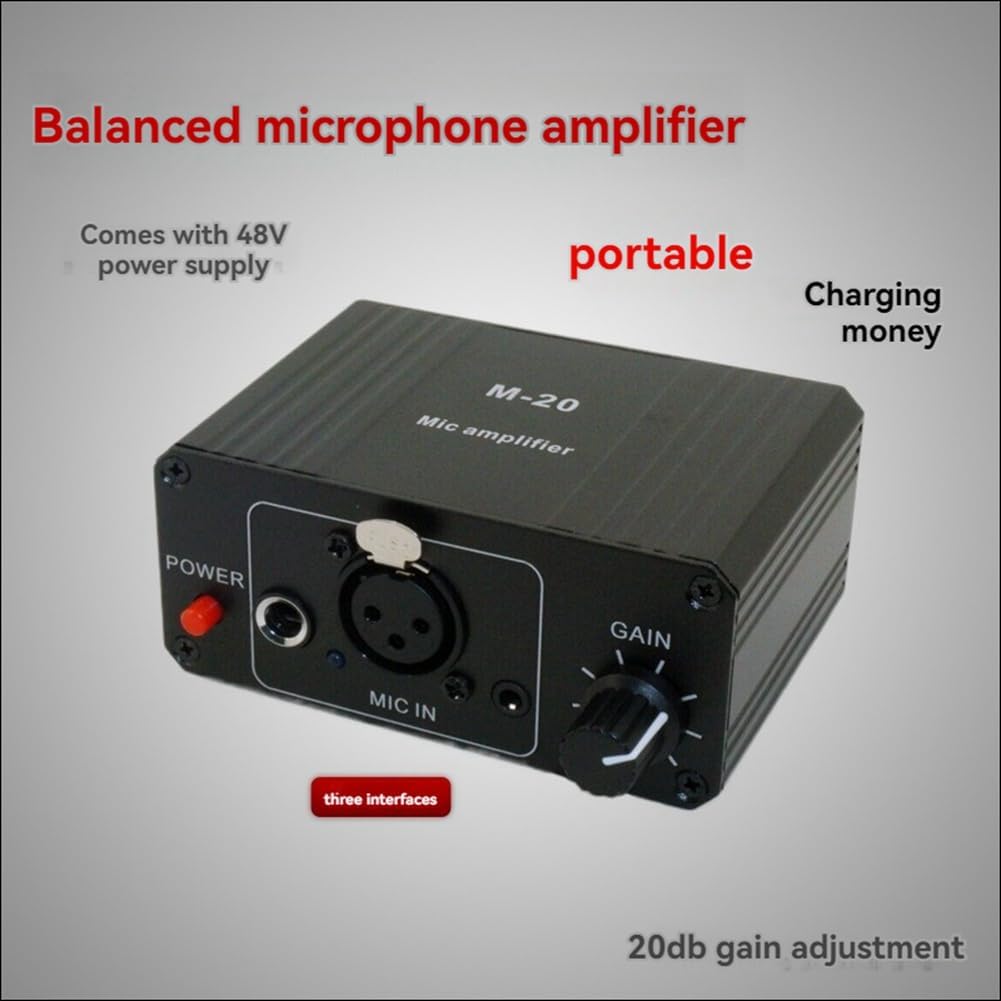
Image: The Uziurl M-20 amplifier, emphasizing its balanced microphone amplifier circuit and 20dB gain adjustment capability. Text overlays on the image also mention "portable" and "Comes with 48V power supply".
Warranty and Support
No specific warranty information is provided in the product details. For support or further inquiries, please refer to the seller or manufacturer's contact information available at your point of purchase.
Ask a question about this manual
Ask about setup, troubleshooting, compatibility, parts, safety, or missing instructions. Manuals+ will review the question and use this page’s manual context to help answer it.