
Cercker DBC-16D
Cercker DBC-16D Rotating Commercial Food Dehydrator Machine User Manual
Model: DBC-16D
1. Introduction
Thank you for choosing the Cercker DBC-16D Rotating Commercial Food Dehydrator Machine. This appliance is designed for efficient and uniform drying of various foods, including fruits, vegetables, meats, and herbs. Please read this manual thoroughly before operation to ensure safe and optimal use of your dehydrator. Proper understanding of its features and functions will help you achieve the best drying results and extend the product's lifespan.

Image 1.1: The Cercker DBC-16D Food Dehydrator with its door open, revealing multiple rotating trays laden with various food items undergoing dehydration.
2. Important Safety Instructions
WARNING: To reduce the risk of fire, electric shock, or injury, always follow these basic safety precautions:
- Read all instructions before using the appliance.
- Do not touch hot surfaces. Use handles or knobs.
- To protect against electrical shock, do not immerse cord, plugs, or the appliance in water or other liquid.
- Close supervision is necessary when any appliance is used by or near children.
- Unplug from outlet when not in use and before cleaning. Allow to cool before putting on or taking off parts.
- Do not operate any appliance with a damaged cord or plug, or after the appliance malfunctions or has been damaged in any manner.
- The use of accessory attachments not recommended by the appliance manufacturer may cause injuries.
- Do not use outdoors.
- Do not let cord hang over edge of table or counter, or touch hot surfaces.
- Do not place on or near a hot gas or electric burner, or in a heated oven.
- Extreme caution must be used when moving an appliance containing hot oil or other hot liquids.
- Always attach plug to appliance first, then plug cord into the wall outlet. To disconnect, turn any control to "off", then remove plug from wall outlet.
- Do not use appliance for other than intended use.
- Ensure the appliance is placed on a stable, heat-resistant surface.
- Do not block ventilation openings during operation.
3. Package Contents
Verify that all items listed below are included in your package. If any items are missing or damaged, please contact customer support.
- Cercker DBC-16D Food Dehydrator Machine
- 16 Stainless Steel Dehydrator Trays
- 1 Drip Tray
- Screwdriver (for assembly)
- User Manual
- Recipe Guide (67 types)
- Pair of Silicone Gloves
- 4 Wheels (for mobility)

Image 3.1: Visual representation of the Cercker DBC-16D Food Dehydrator and its complete set of accessories, including trays, drip tray, tools, and manuals.
4. Product Overview
The Cercker DBC-16D is a commercial-grade food dehydrator featuring a robust stainless steel construction and advanced drying technology. Key components and features include:
- Stainless Steel Body: Double-walled stainless steel for durability and insulation.
- 16 Rotating Trays: Food-grade 316 stainless steel trays with 360° automatic rotation for even drying.
- Touchscreen Control Panel: Intuitive interface for setting temperature and timer.
- Dual Fans: Circulating drying system for efficient and uniform heat distribution.
- Explosion-Proof Glass Viewing Window: Allows monitoring of the drying process without opening the door.
- Wheels: Equipped with practical universal wheels for easy transportation.
- Ergonomic Handle: Frosted door handle for comfortable use.

Image 4.1: The dehydrator's interior showing the 360-degree automatic rotation system, designed to ensure perfectly even drying of food items.
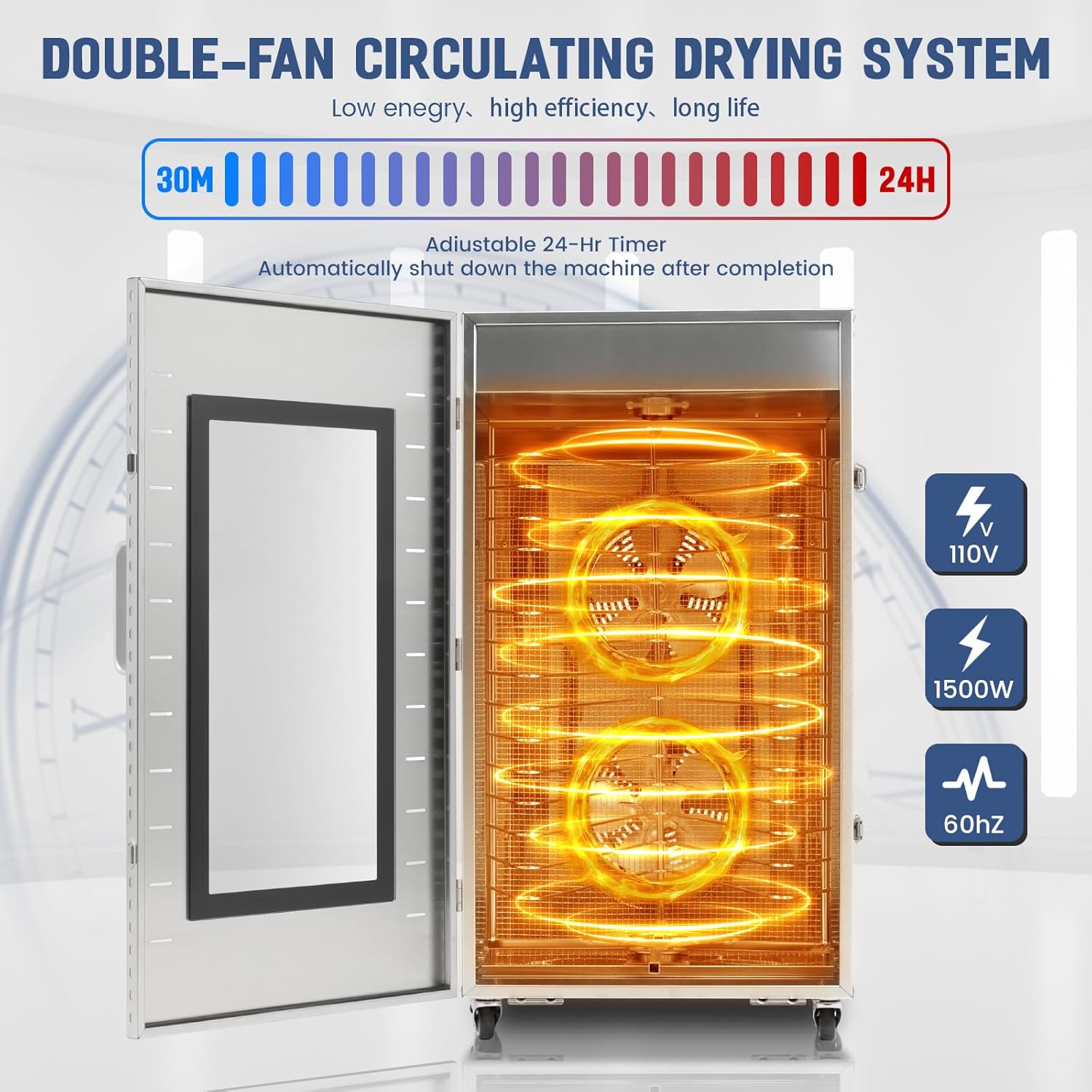
Image 4.2: The internal view of the dehydrator highlighting its double-fan circulating drying system, which promotes low energy consumption and high efficiency.
5. Setup
Follow these steps to set up your Cercker DBC-16D Food Dehydrator:
- Unpack: Carefully remove all components from the packaging. Retain packaging for future storage or transport.
- Inspect: Check the appliance and all accessories for any signs of damage.
- Attach Wheels: If not pre-installed, attach the four universal wheels to the bottom of the dehydrator using the provided screwdriver. Ensure they are securely fastened.
- Placement: Place the dehydrator on a flat, stable, and heat-resistant surface with adequate ventilation around it. Ensure it is away from walls or other appliances to allow for proper airflow.
- Initial Cleaning: Before first use, wipe down the interior of the dehydrator and wash all 16 stainless steel trays and the drip tray with warm, soapy water. Rinse thoroughly and dry completely.
- Power Connection: Ensure the power switch is in the 'OFF' position before plugging the unit into a grounded 110V/60Hz electrical outlet.
6. Operation
6.1 Control Panel Overview

Image 6.1: The IMD touch panel, providing intuitive controls for temperature and time settings, along with a quick reference dehydrating guide.
The dehydrator features an IMD touch panel for easy control:
- Temperature/Time Display: Shows current temperature or remaining time.
- ADJUST UP/DOWN Buttons: Used to increase or decrease temperature/time settings.
- TEMP Button: Press to select temperature adjustment mode. Long press to switch between Fahrenheit (°F) and Celsius (°C).
- ON/OFF Button: Powers the unit on or off.
- TIME Button: Press to select timer adjustment mode.
6.2 Preparing Food for Dehydration
- Wash and prepare food items according to your recipe (e.g., slice fruits/vegetables evenly, marinate meats).
- Arrange food in a single layer on the stainless steel trays, ensuring adequate space for air circulation. Do not overload trays.
- Place the drip tray at the bottom of the dehydrator to catch any liquids.
6.3 Setting Temperature and Time
- Close the dehydrator door securely.
- Press the ON/OFF button to power on the unit.
- Press the TEMP button. Use the ADJUST UP/DOWN buttons to set the desired temperature (range: 70-190°F / 21-74°C).
- Press the TIME button. Use the ADJUST UP/DOWN buttons to set the desired drying time (range: 0.5-24 hours, in 30-minute increments).
- The dehydrator will automatically begin the drying process once settings are confirmed. The 360° rotation and dual fans will activate.
- The unit will automatically shut down after the set time has elapsed.
6.4 Dehydrating Guide (Reference from Control Panel)
| Item | Temperature (°F) | Temperature (°C) |
|---|---|---|
| Herbs | 95-125 | 35-52 |
| Flour Fermentation | 115 | 46 |
| Yogurt | 115 | 46 |
| Vegetables | 120-135 | 49-57 |
| Fruit & Fruit Rolls | 135-145 | 57-63 |
| Meats, Fish & Jerky | 145-155 | 63-68 |
Note: These are general guidelines. Actual drying times and temperatures may vary based on food thickness, moisture content, and desired dryness.
7. Maintenance and Cleaning
Regular cleaning and maintenance will ensure the longevity and optimal performance of your dehydrator.
- Unplug: Always unplug the dehydrator from the power outlet and allow it to cool completely before cleaning.
- Trays and Drip Tray: The stainless steel trays and drip tray are dishwasher safe. Alternatively, wash them with warm, soapy water, rinse thoroughly, and dry completely before storing or reusing.
- Interior: Wipe the interior surfaces of the dehydrator with a damp cloth. For stubborn food residue, use a mild detergent. Ensure the interior is completely dry before closing the door or operating the unit.
- Exterior: Clean the exterior of the dehydrator with a soft, damp cloth. Do not use abrasive cleaners or scouring pads, as they may damage the stainless steel finish.
- Storage: Store the dehydrator in a clean, dry place when not in use.
8. Troubleshooting
If you encounter issues with your Cercker DBC-16D Food Dehydrator, refer to the following common problems and solutions:
| Problem | Possible Cause | Solution |
|---|---|---|
| Dehydrator does not turn on. | Not plugged in, power outlet malfunction, power switch off. | Ensure unit is securely plugged into a working outlet. Check power switch. |
| Food not drying evenly. | Overloaded trays, uneven food thickness, blocked airflow. | Ensure food is spread in a single layer. Slice food to uniform thickness. Do not block internal vents. The 360° rotation should minimize this issue. |
| Dehydrator stops unexpectedly. | Timer expired, overheat protection activated. | Check timer setting. If overheat protection activated, unplug and allow to cool for 30 minutes before restarting. Ensure proper ventilation. |
| Unusual noise during operation. | Loose component, obstruction in fan. | Unplug unit. Inspect for any loose parts or obstructions. If noise persists, contact customer support. |
If the problem persists after attempting these solutions, please contact Cercker customer support.
9. Specifications
| Feature | Detail |
|---|---|
| Brand | Cercker |
| Model Number | DBC-16D |
| Material | Stainless Steel (316 food-grade trays) |
| Number of Trays | 16 |
| Product Dimensions (DxWxH) | 21.25"D x 16.53"W x 31.5"H (54 x 42 x 80 cm) |
| Total Drying Area | 23.58 Ft² |
| Wattage | 1500 watts |
| Voltage | 110 Volts |
| Frequency | 60 Hz |
| Temperature Range | 70-190°F (21-74°C) |
| Timer | 0.5 - 24 hours |
| Item Weight | 23 Pounds (10.4 kg) |
| Dishwasher Safe Trays | Yes |
10. Warranty and Customer Support
The Cercker DBC-16D Commercial Food Dehydrator Machine comes with a 3-year warranty. This warranty covers defects in materials and workmanship under normal use.
For warranty claims, technical assistance, or any questions regarding your product, please contact Cercker customer support. Our team is available to provide assistance and ensure your satisfaction.
Contact Information: Please refer to the contact details provided on the Cercker official website or your purchase documentation for the most up-to-date customer support information.
We are committed to providing excellent customer service and support for your Cercker product.