
1. Introduction
Thank you for choosing the aetrio SAT30-Gray Robotic Pool Cleaner. This advanced cordless pool cleaner is designed to provide efficient and thorough cleaning for your pool, including the floor, walls, and waterline. Featuring smart navigation, ultra-fine filtration, and app control, it ensures a pristine swimming environment with minimal effort.
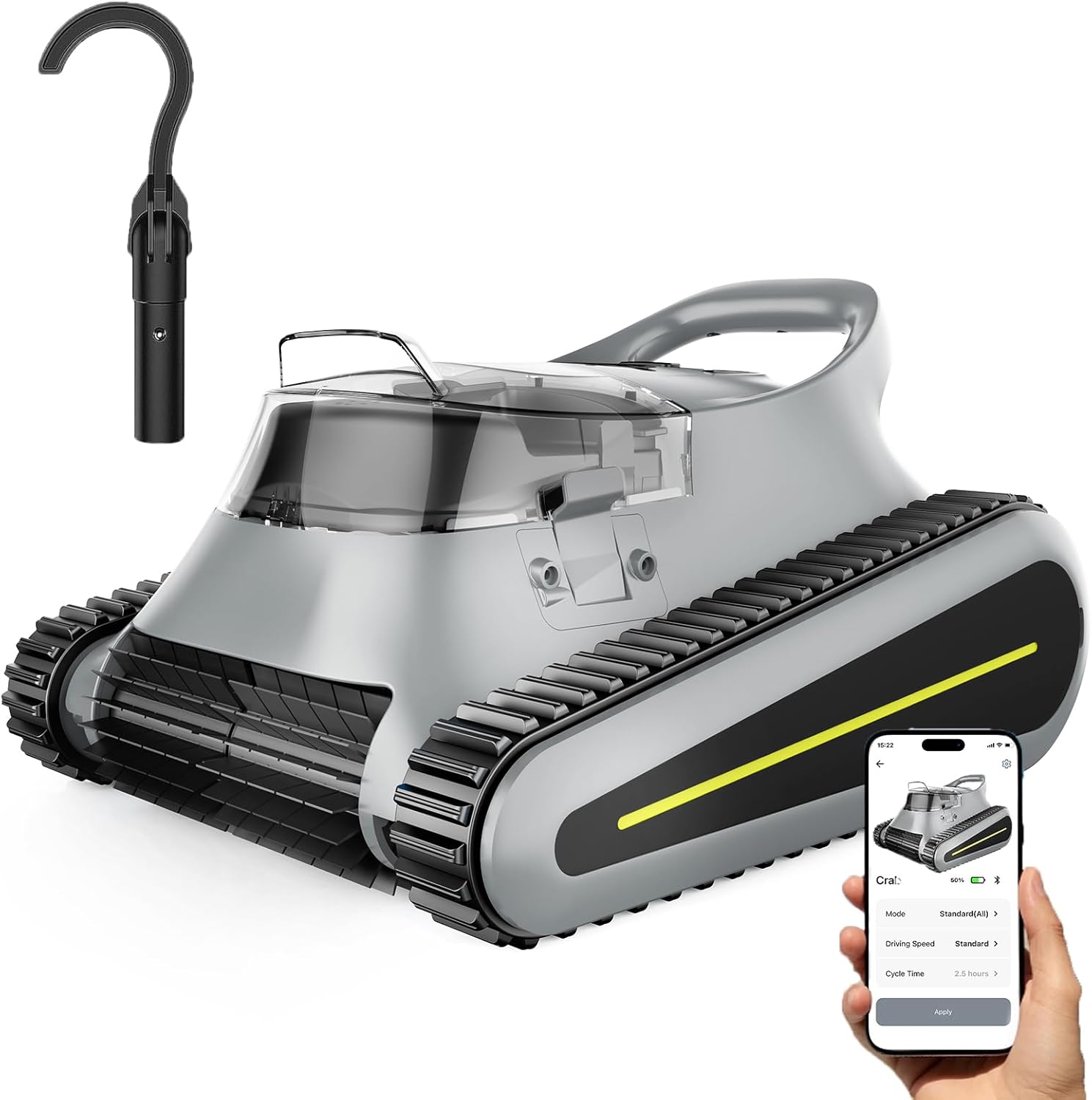
The aetrio SAT30-Gray Robotic Pool Cleaner, showcasing its sleek design and the accompanying mobile application for smart control.
Please read this manual carefully before operating the cleaner to ensure proper use, maintenance, and to maximize its lifespan. Keep this manual for future reference.
2. In the Box
Upon opening the package, verify that all components are present and in good condition. The aetrio SAT30-Gray Robotic Pool Cleaner comes fully assembled for immediate use.
- aetrio SAT30-Gray Robotic Pool Cleaner x 1
- Charging Adapter x 1
- Retrieval Hook x 1
- User Manual x 1

Visual representation of all items included in the product packaging: the cleaner, charger, hook, and user manual.
3. Setup
3.1 Initial Charging
Before first use, fully charge the robotic pool cleaner. Connect the charging adapter to the cleaner's charging port and plug it into a standard electrical outlet. The charging time is approximately 2.5 hours for a full charge, providing up to 150 minutes of cleaning time.

The robotic pool cleaner connected to its charging adapter, illustrating the 2.5-hour fast charging capability.
3.2 App Connection (Optional)
For enhanced control and access to advanced features, download the dedicated aetrio app from your smartphone's app store. Follow the in-app instructions to pair your device with the robotic pool cleaner. This allows for remote control, cleaning mode selection, and monitoring of the cleaner's status.
3.3 Placing the Cleaner in the Pool
Gently lower the cleaner into the pool. Ensure it sinks completely and no air bubbles are trapped underneath. The cleaner is designed to operate fully submerged.
4. Operating Instructions
4.1 Cleaning Modes
The SAT30-Gray offers multiple cleaning modes to suit your pool's needs. These can typically be selected via the mobile app or the cleaner's control panel (if available).
- Floor Only: Focuses cleaning on the pool floor, ideal for general debris accumulation.
- Wall Only: Specifically targets the pool walls for scrubbing and algae removal.
- All-Cover Mode: Provides a comprehensive clean of the entire pool, including floor, walls, and waterline.

Illustration of the three distinct cleaning modes: Wall only, Floor only, and All-cover mode, showing how the cleaner navigates.
4.2 Waterline Cleaning
The cleaner is equipped with advanced capabilities to thoroughly clean the waterline, an area prone to grime and scum buildup. Its design allows it to ascend to the waterline and scrub effectively.

The robotic pool cleaner actively cleaning the waterline, demonstrating its ability to reach and scrub this critical area.
4.3 Smart Navigation 2.0
Equipped with Navigation 2.0, the cleaner intelligently maps out the most efficient cleaning paths, systematically covering every inch of your pool to ensure no spot is missed. This optimizes cleaning time and battery usage.
4.4 Powerful Cleaning Performance
The cleaner features a three-motor system with up to 180W of power, capable of processing 80 gallons of water per minute. This robust system ensures effective capture of various debris, including leaves, hair, stone, sand, and general grime.

An X-ray view illustrating the powerful three-motor system within the robotic pool cleaner, highlighting its water processing capability.
5. Maintenance
5.1 Filter Basket Cleaning
For optimal performance, it is crucial to clean the ultra-fine filter basket after each cleaning cycle. The filter basket is designed for easy removal and flushing.
- Remove the cleaner from the pool using the retrieval hook.
- Open the cleaner's top cover to access the filter basket.
- Remove the filter basket.
- Empty any collected debris.
- Rinse the filter basket thoroughly with a hose until clean.
- Reinsert the clean filter basket and close the top cover securely.

A user demonstrating the easy process of flushing and cleaning the filter basket of the robotic pool cleaner.
5.2 General Product Care
- Keep the pool water clean and free of large debris to prevent clogging.
- Maintain proper pool chemistry as recommended by pool professionals.
- Store the cleaner in a cool, dry place away from direct sunlight when not in use.
- Do not operate the cleaner if the water temperature is outside the recommended range (typically 50°F - 95°F / 10°C - 35°C).
6. Troubleshooting
If you encounter issues with your aetrio SAT30-Gray Robotic Pool Cleaner, please refer to the following common problems and solutions:
| Problem | Possible Cause | Solution |
|---|---|---|
| Cleaner does not turn on. | Low battery; Power button not pressed; Charging issue. | Ensure cleaner is fully charged. Press and hold the power button. Check charging adapter connection. |
| Cleaner moves slowly or stops. | Clogged filter basket; Low battery; Obstruction. | Clean the filter basket. Recharge the cleaner. Remove any debris obstructing the cleaner's movement. |
| Poor cleaning performance. | Clogged filter; Worn brushes; Incorrect cleaning mode. | Clean the filter basket. Inspect brushes for wear and replace if necessary. Select the appropriate cleaning mode for your pool's condition. |
| Cleaner does not climb walls. | Low battery; Air trapped inside; Slippery pool surface; Water chemistry imbalance. | Ensure full charge. Gently rock cleaner to release trapped air. Brush pool walls to remove slick spots. Check and adjust pool chemistry. |
| App connection issues. | Bluetooth/Wi-Fi off; Cleaner out of range; App not updated. | Ensure Bluetooth/Wi-Fi is enabled on your device. Bring cleaner closer to your device. Update the app to the latest version. |
If the problem persists after trying these solutions, please contact customer support.
7. Specifications
| Feature | Detail |
|---|---|
| Model Name | SAT30 Robotic Pool Cleaner |
| Item Model Number | SAT30-Gray |
| Brand | aetrio |
| Color | Gray |
| Item Weight | 19.6 Pounds |
| Product Dimensions | 15.1 x 9.8 x 16.8 inches (15.1"L x 9.8"W x 16.8"H) |
| Power Source | Battery Powered |
| Battery Type | Lithium Ion |
| Number of Batteries | 1 (required) |
| Lithium Battery Voltage | 21.6 Volts |
| Battery Runtime | 150 minutes |
| Charging Time | 2.5 Hours |
| Engine Type | 180w Brushless Motor |
| Load Capacity | Up to 2000 square feet |
| Special Features | Brushless Motor, Wall Climbing, App Control, Cordless Operation, Waterline Cleaning |
| Control Method | App, Touch |
| Installation Type | Cordless |
| Assembly Required | No |
8. Warranty and Support
8.1 Product Warranty
The aetrio SAT30-Gray Robotic Pool Cleaner is backed by a 2-year warranty from the date of purchase. This warranty covers defects in materials and workmanship under normal use. Please retain your proof of purchase for warranty claims.
8.2 Customer Support
For technical assistance, troubleshooting not covered in this manual, or warranty inquiries, please contact aetrio customer support. Refer to the contact information provided on the product packaging or the official aetrio website.
We are committed to providing excellent service and ensuring your satisfaction with your aetrio product.