
1. Introduction
The OSCAL PowerMax 2400 is a high-capacity portable power station designed to provide reliable power for various applications, including home backup, outdoor camping, and RV use. With its 1872Wh capacity and 2400W output, it can power a wide range of appliances. This manual provides essential information for the safe and efficient operation, maintenance, and troubleshooting of your PowerMax 2400.

Image: The OSCAL PowerMax 2400 Power Station shown with two accompanying solar panels.
2. What's in the Box
Upon unboxing your OSCAL PowerMax 2400, please verify that all components are present:
- OSCAL PowerMax 2400 portable power station
- 2 x 200W Solar Panels
- AC charging cable
- Car charging cable
- Solar charging cable
- User manual
Note: Due to the product's weight, the power station and solar panels may be delivered in separate packages.
3. Product Overview and Features
The PowerMax 2400 is equipped with a variety of ports and features to meet diverse power needs:
- Large Capacity: 1872Wh battery capacity.
- High Output: 2400W rated power (5000W peak) capable of powering 99% of home appliances.
- LiFePO4 Battery: High-quality Lithium Iron Phosphate battery with over 3500 charge/discharge cycles, offering a lifespan 6-10 times longer than conventional batteries.
- Multiple Output Ports: 16 versatile outlets including 4 AC outlets, 4 USB-A quick charge ports, 2 USB-C PD ports, 2 DC outlets, 1 cigar lighter, and 1 Anderson Connector.
- Wireless Charging: Integrated wireless charging pads (Max 15W each).
- EPS Mode: Uninterruptible Power Supply (EPS) with less than 0.01s switchover time for seamless power during outages.
- Dual Speakers: Equipped with a 25W subwoofer and a 10W tweeter for audio output.
- LED Light: Ultra-bright 5W LED light with five lighting modes and adjustable Morse code flash signal.

Image: Detailed diagram illustrating the 16 thoughtfully organized output ports of the PowerMax 2400.

Image: The PowerMax 2400 providing audio through its dual speakers in an outdoor setting.
4. Setup
Before initial use, ensure the power station is fully charged. Place the unit on a stable, flat surface with adequate ventilation. Connect the solar panels using the provided solar charging cable, ensuring proper polarity. For AC charging, use the supplied AC charging cable and plug it into a standard wall outlet.
5. Operating Instructions
To turn on the PowerMax 2400, press and hold the main power button until the display illuminates. The display will show battery level, input/output wattage, and estimated remaining time. To activate specific output groups (AC, DC, USB), press their respective buttons on the control panel. For EPS mode, connect the power station to your home's power supply; it will automatically switch to battery power in less than 0.01 seconds during an outage.
6. Charging
The PowerMax 2400 offers multiple charging options:
- AC Fast Charging: With 1400W AC input, the unit can reach 80% battery capacity in approximately 1 hour and a full charge in 1.2 hours.
- Solar Charging: Supports up to 800W solar input. Charging time varies based on solar panel efficiency and sunlight intensity.
- Car Charging: Can be charged via a car's 12V outlet using the provided car charging cable.
- Combined Charging: Combine AC and solar input up to 1500W to achieve 80% battery capacity in just 50 minutes and a full charge in 80 minutes.

Image: The PowerMax 2400 connected to a wall socket for 1400W AC fast charging.
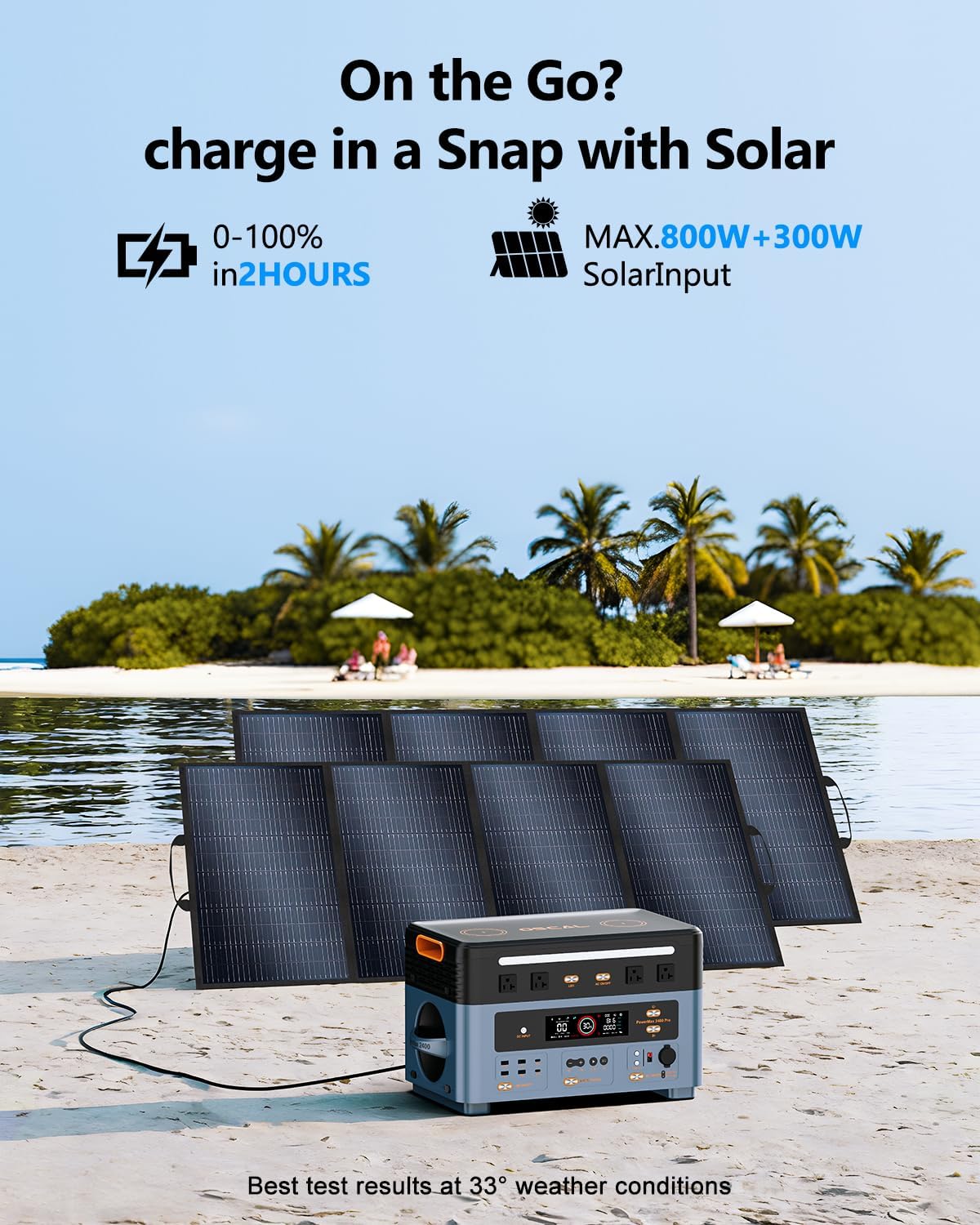
Image: The PowerMax 2400 being charged by solar panels in an outdoor environment.
7. Expandable Capacity
The PowerMax 2400's capacity can be expanded significantly by connecting additional BP2400 batteries. It supports stacking up to 10 BP2400 batteries, increasing the total capacity from 1872Wh to an impressive 20,592Wh. This modular design allows for flexible power solutions tailored to your needs, from extended home backup to off-grid living.

Image: The PowerMax 2400 demonstrating its expandable capacity with multiple stacked battery packs.
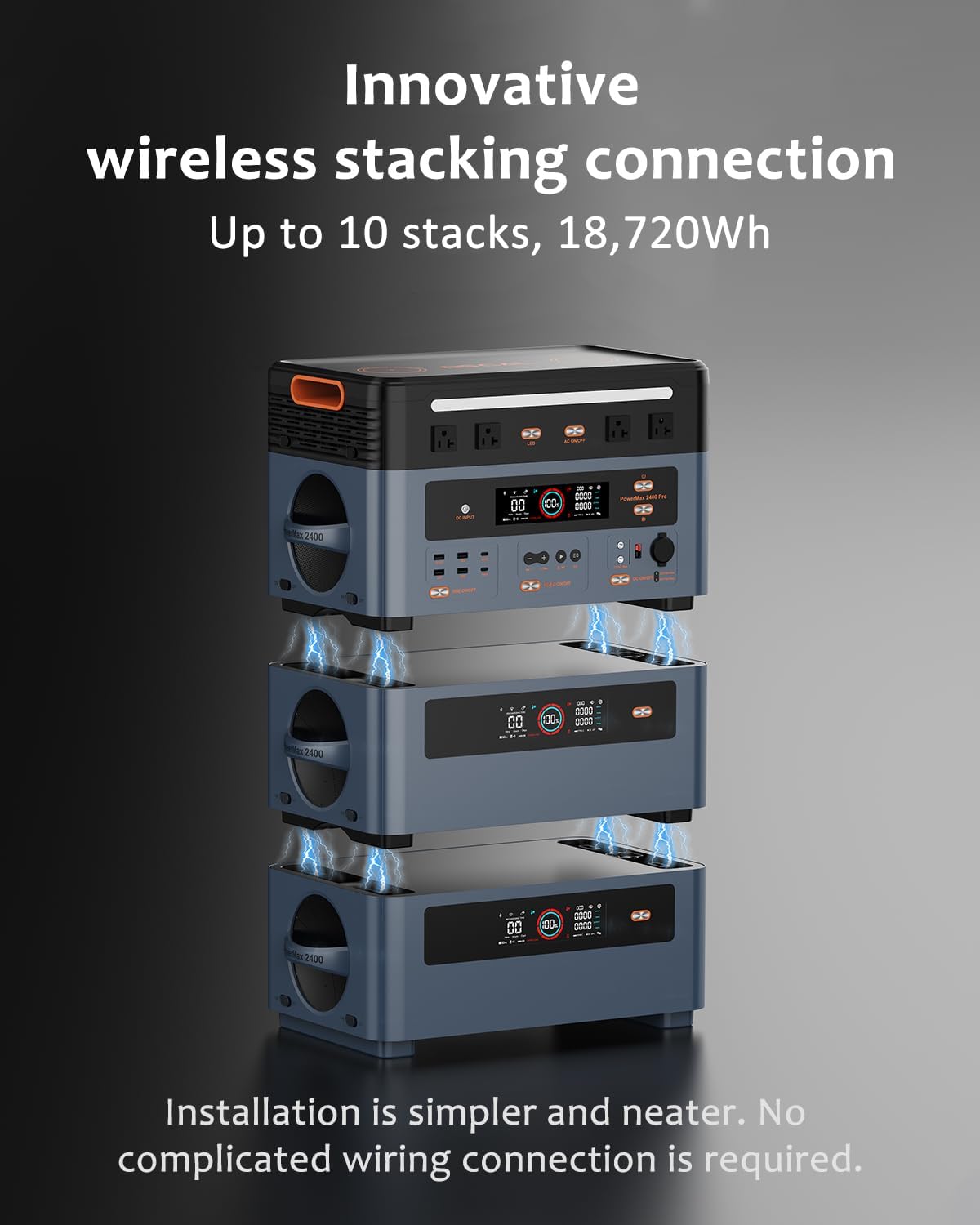
Image: An illustration highlighting the innovative wireless stacking connection feature, simplifying capacity expansion.
8. APP Control
The OSCAL PowerMax 2400 can be controlled and monitored remotely via a dedicated mobile application. This app allows you to:
- Monitor input and output power in real-time.
- Check the remaining battery power.
- Adjust AC charging power (0W-1400W).
- Receive low power alerts.
- Control output switches (AC, DC, USB, Speaker).
- Connect via Bluetooth or Wi-Fi.

Image: A smartphone displaying the intuitive interface of the PowerMax 2400 control application.
9. Maintenance
To ensure the longevity and optimal performance of your PowerMax 2400, follow these maintenance guidelines:
- Battery Care: The LiFePO4 battery is designed for over 3500 cycles to 80% capacity. For best results, avoid consistently draining the battery to 0% or storing it at extremely low charge levels for extended periods.
- Storage: If storing for long periods, charge the unit to approximately 50-80% and recharge every 3-6 months. Store in a cool, dry place away from direct sunlight and extreme temperatures.
- Cleaning: Use a dry, soft cloth to clean the exterior. Do not use abrasive cleaners or immerse the unit in water.
- Ventilation: Ensure ventilation ports are clear of obstructions during operation to prevent overheating.

Image: A visual representation of the high-quality EV-grade LiFePO4 batteries inside the PowerMax 2400.
10. Troubleshooting
If you encounter issues with your PowerMax 2400, consider the following common solutions:
- Unit Not Turning On: Ensure the battery is charged. If not, connect to a power source and attempt to charge.
- No Output from Ports: Verify that the specific output group (AC, DC, USB) is enabled via its button. Check if the appliance connected exceeds the port's or unit's maximum wattage.
- Overload Protection: If the unit shuts down unexpectedly, it may be due to an overload. Disconnect high-power devices, restart the unit, and connect devices within the specified wattage limits.
- Charging Issues: Ensure charging cables are securely connected. For solar charging, verify panels are in direct sunlight and free from obstructions.
- APP Connectivity: Ensure Bluetooth or Wi-Fi is enabled on your mobile device and the power station. Try restarting both the app and the power station.
If problems persist, please refer to the warranty and support section for further assistance.
11. Specifications
| Feature | Specification |
|---|---|
| Brand | ECOGREAT |
| Model Name | Powermax 2400 |
| Wattage | 2400 watts |
| Fuel Type | Electric |
| Power Source | Solar Powered |
| Item Weight | 25.5 Kilograms (56.1 pounds) |
| Voltage | 120 Volts |
| Product Dimensions (LxWxH) | 20.8" x 11.4" x 11.8" (53 x 29 x 30.2 cm) |
| Material | ABS, Plastic |
| Total Power Outlets | 16 |
| Battery Type | LiFePO4 |
| Cycle Life | 3500+ cycles to 80% capacity |
| AC Input Power (Max) | 1400W |
| Solar Charging Input (Max) | 800W |
| Car Charging Input (Max) | 240W |
| Expandable Capacity | Up to 20,592Wh with 10 BP2400 batteries |
| EPS Switchover Time | <0.01s |
12. Warranty and Support
OSCAL provides a comprehensive 5-year product care warranty for the PowerMax 2400. This warranty covers manufacturing defects and ensures reliable operation under normal use conditions. For any technical assistance, troubleshooting not covered in this manual, or warranty claims, please contact ECOGREAT customer service through the retailer where you purchased the product or visit the official ECOGREAT website for support contact information.

Image: An illustration highlighting the 5-year product care provided by OSCAL, along with the included charging cables.