
1. Introduction
This manual provides essential information for the safe and efficient operation of your SLEKVERSA 14,000 BTU Portable Air Conditioner. Please read all instructions carefully before use and retain this manual for future reference.
The SLEKVERSA portable air conditioner is a versatile 3-in-1 unit offering cooling, dehumidification, and fan modes. Designed for spaces up to 750 sq. ft., it features a remote control, 3 fan speeds, auto swing function, and a 24-hour timer for personalized comfort.
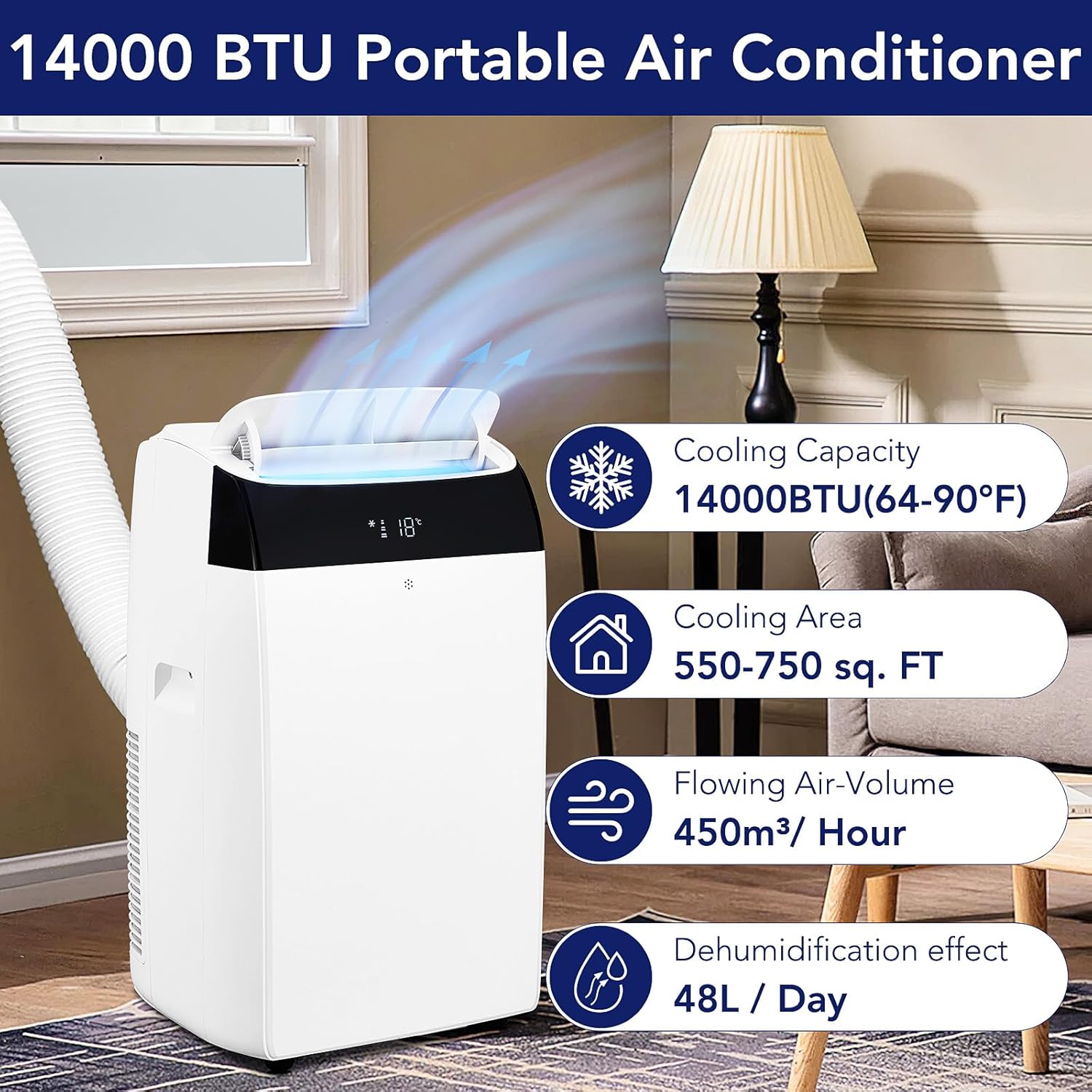
Image: The SLEKVERSA portable air conditioner, showcasing its cooling capacity of 14,000 BTU, cooling area of 550-750 sq. ft., airflow volume of 450m³/hour, and dehumidification effect of 48L/day.
2. Safety Information
Always follow basic safety precautions when using electrical appliances to reduce the risk of fire, electric shock, or injury.
- Ensure the power supply matches the voltage specified on the unit's rating label.
- Do not operate the unit with a damaged cord or plug.
- Keep the air intake and exhaust vents clear of obstructions.
- Do not insert objects into the air vents.
- Unplug the unit before cleaning or servicing.
- This appliance is not intended for use by persons (including children) with reduced physical, sensory or mental capabilities, or lack of experience and knowledge, unless they have been given supervision or instruction concerning use of the appliance by a person responsible for their safety.
3. Package Contents
Verify that all components are present in the package:
- 1 x Portable Air Conditioner Unit
- 1 x Remote Control
- 1 x User Guide (this manual)
- 1 x Window Sealing Kit with Hose
- Batteries for Remote Control (typically AAA)
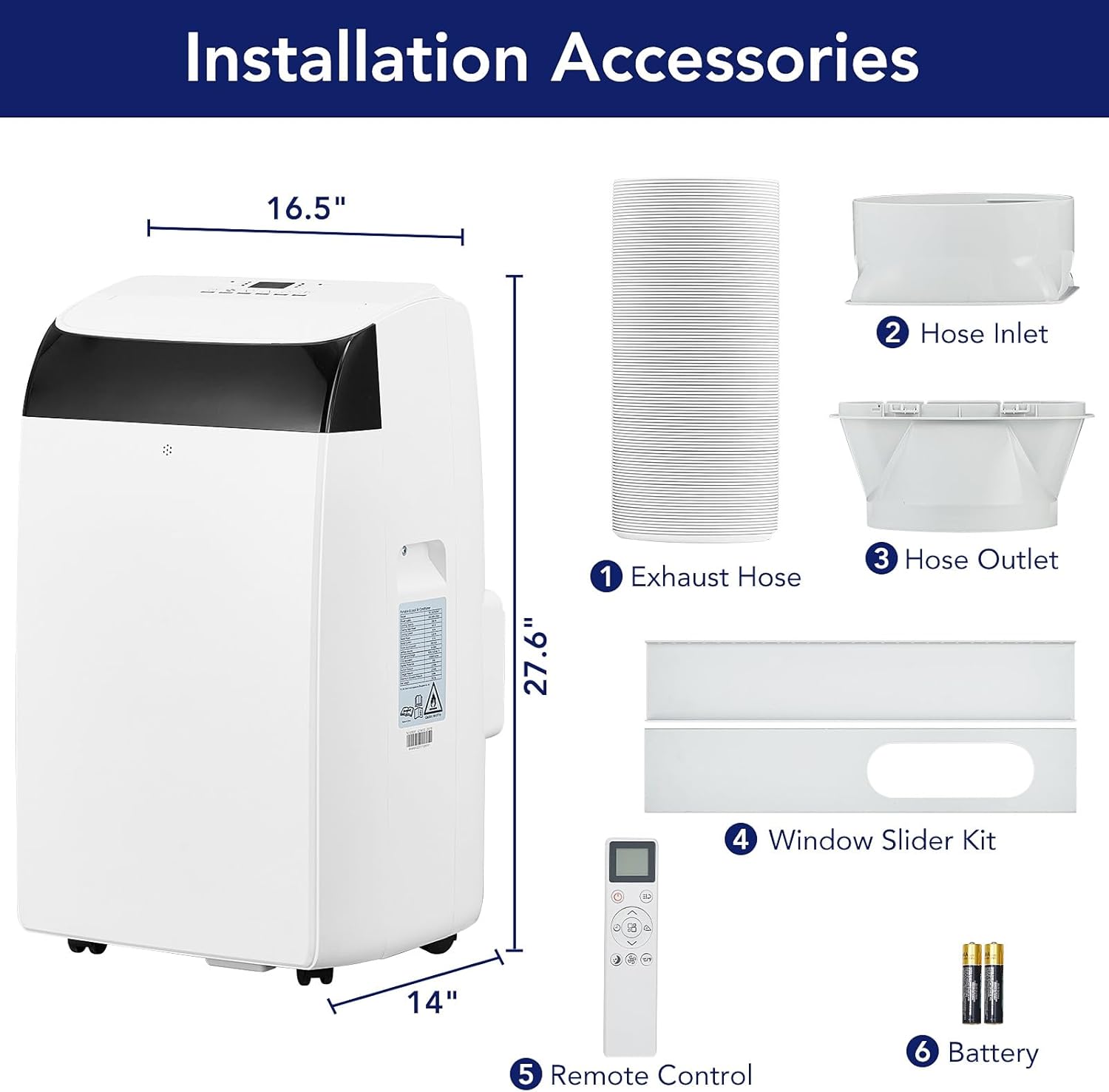
Image: A visual representation of the portable air conditioner unit alongside its included accessories: exhaust hose, hose inlet, hose outlet, window slider kit, remote control, and batteries.
4. Product Features
- Powerful Cooling: 14,000 BTU cooling capacity, suitable for areas up to 750 sq. ft.
- 3-in-1 Functionality: Offers Cooling, Fan, and Dehumidify modes for year-round comfort.
- Dehumidification: Removes up to 90 pints of moisture per day.
- Smart Sensors & LED Display: Easy-to-read LED display shows operating status.
- Remote Control: Adjust settings conveniently from a distance.
- Low Noise Operation: Operates quietly at approximately 48dB, with a dedicated sleep mode.
- 24-Hour Timer: Schedule on/off times for energy efficiency and convenience.
- Portability: Equipped with four 360° heavy-duty wheels and hidden handles for easy movement.
- Adjustable Temperature: Temperature range of 64°F-90°F.
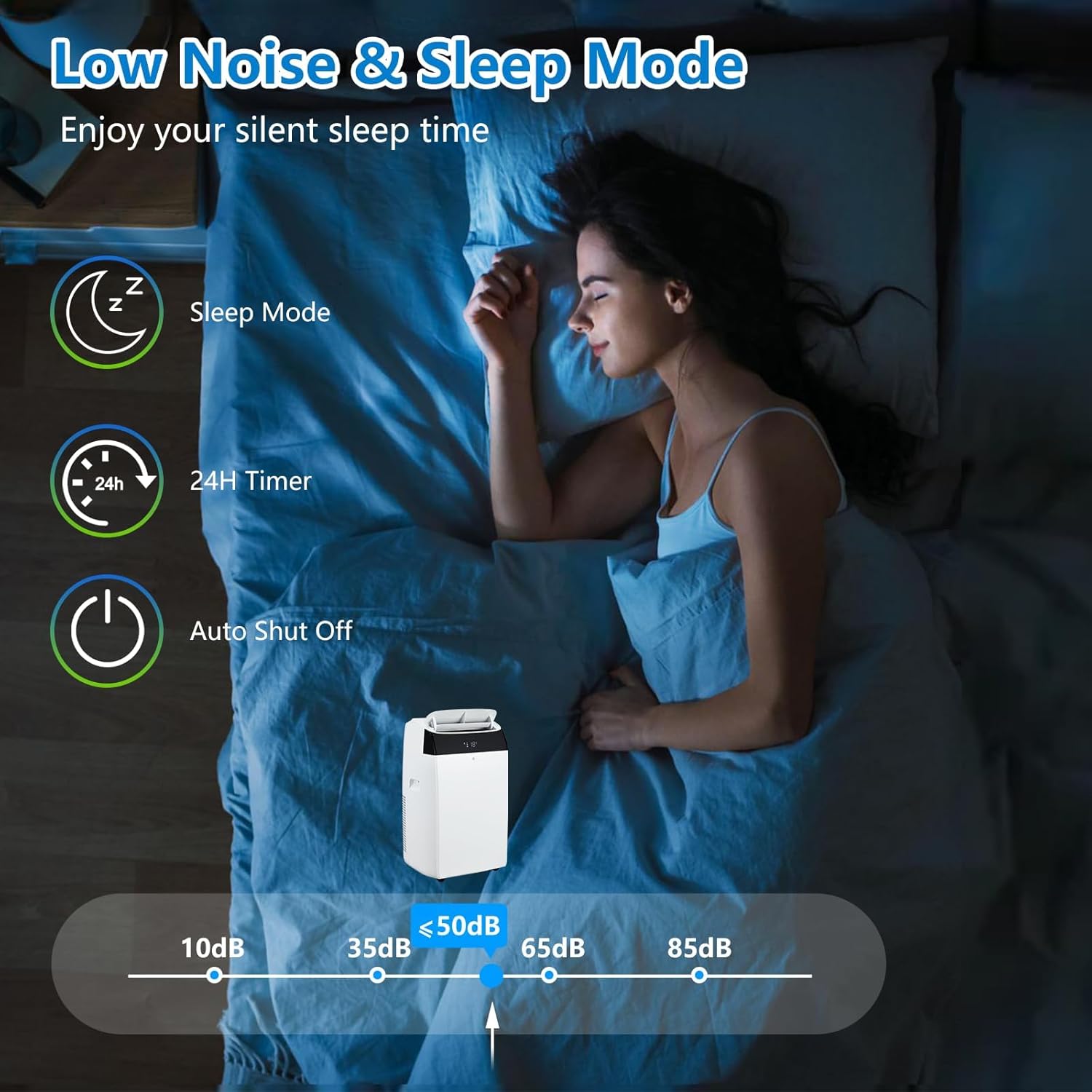
Image: The portable air conditioner operating in a bedroom, highlighting its low noise level (below 50dB) and sleep mode feature, along with a 24-hour timer and auto shut-off function.
5. Setup & Installation
Follow these steps for proper installation of your portable air conditioner:
- Connect Exhaust Hose: Attach one end of the exhaust hose to the hose connector.
- Connect Window Adapter: Attach the window kit adapter to the other end of the exhaust hose.
- Install Window Kit: Extend the adjustable window kit to fit the length of your window opening. Secure the sealing boards to the window.
- Attach Hose to Unit: Attach the hose connector to the exhaust air outlet of the air conditioner unit.
- Insert Hose into Window Kit: Extend the exhaust hose and insert the window kit adapter into the opening of the window kit.
- Power On: Plug in the unit, turn it on, and select your desired mode and temperature.

Image: A visual representation of the unit's three primary functions: Cooling, Dehumidifying, and Ventilating (Fan mode), shown in different room settings.
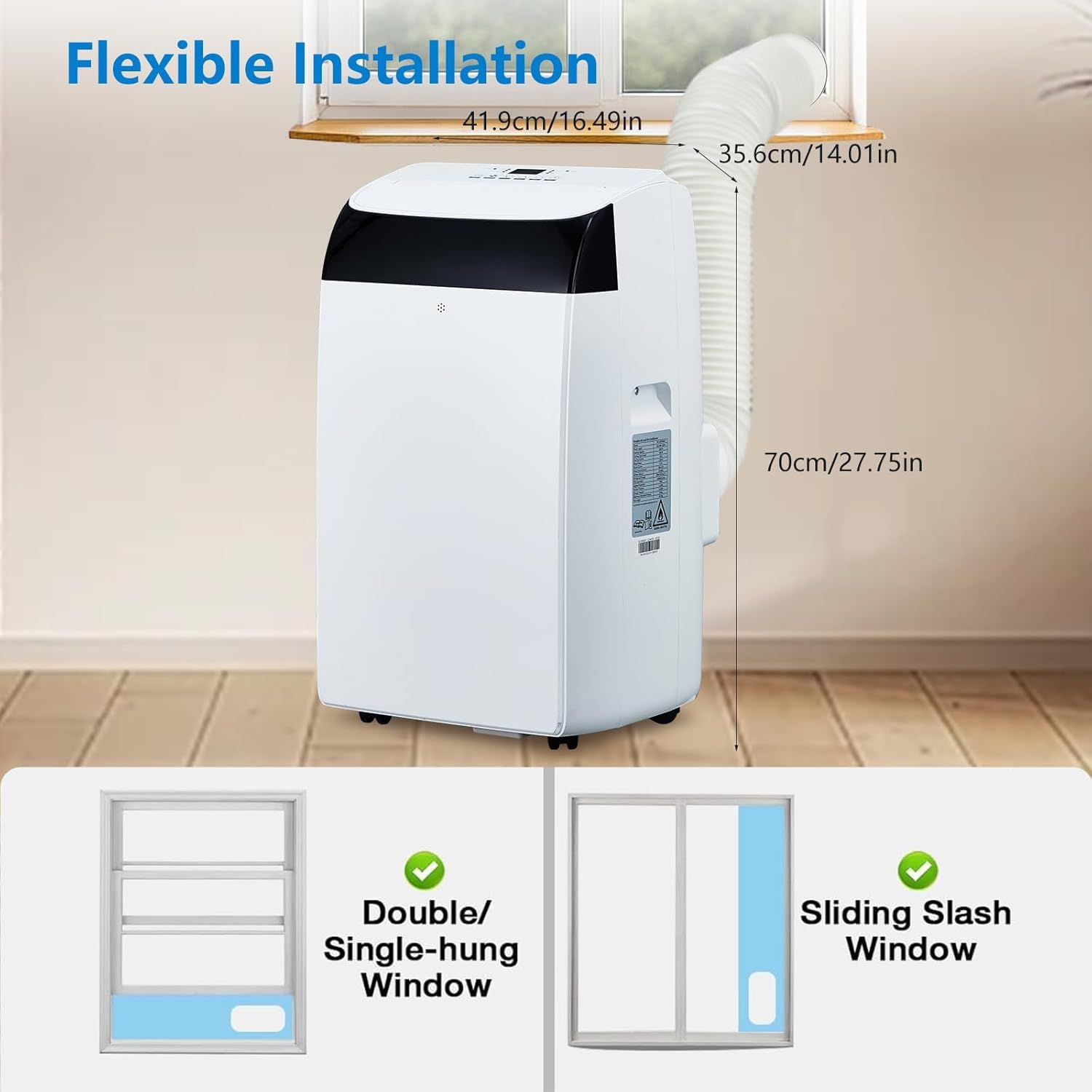
Image: The portable air conditioner with its dimensions (41.9cm/16.49in width, 70cm/27.75in height, 35.6cm/14.01in depth for the exhaust hose connection) and illustrations of compatible window types: double/single-hung windows and sliding slash windows.
6. Operating Instructions
Control Panel
The unit features an intuitive LED display and touch controls on the top panel. Indicators for Timer, High/Low/Auto fan speed, Cool, Fan, Dry, and Sleep modes are present.
Remote Control
The included remote control allows you to adjust settings without directly interacting with the unit. Insert the provided batteries into the remote control before first use.

Image: A woman comfortably using the remote control to adjust the portable air conditioner, demonstrating the 'Follow-Me' function which adjusts temperature based on the remote's location.
Operating Modes
- Cool Mode: Provides powerful cooling. Set your desired temperature using the up/down arrows.
- Fan Mode: Circulates air without cooling. Choose between High, Low, or Auto fan speeds.
- Dehumidify Mode: Removes excess moisture from the air.
- Sleep Mode: Operates at a lower fan speed and reduced noise level for quiet operation during sleep.
Timer Function
Use the timer button to set a delayed start or stop time for the unit, from 1 to 24 hours.
7. Maintenance
Regular maintenance ensures optimal performance and longevity of your air conditioner.
- Filter Cleaning: The unit features a removable, washable filter. Clean the filter every two weeks or as needed to maintain airflow efficiency. Refer to the filter compartment for removal instructions.
- Drainage: In dehumidify mode or high humidity conditions, the internal water tank may fill. The unit will indicate when drainage is required. Follow the instructions in the manual for proper water drainage.
- Exterior Cleaning: Wipe the exterior of the unit with a soft, damp cloth. Do not use harsh chemicals or abrasive cleaners.
- Storage: Before long-term storage, drain all water from the unit, clean the filter, and ensure the unit is dry. Store in a cool, dry place.
8. Troubleshooting
If you encounter issues with your air conditioner, refer to the following common problems and solutions:
| Problem | Possible Cause | Solution |
|---|---|---|
| Unit does not turn on | No power, power cord unplugged, circuit breaker tripped. | Check power connection, reset circuit breaker. |
| Insufficient cooling | Dirty air filter, blocked air intake/exhaust, room size too large, windows/doors open. | Clean air filter, clear obstructions, ensure proper room sealing, verify room size. |
| "FE" error code | Water tank full. | Drain the water tank. If the error persists after draining, contact support. |
| Unit is noisy | Unit not on a level surface, fan speed too high, internal components vibrating. | Place on a level surface, select a lower fan speed, ensure no loose parts. |
If the problem persists after attempting these solutions, please contact customer support.
9. Specifications
| Feature | Detail |
|---|---|
| Cooling Power | 14,000 BTU (ASHRAE) / 10,500 BTU (SACC) |
| Floor Area Coverage | Up to 750 sq. ft. |
| Dehumidification Capacity | 48 L / Day (90 pints/day) |
| Noise Level | 48 Decibels |
| Voltage | 110V |
| Product Dimensions (D x W x H) | 17.72 x 15.55 x 33.86 inches |
| Item Weight | 66.1 pounds |
| Temperature Range | 64°F - 90°F |
| Special Features | Removable Washable Filter, Portable, Digital Display, Timer, Built-In Wheel |

Image: The portable air conditioner shown in multiple environments, including an office, living room, bedroom, and dining area, illustrating its versatility for different spaces.
10. Warranty & Support
Your SLEKVERSA Portable Air Conditioner comes with a 2-year warranty from the date of purchase. This warranty covers manufacturing defects and workmanship under normal use.
For warranty claims, technical support, or any questions regarding your product, please contact SLEKVERSA customer service. Keep your purchase receipt as proof of purchase.