
I love e iFecco S17
IFECCO S17 Open Ear Headphones User Manual
Model: S17
1. Product Overview
The IFECCO S17 Open Ear Headphones are designed for comfort and situational awareness, featuring a unique 90° rotatable ear-hanging design. These wireless earbuds utilize Bluetooth 5.4 technology for stable connectivity and deliver premium stereo audio through 16.2mm dynamic drivers. They are ideal for active lifestyles, offering extended playtime and an IPX5 waterproof rating.

Image: The IFECCO S17 Open Ear Headphones displayed with their digital display charging case.
2. What's in the Box
Upon unboxing your IFECCO S17 Open Ear Headphones, please ensure all components are present:
- IFECCO S17 Open Ear Headphones (Left and Right)
- Wireless Charging Case
- USB Charging Cable
- User Manual (this document)
3. Setup Guide
3.1 Initial Charging
Before first use, fully charge the headphones and the charging case. Connect the provided USB charging cable to the charging case and a compatible USB power source. The LED display on the case will indicate the charging status.

Image: The charging case with earbuds inside, illustrating the digital battery display and Type-C charging port.
- Earbuds charging time: Approximately 1 hour for a full charge.
- Case charging time: Approximately 2 hours for a full charge.
3.2 Pairing with a Device
- Ensure the headphones are charged.
- Open the charging case. The headphones will automatically enter pairing mode, indicated by a flashing LED light on the earbuds.
- On your device (smartphone, tablet, laptop), navigate to the Bluetooth settings.
- Search for available devices and select "IFECCO S17" from the list.
- Once connected, the LED indicator on the earbuds will stop flashing.
The headphones will automatically reconnect to the last paired device when taken out of the case, if Bluetooth is enabled on the device.

Image: Diagram illustrating the fast and stable connection provided by Bluetooth 5.4 technology.
4. Operating Instructions
4.1 Wearing the Headphones
The IFECCO S17 features a 90° rotatable ear-hanging design for a secure and comfortable fit. Gently place the earbud over your ear, adjusting the ear hook until it rests comfortably and securely behind your ear.

Image: A close-up of an earbud on an ear, demonstrating the 90° rotatable earhook for a stable fit.
These open-ear headphones allow you to remain aware of your surroundings while enjoying audio, enhancing safety during outdoor activities.

Image: A man cycling while wearing the headphones, highlighting the safety benefit of open-ear design for situational awareness.
4.2 Touch Controls
The IFECCO S17 headphones feature intuitive touch controls on each earbud:
| Action | Control |
|---|---|
| Play/Pause | Single tap (L/R earbud) |
| Volume Up | Triple tap (R earbud) |
| Volume Down | Triple tap (L earbud) |
| Next Song | Double tap (R earbud) |
| Previous Song | Double tap (L earbud) |
| Answer/End Call | Single tap (L/R earbud) |
| Reject Call | Double tap (L/R earbud) |
| Activate Voice Assistant (Siri/Google Assistant) | Press and hold for 2 seconds (L/R earbud) |

Image: Visual representation of the touch control functions on the earbuds.
4.3 Audio Quality and Features
The IFECCO S17 headphones are equipped with 16.2mm dynamic drivers, providing clear and immersive stereo sound. The open-ear design ensures comfort and allows for environmental awareness.
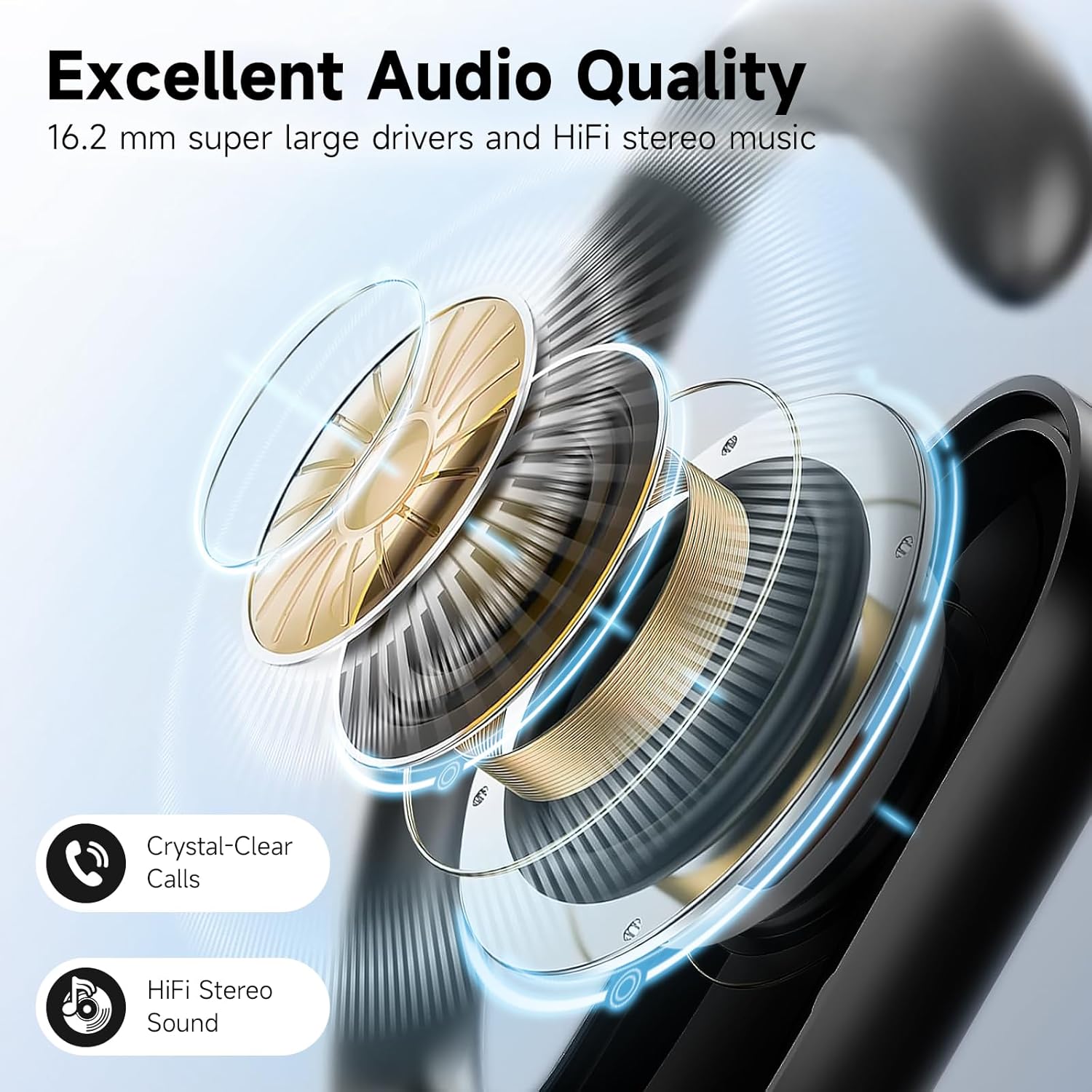
Image: An exploded view diagram highlighting the 16.2mm dynamic drivers responsible for the premium stereo audio quality.
5. Maintenance and Care
Proper maintenance ensures the longevity and optimal performance of your IFECCO S17 headphones.
- Cleaning: Use a soft, dry, lint-free cloth to clean the earbuds and charging case. Do not use abrasive cleaners or solvents.
- Water Resistance: The headphones have an IPX5 waterproof rating, meaning they are sweatproof and resistant to light rain. They are not suitable for swimming or submersion in water.
- Storage: When not in use, store the headphones in their charging case to protect them from dust and damage. Store in a cool, dry place away from direct sunlight and extreme temperatures.
- Charging: Always use the provided USB charging cable. Avoid using damaged cables or chargers.

Image: A man pouring water over his head, visually representing the IPX5 waterproof rating, with a note that it's not suitable for swimming.
6. Troubleshooting
If you encounter issues with your IFECCO S17 headphones, please refer to the following common solutions:
| Problem | Possible Solution |
|---|---|
| Headphones not turning on | Ensure they are fully charged. Place them back in the charging case and close the lid, then open it again. |
| Cannot pair with device |
|
| No sound or low volume |
|
| Intermittent connection |
|
| Charging case not charging |
|
If the problem persists, please contact customer support.
7. Specifications
| Feature | Detail |
|---|---|
| Model Name | S17 |
| Brand | I love e iFecco |
| Connectivity Technology | Wireless (Bluetooth) |
| Bluetooth Version | 5.4 |
| Bluetooth Range | Up to 10 meters (33 feet) |
| Ear Placement | Open Ear |
| Audio Driver Type | 16.2mm Dynamic Driver |
| Frequency Response | 20 Hz - 20,000 Hz |
| Sensitivity | 88 dB |
| Impedance | 32 Ohm |
| Battery Life (Earbuds) | Up to 6 hours (single charge) |
| Total Playtime (with Charging Case) | Up to 48 hours |
| Charging Time (Earbuds) | Approx. 1 hour |
| Charging Time (Case) | Approx. 2 hours |
| Water Resistance Rating | IPX5 (Sweatproof, Rainproof) |
| Control Type | Touch Control |
| Material | Acrylonitrile Butadiene Styrene (ABS) |
| Item Weight | 4.6 ounces |
8. Warranty and Support
IFECCO products come with a standard manufacturer's warranty. For specific warranty terms and conditions, please refer to the warranty card included with your product or visit the official IFECCO website.
For technical support, troubleshooting assistance, or warranty claims, please contact IFECCO customer service:
- Website: Visit the I love e iFecco Store on Amazon (for general inquiries and product information)
- Email: Refer to your product packaging or warranty card for direct support email.
Please have your model number (S17) and purchase date ready when contacting support.
Ask a question about this manual
Ask about setup, troubleshooting, compatibility, parts, safety, or missing instructions. Manuals+ will review the question and use this page’s manual context to help answer it.