1. Product Overview
The BINTA BTN013 Digital Angle Finder is a compact, high-precision measuring tool designed for various applications including woodworking, construction, machinery, and DIY projects. It features a magnetic base, IP54 water and dust resistance, a backlit display, and multiple measurement functions.

Figure 1: BINTA BTN013 Digital Angle Finder
Key Features:
- Compact and Lightweight: Measures 1.42 × 1.42 × 0.79 inches (36 × 36 × 20 mm) and weighs 0.06 lbs (29g) for easy portability.
- High Precision: Measurement range of 4 × 90° with an accuracy of ±0.2° and 0.05° resolution.
- HD Backlit Display: VA display ensures clear readings in various lighting conditions.
- Magnetic Base & V-Groove: Securely attaches to metal surfaces, with automatic screen rotation when inverted.
- IP54 Protection: Resistant to water splashes and dust, suitable for demanding environments.
- Multi-Functions: Supports relative/absolute measurement modes, data hold, and °/% unit switching.
- Rechargeable Battery: Equipped with a Type-C rechargeable 260mAh Lithium Polymer battery, featuring 30-second screen-off and 3-minute auto-shutdown for energy efficiency.
2. Package Contents
Please verify that all items are present upon opening the package:
- 1 × BINTA BTN013 Digital Angle Finder
- 1 × USB Type-C Charging Cable
- 1 × Storage Pouch
- 1 × User Manual (this document)

Figure 2: Included Components
3. Setup
3.1 Charging the Device
- Locate the Type-C charging port on the side of the angle finder.
- Connect the provided USB Type-C cable to the device and the other end to a standard USB power adapter (not included) or a computer USB port.
- The battery indicator on the display will show charging status. A full charge typically takes several hours.
- Disconnect the cable once fully charged. Ensure the charging port cover is securely closed to maintain IP54 rating.

Figure 3: Charging the Angle Finder
4. Operating Instructions
The BINTA BTN013 features two buttons for operation: an ON/OFF button and a Function (W) key.

Figure 4: Device Buttons and Display Overview
4.1 Power On/Off
- Press the ON/OFF button once to turn the device on.
- Press and hold the ON/OFF button for approximately 3 seconds to turn the device off.
- The device will automatically shut down after 3 minutes of inactivity to conserve battery.
4.2 Absolute and Relative Measurement Modes
The angle finder supports two measurement modes:
- Absolute Measurement: Measures the angle relative to a true horizontal surface (0°). This is the default mode.
- Relative Measurement: Allows you to set any surface as a temporary 0° reference point to measure angles relative to that specific surface.
- To switch to Relative Measurement mode, place the device on the desired reference surface.
- Short press the ON/OFF button. The display will show "REF" and reset to 0.00°.
- Move the device to measure angles relative to this new reference.
- To return to Absolute Measurement mode, short press the ON/OFF button again. The "REF" indicator will disappear.

Figure 5: Absolute vs. Relative Measurement
4.3 Unit Switching (°/%)
- To switch between degrees (°) and percentage (%), press and hold the W key.
- The display will show either the degree symbol (°) or the percentage symbol (%) next to the measurement.
4.4 Data Hold Function
- To lock the current measurement on the display, short press the W key.
- An "H" symbol will appear on the display, indicating that the data is held.
- Short press the W key again to release the data hold and resume live measurement.
4.5 Automatic Screen Rotation
The display automatically rotates 180° when the device is inverted, ensuring easy readability from any orientation.

Figure 6: Automatic Screen Rotation
4.6 Magnetic Base Usage
The integrated magnetic base and V-groove design allow the angle finder to be securely attached to metal surfaces, such as saw blades, pipes, or machinery, for hands-free measurement.
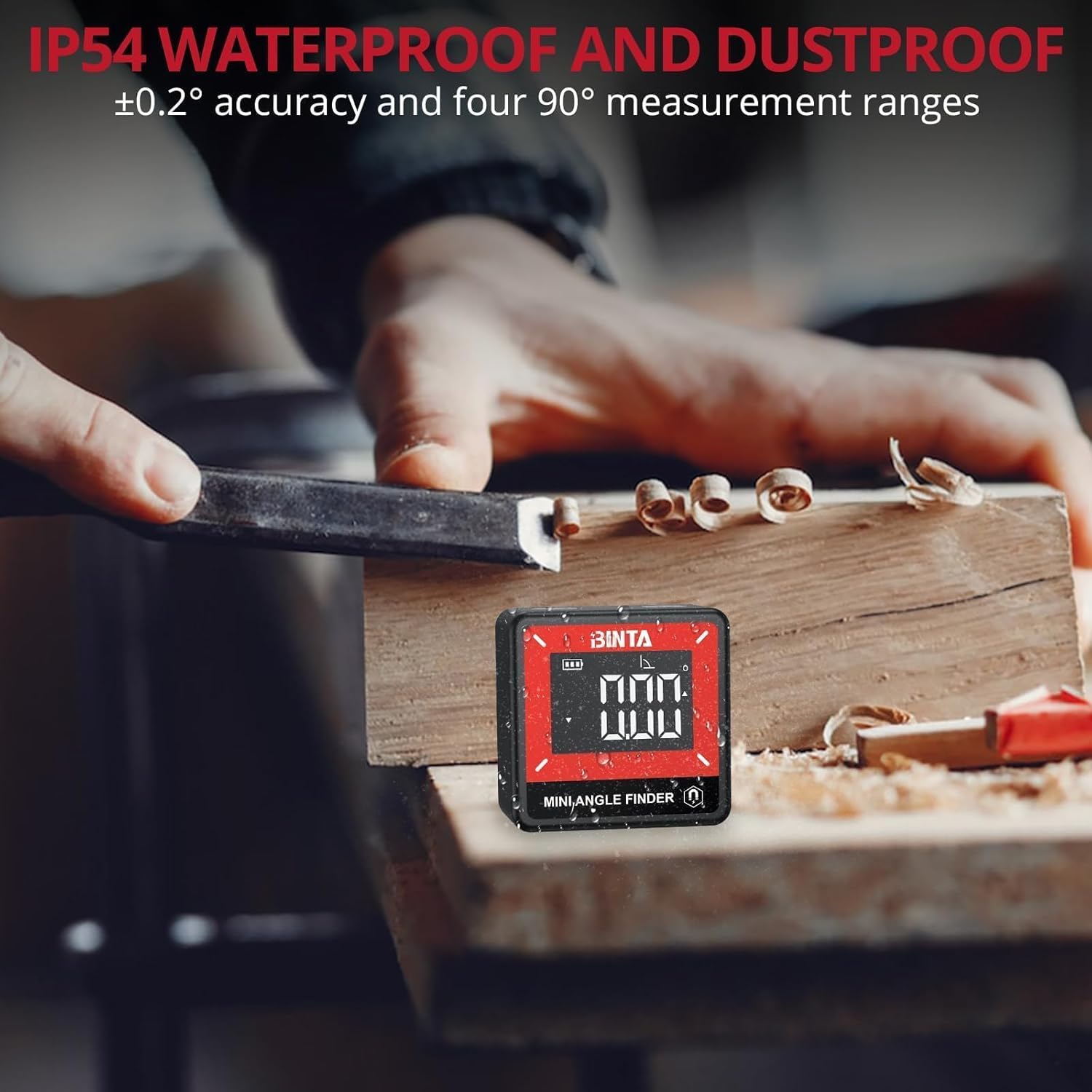
Figure 7: Magnetic Base in Use
5. Maintenance
5.1 Cleaning
- Wipe the device with a soft, damp cloth. Do not use abrasive cleaners or solvents.
- While the device is IP54 rated for water and dust resistance, avoid submerging it in water or exposing it to heavy sprays.
5.2 Battery Care
- Charge the device regularly, especially if it has not been used for an extended period.
- Avoid completely draining the battery frequently to prolong its lifespan.
5.3 Storage
- Store the angle finder in the provided storage pouch when not in use to protect it from dust and scratches.
- Keep the device in a cool, dry place, away from direct sunlight and extreme temperatures.
6. Troubleshooting
6.1 Inaccurate or Fluctuating Readings
- Device Movement: The device is highly sensitive. Ensure it is placed on a stable surface and avoid touching or bumping it during measurement. Even slight movements can cause readings to fluctuate.
- Calibration: If you suspect persistent inaccuracy, try recalibrating the device by placing it on a known level surface and using the relative measurement function to zero it out.
- Surface Condition: Ensure the measurement surface is clean and free of debris that could affect stability.
6.2 Display Issues
- Dim Display: Ensure the battery is sufficiently charged.
- Slow Refresh Rate: This is a characteristic of some VA displays. Allow a moment for the reading to stabilize.
6.3 Charging Problems
- Slow Charging: Charging times can vary. Ensure you are using the provided Type-C cable and a reliable USB power source.
- No Charge Indication: Check the charging cable and USB power source for proper connection and functionality.
7. Specifications
| Feature | Specification |
|---|---|
| Model Number | BTN013 |
| Resolution | 0.05° |
| Accuracy | ±0.2° |
| Measurement Range | 4 × 90° |
| Battery | 3.7V Lithium Polymer, 260mAh |
| Charging Port | USB Type-C |
| Work Temperature | -10°C to 50°C (14°F to 122°F) |
| Work Humidity | ≤85% |
| Dimensions | 1.42 x 1.42 x 0.79 inches (36 x 36 x 20 mm) |
| Item Weight | 0.96 ounces (29g) |
| IP Rating | IP54 (Water and Dust Resistant) |
| Auto-Shutdown | 3 minutes |
| Screen-off Time | 30 seconds |
8. Warranty and Support
BINTA products are manufactured to high-quality standards. For warranty information or technical support, please refer to the contact details provided with your purchase documentation or visit the official BINTA website. Please retain your proof of purchase for warranty claims.