
VEVOR FT03
VEVOR Tripod Easel TV Stand (Model FT03) Instruction Manual
For 40-65 inch Flat Screen/Curved TVs Up to 99 lbs
1. Introduction
This manual provides instructions for the assembly, operation, and maintenance of your VEVOR Tripod Easel TV Stand, Model FT03. This stand is designed to securely hold 40-65 inch LED, LCD, and OLED flat or curved televisions weighing up to 99 lbs (45 kg). It supports VESA mounting patterns ranging from 100 x 100 mm to 600 x 400 mm.
Please read these instructions thoroughly before assembly and use to ensure safe and correct operation.

Image 1.1: VEVOR Tripod Easel TV Stand with a television mounted, showcasing its design.
2. Important Safety Information
Failure to follow these safety instructions may result in property damage or personal injury. Keep this manual for future reference.
- Weight Capacity: Do not exceed the maximum weight capacity of 99 lbs (45 kg). Ensure your TV's weight is within this limit.
- TV Size: This stand is compatible with TVs between 40 and 65 inches.
- VESA Compatibility: Verify your TV's VESA mounting pattern (distance between mounting holes) is between 100x100 mm and 600x400 mm.
- Stable Surface: Always place the TV stand on a flat, stable, and level surface to prevent tipping.
- Assembly: Assemble the stand exactly as described in this manual. Do not modify the product.
- Children and Pets: Keep children and pets away from the stand during assembly. Do not allow them to climb on or play with the stand or mounted TV.
- Inspection: Regularly inspect the stand for any loose parts, damage, or signs of wear. Tighten fasteners as needed.

Image 2.1: Illustration of the stand's stability and maximum weight capacity of 99 lbs.
3. Package Contents
Before beginning assembly, ensure all parts are present and undamaged. If any parts are missing or damaged, do not proceed with assembly and contact VEVOR customer support.
- Tripod Legs (3 pieces)
- Central Support Pole
- TV Mounting Bracket
- VESA Adapter Plates (if applicable)
- Locking Collar/Mechanism
- Cable Management Hooks
- Hardware Kit (various screws, washers, spacers for TV and stand assembly)
- Instruction Manual

Image 3.1: The VEVOR Tripod Easel TV Stand disassembled, illustrating the main components.
4. Setup and Assembly
Follow these steps carefully to assemble your TV stand. It is recommended to have a second person assist with mounting the TV.
- Attach Legs: Securely attach the three tripod legs to the central support structure. Ensure they are firmly seated and tightened according to the included hardware instructions.
- Secure Locking Collar: Position and secure the locking collar onto the central support pole. This collar helps stabilize the tripod structure.
- Attach Brackets to TV: Identify the correct screws, washers, and spacers from the hardware kit that fit your TV's VESA mounting holes. Attach the vertical mounting brackets to the back of your television. Ensure they are level and securely fastened.
- Mount & Secure the TV: With assistance, carefully lift the television and hook the attached brackets onto the TV mounting plate on the stand. Ensure the TV is centered and then secure it using the provided locking mechanisms or screws to prevent accidental dislodging.

Image 4.1: Visual representation of the four main assembly steps: attaching legs, securing the collar, attaching brackets to the TV, and mounting the TV.

Image 4.2: Illustration of VESA mounting patterns (horizontal and vertical distances between screw holes) on the back of a television, compatible with 100x100mm to 600x400mm.
5. Operating Instructions
5.1 Adjusting Viewing Angle
The VEVOR Tripod Easel TV Stand allows for a ±18° left-right rotation. To adjust the viewing angle, gently rotate the mounted television to the desired position. Ensure the stand remains stable during adjustment.
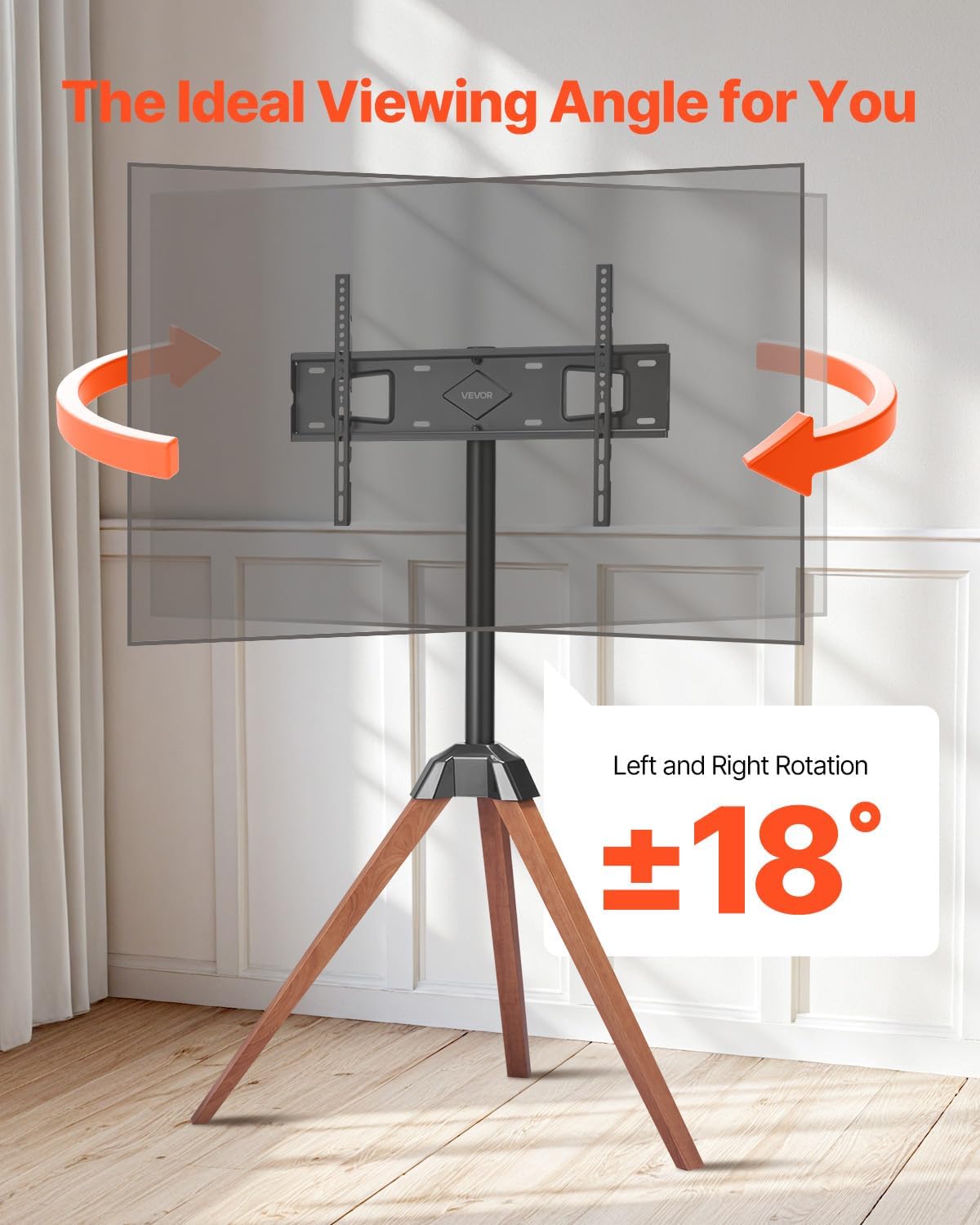
Image 5.1: Visual demonstration of the TV stand's ±18° left-right rotation capability.
5.2 Cable Management
To maintain a tidy appearance and prevent tripping hazards, utilize the integrated cable management hooks. Route your TV's power and HDMI cables along the central support pole and secure them with the provided hooks or ties.

Image 5.2: Close-up view of the cable management hooks on the stand's central pole and leg, designed to keep cables organized.
6. Maintenance
- Cleaning: Wipe the stand with a soft, dry cloth. For stubborn marks, a slightly damp cloth can be used, followed by immediate drying. Avoid abrasive cleaners or solvents.
- Fastener Check: Periodically check all screws and bolts to ensure they are tight. Loose fasteners can compromise the stand's stability.
- Damage Inspection: Inspect the stand for any signs of damage, such as cracks in the wood or bends in the metal components. If damage is found, discontinue use and contact customer support.
7. Troubleshooting
7.1 Stand Feels Unstable
- Ensure all tripod legs are fully extended and resting evenly on a flat, level surface.
- Verify all assembly screws and bolts are securely tightened.
- Confirm the TV's weight does not exceed the 99 lbs (45 kg) capacity.
7.2 TV Does Not Fit Mounting Bracket
- Check your TV's VESA mounting pattern. It must be between 100x100 mm and 600x400 mm.
- Ensure you are using the correct screws, washers, and spacers provided for your specific TV model.
7.3 Missing Parts
- Refer to the 'Package Contents' section (Section 3) and compare with the items received.
- If parts are missing, contact VEVOR customer support immediately for assistance.
8. Specifications
| Model Number | FT03 |
| Compatible TV Size | 40-65 inches (1016-1651 mm) |
| Weight Capacity | 99 lbs (45 kg) |
| Rotation | ±18° Left and Right |
| VESA Hole Pattern | 100x100 mm to 600x400 mm |
| Product Weight | 14.33 lbs (6.50 kg) |
| Product Dimensions (L x W x H) | 35.83 x 20.08 x 56.69 inches (910 x 510 x 1440 mm) |
| Material | Alloy Steel, Oak Wood |

Image 8.1: Detailed diagram illustrating the dimensions and key specifications of the TV stand.
9. Warranty and Customer Support
For warranty information, technical support, or to report missing/damaged parts, please contact VEVOR customer service. Refer to the contact information provided with your purchase or visit the official VEVOR website.
Ask a question about this manual
Ask about setup, troubleshooting, compatibility, parts, safety, or missing instructions. Manuals+ will review the question and use this page’s manual context to help answer it.