
1. Introduction
Thank you for choosing the vidaXL TV Cabinet with LED. This manual provides essential information for the safe assembly, operation, and maintenance of your new furniture. Please read these instructions carefully before beginning assembly and retain them for future reference.
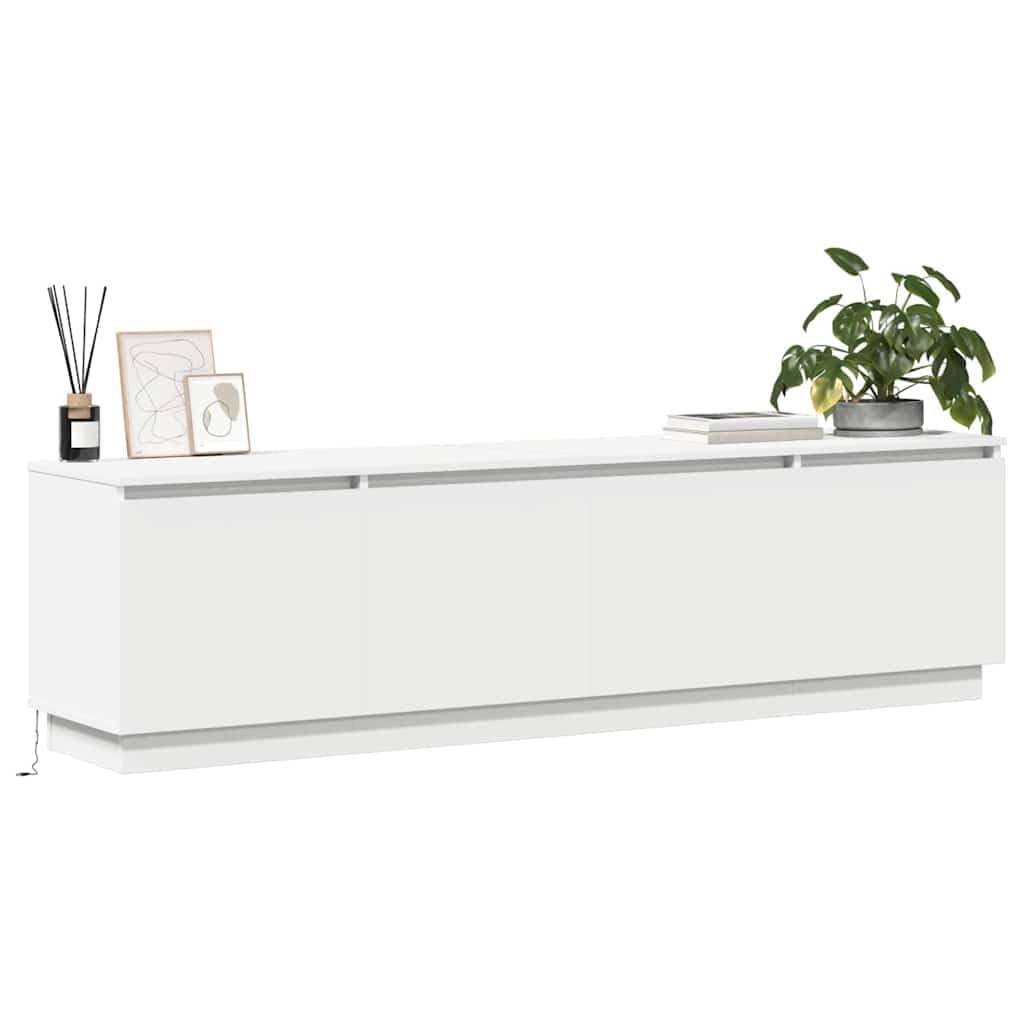
Figure 1: Assembled vidaXL TV Cabinet with LED lights activated.
2. Safety Information
Warning: Assembly is required for this product. Please follow the assembly instructions carefully to avoid any damage or injury. Always ensure all components are securely fastened before use.
- Keep small parts and packaging materials away from children.
- Do not stand or climb on the TV cabinet.
- Place the cabinet on a flat, stable surface to prevent tipping.
- If mounting to a wall, ensure appropriate wall anchors are used for your wall type and consult a professional if unsure.
- Disconnect the LED power supply before cleaning or moving the unit.
3. Package Contents
Before assembly, please verify that all parts are present and undamaged. If any parts are missing or damaged, contact vidaXL customer support.
- 1 x TV Cabinet (unassembled components)
- Assembly hardware (screws, dowels, hinges, etc.)
- LED light strip with USB controller
- Assembly instructions (may not be in English)
4. Setup and Assembly Instructions
Assembly of this TV cabinet requires careful attention to detail. It is recommended to have two people for assembly. Please refer to the included graphical assembly instructions for step-by-step guidance.
- Unpack Components: Carefully remove all parts from the packaging. Lay them out on a clean, soft surface to prevent scratches.
- Identify Parts: Match each component to the parts list in the assembly manual.
- Assemble Frame: Follow the diagrams to connect the main panels of the cabinet using the provided hardware. Ensure all connections are tight.
- Install Shelves and Dividers: Insert any internal shelves or dividers as indicated in the instructions.
- Attach Doors: Secure the door hinges to the cabinet and then attach the doors. Adjust hinges as needed for proper alignment.
- Install LED Lighting: Affix the LED light strip to the designated area, typically along the bottom edge or inside a compartment. Connect the USB cable.
- Final Check: Ensure all screws are tightened and the cabinet is stable.

Figure 2: Dimensional diagram of the TV cabinet for reference during assembly.

Figure 3: View of the TV cabinet with doors open, illustrating internal storage.
5. Operating Instructions (LED Lights)
Your vidaXL TV cabinet features integrated LED lighting for enhanced ambiance. The LED strip is powered via USB.
- Power Connection: Connect the USB cable from the LED strip to a compatible USB power source (e.g., a USB wall adapter, TV USB port, or power bank).
- Control: Use the inline button controller on the USB cable to operate the lights.
- Functions: The controller allows you to:
- Turn the lights ON/OFF.
- Change colors (RGB).
- Select dynamic lighting modes.
- Adjust brightness and speed of dynamic modes.

Figure 4: Illustration of RGB LED light features and control options.
6. Maintenance
Maintaining your TV cabinet is simple and ensures its longevity and appearance.
- Cleaning: Wipe the surface with a damp cloth. Avoid using harsh chemicals or abrasive cleaners, as these can damage the engineered wood finish.
- Spills: Clean up spills immediately to prevent staining or damage to the material.
- Dusting: Regularly dust the cabinet with a soft, dry cloth.
- LED Care: Ensure the LED strip and USB connection remain dry. Do not attempt to repair or modify the LED components.

Figure 5: Features of the engineered wood material, including ease of maintenance and moisture resistance.
7. Troubleshooting
If you encounter any issues with your TV cabinet, refer to the following common solutions:
- LED Lights Not Working:
- Check if the USB cable is securely connected to a working power source.
- Ensure the power source is active (e.g., wall adapter plugged in, TV turned on).
- Press the ON/OFF button on the inline controller.
- Cabinet Instability:
- Verify that all assembly screws are tightened.
- Ensure the cabinet is placed on a level surface.
- Doors Not Aligning:
- Adjust the hinges as per the assembly instructions to correct door alignment.
8. Specifications
| Brand | vidaXL |
| Model Number | 3376144 |
| Color | White |
| Material | Engineered Wood |
| Dimensions (L x W x H) | 180 x 38 x 49 cm (70.9" x 14.9" x 19.3") |
| Weight | 18.2 kg |
| Special Feature | Illuminated (LED) |
| Number of Drawers | 2 |
| Number of Shelves | 1 |
| Number of Compartments | 3 |
| Assembly Required | Yes |

Figure 6: Overview of the cabinet's storage capacity and sturdy design.
9. Warranty and Support
vidaXL products are designed for quality and durability. This product comes with a standard manufacturer's warranty against defects in materials and workmanship. For specific warranty details, please refer to the documentation included with your purchase or visit the official vidaXL website.
If you require assistance with assembly, have questions about the product, or need to report a defect, please contact vidaXL customer support. You can typically find contact information on the vidaXL website or through your retailer.
For more information, visit the vidaXL Store on Amazon.
