
Introduction
Thank you for choosing the BLACK+DECKER Wi-Fi Water Leak Sensor. This device provides smart, real-time water leak detection to help protect your home from potential water damage. By connecting to your home's Wi-Fi network, the sensor alerts you via a built-in alarm and smartphone notifications, ensuring you are informed even when away from home.
Key Features:
- Smart Leak Detection: Instantly detects water with a 46-inch sump pump probe.
- Instant Alerts: Sends real-time notifications to your smartphone or email via the Black+Decker Home App.
- Built-in Alarm: Provides an audible alert at the sensor location.
- Easy Installation: Plug-and-play setup with no hub required, includes wall mounting hardware.
- Remote Monitoring: Manage and monitor the sensor remotely using the free Black+Decker Home App (iOS and Android compatible).
- Battery Powered: Operates on two AAA batteries (not included) for flexible placement.
Important Safety Information
Please read all instructions carefully before using this product. Failure to follow these instructions may result in product damage, property damage, or injury.
- This device is intended for indoor use only.
- Do not immerse the main sensor unit in water. The probe is designed for water contact, but the main unit is not waterproof.
- Use only the specified battery type (2 AAA batteries). Do not mix old and new batteries, or different types of batteries.
- Dispose of batteries according to local regulations.
- Keep the device away from direct sunlight, heat sources, and extreme temperatures.
- Ensure the Wi-Fi signal is strong in the installation area for reliable operation.
Package Contents
Verify that all items listed below are included in your package:
- BLACK+DECKER Wi-Fi Water Leak Sensor (Main Unit)
- 46-inch Sump Pump Probe
- Wall Mounting Hardware (screws and anchors)
- Instruction Manual (this document)

Image: Front view of the BLACK+DECKER Wi-Fi Water Leak Sensor product box, showing the main sensor unit and the Wi-Fi logo.
Product Overview
Familiarize yourself with the components of your BLACK+DECKER Wi-Fi Water Leak Sensor.
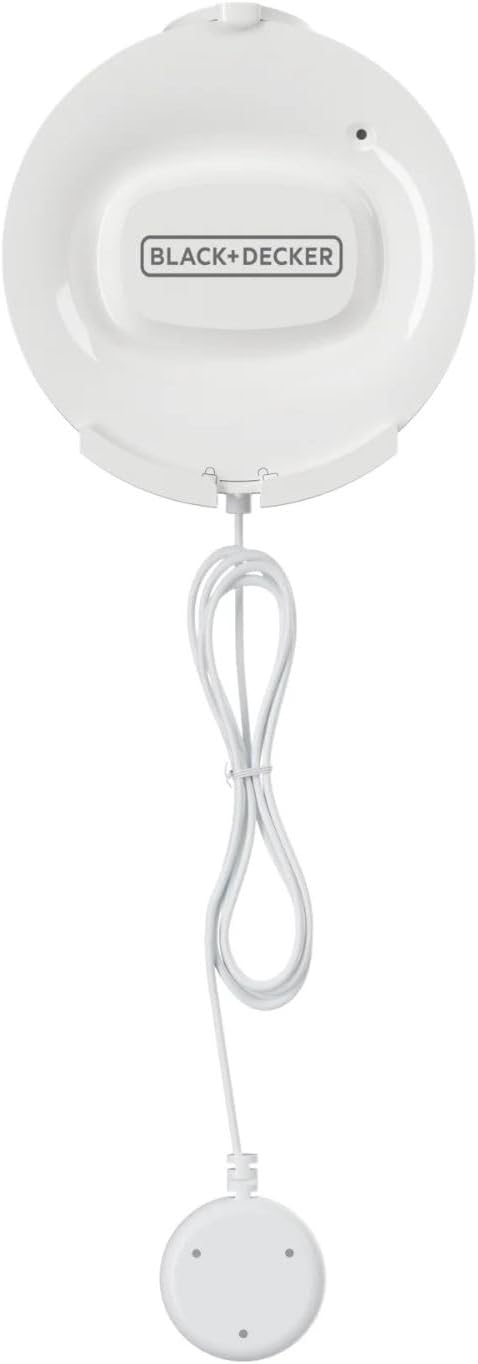
Image: Top-down view of the BLACK+DECKER Wi-Fi Water Leak Sensor, showing the main circular unit connected to the smaller circular water sensing probe via a coiled white cable.

Image: Close-up top view of the main BLACK+DECKER Wi-Fi Water Leak Sensor unit, showing the BLACK+DECKER logo and a small indicator light.
Main Components:
- Main Sensor Unit: Houses the Wi-Fi module, alarm, and battery compartment.
- Water Sensing Probe: The 46-inch cable with a small disc at the end, designed to detect water contact.
- Indicator Light: Provides status feedback (e.g., pairing mode, low battery).
- Mounting Tabs: Located on the main unit for wall installation.
Setup and Installation
1. Insert Batteries
- Gently twist the back cover of the main sensor unit counter-clockwise to open the battery compartment.
- Insert two (2) new AAA batteries (not included), ensuring correct polarity (+/-).
- Replace the back cover by aligning the marks and twisting clockwise until secure.
2. Download the BLACK+DECKER Home App
The BLACK+DECKER Home App is required for setup and remote monitoring.
- Search for "Black+Decker Home" in the Apple App Store (for iOS devices) or Google Play Store (for Android devices).
- Download and install the app.
- Follow the in-app instructions to create an account or log in.
3. Connect to Wi-Fi
Follow the on-screen instructions within the BLACK+DECKER Home App to pair your sensor with your home Wi-Fi network. Ensure your smartphone is connected to a 2.4 GHz Wi-Fi network during the pairing process.
- Open the Black+Decker Home App and select "Add Device" or the '+' icon.
- Choose the "Water Leak Sensor" from the list of devices.
- Follow the app's prompts to put the sensor into pairing mode (usually by pressing and holding a button on the sensor until the indicator light flashes).
- Enter your Wi-Fi network name and password when prompted by the app.
- Wait for the sensor to connect. The indicator light will change to a solid color once connected.
4. Mounting the Sensor
Choose a location prone to water leaks, such as near a water heater, dishwasher, washing machine, or sump pump. The main unit should be mounted above the potential water level, with the probe placed on the floor or in the area where water might accumulate.
- Placement: Position the main sensor unit on a wall or vertical surface using the included mounting hardware. Ensure the probe cable can reach the desired detection area.
- Probe Positioning: Place the small water sensing probe directly on the floor or in the lowest point of the area where water leaks are most likely to occur. The 46-inch cable provides flexibility for placement.
- Test: After installation, you may test the sensor by placing a small amount of water on the probe to confirm it triggers an alarm and sends a notification.

Image: The BLACK+DECKER Wi-Fi Water Leak Sensor main unit mounted on a wall near a water heater, with its probe placed on the floor where a small water puddle is simulated, triggering a red alert glow.

Image: The BLACK+DECKER Wi-Fi Water Leak Sensor main unit mounted on the side of a kitchen cabinet next to an open dishwasher, with its probe positioned on the floor.
Operating Instructions
Leak Detection
Once installed and connected, the sensor continuously monitors for water. When the probe detects water, it will:
- Trigger an audible alarm from the main sensor unit.
- Send an instant notification to your smartphone via the Black+Decker Home App.
- Send an email notification (if configured in the app).
To silence the alarm, remove the probe from the water. The app notification will remain until acknowledged.
App Functions
The Black+Decker Home App allows you to:
- View the current status of your leak sensor (e.g., online, offline, no leak detected).
- Receive and review leak alerts.
- Customize notification settings (e.g., push notifications, email alerts).
- Check battery level.
- Manage multiple BLACK+DECKER smart devices.
Maintenance
Battery Replacement
The sensor operates on two AAA batteries. When the battery level is low, you will receive a notification via the app, and the sensor's indicator light may flash a specific color (refer to app for details).
- Gently twist the back cover of the main sensor unit counter-clockwise to open the battery compartment.
- Remove the old batteries.
- Insert two (2) new AAA batteries, ensuring correct polarity (+/-).
- Replace the back cover by aligning the marks and twisting clockwise until secure.
- Dispose of old batteries responsibly according to local regulations.
Cleaning
To ensure optimal performance, keep the sensor and probe clean.
- Wipe the main sensor unit and probe with a soft, dry cloth.
- Do not use abrasive cleaners, solvents, or harsh chemicals.
- Ensure the probe's contact points are free from dirt or debris.
Troubleshooting
If you encounter issues with your BLACK+DECKER Wi-Fi Water Leak Sensor, refer to the table below for common problems and solutions.
| Problem | Possible Cause | Solution |
|---|---|---|
| Sensor not connecting to Wi-Fi | Incorrect Wi-Fi password; Sensor too far from router; Router on 5 GHz band; Weak Wi-Fi signal. | Verify Wi-Fi password; Move sensor closer to router; Ensure router is broadcasting 2.4 GHz Wi-Fi; Check Wi-Fi signal strength in the app. |
| No notifications received | App notifications disabled; Email not configured; Sensor offline; App not running in background. | Check app notification settings; Configure email alerts in the app; Verify sensor is online; Ensure app has background refresh permissions. |
| Sensor alarm not sounding | Low battery; Speaker obstructed; Sensor not detecting water. | Replace batteries; Ensure speaker is clear; Test probe with water to confirm detection. |
| False alarms | Probe in contact with moisture/condensation; Dirty probe contacts. | Relocate probe to a drier spot; Clean probe contacts with a dry cloth. |
| Short battery life | Frequent alarms; Poor Wi-Fi signal requiring more power; Old/low-quality batteries. | Ensure sensor is not frequently triggered; Improve Wi-Fi signal; Use high-quality alkaline batteries. |
Specifications

Image: Technical drawing showing the dimensions of the BLACK+DECKER Wi-Fi Water Leak Sensor main unit (3 1/8 inches / 80 mm diameter) and the probe (1 1/8 inches / 29 mm diameter), with a 51 1/8 inches / 1300 mm cable length.
| Model Number | BXSPBAFLOOD1 |
| Power Source | 2 x AAA Batteries (not included) |
| Voltage | 3 Volts (DC) |
| Connectivity | Wi-Fi (2.4 GHz only) |
| Control Method | Black+Decker Home App |
| Sensor Technology | Contact Sensor |
| Probe Length | 46 inches (approx. 117 cm) |
| Mounting Type | Wall Mount |
| Product Dimensions (Main Unit) | 3 x 1.13 x 3.13 inches (approx. 7.6 x 2.9 x 8 cm) |
| Item Weight | 3.87 ounces (approx. 110 grams) |
| Operating Temperature | 0°C to 40°C (32°F to 104°F) |
| Humidity | 10% to 90% RH (non-condensing) |
Warranty and Customer Support
This BLACK+DECKER Wi-Fi Water Leak Sensor is backed by a 1-year limited warranty from the date of purchase. This warranty covers defects in materials and workmanship under normal use. It does not cover damage resulting from misuse, accident, modification, or unauthorized repair.
For warranty claims, technical assistance, or customer support, please contact BLACK+DECKER customer service. Refer to the contact information provided on the product packaging or the official BLACK+DECKER website for the most up-to-date support details.
Online Support: Visit www.blackanddecker.com/support