1. Introduction
This manual provides detailed instructions for the installation, setup, and operation of your new Alikali 4+64G Android 14 Double Din Car Stereo. Designed specifically for Honda CRV models from 2017 to 2021, this unit offers advanced features including Wireless CarPlay, Android Auto, GPS navigation, Bluetooth 5.0, AHD camera support, and a 9-inch IPS touch screen. Please read this manual thoroughly before installation and use to ensure proper functionality and safety.
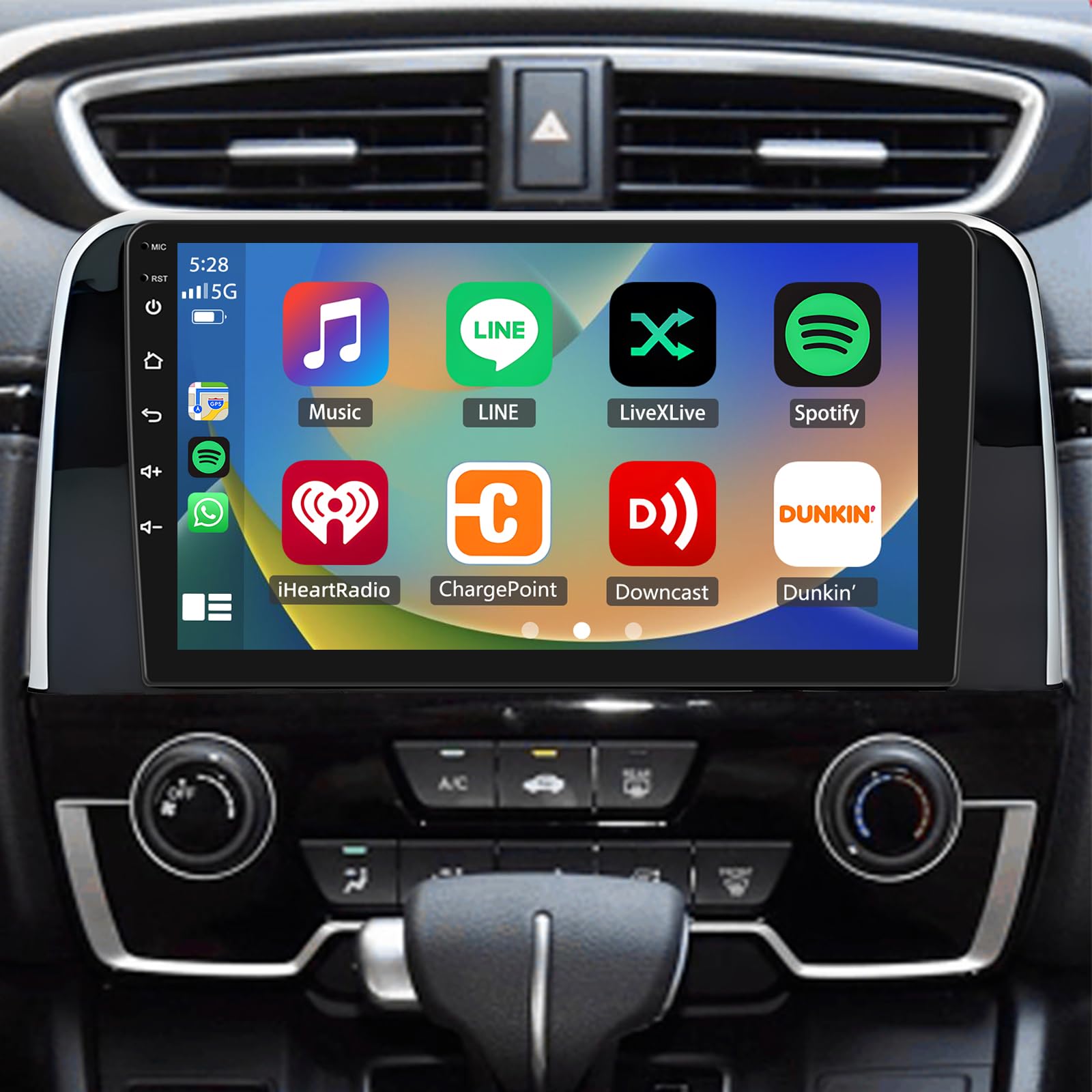
Video 1: This video provides a general overview of the Alikali Car Stereo Radio, showcasing its main features and user interface. It offers a visual demonstration of the system's capabilities and responsiveness.
2. Safety Information
Always prioritize safety when operating your vehicle. Distracted driving can lead to accidents. Ensure all connections are secure and properly insulated to prevent electrical shorts or damage. Professional installation is recommended for optimal safety and performance. Do not attempt to disassemble or modify the unit, as this may void the warranty and cause harm.
3. Package Contents
Please check the package for the following items:
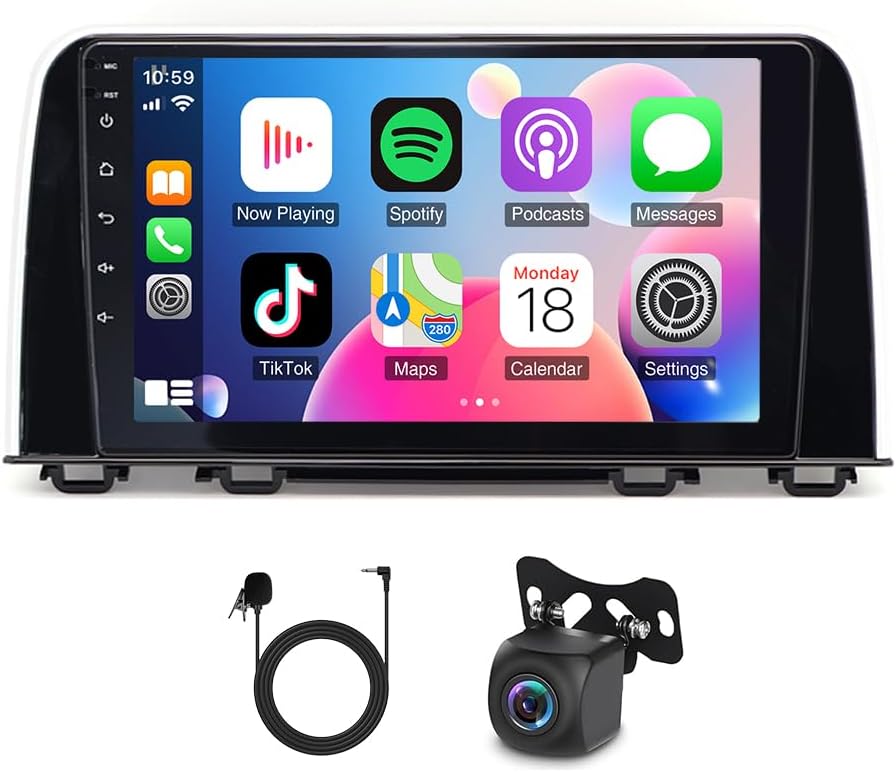
- Alikali 9-inch Car Stereo Unit
- Power Cable
- RCA Input/Output Cables
- 2 USB Cables
- Camera Input Cable
- USB Adapter
- Radio Adapter
- Microphone (Mic)
- Rear Camera
- Instruction Manual
- GPS Antenna
- Original Car Canbus Box

4. Installation
Professional installation is highly recommended. Ensure the vehicle's battery is disconnected before starting any electrical work.
4.1 Wiring Connections
Follow the wiring diagram provided in the manual and ensure all connections are secure. The following steps outline the general wiring process:
- Radio Adapter Cable: Connect the radio adapter cable to the corresponding port on the car stereo unit.
- GPS Antenna: Connect the GPS antenna to the GPS input on the back of the unit. Position the antenna in a location with a clear view of the sky for optimal signal reception.
- Camera Input: Connect the camera input cable to the designated port. This is essential for the rearview camera functionality.
- USB Cables: Connect the two USB cables to the USB ports on the unit. These can be routed to the glove compartment or center console for easy access.
- RCA Input/Output: Connect the RCA input/output cables for external audio/video devices or amplifiers as needed.
- Power Cable: Connect the main power cable harness to the car stereo. Ensure all wires are correctly matched to the vehicle's wiring harness.
- Reversing Video Input & Light Wire: Connect the reversing video input cable and the reversing light wire to enable automatic display of the rearview camera when reversing.
- Rear Camera: Connect the rear camera to its dedicated input cable.
Video 2: This video provides a detailed wiring reference for the Alikali Wireless Car Stereo. It demonstrates the connection points for various cables, including power, audio, and video inputs, to guide users through the installation process.

5. Initial Setup
5.1 Bluetooth Pairing
To enable hands-free calling and Bluetooth audio streaming, pair your smartphone with the car stereo:
- On the car stereo, navigate to the Bluetooth settings.
- Enable Bluetooth on your smartphone and search for available devices.
- Select "CarKit_blink" (or similar device name) from the list on your phone.
- Enter the PIN (default is 0000) if prompted.
- Once paired, you can make calls and stream music wirelessly.

5.2 Wireless CarPlay & Android Auto
Connect your smartphone for seamless integration with CarPlay or Android Auto:
- Ensure your phone's Bluetooth is on and paired with the car stereo.
- On the car stereo, open the "Tlink5" application.
- Follow the on-screen prompts to connect your phone via USB or wirelessly.
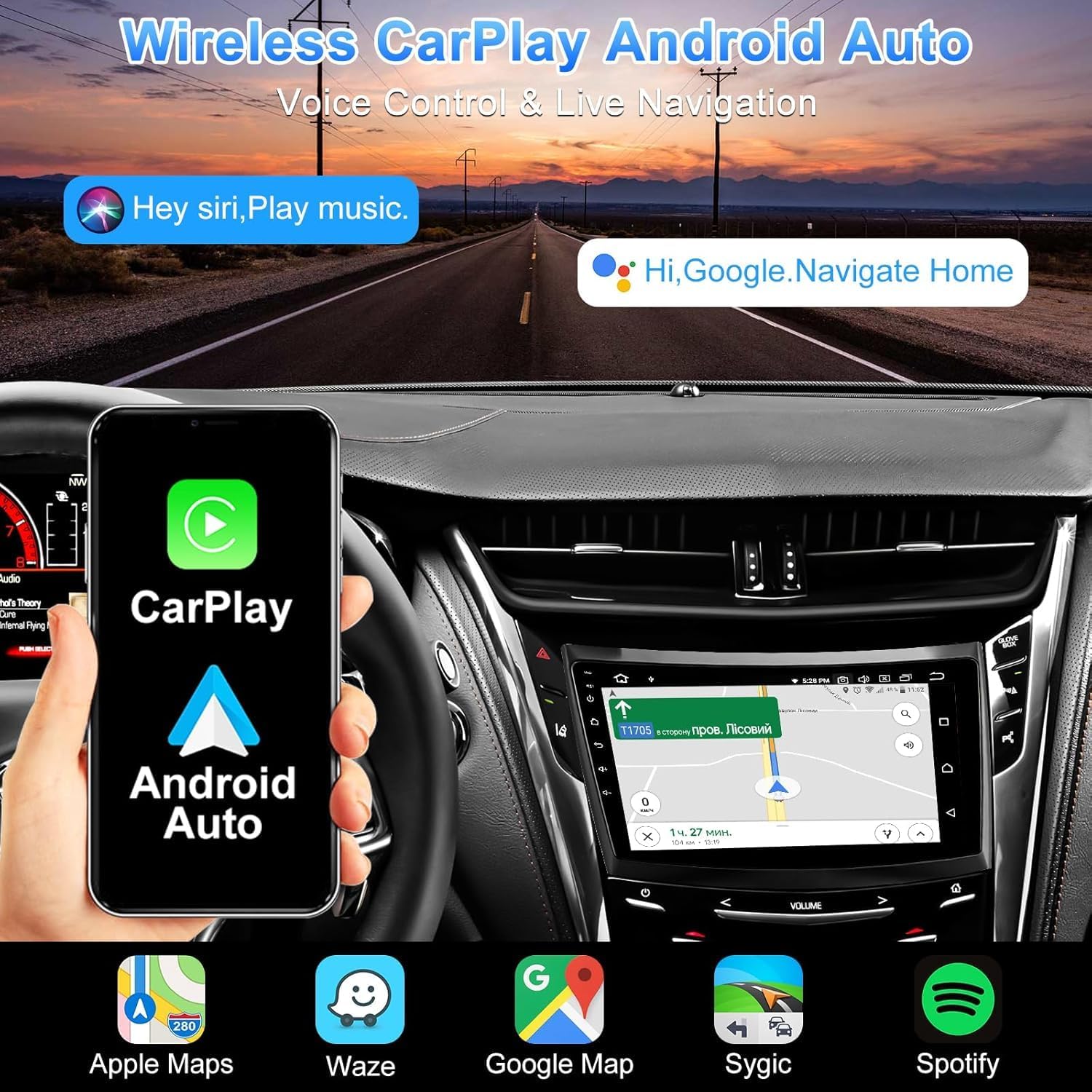
- Once connected, your phone's compatible apps (Maps, Music, Calls) will appear on the stereo display.
Video 3: This video demonstrates the step-by-step process to connect CarPlay with the car stereo. It guides users through Bluetooth pairing and initiating the CarPlay connection for seamless smartphone integration.
5.3 GPS Navigation & Wi-Fi
The unit has built-in Wi-Fi and GPS. Connect to Wi-Fi via your phone's hotspot to use online maps and download apps from the Play Store.
- Go to Settings > Network & Internet > Wi-Fi.
- Turn on Wi-Fi and connect to your phone's hotspot.
- Once connected, open the Maps application (e.g., Google Maps, Waze) for navigation.
6. Operating Instructions
6.1 FM Radio
Access the FM Radio application to listen to local radio stations. You can scan for stations, save presets, and view real-time traffic or news broadcasts.
Video 4: This video demonstrates the FM Radio functionality of the Alikali car stereo in a CRV. It shows how to tune into stations, save presets, and navigate the radio interface.
6.2 Media Playback
Play music or videos from various sources, including USB drives, Bluetooth, or streaming apps. The unit supports high-quality audio with a built-in DSP (Digital Signal Processor) and a 12-band equalizer for customized sound.

6.3 Steering Wheel Controls (SWC)
The unit supports original steering wheel controls. This allows you to safely adjust volume, change tracks, or answer calls without taking your hands off the wheel. An additional interface may be needed (not included).

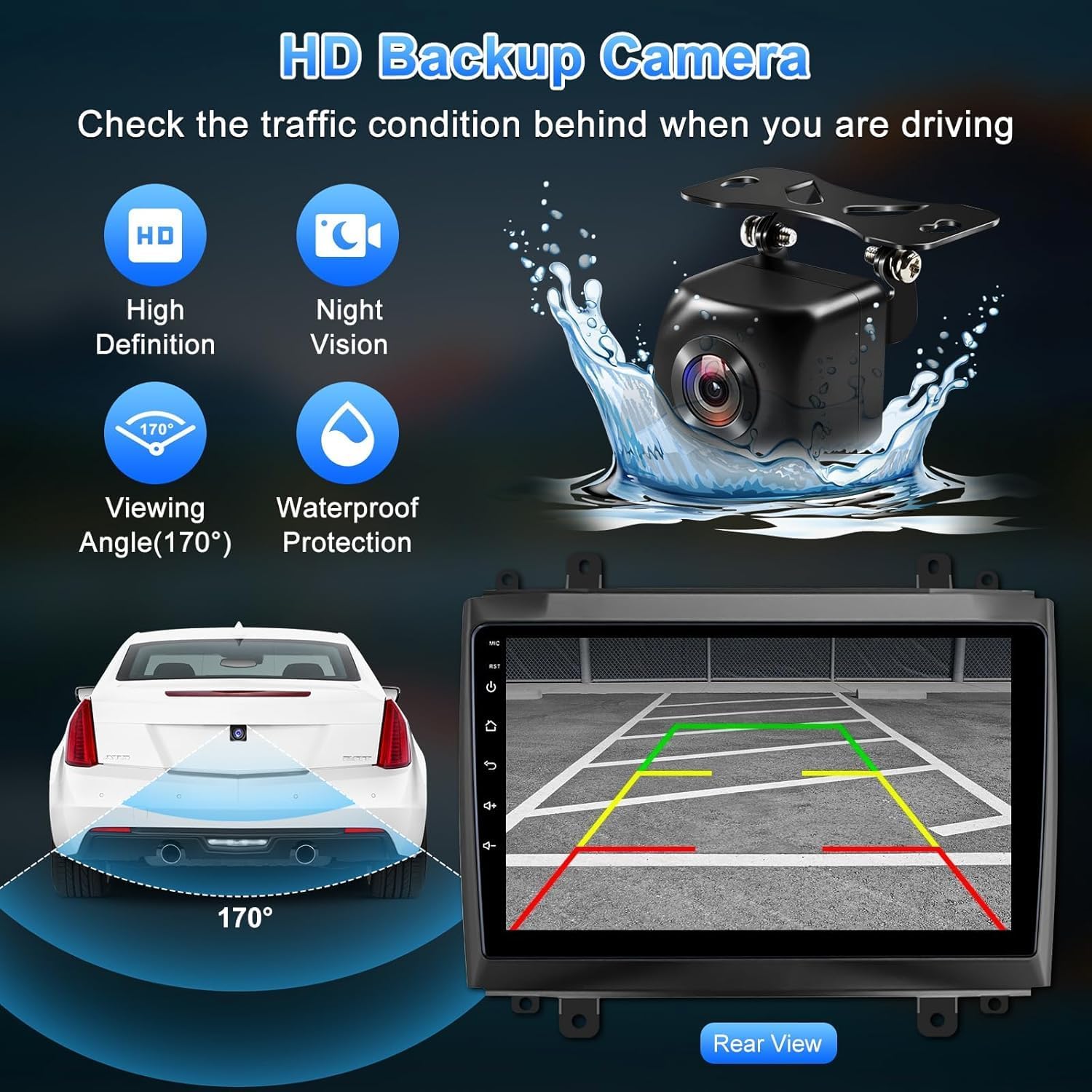
6.4 Rearview Camera
The included rearview camera provides assistance when reversing. The image automatically displays on the screen when the vehicle is in reverse gear.

6.5 Mirror Link
The Mirror Link function allows you to display your Android or iOS phone screen directly on the car stereo. This is suitable for viewing content or using apps not natively supported by the stereo interface.

7. Maintenance
To maintain the performance and appearance of your car stereo, regularly clean the screen with a soft, lint-free cloth. Avoid using abrasive cleaners or solvents. Ensure all cables are securely connected and free from damage. If you encounter any issues, refer to the troubleshooting section or contact customer support.
8. Troubleshooting
If you experience problems with your car stereo, try the following solutions:
- No Power: Check all power connections and the vehicle's fuse box. Ensure the ignition is on.
- No Sound: Verify speaker connections, volume levels, and audio source selection. Check the equalizer settings.
- Bluetooth Connectivity Issues: Ensure Bluetooth is enabled on both the stereo and your phone. Delete previous pairings and re-pair. Restart both devices.
- GPS Signal Loss: Ensure the GPS antenna has a clear view of the sky. Check antenna connection.
- Touch Screen Unresponsive: Try restarting the unit. If the issue persists, a touch screen calibration might be needed (refer to advanced settings).
- CarPlay/Android Auto Not Connecting: Ensure your phone is compatible and the "Tlink5" app is running. Check USB cable integrity if using a wired connection.
9. Specifications
| Feature | Detail |
|---|---|
| Item Weight | 3.67 pounds |
| Package Dimensions | 14.29 x 10.51 x 4.84 inches |
| Display Size | 9 Inches |
| Warranty | 18 Months |
| Brand | Alikali |
| Vehicle Service Type | Specific Vehicle (Honda CRV 2017-2021) |
| Special Feature | IPS, FM/AUX, AV IN, RCA, RLV/AHD, Touchscreen, Wireless CarPlay/Android Auto, OEM Steering Wheel Control, GPS Navigation, Bluetooth |
| Connectivity Technology | USB, Wi-Fi, Bluetooth |
| Map Type | Worldwide |
| Audio Output Mode | Stereo |
| Operating System | Android, iOS (via CarPlay/Android Auto) |
| Memory Storage Capacity | 64 GB |
10. Warranty & Support
Your Alikali car stereo comes with an 18-month warranty from the date of purchase. This warranty covers manufacturing defects and ensures your product is free from material and workmanship flaws under normal use. For warranty claims, technical support, or any questions not covered in this manual, please contact Alikali customer service through your retailer or the official Alikali website. Please have your purchase receipt and product model number ready when contacting support.