1. Introduction
Thank you for purchasing the bosta H-1 Portable Bluetooth Speaker. This device combines high-quality audio with a versatile touch screen interface, offering a range of functions beyond standard audio playback. This manual provides detailed instructions for setup, operation, maintenance, and troubleshooting to ensure optimal performance and longevity of your speaker.
2. Safety Information
- Do not expose the speaker to extreme temperatures or direct sunlight for extended periods.
- Keep the device away from water and moisture, despite its waterproof rating, to prevent damage to internal components.
- Avoid dropping or subjecting the speaker to strong impacts.
- Do not attempt to disassemble, repair, or modify the device yourself. Contact qualified service personnel if needed.
- Use only the provided Type-C charger for charging.
3. Package Contents
- bosta H-1 Portable Bluetooth Speaker x1
- Type-C Charger x1
- User Manual x1
4. Product Overview
Familiarize yourself with the main components and controls of your bosta H-1 speaker.
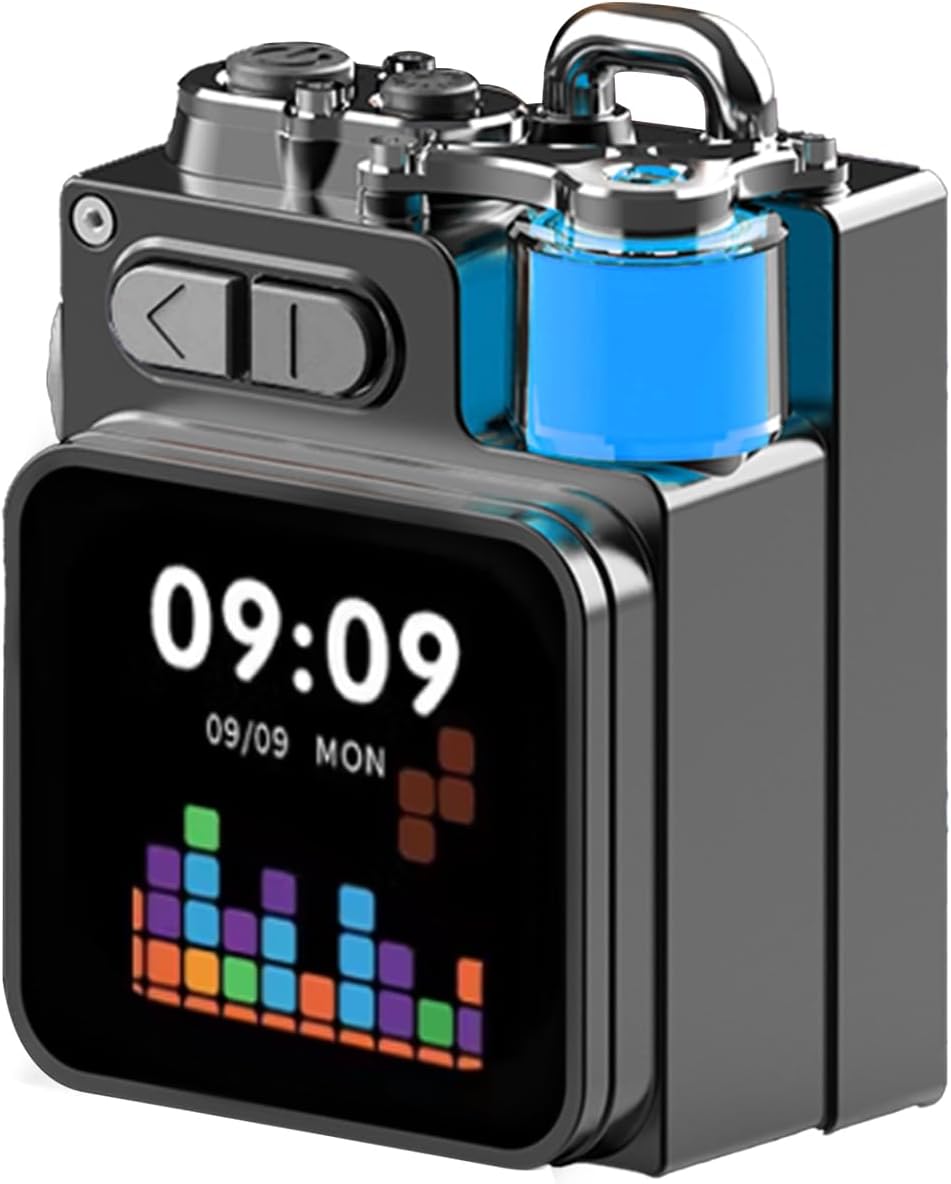
Figure 4.1: Front view of the bosta H-1 Portable Bluetooth Speaker.
Controls and Ports
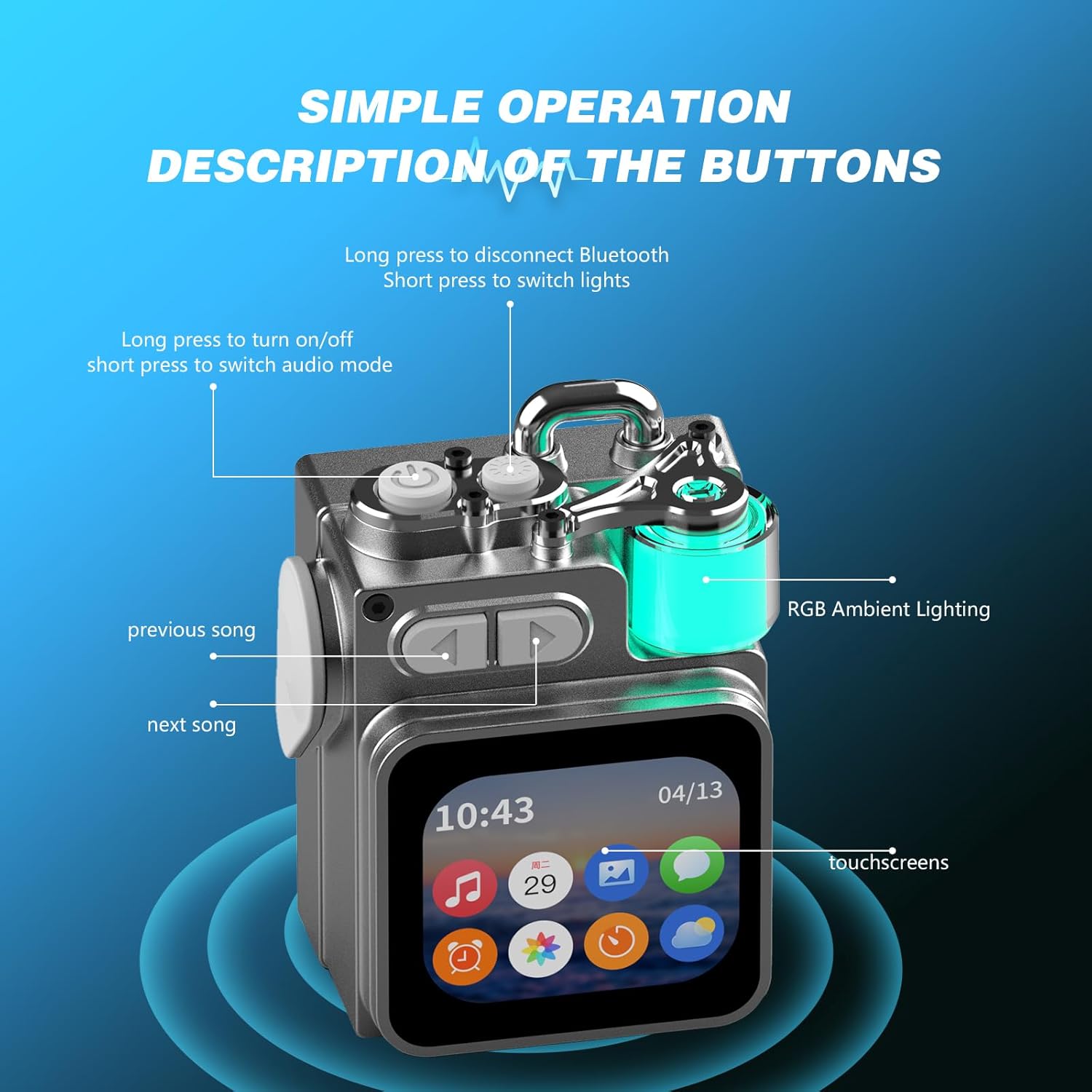
Figure 4.2: Diagram illustrating the buttons and touchscreen of the bosta H-1 speaker.
- Power Button: Long press to turn on/off. Short press to switch audio mode.
- Previous Song Button: Press to go to the previous track.
- Next Song Button: Press to go to the next track.
- RGB Ambient Lighting Button: Short press to switch light colors (Red, Green, Blue).
- Touchscreen: Interactive display for various functions.
- Lanyard Hole: For attaching a lanyard for portability.
- USB Type-C Port: For charging the device.
- SD Card Slot: For local music and photo storage (SD card not included).
5. Setup
5.1 Charging the Speaker
Before first use, fully charge the speaker. Connect the provided Type-C charging cable to the speaker's Type-C port and the other end to a compatible USB power adapter (not included) or computer USB port. The screen will indicate charging status.
5.2 Power On/Off
- To Power On: Long press the Power Button until the screen lights up and you hear a startup sound.
- To Power Off: Long press the Power Button until the screen turns off.
5.3 Bluetooth Pairing
The bosta H-1 speaker uses Bluetooth 5.4 for stable wireless connectivity.
- Ensure the speaker is powered on and in Bluetooth pairing mode (indicated by a blinking Bluetooth icon on the screen).
- On your smartphone or other Bluetooth-enabled device, go to Bluetooth settings and search for available devices.
- Select "bosta H-1" (or similar name) from the list to connect.
- Once connected, the Bluetooth icon on the speaker's screen will become solid, and you will hear a confirmation tone.
5.4 SD Card Usage
Insert a compatible SD card (up to 32GB, not included) into the SD card slot to store and play local music or display photos.
5.5 App Installation
For enhanced features and customization, download the companion app (DK08) from your device's app store. The app allows for changing watch faces, managing notifications, synchronizing weather, and uploading photos to the speaker's album.
6. Operating Instructions
6.1 Basic Music Playback
After pairing via Bluetooth or inserting an SD card with music, you can control playback:
- Use the Previous/Next Song buttons to navigate tracks.
- Tap the play/pause icon on the touchscreen to control playback.

Figure 6.1: Speaker display showing music playback with an equalizer visualization.
6.2 Touch Screen Functions
The 2.0-inch touch screen provides access to various smart functions. Swipe left or right to navigate between different screens and applications.
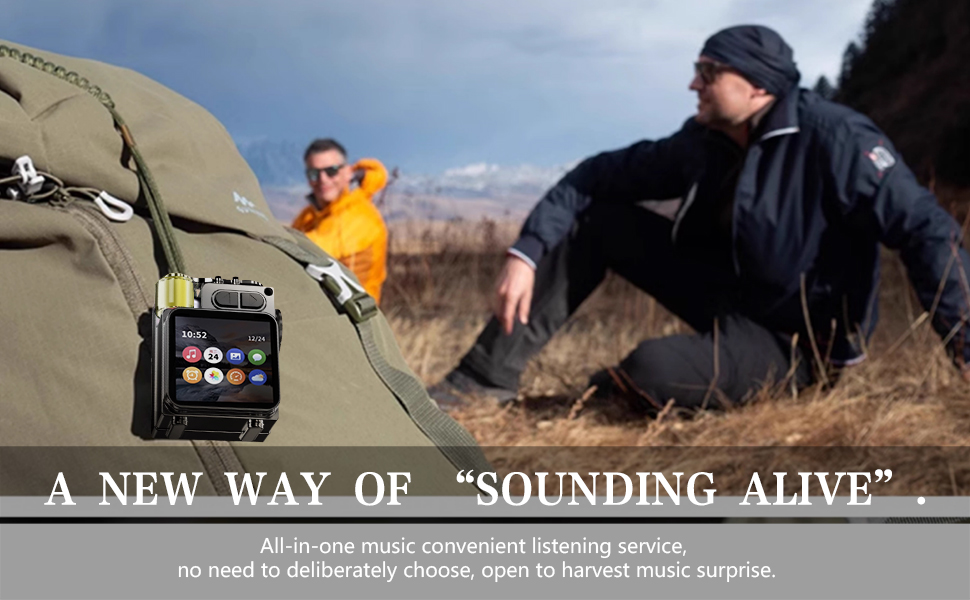
Figure 6.2: Touch screen interface displaying various application icons.
- Time and Date: The default screen displays the current time and date.
- Weather Display: Synchronize with the app to view current weather conditions and forecasts.
- Alarm Clock: Set alarms directly from the touch screen.
- Calculator: Access a basic calculator function.
- Photo Album: View photos uploaded via the companion app.
- Notifications: Receive intelligent notifications from your paired smartphone.
6.3 RGB Ambient Lighting
Press the RGB Ambient Lighting Button on the top of the speaker to cycle through different light colors (Red, Green, Blue). The lights pulse from bright to dim and back again.
6.4 White Noise Function
The companion app includes a white noise feature with various nature and environmental sounds to aid relaxation or focus.
7. Maintenance
- Clean the speaker with a soft, dry cloth. Do not use abrasive cleaners or solvents.
- Ensure the Type-C charging port cover is securely closed when not charging to maintain water resistance.
- Store the speaker in a cool, dry place when not in use.
8. Troubleshooting
| Problem | Possible Cause | Solution |
|---|---|---|
| Speaker does not power on. | Low battery. | Charge the speaker fully. |
| Cannot pair via Bluetooth. | Speaker not in pairing mode; device too far; interference. | Ensure speaker is in pairing mode (blinking Bluetooth icon). Move device closer to speaker. Restart both devices. |
| No sound or low volume. | Volume too low; incorrect audio source; speaker not connected. | Increase volume on both speaker and connected device. Check Bluetooth connection. Ensure correct audio mode is selected. |
| Touch screen unresponsive. | Temporary software glitch. | Restart the speaker. |
9. Specifications
| Feature | Detail |
|---|---|
| Model Name | H-10 |
| Item Model Number | H-1 |
| Brand | bosta |
| Material | Metal |
| Speaker Type | Portable Speaker |
| Special Features | Bass Boost, Portable, Waterproof |
| Control Method | Touch |
| Wireless Communication Technology | Bluetooth 5.4 |
| Bluetooth Range | Up to 100 Feet |
| Speaker Size | 36 Millimeters |
| Speaker Maximum Output Power | 10 Watts |
| Audio Output Mode | Stereo |
| Power Source | Battery Powered (1 Nonstandard Battery included) |
| Product Dimensions | 3.14"D x 1.77"W x 2.36"H |
| Item Weight | 0.35 Kilograms (12.3 ounces) |
| Waterproof Rating | Yes |
| UPC | 797457563300 |
10. Warranty and Support
This bosta H-1 Portable Bluetooth Speaker comes with an extended warranty. For specific warranty terms, claims, or technical support, please refer to the warranty card included in your package or contact bosta customer service directly through their official website or the contact information provided with your purchase.
11. Official Product Video
Watch the official product video for a visual guide on the bosta H-1 Portable Bluetooth Speaker's features and operation.
Video 11.1: Official overview of the bosta Portable Bluetooth Speaker with Touch Screen, demonstrating its various functions and design.