
Introduction
Thank you for choosing the Katenpo C7-90L Professional Portable Dehumidifier. This appliance is designed to efficiently remove excess moisture from the air, helping to prevent mold, mildew, and other humidity-related issues in various environments. Please read this manual thoroughly before operation to ensure safe and optimal performance.
Safety Instructions
Always follow basic safety precautions when using electrical appliances to reduce the risk of fire, electric shock, and injury.
- Ensure the power supply matches the voltage specified on the dehumidifier's rating label.
- Do not operate the unit with a damaged cord or plug. If the cord is damaged, it must be replaced by the manufacturer or a qualified service agent.
- Do not block air inlets or outlets. Maintain at least 20 cm (8 inches) clearance around the unit.
- Do not insert fingers or foreign objects into the air inlets or outlets.
- Always place the dehumidifier on a stable, level surface to prevent water spillage.
- Unplug the unit before cleaning, moving, or performing any maintenance.
- This appliance is not intended for use by persons (including children) with reduced physical, sensory or mental capabilities, or lack of experience and knowledge, unless they have been given supervision or instruction concerning use of the appliance by a person responsible for their safety.
- Do not use the appliance in areas where flammable gases or liquids are stored.
- Do not use the dehumidifier outdoors.
Product Components
Familiarize yourself with the main components of your Katenpo C7-90L dehumidifier.
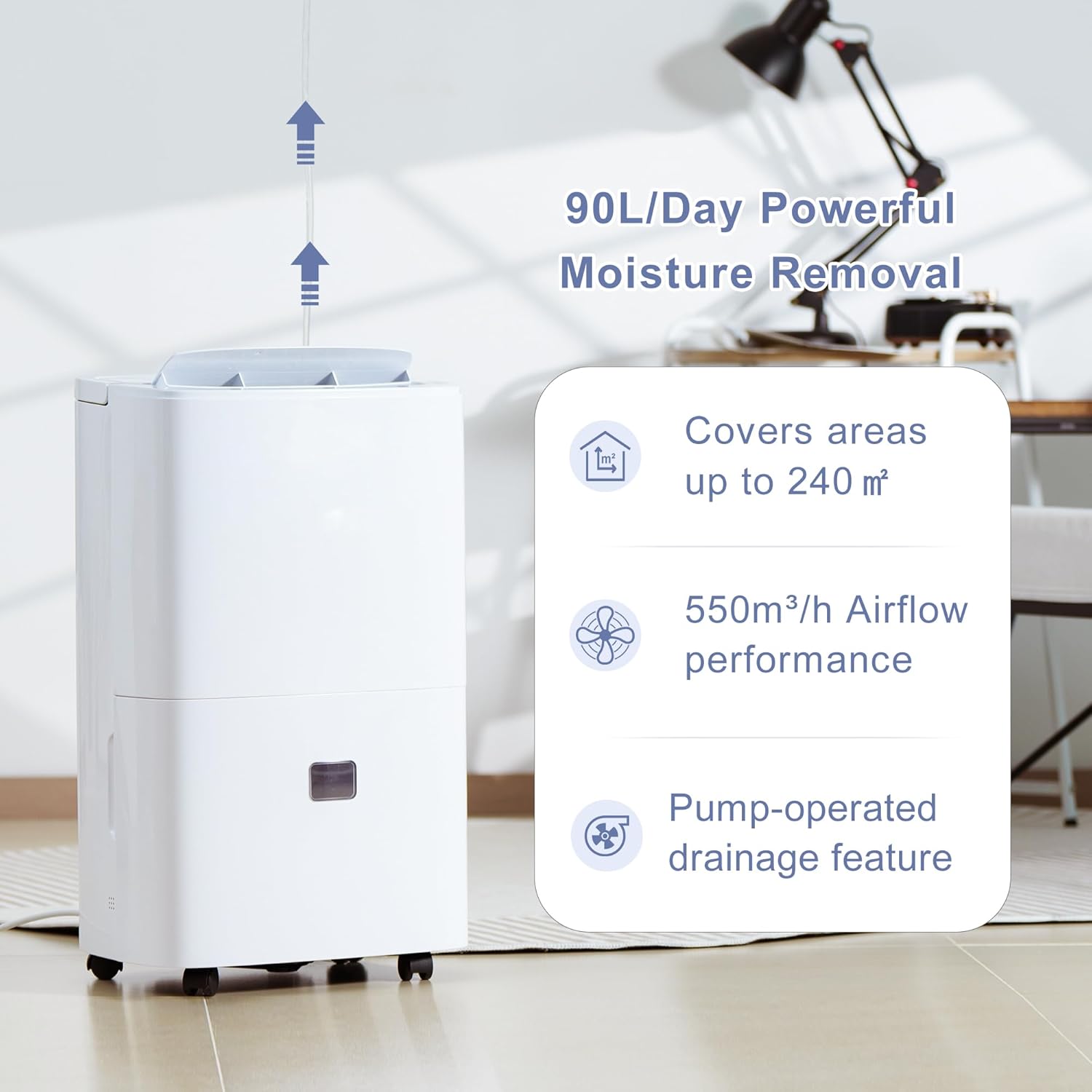
Image showing the Katenpo C7-90L dehumidifier unit, highlighting its 90L/day moisture removal capacity, coverage up to 240 m², 550m³/h airflow, and pump-operated drainage feature.
- Control Panel: For setting humidity, timer, and other functions.
- Air Outlet: Where dry air is expelled.
- Air Inlet/Filter: Where humid air enters and is filtered.
- Water Tank: Collects condensed water.
- Drainage Port: For continuous drainage options.
- Casters: For easy mobility.
Setup
- Unpacking: Carefully remove the dehumidifier from its packaging. Retain packaging materials for future storage or transport.
- Placement: Place the unit upright on a firm, level surface in the desired location. Ensure there is at least 20 cm (8 inches) of space around the unit for proper airflow. Avoid placing it near heat sources or in direct sunlight.
- Filter Installation: Ensure the air filter is correctly installed. The filter is typically located at the back or side air inlet.
- Power Connection: Plug the power cord into a grounded electrical outlet.

Image illustrating the compact design and dimensions (378mm x 266mm x 615mm) of the Katenpo C7-90L dehumidifier, along with included accessories: 2-meter gravity drain hose, 3-meter pump drain hose, and a washable filter.
Operating Instructions
Control Panel Overview
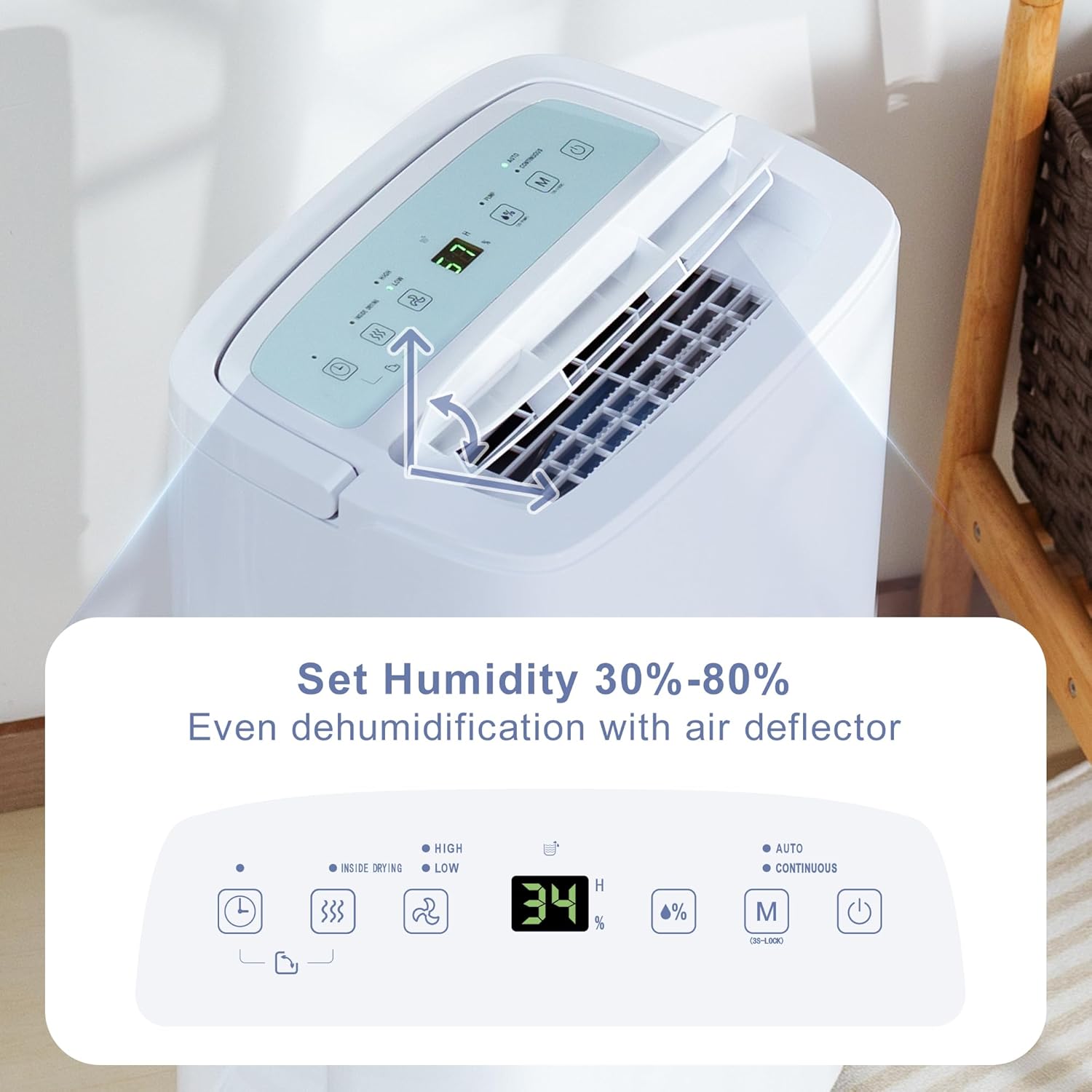
Image displaying the control panel of the Katenpo C7-90L dehumidifier, showing buttons for power, mode selection, humidity setting (30%-80%), fan speed, timer, and child lock, with an LED display indicating current humidity or timer settings.
- Power Button: Turns the unit ON or OFF.
- Humidity Setting: Adjust the desired humidity level from 30% to 80% relative humidity (RH). The unit will operate until the set humidity is reached.
- Mode Button: Selects operating modes (e.g., Auto, Continuous, Laundry Drying).
- Fan Speed: Adjusts the fan speed (High/Low).
- Timer Button: Sets the auto-on or auto-off timer (up to 24 hours).
- Child Lock: Activates or deactivates the child lock function (typically by pressing and holding two buttons simultaneously).
Basic Operation
- Press the Power button to turn on the dehumidifier.
- Use the Humidity Setting buttons to select your desired humidity level. A common setting for comfort is 45-55% RH.
- Select the desired operating mode (e.g., Auto for automatic humidity control, Continuous for constant dehumidification).
- Adjust the fan speed if necessary.
- The unit will begin to operate and display the current room humidity.

Image illustrating the automatic dehumidification with self-adjusting moisture control, continuous dehumidification for non-stop drying performance, and an internal drying mode to keep internal parts dry.
Drainage Options
The Katenpo C7-90L offers versatile drainage solutions for convenience.
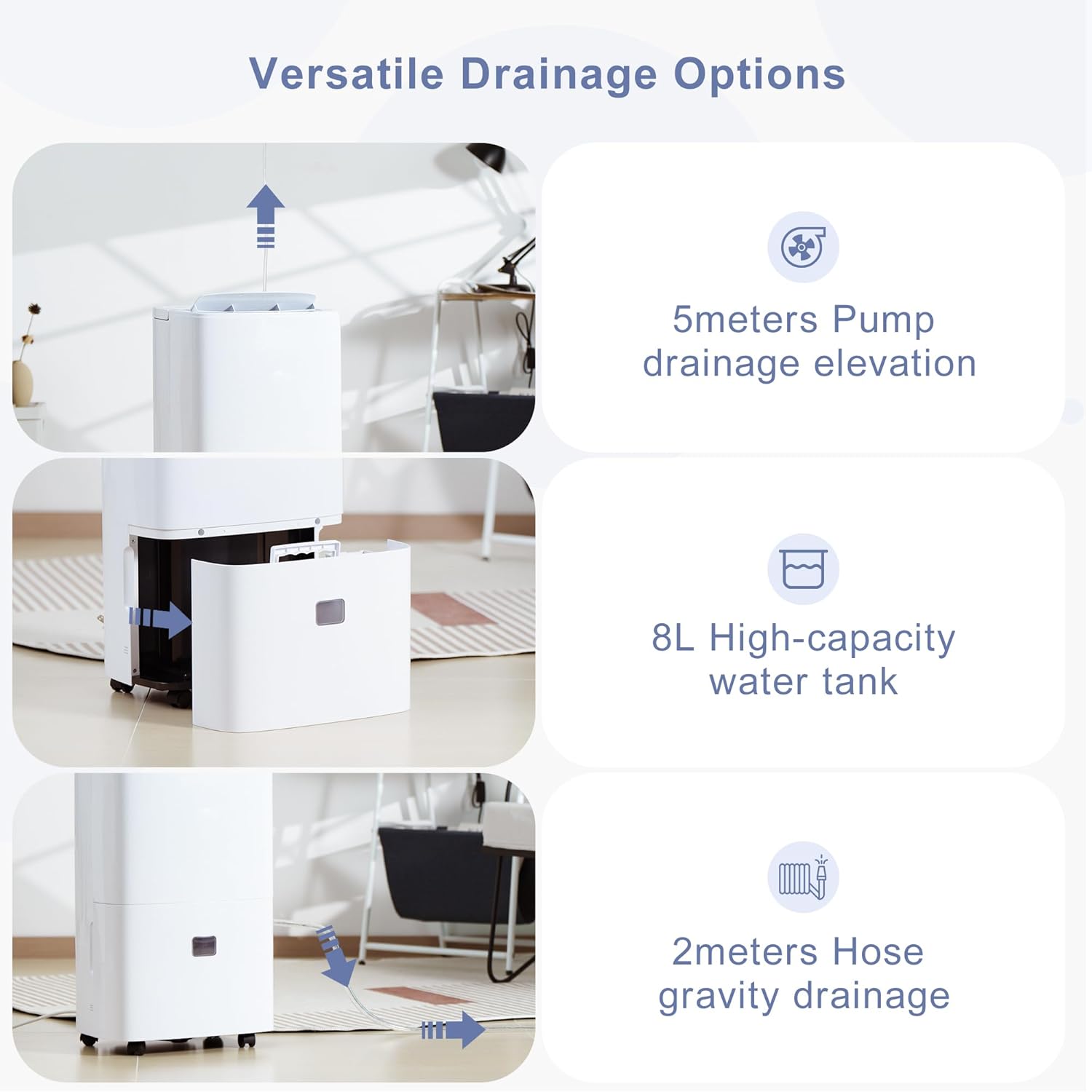
Image detailing the three drainage options: 5-meter pump drainage elevation, 8-liter high-capacity water tank for manual emptying, and 2-meter hose gravity drainage.
1. Water Tank (Manual Emptying)
- When the 8-liter water tank is full, the unit will automatically shut off and an indicator light will illuminate.
- Carefully pull out the water tank from the front of the unit.
- Empty the collected water.
- Slide the empty tank back into place until it clicks securely. The unit will resume operation.
2. Gravity Drainage
- For continuous drainage, attach the provided 2-meter gravity drain hose to the drainage port on the back of the unit.
- Ensure the hose is sloped downwards to allow water to drain by gravity into a suitable floor drain or container.
- Do not allow the hose to be kinked or blocked.
3. Pump Drainage
- The integrated pump allows for vertical water discharge up to 5 meters, ideal for basements or situations where gravity drainage is not feasible.
- Connect the provided 3-meter pump drain hose to the dedicated pump drainage outlet.
- Route the hose to a sink, drain, or window. Ensure the hose is securely fastened and not obstructed.
- Activate the pump drainage function via the control panel (refer to specific instructions in the full manual if a dedicated button exists, otherwise it operates automatically when connected).
Special Features
- Laundry Drying Mode: This dedicated mode helps to dry clothes faster indoors by continuously operating at a high fan speed and low humidity setting.
- 24-Hour Timer: Program the unit to turn ON or OFF automatically after a set number of hours (1-24).
- Child Lock Function: Prevents accidental changes to settings by locking the control panel. Activate by pressing and holding the specified buttons (refer to control panel diagram).
- Full Water Alert: An indicator light and automatic shut-off activate when the water tank is full, preventing overflow.
- Quiet Operation (43 dB): Designed to operate at a low noise level, suitable for bedrooms and living spaces.
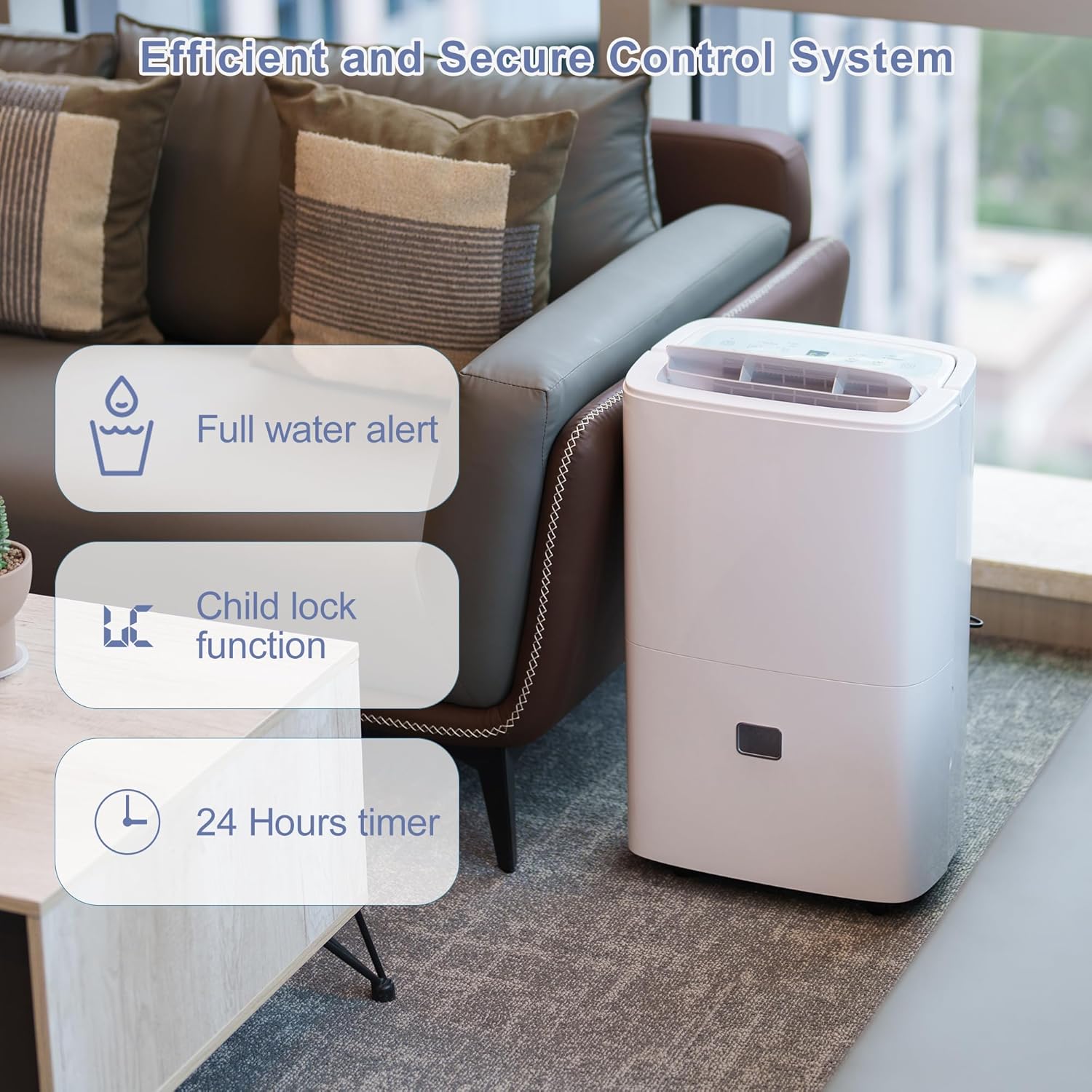
Image highlighting the efficient and secure control system features: full water alert, child lock function, and a 24-hour timer.

Image demonstrating the peaceful and comfortable performance with a 43dB noise level for quiet functioning, comparing it to typical office (60dB) and car sound (80dB) levels.
Maintenance
Regular maintenance ensures the longevity and efficiency of your dehumidifier.
Cleaning the Air Filter
- Turn off the unit and unplug it from the power outlet.
- Remove the air filter from its slot (usually located at the back or side).
- Clean the filter using a vacuum cleaner to remove dust and debris. For heavily soiled filters, wash gently with warm, soapy water.
- Rinse thoroughly and allow the filter to air dry completely before reinstalling.
- Reinsert the dry filter into the unit.
Recommended frequency: Every two weeks or more often if used in dusty environments.
Cleaning the Unit Exterior
- Wipe the exterior with a soft, damp cloth.
- Do not use harsh chemicals, abrasives, or solvents, as these can damage the surface.
Storage
- If storing the unit for an extended period, ensure the water tank is empty and clean.
- Clean the air filter.
- Store the unit upright in a cool, dry place, preferably in its original packaging.
Troubleshooting
Before contacting customer support, please refer to the following troubleshooting guide for common issues.
| Problem | Possible Cause | Solution |
|---|---|---|
| Unit does not turn on. | No power; power cord loose; water tank full or incorrectly installed. | Check power connection; ensure tank is empty and correctly seated; check circuit breaker. |
| No water collected. | Room humidity too low; temperature too low; air filter clogged; continuous drainage hose connected. | Increase desired humidity setting; ensure room temperature is above 5°C (41°F); clean air filter; check if continuous drainage is active. |
| Unit is noisy. | Unit not on a level surface; air filter clogged; internal components vibrating. | Place on a level surface; clean air filter; if noise persists, contact support. |
| Water leaks from unit. | Water tank not properly installed; continuous drain hose loose or kinked. | Reinstall water tank correctly; check and secure drain hose, ensure no kinks. |
Specifications
Technical specifications for the Katenpo C7-90L Dehumidifier.
| Feature | Specification |
|---|---|
| Brand | Katenpo |
| Model Number | C7-90L |
| Color | White |
| Dimensions (L x W x H) | 37.8 x 26.6 x 61.5 cm (14.9 x 10.5 x 24.2 inches) |
| Weight | 17.4 kg (38.4 lbs) |
| Dehumidification Capacity | 90 Liters/day |
| Power | 870 Watts |
| Material | Acrylonitrile Butadiene Styrene (ABS) |
| Water Tank Capacity | 8 Liters |
| Pump Lift Height | Up to 5 meters |
| Noise Level | 43 dB |
| Recommended Floor Area | Up to 240 m² |
| Special Features | Adjustable Humidity Control, Integrated Pump, Portable, Automatic Humidity Removal, 24-Hour Timer, Child Lock, Laundry Drying Mode |
| Included Components | Power Cord, Air Filter, User Manual, Water Tank, Drain Hose (Gravity), Drain Hose (Pump) |
Warranty and Support
For warranty information and customer support, please refer to the warranty card included with your product or contact Katenpo customer service through the retailer where the product was purchased. Please have your model number (C7-90L) and purchase date available when contacting support.
Note: Information regarding spare parts availability is not provided in the product details. Please inquire with customer support for specific part needs.