
1. Product Overview
The SAIJI Foldable TV Tray Model F4 is a versatile and sturdy table designed for various uses such as dining, working, crafting, and gaming. It features an easy-folding mechanism, adjustable height and tilt, and requires no assembly. This manual provides instructions for its setup, operation, and maintenance.
Key Features:
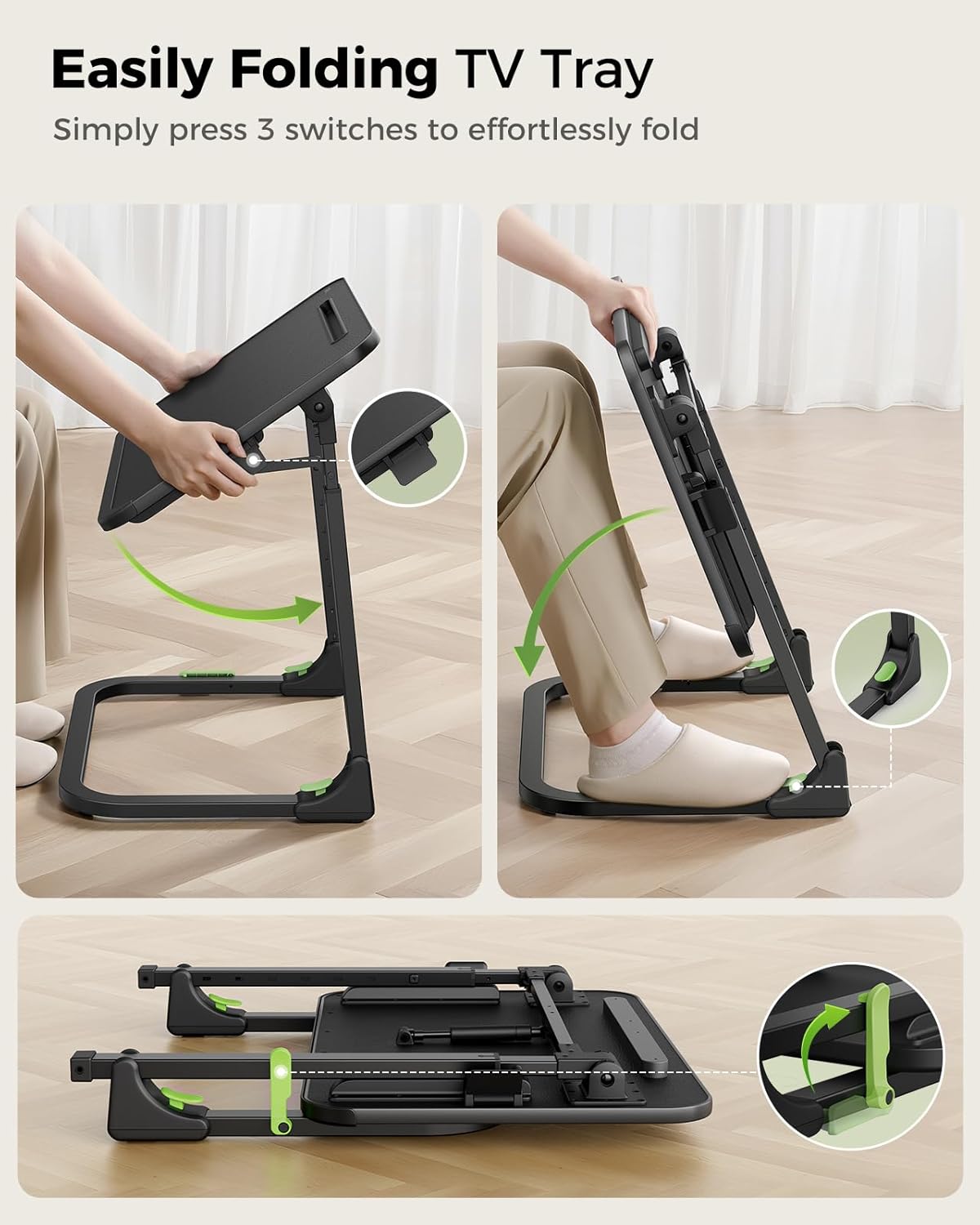
- Easy Folding: Effortlessly folds and unfolds in under 30 seconds by pressing 3 switches.
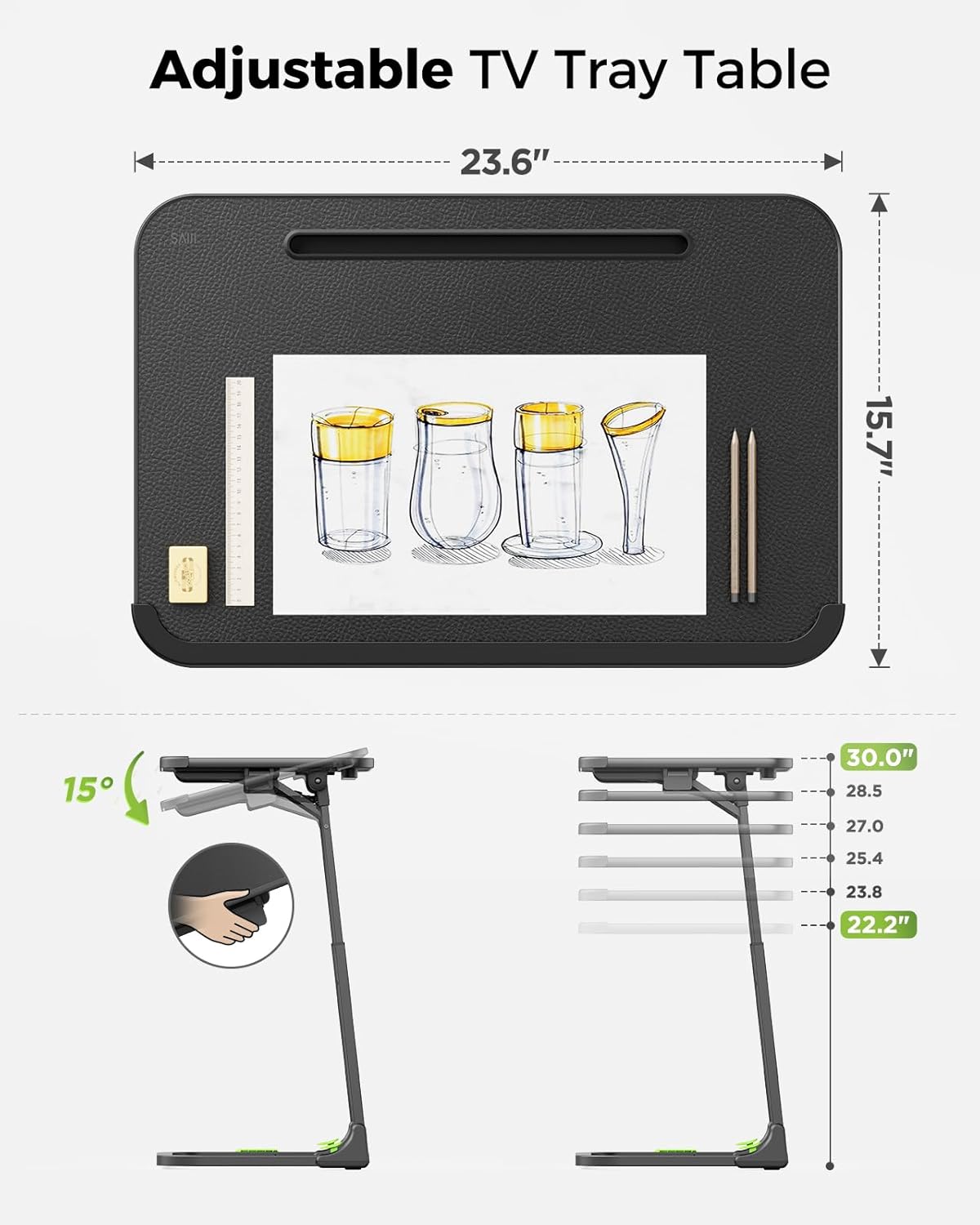
- Height & Angle Adjustment: Smoothly adjust height from 22.2" to 30" and tilt angle from 0-90° without standing.
- No Assembly Required: Ready to use right out of the box.
- Sturdy & Stable: Features a comfortable leather-wrapped surface, gas spring support, and 3x thickened carbon steel legs.
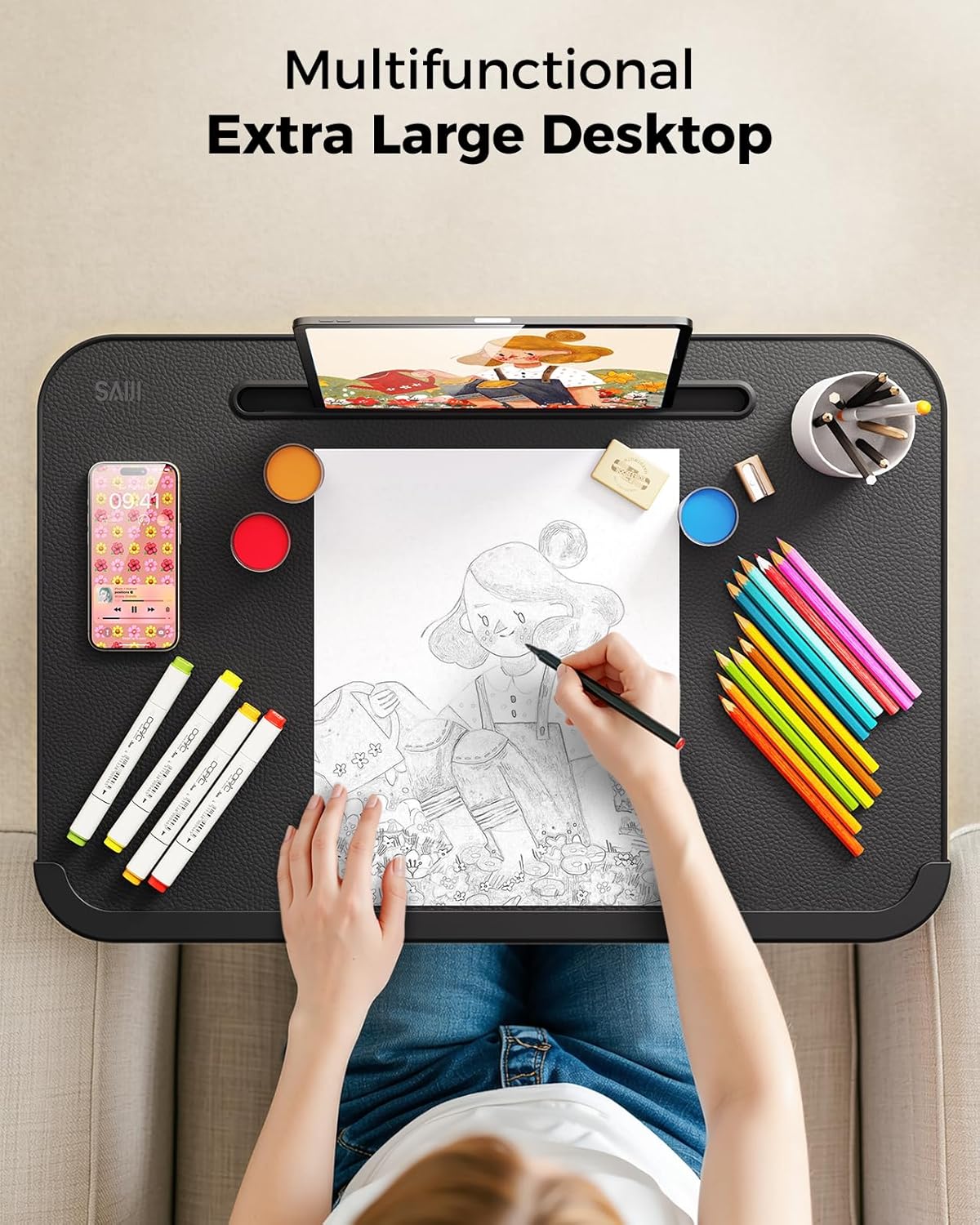
- Multipurpose Design: Suitable for dining, working, drawing, studying, or gaming.
2. Safety Information
Please read and understand all safety instructions before using the SAIJI Foldable TV Tray.
- Always keep the tray in the locked position when in use to prevent accidental folding.
- Do not overload the tray. The maximum weight recommendation is 120 pounds.
- Be cautious of moving parts and edges, especially when folding and unfolding the tray.
- Keep the tray out of reach of children when not in use or supervise them during use.
- Ensure the tray is placed on a stable, level surface before use.
3. Setup: Unfolding the TV Tray
The SAIJI Foldable TV Tray comes pre-assembled. To unfold it for use:
- Carefully remove the tray from its packaging.
- Locate the three folding switches on the frame. These are typically green or highlighted for easy identification.
- Press the switches to release the locking mechanisms.
- Gently extend the legs and unfold the tabletop until it clicks into place, indicating it is securely locked.
- Ensure all locking mechanisms are engaged before placing items on the tray.
4. Operation: Adjusting Height and Tilt
4.1. Height Adjustment
The tray's height can be adjusted smoothly even with items on the desktop.
- To raise the height: Step firmly on the base of the tray with your foot and gently lift the desktop upwards. The gas spring mechanism will assist in smooth elevation.
- To lower the height: Step firmly on the base and apply downward pressure on the desktop. The height can be adjusted between 22.2 inches and 30 inches.

4.2. Tilt Adjustment
The desktop angle can be adjusted for optimal comfort.
- Locate the tilt adjustment lever, typically found on the underside of the desktop near the hinge.
- Pull the lever to release the tilt lock.
- Adjust the desktop to your desired angle (0-90°).
- Release the lever to lock the desktop in place.
5. Storage: Folding the TV Tray
The SAIJI TV Tray offers two convenient storage options:
- Vertical Storage: Fold just the tabletop to stand the unit vertically beside furniture. This is ideal for quick, accessible storage.
- Compact Storage: Completely collapse the small couch desk to store neatly under beds or sofas. This minimizes the footprint for long-term storage.
6. Maintenance and Care
To ensure the longevity and appearance of your SAIJI Foldable TV Tray:
- Cleaning the Desktop: The leather-wrapped surface is waterproof and easy to clean. Use a soft, damp cloth with mild soap and water to wipe down the surface. Avoid abrasive cleaners or harsh chemicals that may damage the material.
- Frame Care: The carbon steel legs can be wiped clean with a damp cloth. Dry immediately to prevent rust.
- Moving the Tray: When moving the tray, lift it rather than dragging it to prevent wear on the leg pads and floor surfaces.
- Storage: Store the tray in a dry environment away from extreme temperatures and direct sunlight.
7. Troubleshooting
If you encounter any issues with your SAIJI Foldable TV Tray, please refer to the following common solutions:
- Tray is wobbly: Ensure all locking mechanisms for folding and height adjustment are fully engaged. Check that the tray is placed on a flat, stable surface. Adjust the leg pads if the ground is uneven.
- Difficulty adjusting height/tilt: Verify that the adjustment levers/switches are fully disengaged before attempting to move the desktop. Do not force adjustments. If resistance is met, check for obstructions.
- Unpleasant odor: Some new products may have a slight manufacturing odor. This typically dissipates over time with ventilation. Place the tray in a well-ventilated area for a few days.
- Folding mechanism is stiff: Ensure the switches are fully pressed. A small amount of silicone-based lubricant can be applied to hinges if necessary, but avoid getting it on the desktop surface.
If the problem persists, please contact SAIJI customer support for further assistance.
8. Specifications
| Feature | Specification |
|---|---|
| Brand | SAIJI |
| Model Name | F4 |
| Product Dimensions (D x W x H) | 23.6" x 15.8" x 30.1" |
| Item Weight | 15 Pounds |
| Maximum Weight Recommendation | 120 Pounds |
| Frame Material | Alloy Steel |
| Top Material Type | Leather |
| Color | Standard (Brown) |
| Shape | C-Shape |
| Required Assembly | No |
| Indoor/Outdoor Usage | Indoor |
9. Warranty and Support
For warranty information or technical support, please refer to the documentation included with your purchase or contact SAIJI customer service directly. Details for contacting support can typically be found on the manufacturer's website or on the product packaging.