
XINFUTE KT-100A II
XINFUTE KT-100A II Universal A/C Remote Control User Manual
Model: KT-100A II
Introduction
This manual provides detailed instructions for the operation and maintenance of your XINFUTE KT-100A II Universal Air Conditioner Remote Control. This remote is designed to be a universal replacement for various air conditioner brands, including TCL, Midea, and Haier, offering convenient control over your cooling system.
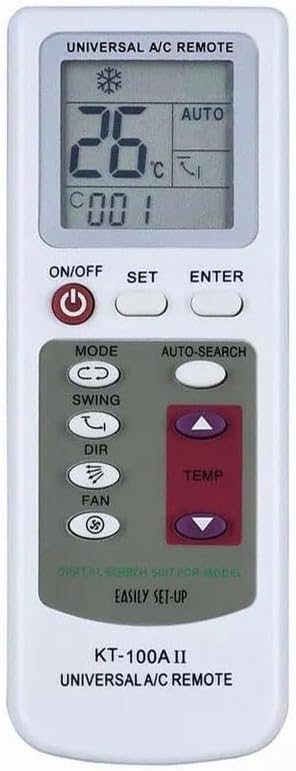
Image: Front view of the KT-100A II Universal A/C Remote Control, showing the LCD screen and main control buttons.
Setup
1. Battery Installation
The KT-100A II remote control requires two (2) AAA batteries (not included). Follow these steps to install them:
- Locate the battery compartment on the back of the remote control.
- Slide open the battery cover.
- Insert two AAA batteries, ensuring the positive (+) and negative (-) terminals align correctly with the markings inside the compartment.
- Close the battery cover securely.
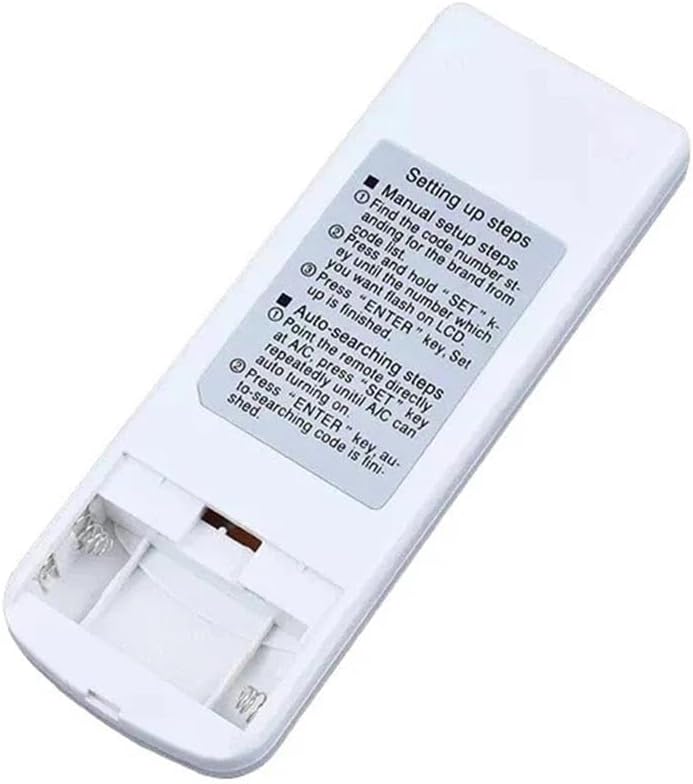
Image: Back view of the KT-100A II remote control with the battery compartment open, showing where to insert AAA batteries.
Once batteries are installed, the remote is ready for use. No pairing is required.
2. Setting Up Your Air Conditioner
The remote offers two methods for setting up your air conditioner:
Manual Setup Steps:
- Find the code number corresponding to your A/C brand from the provided code list (typically found on the remote's packaging or a separate sheet).
- Press and hold the "SET" key until the number on the LCD screen starts flashing.
- Use the TEMP up or down arrows to select the desired code number.
- Press the "ENTER" key to confirm the setting. The number will stop flashing, indicating successful setup.
Auto-Searching Steps:
- Point the remote directly at your air conditioner.
- Press and hold the "SET" key repeatedly until your A/C unit turns on.
- Once the A/C turns on, press the "ENTER" key to confirm the code. The auto-searching process is complete.
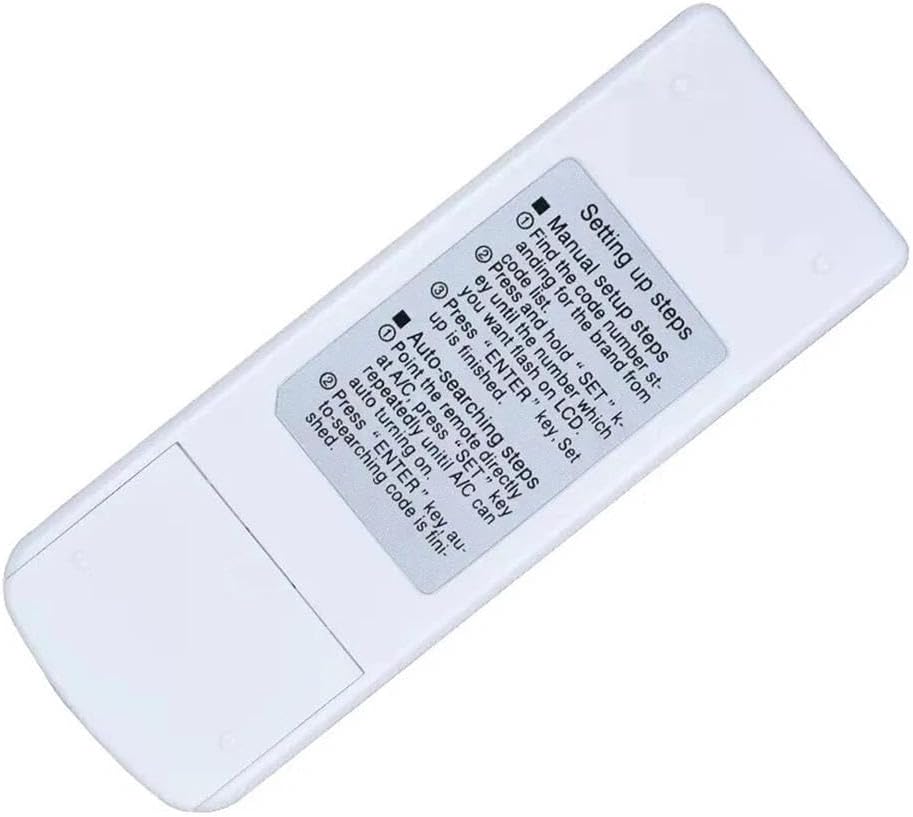
Image: Back view of the KT-100A II remote control, displaying the "Setting up steps" for both manual and auto-searching methods.
Operating Instructions
Familiarize yourself with the buttons and their functions for optimal control of your air conditioner.
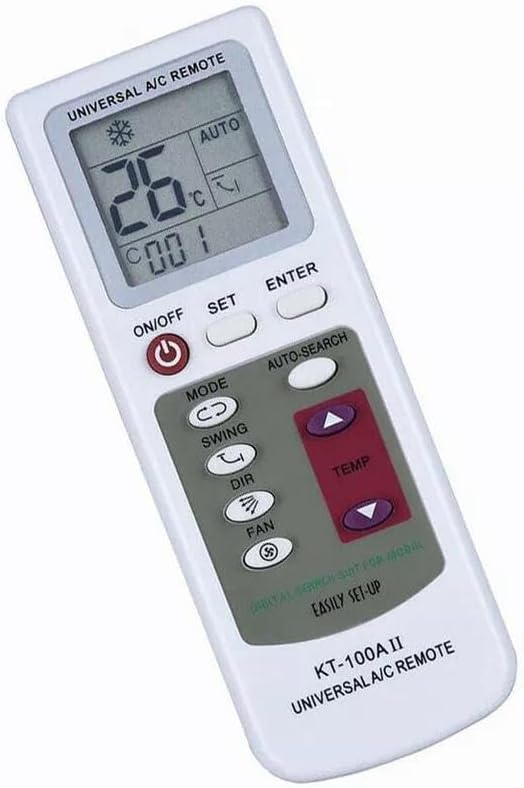
Image: Angled front view of the KT-100A II remote control, showing the layout of the buttons and the LCD screen.
- ON/OFF Button: Powers the air conditioner on or off.
- SET Button: Used for entering setup mode (manual code entry or auto-search).
- ENTER Button: Confirms selections during setup or mode changes.
- MODE Button: Cycles through operating modes such as Cool, Heat, Fan, Dry, and Auto.
- SWING Button: Controls the vertical swing of the air conditioner's louvers.
- DIR (Direction) Button: Adjusts the horizontal direction of the airflow.
- FAN Button: Adjusts the fan speed (e.g., Low, Medium, High, Auto).
- TEMP (Temperature) Buttons (Up/Down Arrows): Increases or decreases the desired temperature setting.
- AUTO-SEARCH Button: Initiates the automatic code search function.
Maintenance
Battery Replacement
When the remote control's display becomes dim or the remote becomes unresponsive, it is time to replace the batteries. Refer to the "Battery Installation" section under Setup for detailed steps. Always replace both batteries at the same time with new AAA batteries.
Cleaning
To clean the remote control, gently wipe its surface with a soft, dry cloth. Do not use liquid cleaners, abrasive cleaners, or chemical solvents, as these can damage the remote's finish or internal components.
Troubleshooting
| Problem | Possible Cause | Solution |
|---|---|---|
| Remote not responding / No display | Dead or incorrectly installed batteries. | Replace batteries with new AAA batteries, ensuring correct polarity. |
| Remote not controlling A/C | Incorrect code set for your A/C brand. | Perform manual setup or auto-search again to find the correct code. Ensure direct line of sight to the A/C unit. |
| Limited functionality (some buttons not working) | Partial code match or specific A/C model limitations. | Try other codes for your brand if available, or use auto-search. Some advanced functions may not be supported by all universal remotes for all A/C models. |
Specifications
- Model: KT-100A II
- Brand: XINFUTE
- Material: ABS Material
- Color: As Shown
- Product Dimensions: 4 x 3 x 1 inches
- Item Weight: 2.4 ounces
- Batteries Required: 2 x AAA (not included)
- Compatibility: Universal fit for various LCD Air Conditioners (e.g., TCL, Midea, Haier)
- Manufacturer: XINFUTE
- Country of Origin: China
Warranty and Support
Warranty Information
Your XINFUTE KT-100A II Universal A/C Remote Control comes with a one-year warranty from the date of purchase. This warranty covers manufacturing defects and ensures the product functions as intended under normal use.
Please retain your proof of purchase for warranty claims.
Customer Support
If you are not satisfied with your purchase or encounter any issues, please contact XINFUTE customer support within 24 hours of receipt of your purchase. Our team is available to assist you with troubleshooting, warranty claims, or any other product-related inquiries.
For support, please refer to the contact information provided with your purchase or visit the official XINFUTE website.
Related Documents - KT-100A II
 |
Ningbo Leader Electrical Corp. Air Conditioner Remote Controls A comprehensive overview of Ningbo Leader Electrical Corp.'s range of Air Conditioner (A/C) remote controls, detailing features, model numbers, and functionalities for various models. |
 |
KVM-TEC FLEXLINE Full HD Extender: High-Performance KVM over IP Solutions Discover the KVM-TEC FLEXLINE Full HD Extender series, designed for flexible and failure-critical KVM extension up to 1920x1200@60Hz over IP networks. Features include low latency, DIN rail mounting, single/dual head support, and advanced bandwidth management for industrial and professional environments. |
 |
Everwell KT-618 Universal Air Conditioner Remote Instruction Manual Instruction manual for the Everwell KT-618 universal air conditioner remote control, detailing setup, code setting, features like intelligent cooling/heating, timers, and technical specifications. Includes a comprehensive list of compatible air conditioner brands and their codes. |
 |
RocHobby Critical Mass Operating Manual Comprehensive operating manual for the RocHobby Critical Mass model aircraft, covering assembly, setup, safety precautions, flying tips, troubleshooting, and spare parts. |
 |
Kon-TEC LiFePO4 Battery User Manual - Installation, Operation, and Safety This user manual provides comprehensive guidance for Kon-TEC LiFePO4 batteries, covering safe installation, operation, charging, maintenance, troubleshooting, and warranty information. It details the GreenLINE and BlueLINE series, including connection diagrams and application usage. |
 |
Qunda Remote Control Expert - Air Conditioner Controls and Remote Solutions Qunda Control Technology (Jiangsu) Co., Ltd. offers a wide range of remote controls, universal control systems for air conditioners, and related electronic components. Featuring advanced manufacturing, patented technologies, and numerous certifications, Qunda provides high-quality solutions for various applications. |