
Introduction
This manual provides detailed instructions for the installation, operation, and maintenance of your GKNNCCBA RT2874.PC822 4K Three-in-One WiFi Network TV Motherboard. This component is designed to replace a faulty motherboard in compatible 4K televisions, restoring full functionality, improving performance, and enabling smart features. Please read this manual thoroughly before proceeding with installation to ensure proper and safe handling.
Important Safety Information
- Always disconnect the television from the main power supply before attempting any installation or repair.
- Only qualified technicians or individuals with experience in electronics repair should attempt to install this motherboard.
- Wear anti-static wrist straps to prevent electrostatic discharge (ESD) damage to sensitive electronic components.
- Handle the motherboard by its edges to avoid touching components directly.
- Ensure all connections are secure and correctly oriented before reapplying power.
- Keep small parts and tools away from children.
Package Contents
Please verify that all items are present and undamaged upon opening the package:
- 1x GKNNCCBA RT2874.PC822 4K Three-in-One WiFi Network TV Motherboard
- (Additional accessories, if any, will be listed here by the manufacturer)
Setup and Installation
Follow these steps carefully to install the new motherboard into your television. Refer to your TV's specific service manual for detailed disassembly instructions if needed.
Step 1: Prepare the Television
- Disconnect the TV from the power outlet.
- Place the TV face down on a soft, clean surface to protect the screen.
- Remove the back cover of the television by unscrewing all retaining screws. Keep screws organized.
Step 2: Remove the Old Motherboard
- Carefully disconnect all cables connected to the existing motherboard (e.g., power, display panel, speakers, WiFi antenna). Note their positions or take photos for reference.
- Unscrew the mounting screws that secure the old motherboard to the TV chassis.
- Gently lift and remove the old motherboard.
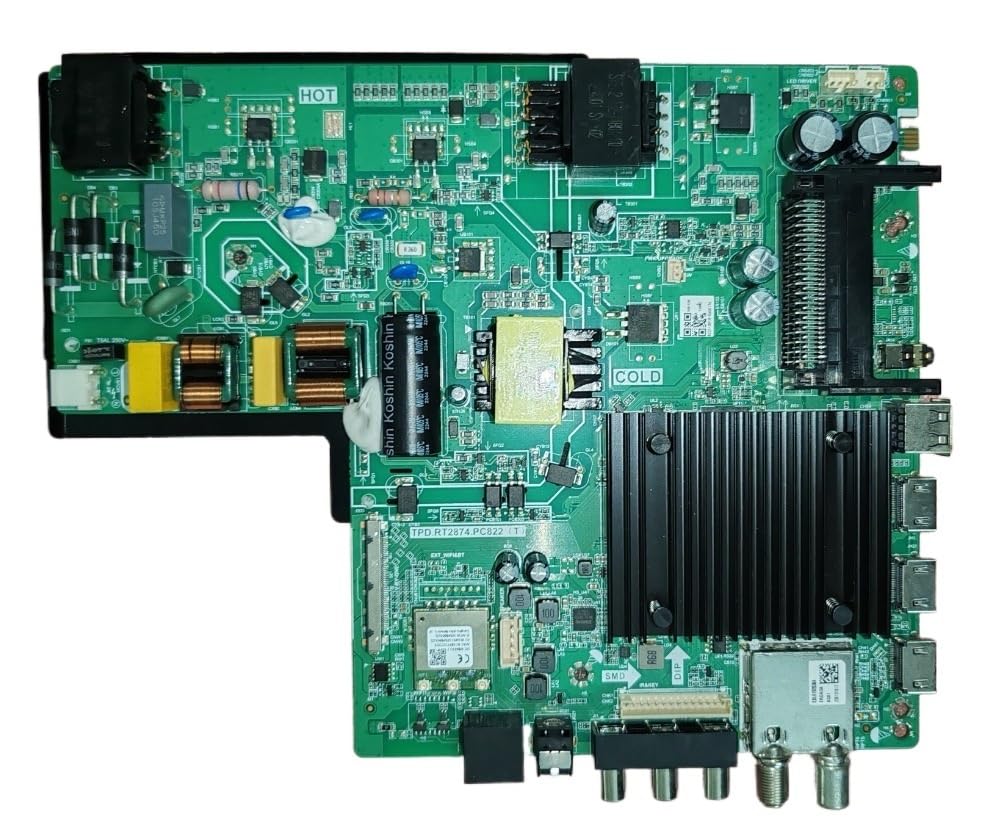
Image: The GKNNCCBA RT2874.PC822 4K Three-in-One WiFi Network TV Motherboard. This image shows the overall layout of the board with various ports and components.
Step 3: Install the New Motherboard
- Align the new GKNNCCBA RT2874.PC822 motherboard with the mounting holes in the TV chassis.
- Secure the motherboard with the appropriate mounting screws. Do not overtighten.
- Reconnect all cables to their corresponding ports on the new motherboard. Ensure each connection is firm and correctly seated. Pay close attention to the display panel ribbon cables, ensuring they are inserted straight and their locking mechanisms are engaged.
- Verify all connections are correct before proceeding.
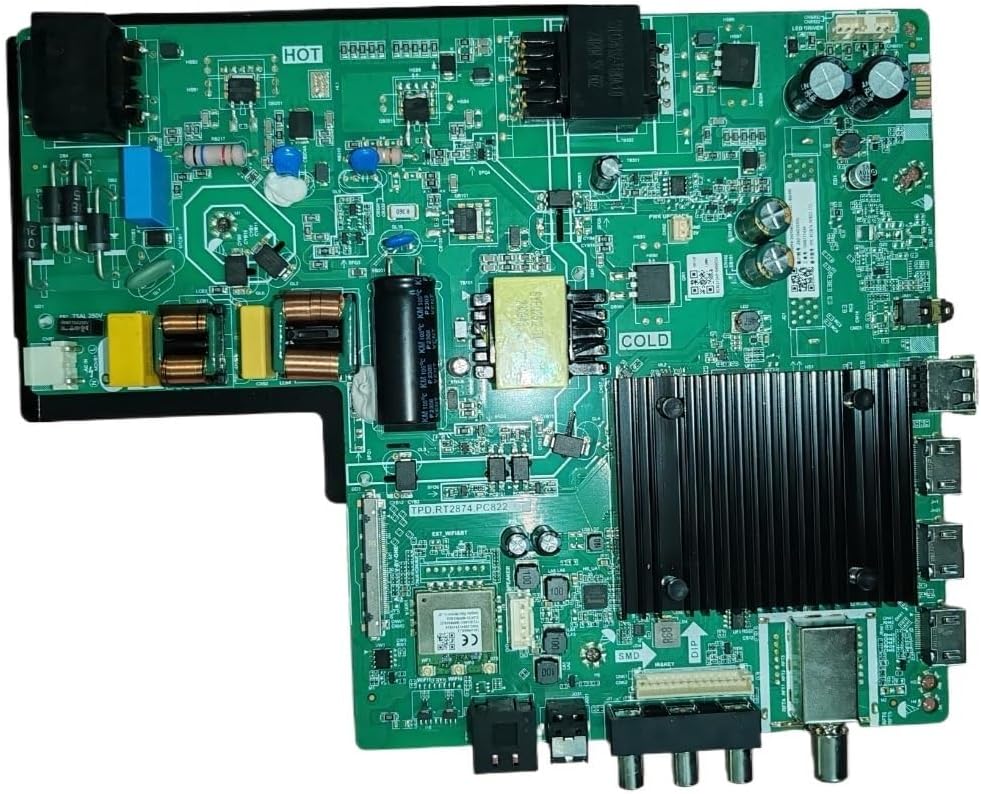
Image: A closer view of the GKNNCCBA RT2874.PC822 motherboard, highlighting various input/output ports and connectors for proper cable attachment.
Step 4: Final Assembly and Initial Power-Up
- Before replacing the back cover, temporarily connect the TV to power and perform a quick test to ensure basic functionality (e.g., power on, display backlight, initial boot screen).
- If the test is successful, disconnect power again.
- Replace the TV's back cover and secure it with all screws.
- Reconnect the TV to the power outlet.
Operating Instructions
Once the motherboard is installed, the television should operate as designed by its original manufacturer. The RT2874.PC822 is a replacement component, and its operation will be integrated with your TV's existing firmware and remote control.
- Power On/Off: Use your TV's remote control or power button to turn the TV on or off.
- Initial Setup: Upon first power-up after installation, the TV may prompt you to complete an initial setup process (e.g., language selection, network connection, channel scan). Follow the on-screen instructions.
- Network Connection: As a WiFi Network TV Motherboard, ensure your TV is connected to your home WiFi network for smart features and internet access. Navigate to the TV's network settings menu to configure.
- Firmware Updates: Periodically check for firmware updates through your TV's settings menu to ensure optimal performance and access to the latest features.
Maintenance
The GKNNCCBA RT2874.PC822 motherboard requires minimal maintenance once installed. Adhere to the following guidelines:
- Cleaning: Do not attempt to clean the motherboard directly. If the TV requires internal cleaning, disconnect power and use compressed air to gently remove dust from vents and internal components.
- Environment: Ensure the TV is operated in a well-ventilated area, free from excessive dust, moisture, and extreme temperatures.
- Software Updates: Keep your TV's software updated as recommended by the TV manufacturer.
Troubleshooting
If you encounter issues after installing the motherboard, refer to the following common problems and solutions:
| Problem | Possible Cause | Solution |
|---|---|---|
| TV does not power on. | Loose power connection, faulty power supply unit (PSU), incorrect motherboard installation. |
|
| No picture or distorted image. | Loose display panel cable, incorrect cable connection, panel incompatibility. |
|
| No sound. | Loose speaker cables, incorrect audio settings. |
|
| WiFi not connecting or unstable. | Loose WiFi antenna connection, incorrect network settings, router issues. |
|
If the problem persists after attempting these solutions, contact a professional technician or the product support for further assistance.
Specifications
| Feature | Detail |
|---|---|
| Model Number | RT2874.PC822 |
| Brand | GKNNCCBA |
| Type | 4K Three-in-One WiFi Network TV Motherboard |
| Item Weight | 1.76 ounces |
| Package Dimensions | 1.18 x 0.79 x 0.39 inches |
| Manufacturer | weiqhao |
| ASIN | B0F58Q593T |
Warranty and Support
For warranty information, please refer to the documentation provided with your purchase or contact the seller directly. If you require technical assistance or have questions regarding the installation or operation of the GKNNCCBA RT2874.PC822 motherboard, please reach out to the seller or manufacturer's customer support channels.
Note: Unauthorized repairs or improper installation may void your product warranty.