
1. Product Overview
The APHUWJ 6-in-1 Magnetic Portable Charger is a versatile power bank designed for convenient on-the-go charging. It features a 10800mAh capacity and 25W Power Delivery (PD) fast charging. This device integrates multiple charging options, including built-in cables, magnetic wireless charging, and additional USB ports, making it compatible with a wide range of devices.
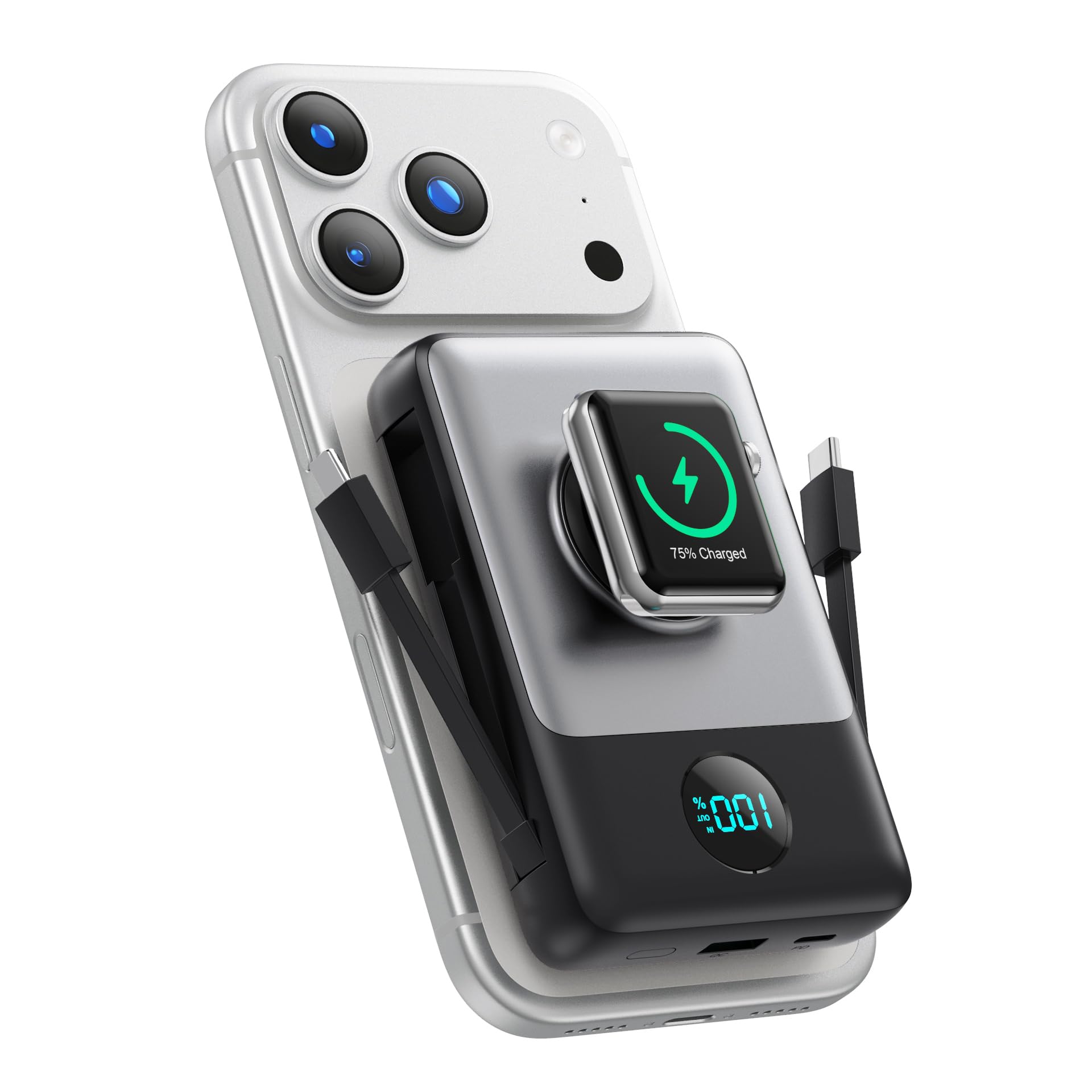
Image: The APHUWJ 6-in-1 Magnetic Portable Charger, showcasing its compact design and integrated features.
2. Package Contents
Verify that all items are present in your package:
- Magnetic Portable Charger Power Bank with 2 Built-in Cables (1x)
- USB Charging Cable (1x)
- User Manual (1x)
3. Setup
Initial Charging of the Power Bank
Before first use, fully charge your APHUWJ portable charger. Connect the provided USB charging cable to the power bank's USB-C input port or use the built-in Type-C cable. Connect the other end to a compatible USB wall adapter (not included). The LCD display will show the charging progress.
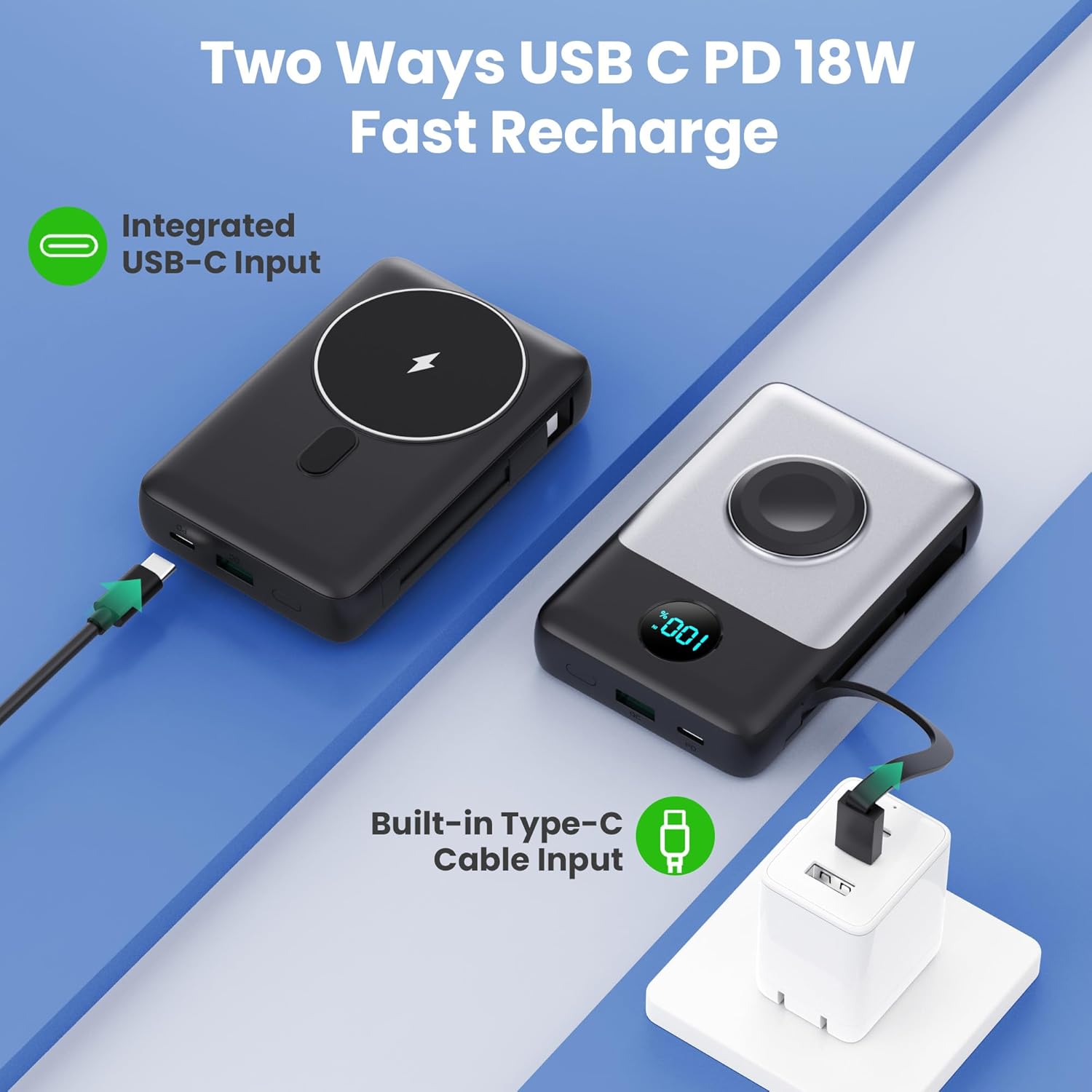
Image: Illustration of recharging the power bank using either the integrated USB-C input or the built-in Type-C cable.
4. Operating Instructions
Charging Your Devices
The power bank offers multiple ways to charge your devices:
- Magnetic Wireless Charging: For compatible iPhone models (12-17 series) and Apple Watch (Series 6-10, SE, Ultra), simply align your device with the magnetic charging pad on the power bank. For Apple Watch, use the dedicated double-sided magnetic charger.
- Wired Charging with Built-in Cables: Utilize the integrated Lightning cable for iPhones and the Type-C cable for Android phones or other USB-C devices.
- Wired Charging with USB Ports: Use your own cables with the additional USB-C (input/output) and USB-A (output) ports for a wider range of devices.

Image: Visual representation of the different charging modes: wireless magnetic charging for iPhone and Apple Watch, and wired charging using built-in cables.
The power bank supports simultaneous charging of up to 6 devices, combining wireless and wired connections.
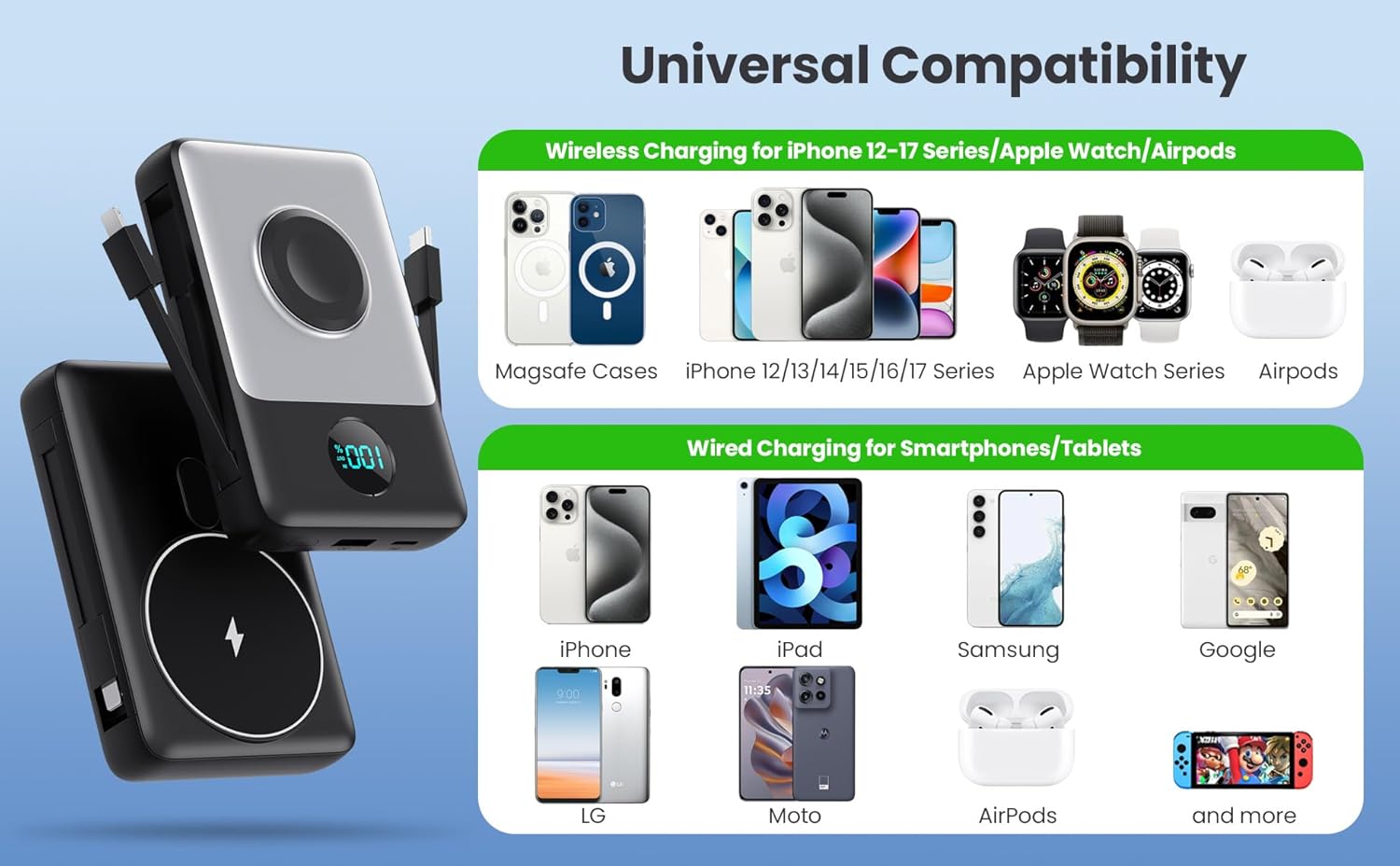
Image: Diagram illustrating the universal compatibility for both wireless (MagSafe cases, iPhone 12-17, Apple Watch, AirPods) and wired (iPhone, iPad, Samsung, Google, LG, Moto, AirPods, Nintendo Switch) charging.
LCD Display
The integrated LCD display shows the exact remaining battery percentage of the power bank, allowing you to monitor its charge level accurately.
Official Product Video: Power Bank with Wireless Apple Watch Charger
Video: Demonstrates the power bank's wireless charging capability for an Apple Watch, highlighting its convenience and integrated design.
Official Product Video: Charging Made Easy
Video: Showcases the ease of use and versatility of the portable charger for various devices, emphasizing its travel-friendly features.
5. Safety Information
The APHUWJ portable charger is equipped with an advanced multi-protection system to ensure the safety of your devices and the power bank itself. This includes protection against:
- Over-current
- Over-voltage
- Short-circuit
- Over-discharge
- Overload
- Temperature control issues
To ensure safe operation:
- Do not expose the device to extreme temperatures (hot or cold).
- Avoid contact with water or other liquids.
- Do not disassemble, modify, or attempt to repair the device.
- Keep out of reach of children.
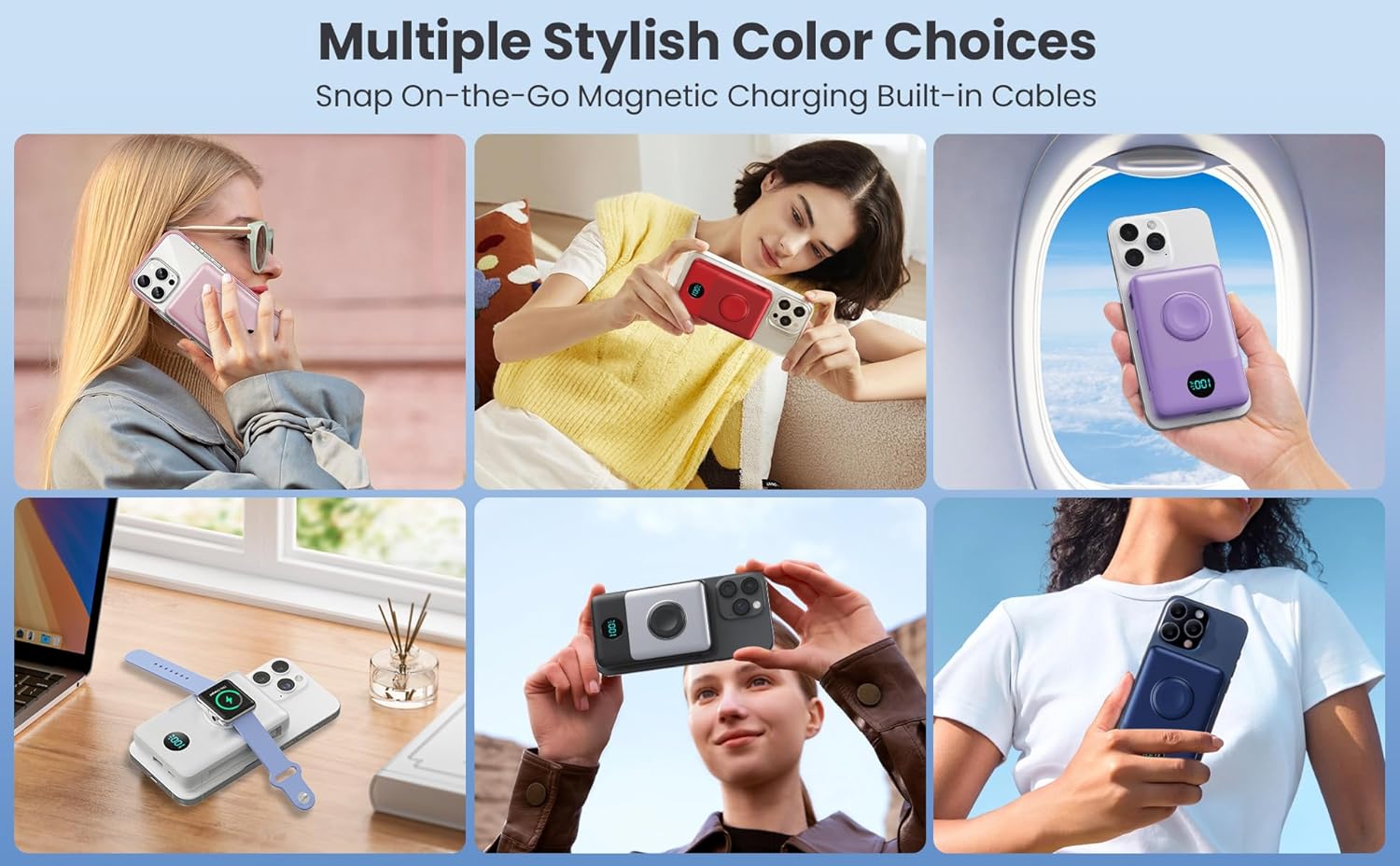
Image: Diagram illustrating the various security protection features integrated into the power bank, such as over-discharge, short-circuit, overvoltage, overcurrent, and overload protection.
6. Maintenance
To maintain optimal performance and longevity of your power bank:
- Clean the device with a soft, dry cloth. Do not use harsh chemicals or abrasive materials.
- Store the power bank in a cool, dry place away from direct sunlight and extreme temperatures.
- If storing for an extended period, ensure the power bank is charged to approximately 50-75% capacity. Recharge every 3-6 months to prevent battery degradation.
7. Troubleshooting
Device Not Charging
- Ensure the power bank is sufficiently charged. Check the LCD display for battery percentage.
- Verify that the charging cable is securely connected to both the power bank and your device.
- For wireless charging, ensure your device is properly aligned with the magnetic charging pad and is compatible with wireless charging.
- Try using a different charging cable or port to rule out a faulty connection.
Slow Charging Speed
- Ensure you are using a fast-charging compatible cable and adapter when recharging the power bank or charging your devices.
- Charging multiple devices simultaneously may reduce the charging speed for individual devices.
- Environmental factors like extreme temperatures can affect charging efficiency.
LCD Display Not Working
- Press the power button briefly to activate the display.
- If the display remains off, the power bank might be completely depleted. Try charging the power bank.
8. Specifications
| Feature | Detail |
|---|---|
| Model Number | HX100N1 |
| Battery Capacity | 10800 Milliamp Hours |
| Product Dimensions | 5 x 4.6 x 1.02 inches |
| Item Weight | 8.4 ounces |
| Special Features | 6-in-1 Magnetic Portable Charger for Travel, Double-sided Magnetic Power Bank for iPhone/Apple Watch, 25W PD QC4.0 Fast Charging, Smart, Safe, and Designed for Travel |
| Connector Type | Dual-side Magnetic, Type-C+for iPhone Cable, USB A/C |
| Color | Black |
| Manufacturer | Dongguan Yuanhaoxun Technology Co., Ltd |
9. Warranty and Support
This APHUWJ product comes with a 2-year warranty from the date of purchase, covering manufacturing defects. Please retain your proof of purchase for warranty claims.
For technical support, warranty inquiries, or any questions regarding your product, please refer to the contact information provided on the product packaging or the official APHUWJ website.