
GHB GB5200
GHB GB5200 Baby Camera Unit User Manual
Model: GB5200 | Brand: GHB
Introduction
This user manual provides essential information for the safe and effective operation of your GHB GB5200 Baby Camera Unit. This camera unit is designed to be used with the compatible 5-inch GHB baby monitor. Please read this manual thoroughly before use and retain it for future reference.
Important Safety Information
- Keep the camera unit and its power cord out of reach of children (at least 1 meter / 3 feet away from the crib).
- Do not place the camera unit in or near water.
- Use only the provided power adapter. Using unauthorized adapters may damage the unit and void the warranty.
- Ensure proper ventilation around the camera unit. Do not cover it with cloth or other materials.
- Avoid placing the camera unit in direct sunlight or near heat sources.
- This product is not a substitute for responsible adult supervision.
Package Contents
- 1 x GHB GB5200 Baby Camera Unit
- 1 x Power Adapter (Charger)
- 1 x User Manual (this document)
Product Overview
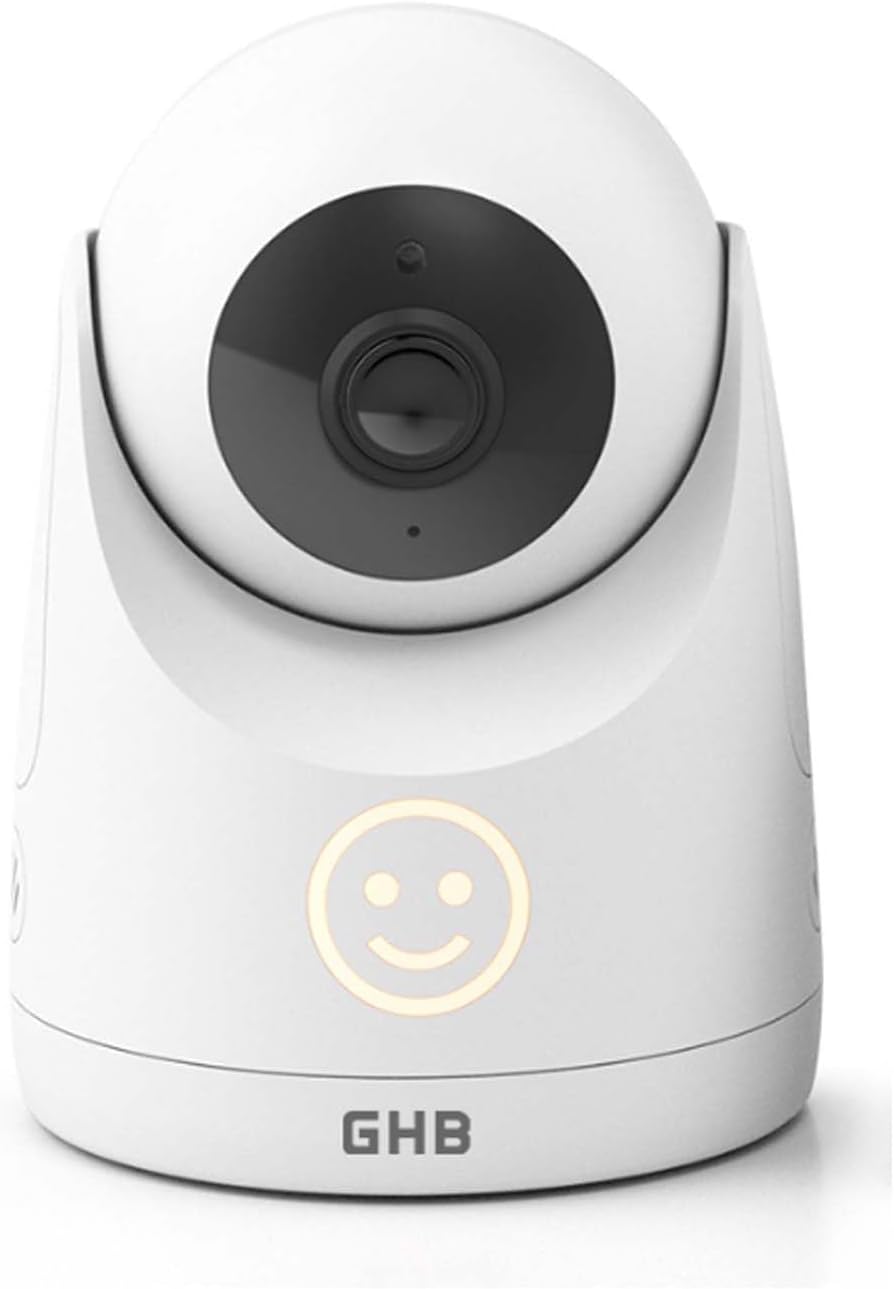
Figure 1: GHB GB5200 Baby Camera Unit. This image displays the white camera unit with its black camera lens and a glowing smiley face indicator light on the front, along with the GHB logo at the base.
The GHB GB5200 Baby Camera Unit features a high-resolution camera for clear video monitoring. It includes infrared LEDs for night vision, a microphone for audio detection, and a speaker for two-way talk functionality (when paired with a compatible monitor). The unit is designed for easy placement and can be wall-mounted.
Key Components:
- Camera Lens: Captures video feed.
- Infrared LEDs: Enable night vision in low-light conditions.
- Microphone: Detects sound from the baby's room.
- Speaker: For two-way audio communication.
- Power Port: Connects to the power adapter.
- Pairing Button: Used to establish connection with the monitor unit.
- Status Indicator Light: Provides visual feedback on the camera's status (e.g., power, connection).
Setup
1. Powering On the Camera Unit:
- Connect the small end of the power adapter to the DC-in port on the back of the camera unit.
- Plug the other end of the power adapter into a wall outlet.
- The status indicator light on the camera unit will illuminate, indicating it is powered on.
2. Pairing the Camera Unit with the Monitor:
The camera unit is typically pre-paired with the monitor unit from the factory. If you need to re-pair or add a new camera unit, follow these steps:
- Ensure both the camera unit and the monitor unit are powered on.
- On the monitor unit, navigate to the "Camera Settings" or "Add Camera" menu (refer to your monitor's user manual for specific instructions).
- Select the option to add a new camera. The monitor will begin searching for available camera units.
- Within 30 seconds of the monitor searching, press and hold the "Pairing" button on the back of the camera unit for approximately 3 seconds.
- The monitor unit should display a message indicating successful pairing. The video feed from the camera will then appear on the monitor.
3. Camera Placement:
- Place the camera unit on a flat, stable surface, or mount it on a wall using appropriate hardware (not included).
- Ensure the camera is positioned to provide a clear view of the baby's crib or play area.
- Maintain a distance of at least 1 meter (3 feet) between the camera unit and the baby to prevent entanglement with the power cord.
- Avoid placing the camera in areas with direct sunlight or strong artificial light, which can affect image quality.
Operating the Camera Unit
The GHB GB5200 camera unit operates in conjunction with your GHB 5-inch baby monitor. Most controls and settings are managed directly from the monitor unit.
Automatic Features:
- Night Vision: The camera automatically switches to infrared night vision mode in low-light conditions, providing a clear black-and-white image.
- Sound Detection: The built-in microphone continuously monitors sound levels. The monitor unit will alert you based on its sensitivity settings.
Features Controlled via Monitor Unit:
- Pan/Tilt: If your camera unit supports remote pan and tilt, these functions are controlled from the monitor unit to adjust the camera's viewing angle.
- Two-Way Talk: Activate the two-way talk feature on the monitor to speak through the camera unit's speaker.
- Zoom: Digital zoom is typically controlled from the monitor unit.
Maintenance
- Cleaning: Use a soft, dry cloth to clean the camera unit. Do not use abrasive cleaners or solvents. For the lens, use a lens cleaning cloth.
- Storage: If storing the unit for an extended period, disconnect it from power and store it in a cool, dry place.
- Cable Management: Regularly check the power cord for any signs of damage. Ensure it is not tangled or pinched.
Troubleshooting
| Problem | Possible Cause | Solution |
|---|---|---|
| No video/audio on monitor. | Camera unit not powered on or not paired. | Ensure camera unit is plugged in and power indicator is on. Re-pair the camera unit with the monitor (refer to "Pairing" section). |
| Poor video quality. | Insufficient lighting, dirty lens, or interference. | Ensure adequate lighting or check night vision. Clean the camera lens. Move camera unit closer to monitor or away from other electronic devices. |
| Static or interference. | Out of range or interference from other devices. | Move camera unit closer to the monitor. Avoid placing near Wi-Fi routers, cordless phones, or microwaves. |
| Camera unit not responding. | Temporary software glitch. | Disconnect the power adapter from the camera unit, wait 10 seconds, then reconnect it to restart the unit. |
Specifications
| Feature | Detail |
|---|---|
| Model Name | GB5200 |
| Brand | GHB |
| Connectivity Technology | 2.4 GHz FHSS |
| Indoor/Outdoor Use | Indoor |
| Mounting Type | Wall Mount |
| Video Capture Resolution | 1080p |
| Product Dimensions (L x W x H) | 21 x 12 x 10 cm |
| Item Weight | 430 g |
| Included Components | 1 x baby unit, 1 x charger |
Warranty and Support
For warranty information or technical support, please refer to the warranty card included with your original purchase or contact GHB customer service through their official website or the retailer where the product was purchased. Please have your model number (GB5200) and purchase details ready when contacting support.
Note: Specific warranty terms may vary by region and retailer.
Related documentsGB5200


Ask a question about this manual
Ask about setup, troubleshooting, compatibility, parts, safety, or missing instructions. Manuals+ will review the question and use this page’s manual context to help answer it.