
RockSeed LV02G
RockSeed LV02G Dual Modules Self-Leveling Green Line Laser Level User Manual
Model: LV02G | Brand: RockSeed
1. Introduction
Thank you for choosing the RockSeed LV02G Dual Modules Self-Leveling Green Line Laser Level. This manual provides essential information for the safe and effective operation, maintenance, and troubleshooting of your device. Please read this manual thoroughly before use and retain it for future reference.
2. Safety Information
WARNING: This product emits laser radiation. Avoid direct eye exposure to the laser beam. Always operate the device responsibly.
- Do not stare directly into the laser beam.
- Do not disassemble the device. Repairs should only be performed by authorized personnel.
- Keep the device out of reach of children.
- Use only specified batteries (2 AA batteries).
- Ensure the device is stable before operation to prevent falls and potential damage or injury.
- Operate the device within its specified temperature range.
3. Package Contents
Verify that all items are present and undamaged upon opening the package:
- 1 x RockSeed LV02G Laser Level Tool
- 1 x Canvas Carry Case
- 2 x AA Batteries
- 1 x Instruction Manual (this document)
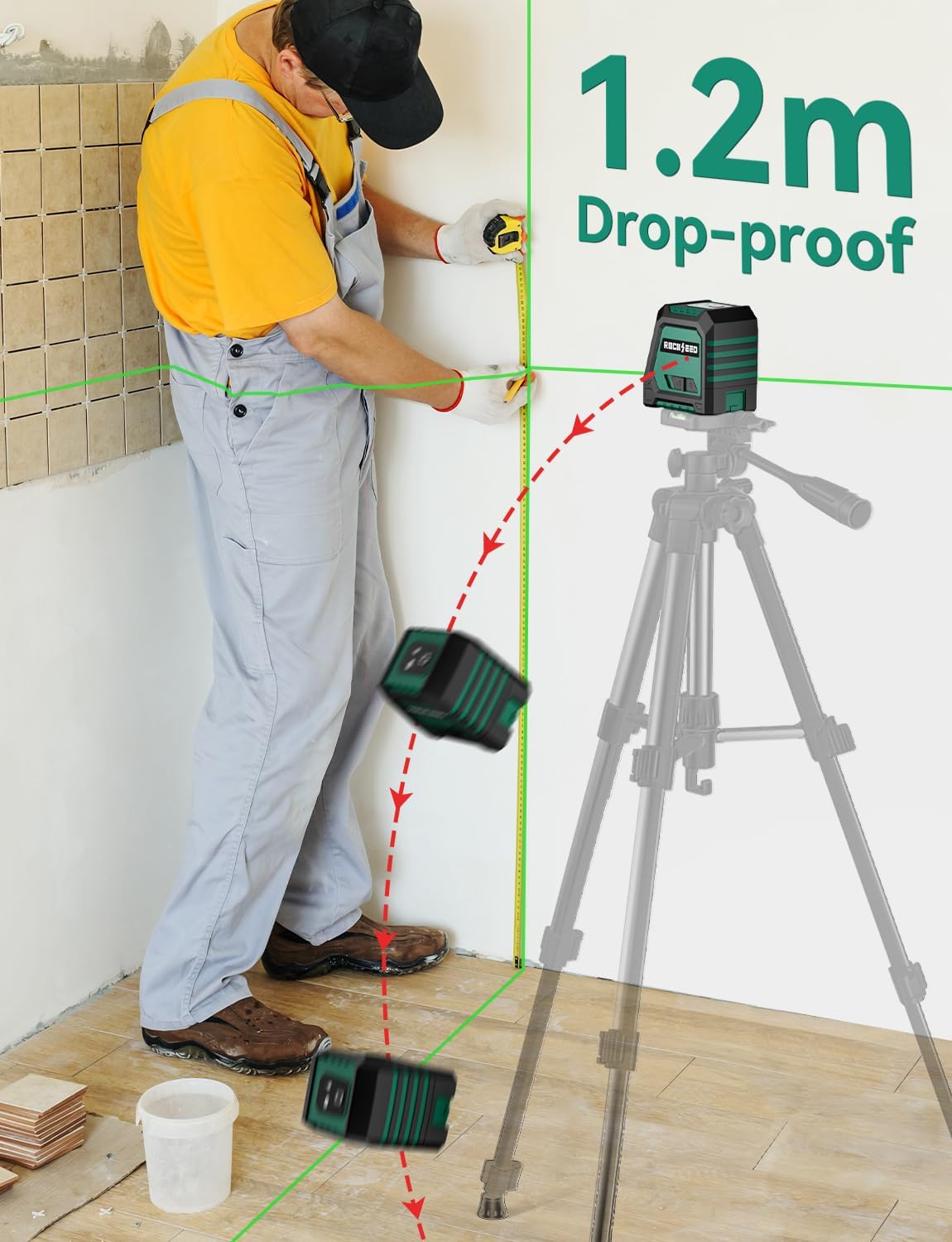
Image: The RockSeed LV02G laser level, soft case, AA batteries, and user manual included in the package.
4. Product Overview
The RockSeed LV02G is a dual-module green line laser level designed for precise horizontal and vertical alignment tasks. It features a self-leveling mechanism and offers a wide projection angle for various applications.

Image: Front view of the RockSeed LV02G laser level, illustrating the green horizontal and vertical laser lines in operation.
Key Features:
- Dual Green Laser Modules: Projects highly visible green horizontal and vertical lines.
- Wide Coverage: 150° vertical and 130° horizontal projection angles.
- Self-Leveling: Automatic leveling within ±3° with an alarm for out-of-range conditions.
- Accuracy: ±1/8 inch at 30 feet.
- Multiple Modes: Cross line, horizontal line only, vertical line only.
- Durable Design: IP54 protection grade (shock resistant, waterproof, dustproof).
- Mounting Options: 1/4"-20 threaded mount for tripods and magnetic bracket compatibility (accessories not included).
5. Setup
5.1 Battery Installation
- Locate the battery compartment on the device.
- Open the battery compartment cover.
- Insert the two AA batteries, ensuring correct polarity (+/-).
- Close the battery compartment cover securely.
5.2 Positioning the Device
- Place the laser level on a stable, flat surface.
- For elevated or angled projections, use a compatible tripod (not included) or magnetic bracket (not included). The device features a 1/4"-20 threaded mount for tripod attachment.

Image: The RockSeed LV02G laser level shown mounted on a magnetic bracket for attachment to metal surfaces and on a tripod for adjustable height and positioning. Note that these accessories are sold separately.
6. Operating Instructions
6.1 Power On/Off and Mode Selection
- To Power On (Self-Leveling Mode): Slide the side switch to the unlocked position (unlocked padlock icon). The laser lines will activate and begin self-leveling. The indicator light will be green.
- To Power On (Manual Mode): Slide the side switch to the locked position (locked padlock icon). Press and hold the top button for approximately 3 seconds. The laser lines will activate, allowing for projection at any angle without self-leveling. The indicator light will be red.
- To Change Laser Line Mode: While the device is on, short press the top button to cycle through modes:
- Cross Line (Horizontal and Vertical)
- Horizontal Line Only
- Vertical Line Only
- To Power Off: Slide the side switch to the locked position. This will also lock the pendulum for safe transport.

Image: Visual guide demonstrating the two operating modes: Self-Leveling Mode (unlocked switch, for level projections) and Manual Mode (locked switch, press button for angled projections).

Image: Illustration of the three available laser line modes: Cross Line (both horizontal and vertical), Horizontal Line only, and Vertical Line only.
6.2 Self-Leveling Function
- When in Self-Leveling Mode, the device will automatically level itself within ±3°.
- If the device is tilted beyond ±3°, the laser lines will flash rapidly, and the indicator light may turn red, signaling that it is out of its self-leveling range. Adjust the device's position until the lines stop flashing and the indicator light is green.

Image: The laser level demonstrating its self-leveling capability. If the device is tilted beyond 4 degrees, the laser lines will blink to indicate it is out of range.
7. Applications
The RockSeed LV02G is suitable for a variety of tasks requiring precise alignment:
- Hanging pictures and shelves
- Installing cabinets and countertops
- Tile installation
- Wallpaper alignment
- General home decoration and DIY projects
- Light construction site tasks

Image: Collage showing different uses of the laser level, including hanging pictures, installing trim, and general alignment tasks in home improvement.
8. Maintenance
- Cleaning: Wipe the device with a soft, damp cloth. Do not use abrasive cleaners or solvents.
- Storage: Store the device in its canvas carry case in a dry, cool place when not in use. Remove batteries if storing for extended periods to prevent leakage.
- Calibration Check: Periodically check the accuracy of the laser level. If you suspect a calibration issue, contact customer support.
- Battery Replacement: Replace batteries when the low battery indicator appears or when laser brightness diminishes.

Image: The RockSeed LV02G laser level shown with water splashing, illustrating its IP54 dustproof and waterproof rating, which aids in maintenance and durability.
9. Troubleshooting
| Problem | Possible Cause | Solution |
|---|---|---|
| Laser lines do not turn on. |
|
|
| Laser lines are flashing rapidly. |
|
|
| Laser lines are dim or inconsistent. |
|
|
| Inaccurate measurements. |
|
|
10. Specifications
| Feature | Specification |
|---|---|
| Model | LV02G |
| Laser Class | Class 2 (IEC/EN60825-1/2014) |
| Laser Wavelength | 505-520nm (Green Laser) |
| Leveling Accuracy | ±1/8 inch at 30 Ft (±3mm at 10m) |
| Self-Leveling Range | ±3° |
| Horizontal Coverage | 130° |
| Vertical Coverage | 150° |
| Power Source | 2 x AA Batteries (Alkaline) |
| IP Rating | IP54 (Dustproof, Waterproof) |
| Operating Temperature | -10°C to 50°C (14°F to 122°F) |
| Storage Temperature | -20°C to 70°C (-4°F to 158°F) |
| Mounting Thread | 1/4"-20 |
| Item Weight | 14.4 ounces (approx. 408g) |
11. Warranty and Support
RockSeed provides a ONE-YEAR after-sale service for this product. For any product questions, technical assistance, or warranty claims, please contact RockSeed customer support.
Contact Information: Please refer to the contact details provided on the RockSeed official website or the packaging for the most up-to-date support information.
Website: Visit the RockSeed Store on Amazon
Ask a question about this manual
Ask about setup, troubleshooting, compatibility, parts, safety, or missing instructions. Manuals+ will review the question and use this page’s manual context to help answer it.