
Introduction
Welcome to the instruction manual for your MOPALL Automatic Motion Sensor Touchless Trash Can. This manual provides essential information for the proper setup, operation, and maintenance of your new appliance. Please read thoroughly before use to ensure optimal performance and longevity.

Image Description: A white and gold MOPALL automatic motion sensor trash can, showcasing its sleek design and touchless operation.
Product Features
- Motion Sensor Technology: Provides touchless operation for hygienic use.
- Soft-Close Lid: Ensures quiet operation, minimizing noise.
- Unique Ring Pull Design: Simplifies trash bag replacement and keeps hands clean.
- Compact Design: Ideal for small spaces such as bathrooms, offices, and bedrooms.
- Odor Sealing: The lid design effectively helps contain unwanted odors.
- IPX5 Water Resistance: Suitable for damp environments, protecting against splashes.

Image Description: Close-up of the trash can's lid, highlighting the smart sensor and its quick opening (0.2s) and automatic closing (5s) features, with an 8-inch sensing distance and soft-close mechanism.

Image Description: Illustration showing two ways to activate the motion sensor: by waving a hand over the sensor or by bending a knee in front of it.
What's in the Box
- 1 x MOPALL 3.1 Gallon Automatic Trash Can
- 1 x Roll of Trash Bags
- 1 x Instruction Manual
Setup Instructions
1. Battery Installation
- Locate the battery compartment on the underside of the lid.
- Open the battery compartment cover.
- Insert 4 AA batteries (not included) according to the polarity markings.
- Close the battery compartment cover securely.
- Ensure the power switch (located near the battery compartment) is in the "ON" position.

Image Description: A series of four images demonstrating the installation steps, including inserting batteries, placing a trash bag, assembling the two parts of the trash can, and using the motion sensor.
2. Installing a Trash Bag
- Separate the upper barrel body from the lower bucket.
- Place a trash bag into the lower bucket.
- Utilize the unique ring pull design to secure the trash bag. Pull the bag's drawstring through the designated slot and tighten it to prevent the bag from slipping.
- Reattach the upper barrel body to the lower bucket, ensuring it is properly aligned.

Image Description: Two images illustrating the unique ring pull design for trash bag installation. One shows the bag being placed inside the inner bucket, and the other shows the bag secured by pulling the ring, keeping hands clean.
Video Description: A demonstration of how to install and secure a trash bag using the unique ring pull mechanism of the MOPALL automatic trash can.
Operating Instructions
Motion Sensor Operation
The trash can features an infrared motion sensor for touchless operation.
- To open the lid, wave your hand or bend your knee within 8 inches (20 cm) of the sensor.
- The lid will open automatically in approximately 0.2 seconds.
- The lid will close automatically after 5 seconds if no further motion is detected.
Video Description: A user demonstrates the motion sensor functionality of the trash can, showing the lid opening and closing automatically with a hand wave.
Stay-Open Mode
For extended use, activate the stay-open mode.
- Press the "Manual On" icon on the control panel.
- The lid will remain open for 5 minutes.
- To close the lid manually before 5 minutes, press the "Manual Off" icon.

Image Description: An image showing the trash can with its lid open at a 90-degree angle, illustrating the "Stay-Open Mode" and the control panel icons for "Manual On" and "Manual Off".
Video Description: A user demonstrates how to manually open and close the trash can lid using the control panel buttons.
Maintenance
Cleaning
To clean the exterior, wipe with a soft, damp cloth. Avoid abrasive cleaners or harsh chemicals. The trash can is IPX5 water-resistant, meaning it can withstand splashes, but should not be submerged in water.

Image Description: The MOPALL trash can with water splashing on its surface, demonstrating its IPX5 water resistance, suitable for kitchen and bathroom corners.
Changing Trash Bags
Follow the "Installing a Trash Bag" instructions in the Setup section to replace full trash bags. The unique ring pull design makes this process clean and efficient.

Image Description: A hand pulling the orange ring to secure a trash bag, illustrating the "Easy Trash Packing" feature and the soft-close mechanism of the lid.
Specifications
| Feature | Detail |
|---|---|
| Brand | MOPALL |
| Model Number | JBS-LJT-N22-WGD |
| Capacity | 3.1 Gallons / 13 Liters |
| Dimensions | 12.1 x 6.9 x 13.2 inches |
| Weight | 3.2 Pounds |
| Material | Plastic |
| Opening Mechanism | Motion-Sensor |
| Power | 4 AA Batteries (not included) |
| Special Features | Compact, Lightweight, Motion Sensor, Odor Seal, Quiet Close, IPX5 Water Resistance |
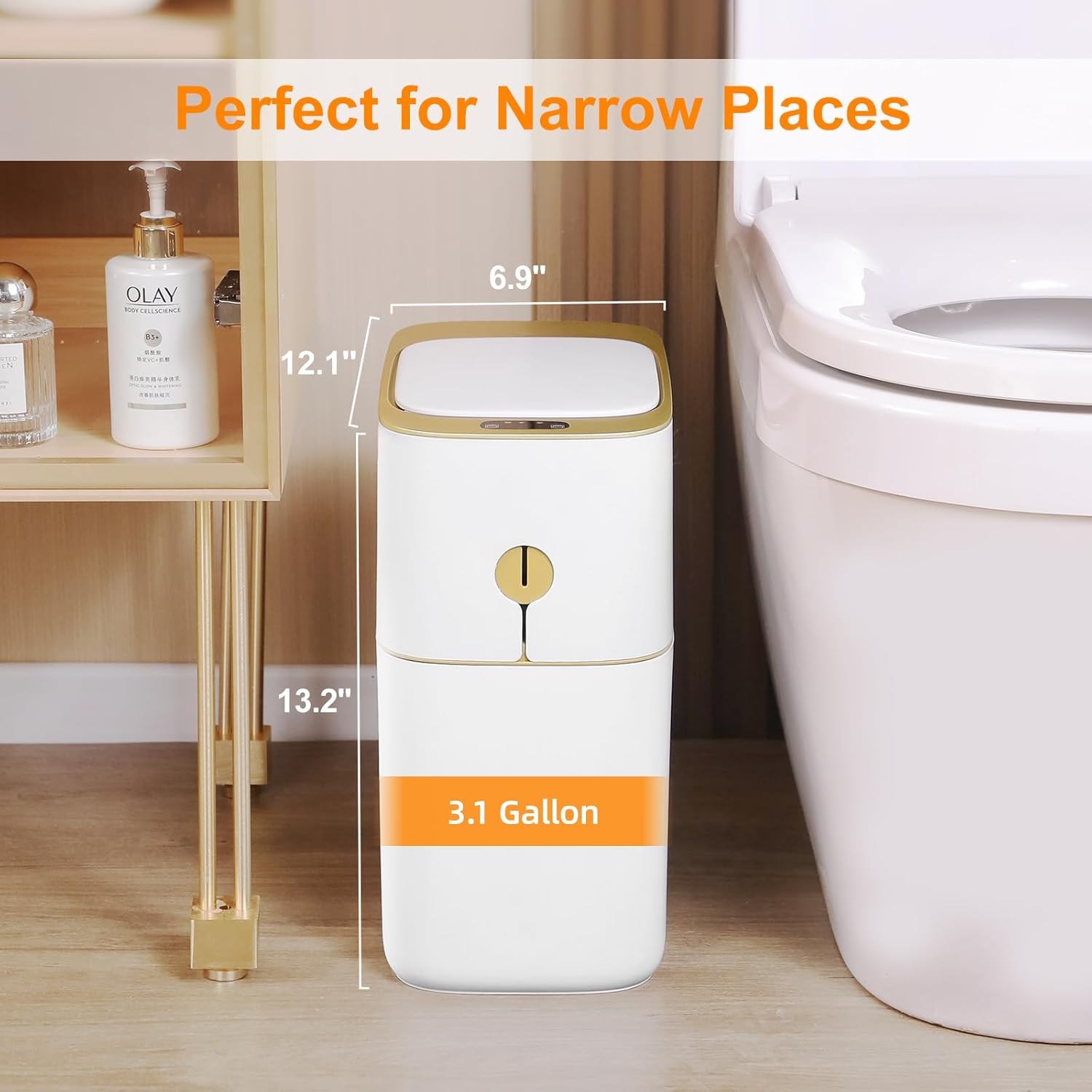
Image Description: The MOPALL trash can positioned next to a toilet, with overlaid measurements indicating its dimensions (12.1" x 6.9" x 13.2") and 3.1 Gallon capacity, highlighting its suitability for narrow spaces.
Safety Information
- Do not immerse the entire unit in water. The unit is splash-resistant (IPX5) but not waterproof for submersion.
- Ensure batteries are inserted with correct polarity.
- Do not mix old and new batteries, or different types of batteries.
- Keep the sensor area clear of obstructions for optimal performance.
- This product is intended for indoor use only.
Troubleshooting
Lid Not Opening/Closing
- Check Batteries: Ensure batteries are correctly installed and have sufficient power. Replace if necessary.
- Sensor Obstruction: Verify that the motion sensor area is clean and free from any obstructions.
- Power Switch: Confirm the power switch on the underside of the lid is in the "ON" position.
Odor Issues
- Bag Installation: Ensure the trash bag is properly installed and sealed using the ring pull mechanism to contain odors effectively.
- Cleaning: Regularly clean the interior and exterior of the trash can.
Lid Closing Too Quickly/Slowly
- The lid is designed to close automatically after 5 seconds of no motion. This timing is fixed.
- For longer open times, use the "Stay-Open Mode" by pressing the "Manual On" button.
Warranty and Support
For warranty information or technical support, please refer to the contact details provided with your purchase documentation or visit the official MOPALL website.