
1. Introduction
Thank you for choosing the MONOZEL Handheld Vacuum Cleaner VC028. This manual provides essential information for the safe and efficient operation, maintenance, and troubleshooting of your new device. Please read it thoroughly before use and retain it for future reference.
2. Safety Instructions
To reduce the risk of fire, electric shock, or injury, please observe the following safety precautions:
- Do not use outdoors or on wet surfaces.
- Do not allow to be used as a toy. Close attention is necessary when used by or near children.
- Use only as described in this manual. Use only manufacturer's recommended attachments.
- Do not use with damaged cord or plug. If appliance is not working as it should, has been dropped, damaged, left outdoors, or dropped into water, return it to a service center.
- Do not pull or carry by cord, use cord as a handle, close a door on cord, or pull cord around sharp edges or corners. Do not run appliance over cord. Keep cord away from heated surfaces.
- Do not unplug by pulling on cord. To unplug, grasp the plug, not the cord.
- Do not handle plug or appliance with wet hands.
- Do not put any object into openings. Do not use with any opening blocked; keep free of dust, lint, hair, and anything that may reduce air flow.
- Keep hair, loose clothing, fingers, and all parts of body away from openings and moving parts.
- Do not pick up anything that is burning or smoking, such as cigarettes, matches, or hot ashes.
- Do not use to pick up flammable or combustible liquids, such as gasoline, or use in areas where they may be present.
- Do not pick up toxic material, such as chlorine bleach, ammonia, or drain cleaner.
- Do not use without dust cup and filter in place.
- Turn off all controls before unplugging.
- Use extra care when cleaning on stairs.
- Do not use to pick up hard or sharp objects such as glass, nails, screws, coins, etc.
3. Package Contents
Please check the package contents to ensure all items are present and undamaged:
- MONOZEL Handheld Vacuum Cleaner (VC028)
- USB-C Charging Cable
- Wall Adapter
- Crevice Nozzle Tool
- Brush Tool
- Flexible Extension Hose
- 2 Reusable HEPA Filters
- User Manual

Image: The MONOZEL VC028 handheld vacuum cleaner displayed with its full set of accessories, including various nozzles, brushes, charging cable, and spare filters.
4. Product Overview
Familiarize yourself with the components of your MONOZEL VC028 handheld vacuum cleaner:

Image: A diagram highlighting key components of the vacuum: LED light, digital screen displaying battery and mode, one-click dump button, 0.18L dust cup, and the power button for turning on/off and switching modes.
- Main Unit: Contains the brushless motor, battery, and control panel.
- Dust Cup: Transparent container for collecting dust and debris (0.14L capacity).
- HEPA Filter: Washable and reusable filter located inside the dust cup.
- LED Light: Illuminates dark areas during cleaning.
- Digital Screen: Displays battery level and current suction mode (Eco/Max).
- Power Button: Activates the vacuum and switches between suction modes.
- One-Click Dump Button: Releases the dust cup for emptying.
5. Setup and Charging
5.1 Initial Charging
Before first use, fully charge the vacuum cleaner. The device features a 6000mAh battery capacity and Type-C charging for convenience.
- Connect the USB-C charging cable to the charging port on the vacuum cleaner.
- Connect the other end of the USB-C cable to the provided wall adapter, a car charger, a power bank, or a computer USB port.
- The digital screen will indicate charging status. A full charge typically takes 3.5-4 hours.
- Once fully charged, disconnect the charger.

Image: The vacuum cleaner connected via a Type-C cable, illustrating various charging methods including car charger, power bank, computer, and wall adapter.
5.2 Attaching Accessories
Select the appropriate attachment for your cleaning task and firmly push it onto the vacuum's suction inlet.
- Crevice Nozzle Tool: Ideal for narrow gaps, corners, and hard-to-reach areas like car seats or sofa crevices.
- Brush Tool: Suitable for cleaning surfaces that require agitation, such as upholstery, carpets, or keyboards, and for picking up pet hair.
- Flexible Extension Hose: Provides extended reach for dusting baseboards, blinds, or ceiling corners. Connect other attachments to the end of the hose.
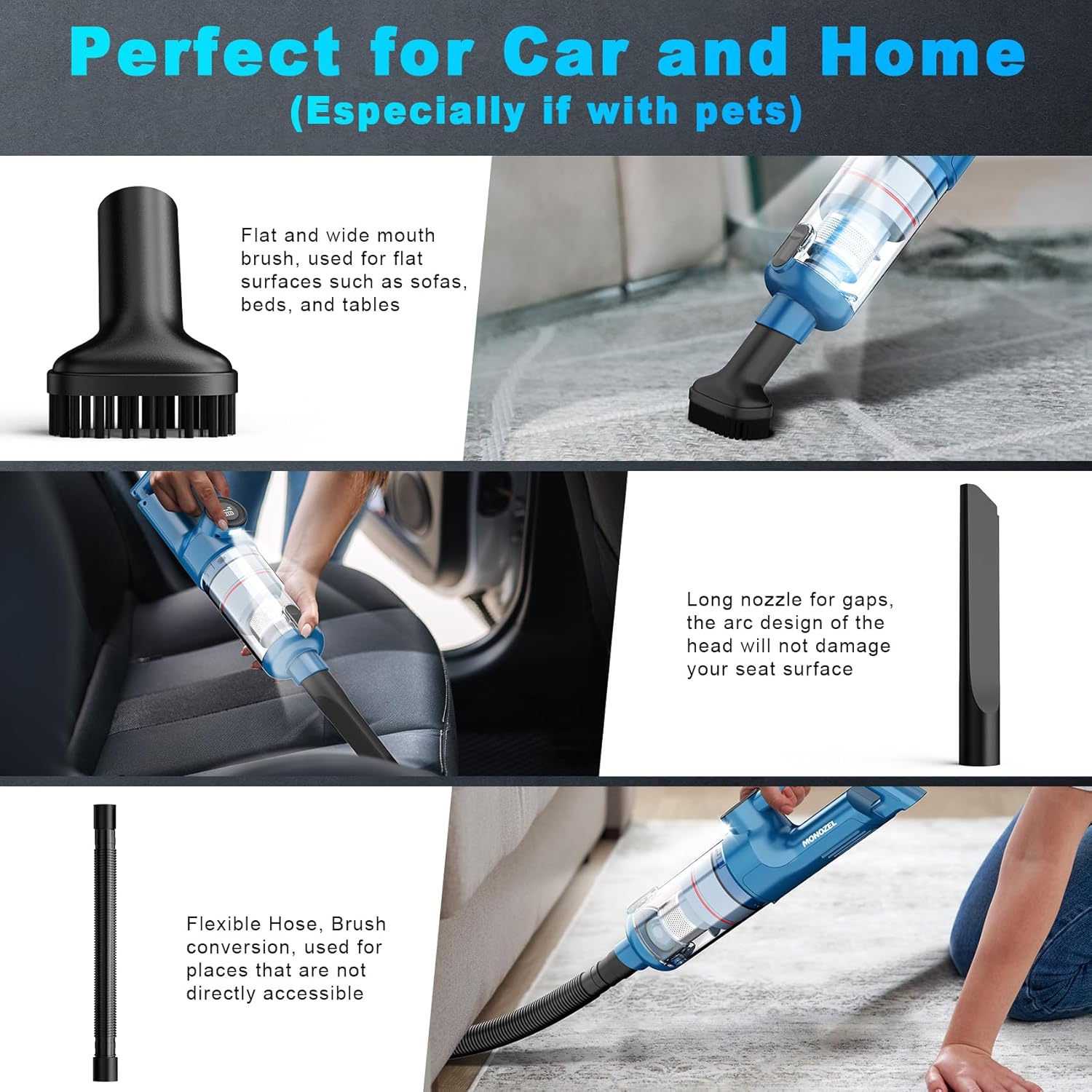
Image: Demonstrates the use of the flat and wide mouth brush for sofas, the long nozzle for car interiors, and the flexible hose for reaching under furniture or into tight spaces.
6. Operating Instructions
6.1 Power On/Off and Mode Selection
- To turn on the vacuum, press and hold the power button for 0.5 seconds. The vacuum will start in Eco mode (10000Pa suction).
- To switch to Max mode (15000Pa suction), short press the power button again. The digital screen will indicate the current mode.
- To turn off the vacuum, short press the power button once more.
The integrated LED light will automatically illuminate when the vacuum is operating, assisting in cleaning dark areas.

Image: Illustrates the powerful brushless motor operating at 64000 RPM, generating 15000 Pa maximum suction for efficient cleaning.
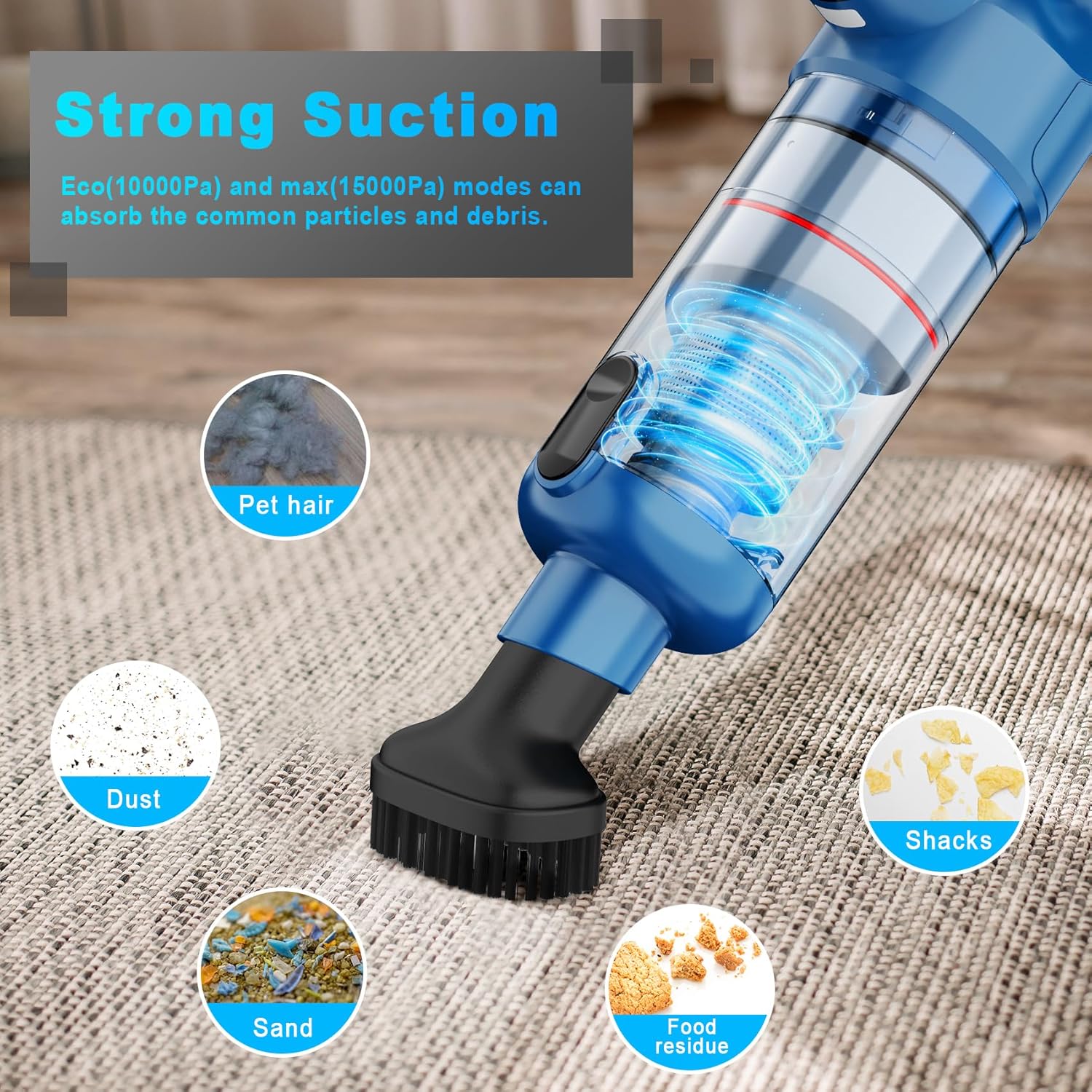
Image: Shows the vacuum effectively absorbing various common particles and debris, including pet hair, dust, sand, and food residue, using both Eco (10000Pa) and Max (15000Pa) modes.
7. Maintenance
Regular maintenance ensures optimal performance and extends the lifespan of your vacuum cleaner.
7.1 Emptying the Dust Cup
- Ensure the vacuum is turned off.
- Press the one-click dump button to release the dust cup from the main unit.
- Hold the dust cup over a trash bin and empty its contents.

Image: Depicts the process of emptying the dust cup into a trash bin and the separate cleaning of the HEPA filter with water.
7.2 Cleaning the HEPA Filter
The HEPA filter is washable and reusable. Clean it regularly to maintain suction power.
- After emptying the dust cup, remove the HEPA filter.
- Rinse the filter under running water until clean. Do not use detergents.
- Allow the filter to air dry completely for at least 24 hours before reinserting it into the dust cup. Ensure it is completely dry to prevent damage to the motor.
- Reassemble the filter and dust cup, then attach them back to the main unit.
Two reusable HEPA filters are included to ensure continuous use while one is drying.
8. Troubleshooting
If you encounter any issues with your vacuum cleaner, please refer to the following common problems and solutions:
| Problem | Possible Cause | Solution |
|---|---|---|
| Vacuum does not turn on. | Battery is depleted. | Charge the vacuum cleaner fully. |
| Low suction power. | Dust cup is full. Filter is clogged. Attachment is blocked. | Empty the dust cup. Clean or replace the HEPA filter. Check and clear any blockages in the nozzle or hose. |
| Battery life is short. | Vacuum is used primarily in Max mode. Battery not fully charged. | Use Eco mode for lighter cleaning tasks. Ensure the vacuum is fully charged before use. |
| Vacuum makes unusual noise. | Obstruction in the suction path. | Turn off the vacuum and check for any foreign objects in the nozzle, hose, or dust cup. |
If the problem persists after trying these solutions, please contact MONOZEL customer support.
9. Specifications
| Feature | Detail |
|---|---|
| Model | VC028 |
| Brand | MONOZEL |
| Suction Power | Eco Mode: 10000Pa, Max Mode: 15000Pa |
| Motor Type | Brushless Motor |
| Battery Capacity | 6000mAh (multiple batteries) |
| Charging Port | Type-C |
| Charging Time | 3.5-4 hours |
| Battery Life | Up to 25 minutes (Eco Mode) |
| Dust Cup Capacity | 0.14 Liters |
| Filter Type | HEPA Filter (Washable & Reusable) |
| Weight | 1.4 pounds |
| Dimensions | 14"L x 3.5"W x 3.5"H |
| Special Features | Cordless, LED Light, Digital Display |
10. Warranty and Customer Support
MONOZEL provides a quality guarantee and money-back services for its products. For any questions, problems, or technical support regarding your MONOZEL Handheld Vacuum Cleaner VC028, please do not hesitate to contact the MONOZEL customer team. They offer 24-hour technical support.
Please refer to your purchase documentation or the MONOZEL official website for specific warranty terms and contact information.