
1. Introduction
Thank you for choosing the Wantek V10 Cat-Ear Gaming Headset. This manual provides essential information for the proper setup, operation, and maintenance of your new headset. Please read it thoroughly before use to ensure optimal performance and longevity of the product.

Image: Overview of the Wantek V10 Cat-Ear Gaming Headset highlighting its key features.
2. Package Contents
Please verify that all items listed below are included in your package:
- Wantek V10 Cat-Ear Gaming Headset
- Detachable Cat Ears (pre-installed or separate)
- 3.5mm Audio Cable
- USB Cable (for LED lighting power)
- User Manual (this document)

Image: Contents of the Wantek V10 Cat-Ear Gaming Headset package.
3. Product Overview
The Wantek V10 headset features a comfortable design with 50mm audio drivers and a noise-cancelling microphone, suitable for various gaming and communication needs.
Key Features:
- 50mm Audio Drivers: Deliver clear and powerful sound.
- Noise-Cancelling Microphone: Ensures clear voice communication by reducing ambient noise.
- Detachable Cat Ears: Customizable aesthetic.
- RGB LED Lighting: USB-powered lighting on earcups.
- Adjustable Headband: For a comfortable fit.
- Soft Earmuffs: Designed for extended wear comfort.

Image: Detailed features of the Wantek V10 headset.
4. Setup Instructions
4.1 Connecting to Your Device
The Wantek V10 headset uses a 3.5mm audio jack for sound and microphone, and a USB-A connector for LED lighting.
- Audio Connection: Insert the 3.5mm audio jack into the corresponding port on your computer, console controller, or mobile device. Ensure it is fully inserted for proper audio and microphone function.
- LED Lighting: Plug the USB-A connector into an available USB port on your computer or a USB power adapter. This connection is solely for powering the RGB LED lights on the earcups and is not required for audio or microphone functionality.

Image: Connectivity options for the Wantek V10 headset.
4.2 Adjusting the Headset
- Headband Adjustment: The headband is designed to be self-adjusting. Gently place the headset on your head, and the headband will conform to a comfortable fit.
- Microphone Positioning: The microphone features a flexible metal pole. Adjust its position so it is close to your mouth for optimal voice pickup, typically 2-3 inches away.
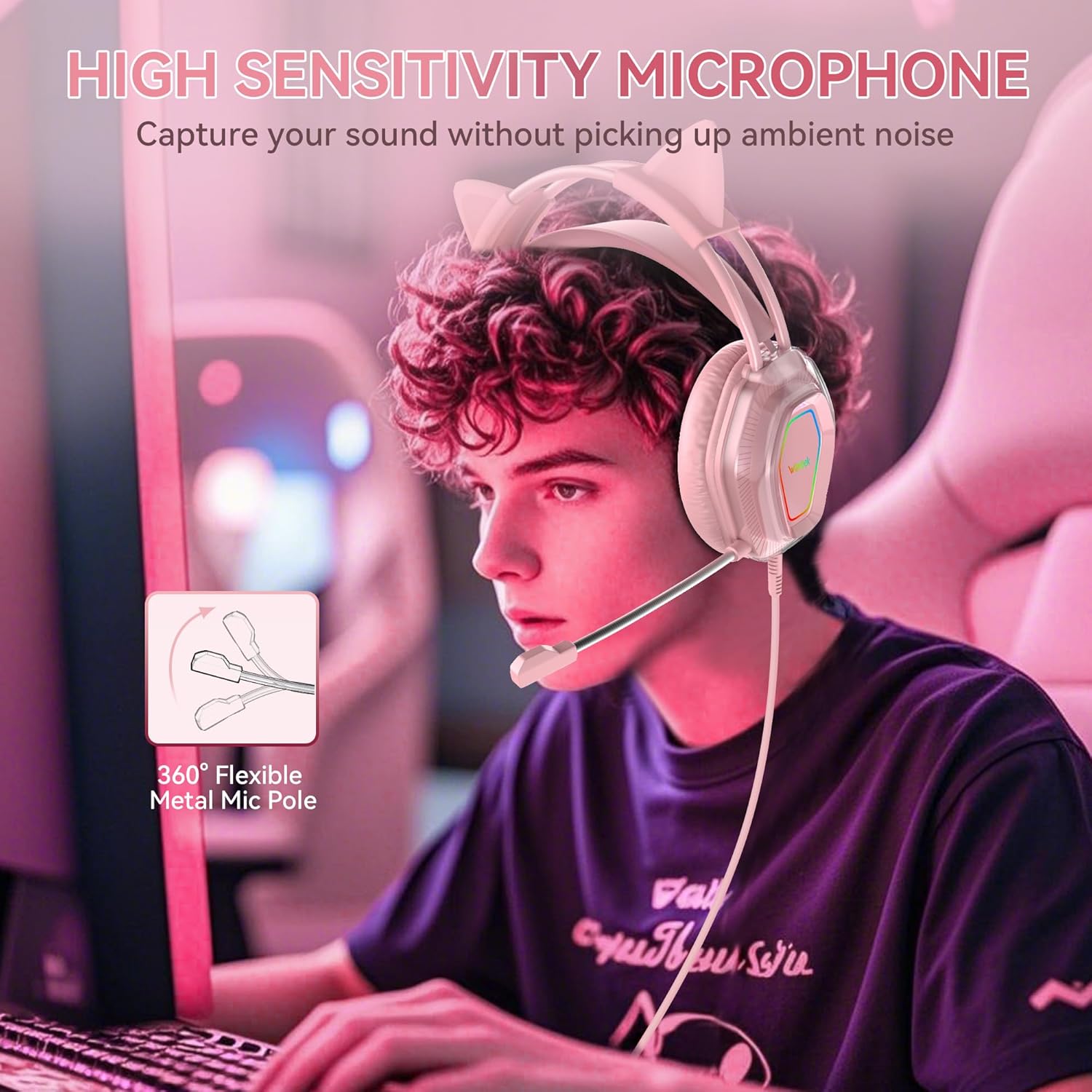
Image: Proper microphone positioning for clear communication.
5. Operating Instructions
5.1 Audio Control
The headset cable includes an in-line control unit for volume adjustment and microphone mute function.
- Volume Wheel: Rotate the wheel up or down to increase or decrease the audio volume.
- Microphone Mute Switch: Slide the switch to mute or unmute the microphone.
5.2 Microphone Usage
The noise-cancelling microphone is designed to focus on your voice while minimizing background noise.
- Ensure the microphone is unmuted via the in-line control.
- Position the microphone approximately 2-3 inches from your mouth for best clarity.
- For optimal performance, configure your device's audio settings to select the headset's microphone as the default input device.
6. Maintenance
Proper care will extend the life of your Wantek V10 headset.
- Cleaning: Use a soft, dry cloth to clean the headset. Do not use harsh chemicals or abrasive materials.
- Storage: Store the headset in a cool, dry place when not in use. Avoid extreme temperatures.
- Cable Care: Avoid sharp bends or excessive pulling on the cables to prevent damage.
- Detachable Cat Ears: Handle the detachable cat ears gently when attaching or removing them to prevent damage to the clips.
7. Troubleshooting
If you encounter issues with your headset, please refer to the following common solutions:
| Problem | Possible Solution |
|---|---|
| No sound from headset |
|
| Microphone not working |
|
| LED lights not working |
|
| Sound quality is poor |
|
8. Specifications
| Feature | Detail |
|---|---|
| Model Name | GH (V10) |
| Connectivity Technology | Wired (3.5mm audio, USB for LED) |
| Driver Size | 50mm |
| Ear Placement | Over Ear |
| Microphone Type | Noise-Cancelling, Flexible |
| LED Lighting | RGB (USB Powered) |
| Item Weight | 1.08 pounds (approx. 490g) |
| Package Dimensions | 9.09 x 7.76 x 4.29 inches |
| Manufacturer | Wantek |
9. Warranty and Support
Wantek products are designed for reliability and performance. For warranty information and technical support, please refer to the official Wantek website or contact their customer service directly. Keep your purchase receipt as proof of purchase for any warranty claims.
For further assistance, please visit: Wantek Official Store on Amazon