Introduction
This manual provides essential information for the safe and effective use of your TCL TP300K Portable Bluetooth Party Speaker. Please read this guide thoroughly before operating the device and retain it for future reference. The TCL TP300K is designed to deliver powerful sound with dynamic RGB light shows, an 18-hour battery life, and an IPX4 splash-proof rating, making it suitable for various environments.
What's in the Box
Carefully unpack all items from the box. Ensure all components are present before discarding packaging materials.
- TCL TP300K Portable Bluetooth Party Speaker
- Power Cord
- Quick Start Guide
- Warranty and Safety Information

Image: The TCL TP300K speaker shown with its dimensions and a list of included accessories.
Product Overview
The TCL TP300K features a robust design with intuitive controls and versatile placement options. It can be positioned horizontally or vertically thanks to its integrated handles.
Speaker Components and Controls
Familiarize yourself with the speaker's main components and control panel.

Image: An angled view of the TCL TP300K speaker, highlighting its overall design.
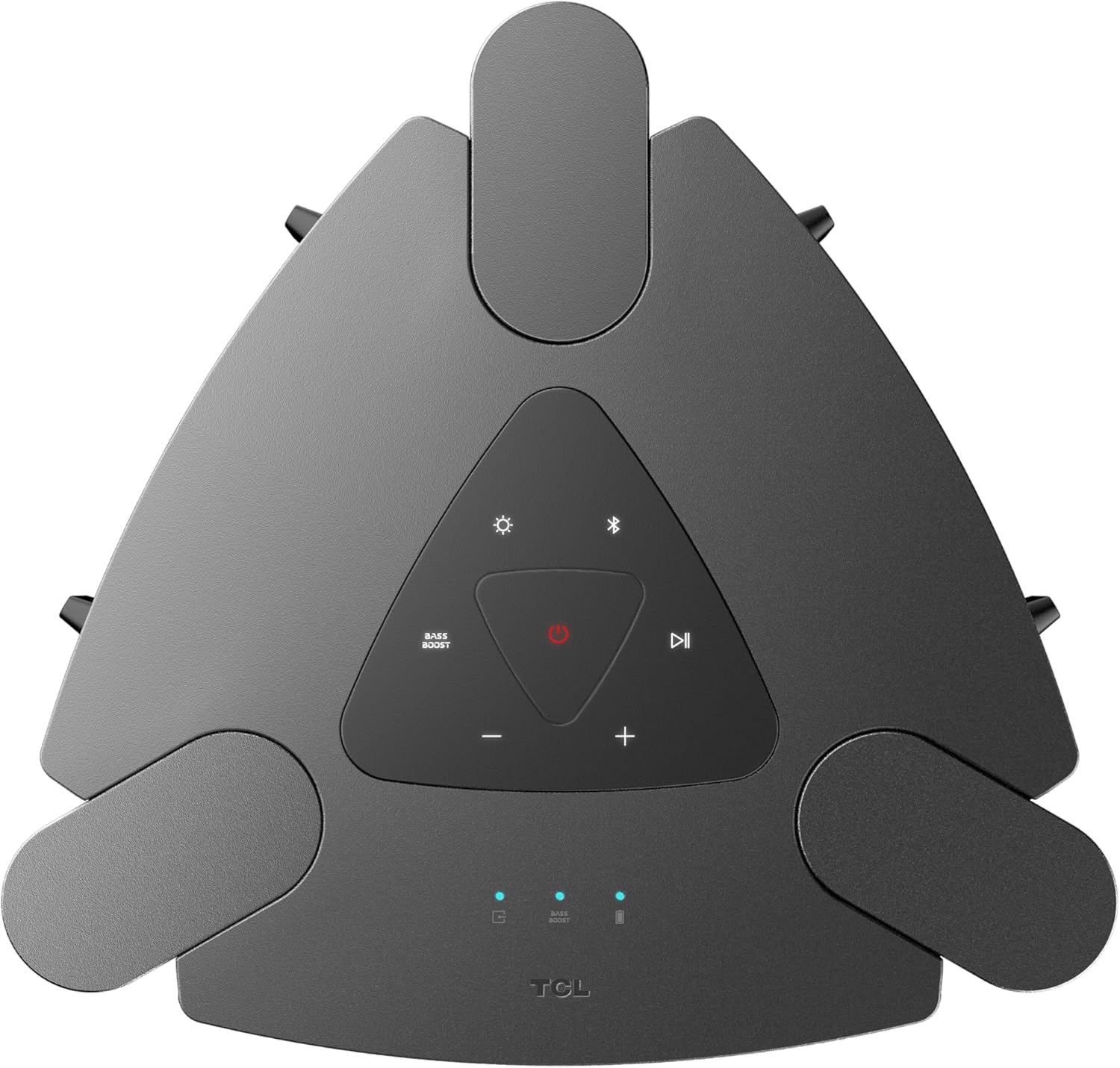
Image: A close-up view of the top control panel, showing buttons for power, Bluetooth, light modes, volume, and bass boost.

Image: A detailed view of the rear input panel, featuring ports for guitar, microphone, USB, and AUX connections.
Setup
Charging the Speaker
- Connect the provided power cord to the speaker's power input.
- Plug the other end of the power cord into a suitable power outlet.
- The charging indicator will illuminate. A full charge provides approximately 18 hours of playback (at 25% volume with static light effects).

Image: The speaker shown in a party setting, illustrating its 18-hour battery life.
Powering On/Off
- To power on, press and hold the Power button on the control panel.
- To power off, press and hold the Power button again.
Operating Instructions
Bluetooth Connection
- Ensure the speaker is powered on.
- Press the Bluetooth button on the control panel to enter pairing mode. The Bluetooth indicator will flash.
- On your mobile device, enable Bluetooth and search for "TCL TP300K".
- Select the speaker from the list to pair. Once connected, the Bluetooth indicator will glow solid.

Image: Two individuals wirelessly streaming music to the speaker from their mobile devices.
USB Audio Playback
- Insert a USB drive containing audio files into the USB port on the rear panel.
- The speaker will automatically switch to USB mode and begin playing music.
- Use the Play/Pause and Skip buttons on the control panel to manage playback.
Karaoke Mode
- Connect a microphone or guitar to the respective input jacks on the rear panel.
- Adjust the microphone/guitar volume and echo effect using the dedicated knobs.
- Play music via Bluetooth or USB and sing along.

Image: Individuals using the speaker for karaoke, demonstrating the microphone and guitar input functionality.
Wireless Party Link (Multi-Speaker Connection)
- Ensure both TCL TP300K speakers are powered on and not connected to any Bluetooth device.
- On one speaker (the primary speaker), press and hold the TWS/LINK button until you hear a confirmation tone.
- On the second speaker (the secondary speaker), press the TWS/LINK button briefly.
- The speakers will connect wirelessly. Once connected, pair your mobile device to the primary speaker via Bluetooth. Both speakers will play synchronized audio.

Image: A party scene with multiple TCL TP300K speakers linked together for a synchronized audio experience.
True Wireless Stereo (TWS) Pairing
For a stereo sound experience, you can pair two TP300K speakers.
- Follow the Wireless Party Link instructions to connect two speakers.
- Once linked, the speakers will automatically configure for left and right channel stereo playback.

Image: A visual representation of two speakers configured for True Wireless Stereo pairing, indicating left and right audio channels.
RGB Dynamic Light Shows
- Press the Light Mode button on the control panel to cycle through 8 different RGB dynamic light show presets.
- Press and hold the Light Mode button to turn the lights off.

Image: The speaker showcasing its vibrant RGB dynamic light shows, creating an energetic atmosphere.
Bass Boost Function
- Press the Bass Boost button on the control panel to enhance low-frequency audio.
- Press the button again to deactivate the Bass Boost.

Image: An overhead view of the speaker in a social setting, illustrating the impact of the Bass Boost feature.
Maintenance
Cleaning
- Ensure the speaker is powered off and unplugged before cleaning.
- Use a soft, dry cloth to wipe the exterior surfaces.
- Do not use abrasive cleaners, waxes, or solvents.
Splash-Proof Rating (IPX4)
The speaker has an IPX4 splash-proof rating, meaning it is resistant to splashing water from any direction. This makes it suitable for outdoor use where light splashes may occur. However, it is not designed to be submerged in water or exposed to high-pressure water jets.
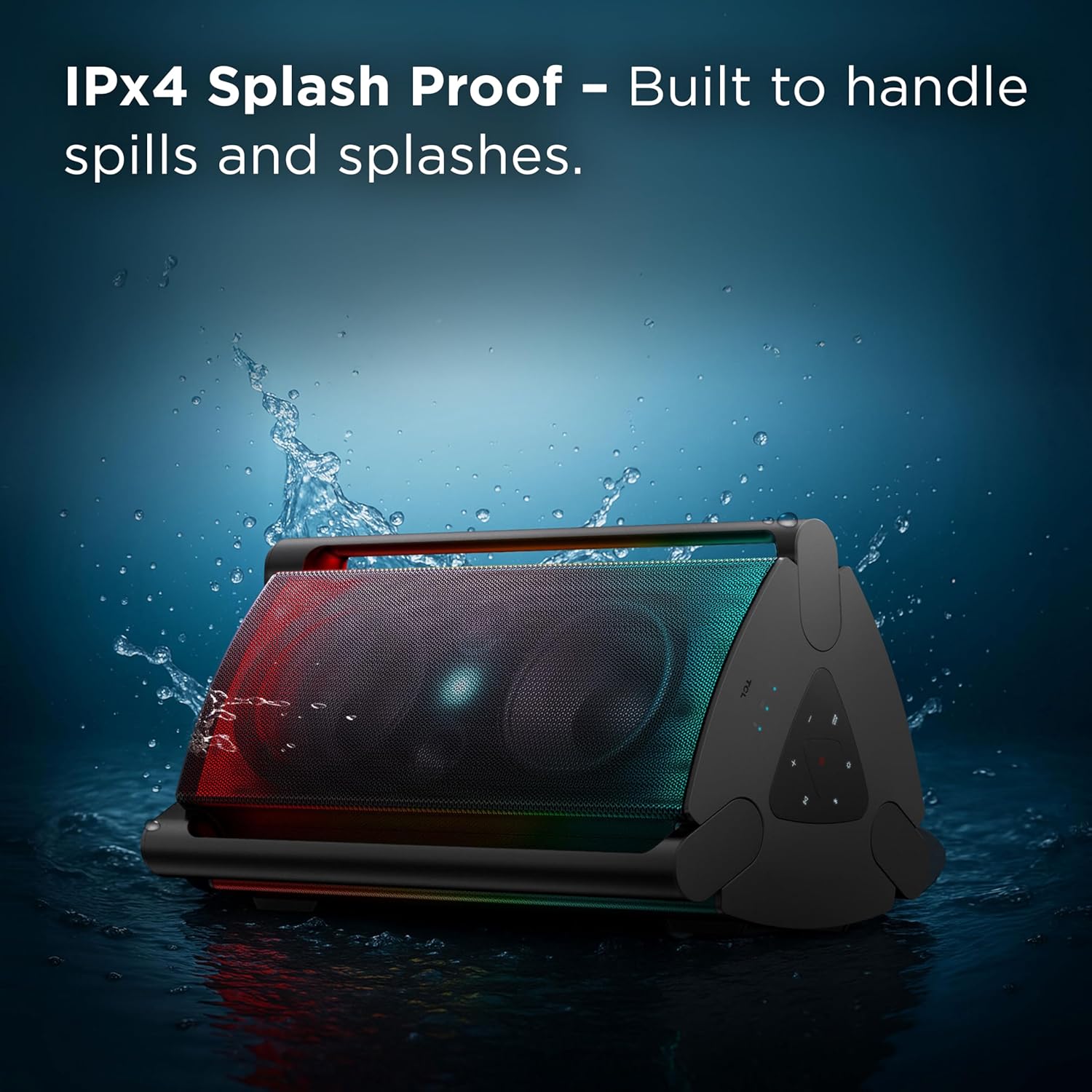
Image: The speaker shown with water splashing on it, illustrating its IPX4 anti-splash protection.
Troubleshooting
| Problem | Possible Cause | Solution |
|---|---|---|
| Speaker does not power on. | Low battery or no power connection. | Charge the speaker using the provided power cord. Ensure the power outlet is functional. |
| No sound from the speaker. | Volume too low, incorrect source selected, or device not paired. | Increase volume on both the speaker and your connected device. Press the Source button to select the correct input (Bluetooth, USB, AUX). Re-pair your Bluetooth device. |
| Bluetooth connection unstable or failing. | Device too far from speaker, interference, or previous pairing issue. | Move your device closer to the speaker. Avoid obstacles between devices. Forget the speaker from your device's Bluetooth list and re-pair. |
| Microphone/Guitar input not working. | Cable not fully inserted, volume knob too low. | Ensure cables are securely connected. Adjust the microphone/guitar volume knob on the speaker. |
| Wireless Party Link not connecting. | Incorrect pairing procedure or speakers already connected to other devices. | Ensure both speakers are in pairing mode and not connected to any other Bluetooth device. Follow the Wireless Party Link instructions carefully. |
Specifications
| Feature | Detail |
|---|---|
| Model Name | TP300K |
| Brand | TCL |
| Speaker Type | Portable Speaker |
| Connectivity Technology | Bluetooth, USB, Auxiliary |
| Speaker Maximum Output Power | 340 Watts |
| Battery Life | Up to 18 hours (at 25% volume with static light effects) |
| Water Resistance Level | IPX4 Splash Proof |
| Light Shows | 8 RGB Dynamic Light Show Presets |
| Special Features | Bass Boost, Portable, RGB Light Show, Waterproof (Splash-Proof) |
| Product Dimensions (D x W x H) | 15.07" x 15.63" x 26.68" |
| Item Weight | 34.4 Pounds |
| Material | Plastic |
| Included Components | Power Cord, Quick Start Guide |

Image: A diagram illustrating the physical dimensions of the TCL TP300K speaker.
Warranty and Support
Your TCL TP300K Portable Bluetooth Party Speaker comes with a limited warranty. Please refer to the included Warranty and Safety Information document for details regarding warranty coverage, terms, and conditions.
For technical support, service, or further inquiries, please visit the official TCL support website or contact their customer service as provided in your warranty documentation.


