
Introduction
This manual provides essential information for setting up, operating, maintaining, and troubleshooting your new iBUYPOWER Slate Black Gaming PC Desktop Computer, model SBI7N56T01. Please read these instructions carefully before using your computer to ensure optimal performance and longevity.
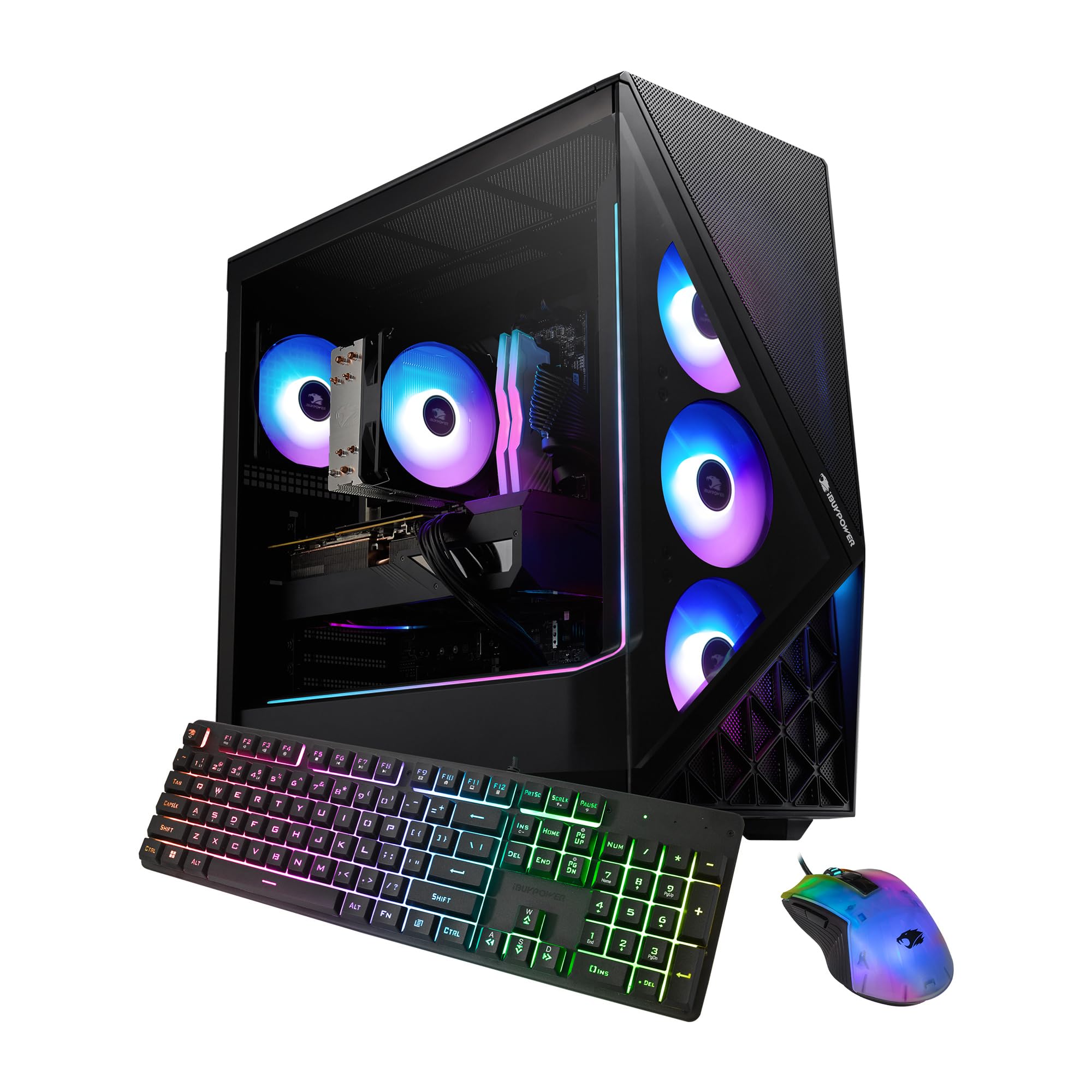
Image: Front-angled view of the iBUYPOWER Slate Black Gaming PC, showcasing its tempered glass side panel and vibrant RGB fans.
Setup Guide
1. Unboxing and Inspection
- Carefully remove the PC from its packaging.
- Inspect the computer for any visible damage. If damage is found, contact iBUYPOWER support immediately.
- Ensure all accessories are present: power cable, iBUYPOWER gaming keyboard, and RGB gaming mouse.
2. Connecting Peripherals
- Connect Monitor: Locate the graphics card's video output ports (HDMI, DisplayPort) on the rear of the PC. Connect your monitor using an appropriate cable. Ensure the cable is connected to the dedicated graphics card (NVIDIA GeForce RTX 5060Ti), not the motherboard's integrated graphics ports.
- Connect Keyboard and Mouse: Plug the included iBUYPOWER gaming keyboard and RGB gaming mouse into any available USB ports on the rear of the PC.
- Connect Power: Plug the power cable into the power supply unit (PSU) at the rear of the PC, then plug the other end into a grounded electrical outlet.
- Network Connection: For a wired connection, connect an Ethernet cable to the RJ-45 port. For wireless, the PC is Wi-Fi Ready and will prompt you to connect during Windows setup.

Image: Side view of the iBUYPOWER Gaming PC, highlighting the tempered glass side panel, which allows visibility of internal components.
3. Initial Boot-Up
- Press the power button located on the top front of the PC case.
- The system will boot into Windows 11 Home setup. Follow the on-screen prompts to complete the initial configuration, including language, region, and network settings.
- Once Windows is set up, ensure all drivers are installed and updated. You can check for updates via Windows Update or by visiting the iBUYPOWER support website.
Operating Your PC
Your iBUYPOWER SBI7N56T01 is designed for high-performance gaming and content creation. It comes pre-installed with Windows 11 Home, providing a modern and secure operating environment.
System Overview
- Processor: Intel Core Ultra 7 265F CPU for powerful multitasking and gaming.
- Graphics Card: NVIDIA GeForce RTX 5060Ti 16GB GPU for immersive visuals and high frame rates.
- Memory: 32GB DDR5 RGB RAM (5200MHz) for smooth performance across demanding applications.
- Storage: 2TB NVMe SSD for rapid boot times and ample storage for games and files.
- Operating System: Windows 11 Home.
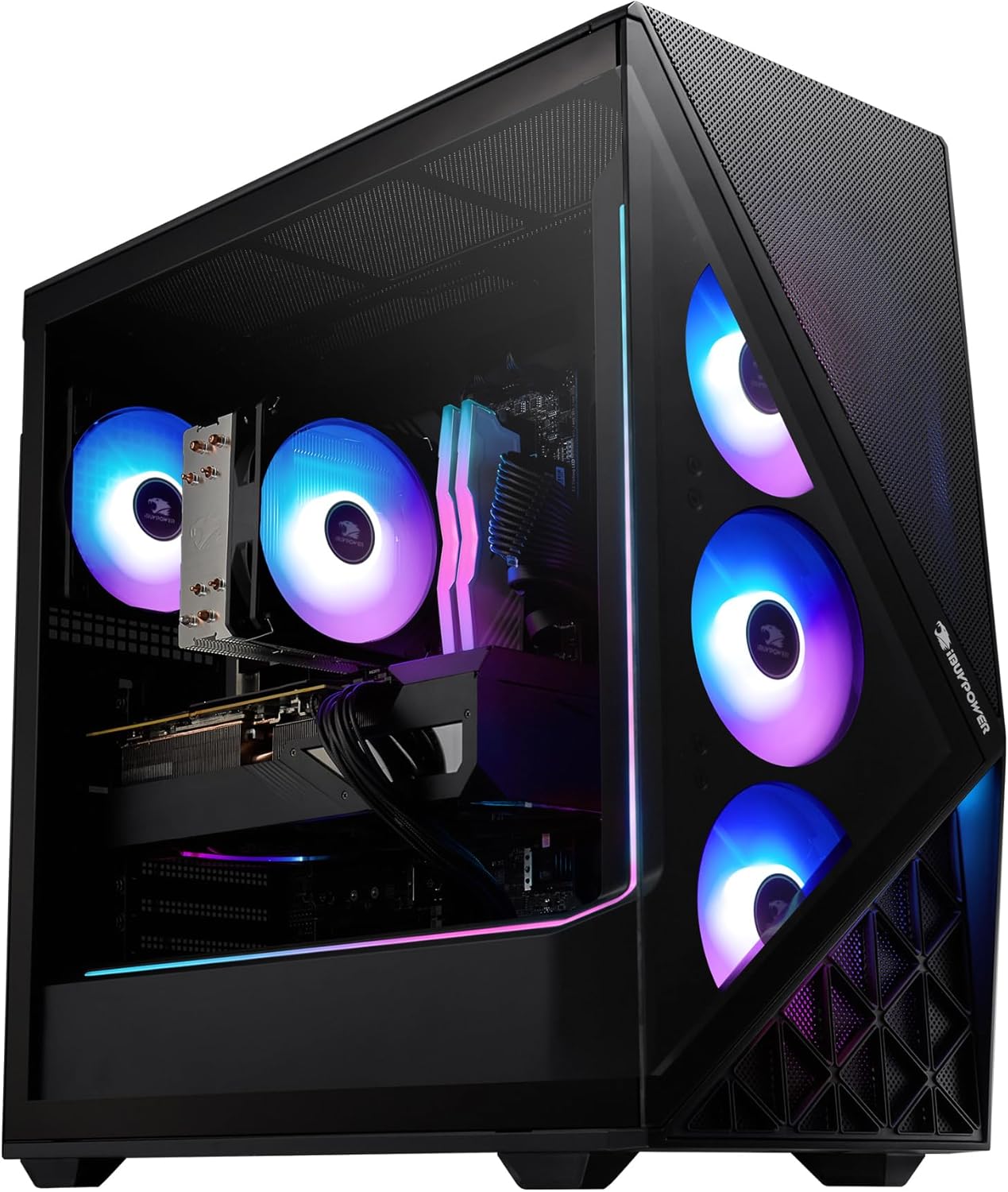
Image: Interior view of the iBUYPOWER Gaming PC, highlighting the CPU cooler, RAM modules, and graphics card.
RGB Lighting Control
Your PC features 16-color RGB lighting in the case and fans. Control and customize the lighting effects using the pre-installed software or physical buttons on the case, if available. Refer to the specific software documentation for detailed instructions on RGB customization.

Image: Close-up view of the iBUYPOWER Gaming PC's interior, emphasizing the four addressable RGB (aRGB) fans for enhanced aesthetics and cooling.
Maintenance
Regular maintenance helps ensure the longevity and optimal performance of your iBUYPOWER PC.
1. Cleaning
- Exterior: Use a soft, dry, anti-static cloth to wipe down the exterior of the case, including the tempered glass side panel.
- Dust Removal: Periodically use compressed air to clear dust from fan vents, especially the perforated mesh panels, and internal components. Ensure the PC is powered off and unplugged before cleaning.
- Avoid Liquids: Do not use liquid cleaners directly on the PC components.

Image: Angled view of the iBUYPOWER Gaming PC, highlighting the perforated mesh panels designed to improve cooling efficiency.
2. Software Updates
- Windows Updates: Regularly check for and install Windows updates to ensure system stability and security. Go to Settings > Windows Update.
- Driver Updates: Keep your graphics card drivers (NVIDIA GeForce) and other component drivers updated for optimal performance. Visit the NVIDIA website or use their GeForce Experience software for GPU driver updates.
Troubleshooting
This section addresses common issues you might encounter. For more complex problems, please contact iBUYPOWER support.
No Power
- Ensure the power cable is securely connected to both the PC and the wall outlet.
- Check the power switch on the back of the power supply unit (PSU) is in the 'ON' position.
- Try a different power outlet or power cable.
No Display on Monitor
- Verify that the monitor is powered on and correctly connected to the graphics card's video output port (HDMI/DisplayPort).
- Ensure the monitor's input source is set correctly (e.g., HDMI 1, DisplayPort).
- Try connecting the monitor to a different video output port on the graphics card, if available.
Network Connectivity Issues
- Wired: Check if the Ethernet cable is securely connected to both the PC and your router/modem. Verify router/modem status.
- Wireless: Ensure Wi-Fi is enabled in Windows settings. Restart your router/modem. Check for correct Wi-Fi password entry.
Specifications
Detailed technical specifications for the iBUYPOWER Slate Black Gaming PC Desktop Computer SBI7N56T01.
| Feature | Detail |
|---|---|
| Model Number | SBI7N56T01 |
| Processor | Intel Core Ultra 7 265F (2.4 GHz, up to 5.3 GHz) |
| Graphics Card | NVIDIA GeForce RTX 5060Ti 16GB GDDR6 |
| RAM | 32GB DDR5 RGB RAM (5200MHz), 4 Memory Slots Available, Max 192GB |
| Storage | 2TB NVMe SSD (Solid State) |
| Operating System | Windows 11 Home |
| Connectivity | 6 x USB 3.1, 1x RJ-45 Ethernet (10/100/1000), HDMI, Wi-Fi (802.11ac), Bluetooth |
| Audio | On board audio, External Speakers Required |
| Cooling | Tower Air Cooler, RGB Fans, Perforated Mesh Panels |
| Case Features | Tempered Glass RGB Gaming Case, 16 Color RGB Lighting |
| Dimensions (LxWxH) | 19.5 x 8.7 x 19.3 inches |
| Weight | 36 Pounds |
| Included Peripherals | iBUYPOWER Gaming Keyboard (Full-size Wired, RGB), RGB Gaming Mouse |
| Power Plug Type | Type A - 2 pin (North American) |
Warranty Information
Your iBUYPOWER SBI7N56T01 Gaming PC comes with a limited warranty:
- Labor: 1 Year
- Manufacturer Parts: 1 Year
Please retain your proof of purchase for warranty claims. For full warranty terms and conditions, visit the official iBUYPOWER website.
Customer Support
For technical assistance, troubleshooting beyond this manual, or warranty inquiries, please contact iBUYPOWER customer support.
Visit the official iBUYPOWER website for contact information, FAQs, and driver downloads. You can typically find support details under a "Support" or "Contact Us" section on their website.
Online Resources: iBUYPOWER Support Website


