
I love e iFecco X25
IFECCO Bone Conduction Headphones User Manual
Model: X25 | Brand: I love e iFecco
Introduction
The IFECCO Bone Conduction Headphones (Model X25) offer an innovative open-ear listening experience. Utilizing bone conduction technology, these headphones transmit sound through your cheekbones, leaving your ear canals open to ambient sounds. This design enhances situational awareness, making them ideal for outdoor activities such as cycling, running, and hiking. They feature Bluetooth 5.4 for stable connectivity, IPX5 water resistance, and a long-lasting battery.

Image: The IFECCO Bone Conduction Headphones in blue, showcasing their ergonomic design.
What's in the Box
- IFECCO Bone Conduction Headphones (Model X25)
- Charging Cable (Type-C)
- User Manual
- Adjustment Strap
Setup Guide
1. Charging the Headphones
Before first use, fully charge your headphones. Use the provided Type-C charging cable.
- Connect the Type-C end of the cable to the charging port on the headphones.
- Connect the USB-A end to a compatible USB power adapter (not included) or a computer's USB port.
- A full charge takes approximately 2 hours.

Image: Visual representation of the headphone's battery life, indicating 10 hours of playtime and 2 hours for a full charge.
2. Bluetooth Pairing
The headphones utilize Bluetooth 5.4 for a stable and efficient connection.
- Ensure the headphones are powered off.
- Press and hold the power button for approximately 4 seconds until the LED indicator flashes blue and red, indicating pairing mode.
- On your device (smartphone, tablet, laptop), enable Bluetooth and search for available devices.
- Select "IFECCO X25" (or similar name) from the list of found devices.
- Once connected, the LED indicator will turn solid blue or stop flashing.
The headphones support simultaneous pairing with two devices. After the initial connection, the default mode is music mode.

Image: A graphic illustrating the Bluetooth 5.4 chip, emphasizing stable transmission and lower latency.
Operating Instructions
Controls Overview

Image: A detailed diagram of the headphone controls and their corresponding functions.
| Button/Action | Function |
|---|---|
| Power Button (Press for 4s) | Turn On/Off |
| Power Button (Click once) | Play/Pause Music, Answer/End Call |
| Power Button (Double click) | Redial Last Number |
| Power Button (Click 4 times) | Switch between Music Mode and Game Mode |
| Volume + (Click once) | Increase Volume |
| Volume + (Press for 2s) | Next Track |
| Volume - (Click once) | Decrease Volume |
| Volume - (Press for 2s) | Previous Track |
Music Mode and Game Mode
The headphones offer two distinct modes:
- Music Mode: Default mode upon Bluetooth connection, optimized for audio quality.
- Game Mode: Reduces transmission speed for lower latency, beneficial for gaming. To switch, click the power button 4 times.
Product Features
Bone Conduction Technology
These headphones transmit sound vibrations through your cheekbones directly to your inner ear, bypassing the eardrum. This allows for clear audio while keeping your ears open to your surroundings.

Image: An illustration demonstrating how bone conduction technology works by transmitting sound through the bones.
Open Ear Design for Safety and Awareness
The open-ear design ensures that you can hear ambient sounds, such as traffic, conversations, or environmental cues, while enjoying your audio. This feature is crucial for safety during outdoor activities like running, cycling, and hiking.

Image: A cyclist wearing the headphones, highlighting the benefit of hearing surroundings for safety.

Image: A runner on a bridge, illustrating how the open-ear design allows awareness of the environment.
IPX5 Water and Sweat Resistance
The headphones are rated IPX5, providing protection against sweat and moisture. This makes them suitable for intense workouts and use in light rain. Please note that they are not designed for swimming underwater.
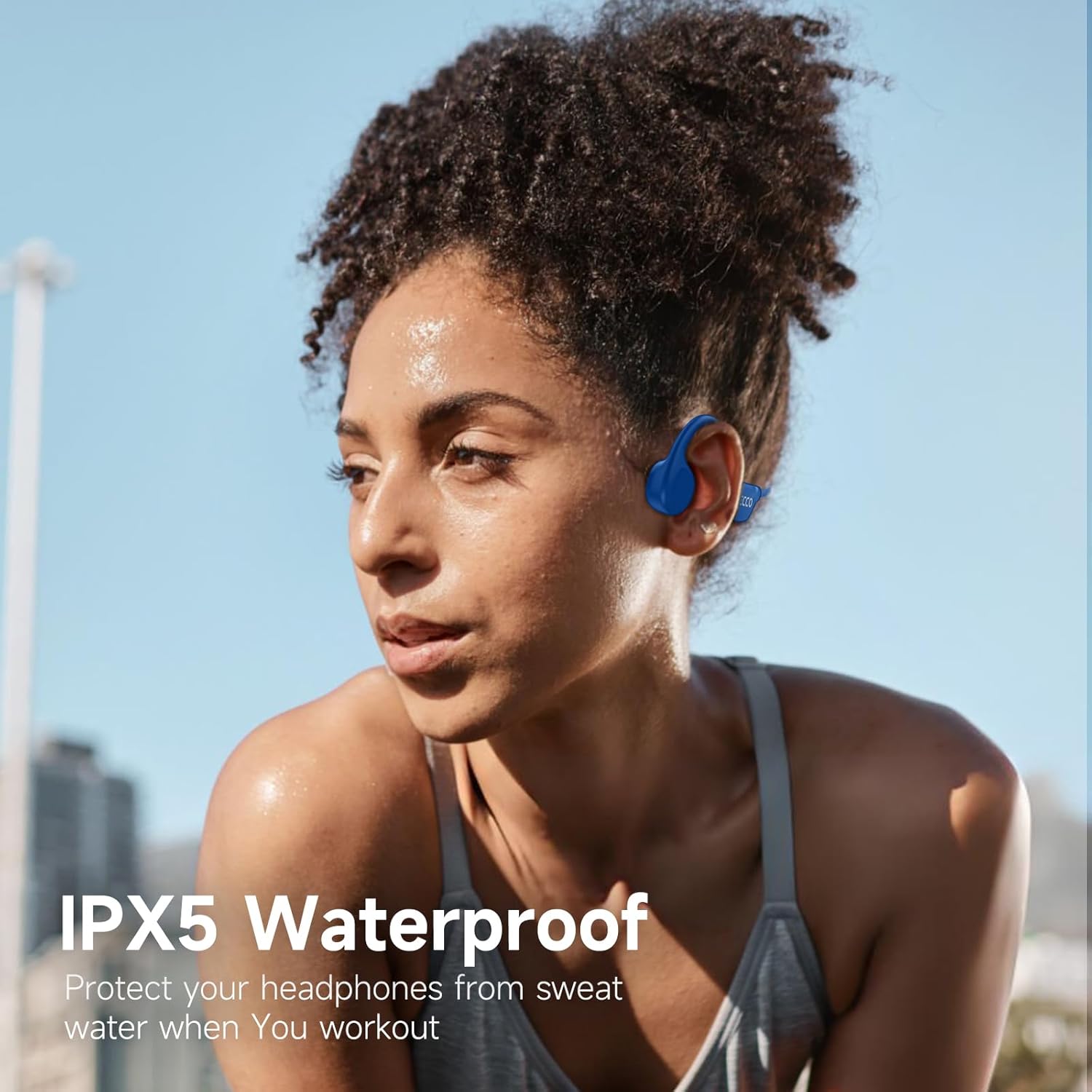
Image: A woman exercising, showcasing the headphones' resistance to sweat and moisture.
Long Battery Life and Comfort
Enjoy up to 10 hours of continuous music or call time on a single charge. The lightweight design (28g) and skin-friendly silicone-wrapped frame ensure comfort during extended wear, adapting to your head shape without deformation.

Image: Visuals demonstrating the secure fit, lightweight nature, and elasticity of the headphones for comfortable wear.
Official Product Video
Video: An official product video from IFECCO-US showcasing the features and benefits of the Bone Conduction Headphones.
Maintenance
- Cleaning: Wipe the headphones with a soft, damp cloth. Avoid using harsh chemicals or abrasive materials.
- Storage: Store the headphones in a cool, dry place away from direct sunlight and extreme temperatures.
- Charging: Always use the provided charging cable or a certified Type-C cable to prevent damage.
- Water Exposure: While IPX5 rated, avoid submerging the headphones in water. Dry them thoroughly if they get wet from sweat or rain.
Troubleshooting
| Problem | Solution |
|---|---|
| Headphones do not turn on. | Ensure the headphones are fully charged. Press and hold the power button for 4 seconds. |
| Cannot pair with device. | Make sure headphones are in pairing mode (flashing blue/red LED). Turn off and on Bluetooth on your device. Ensure headphones are not connected to another device. |
| No sound or low volume. | Increase volume on both headphones and connected device. Ensure headphones are properly positioned on your cheekbones. Check if the headphones are connected to the correct device. |
| Intermittent connection. | Ensure your device is within the 10-meter Bluetooth range. Avoid obstacles between the headphones and your device. |
Specifications
| Feature | Detail |
|---|---|
| Model Name | X25 |
| Connectivity Technology | Wireless (Bluetooth) |
| Bluetooth Version | 5.4 |
| Bluetooth Range | 10 Meters |
| Water Resistance Level | IPX5 Waterproof |
| Charging Time | 2 Hours |
| Playtime | Up to 10 Hours |
| Item Weight | 5.9 ounces (approx. 28g as per feature bullets) |
| Ear Placement | Open Ear |
| Control Type | Button Control |
| Material | Acrylonitrile Butadiene Styrene (ABS) |
| Frequency Response | 20 Hz |
| Sensitivity | 90 dB |
| Impedance | 32 Ohm |
Warranty and Support
For warranty information and customer support, please refer to the contact details provided with your purchase or visit the official I love e iFecco website. Protection plans may also be available for extended coverage.
For additional assistance, you may contact the seller directly through the platform where the product was purchased.
Ask a question about this manual
Ask about setup, troubleshooting, compatibility, parts, safety, or missing instructions. Manuals+ will review the question and use this page’s manual context to help answer it.