
JOTTDSYL TP.V56.PB726 series (45w 1920X1080)
JOTTDSYL 3-in-1 TV Motherboard User Manual
Model: TP.V56.PB726 series (45w 1920X1080)
1. Introduction
This manual provides detailed instructions for the JOTTDSYL 3-in-1 TV Motherboard, model TP.V56.PB726 series, designed for LCD and LED screens. This versatile motherboard serves as a replacement part, offering core functions, signal processing, power management, and various interface types for connecting external devices.
Key Features:
- Core Functions: Controls and coordinates various TV functions.
- Signal Processing: Decodes and processes input signals (e.g., HDMI) into image and sound.
- Power Management: Converts and stabilizes power supply for stable TV operation.
- Interface Type: Provides multiple interfaces for connecting external devices.
- Upgrades and Updates: Supports software upgrades for improved performance and functions.
2. Setup and Installation
Before installation, ensure the TV is disconnected from all power sources. Handle the motherboard with care, avoiding static discharge. Refer to your TV's specific service manual for detailed disassembly and reassembly instructions.
2.1 Component Overview
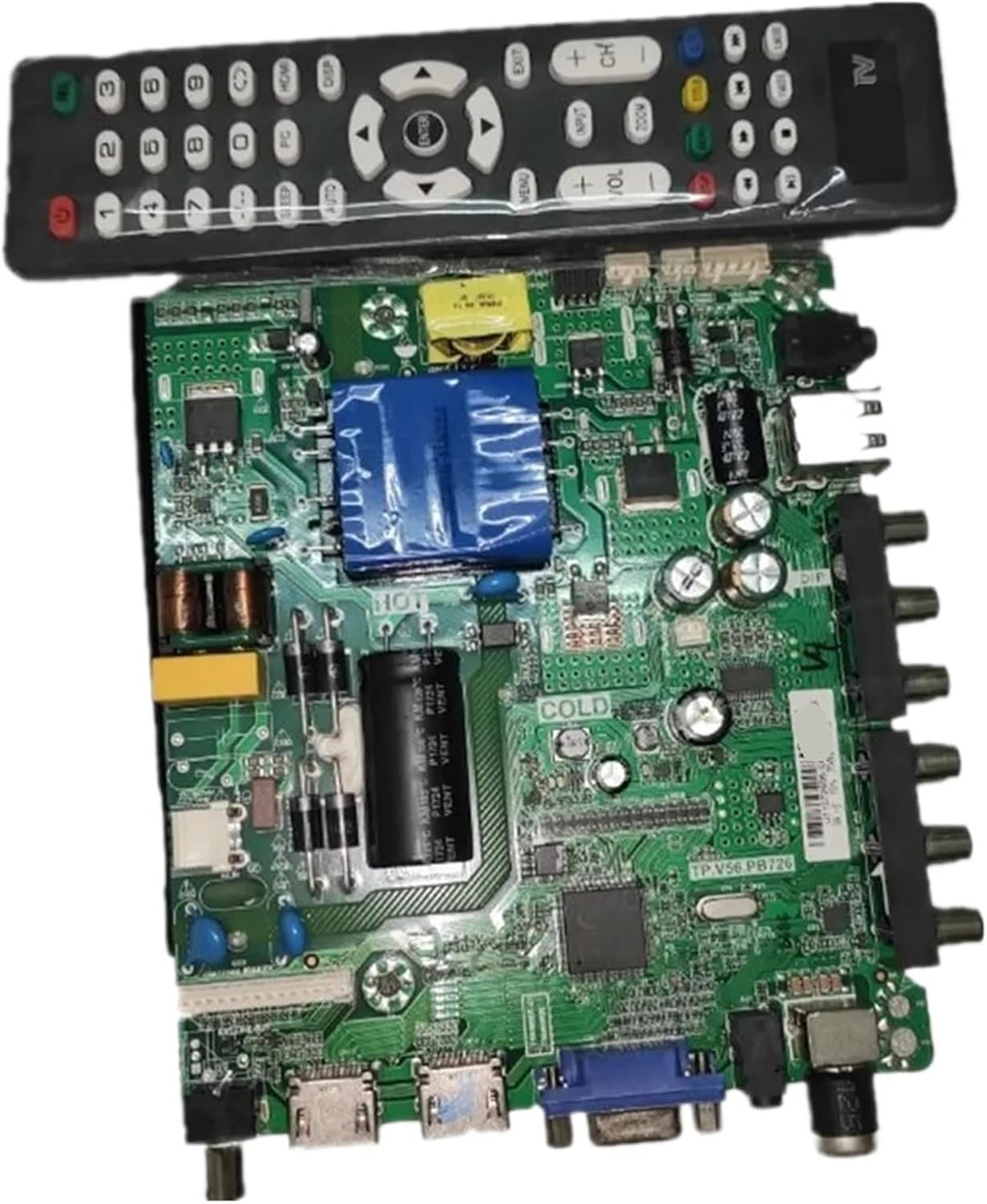
Figure 2.1: Overview of the JOTTDSYL TV Motherboard with included remote control.
2.2 Power and Model Identification

Figure 2.2: Detail of the motherboard indicating power specifications (66V-94V/45W) and model identification.
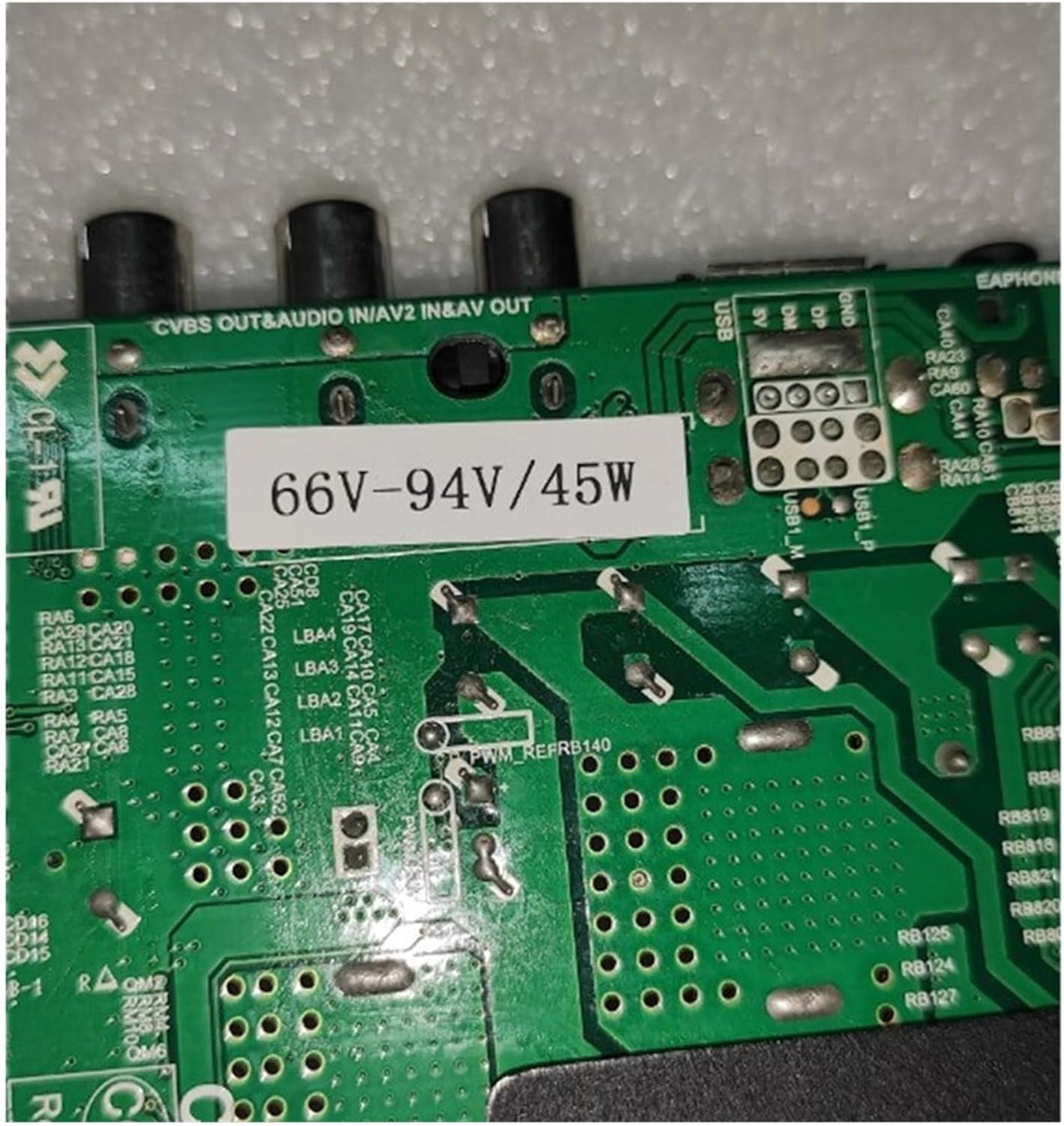
Figure 2.3: Close-up view of the motherboard, highlighting the TP.V56.PB726 model designation and various integrated circuits.
Identify the correct power input and output connections on the motherboard. Ensure compatibility with your TV's power supply. The model number TP.V56.PB726 is typically printed on the board for verification.
2.3 Connecting External Devices
The motherboard provides various interfaces for connectivity:
- HDMI Ports: For high-definition audio and video input.
- USB Ports: For connecting USB storage devices or peripherals.
- VGA Port: For connecting to older computer monitors or devices.
- AV Input/Output: For standard definition audio and video connections.
- Audio Output: For connecting external speakers or sound systems.
Connect your external devices to the appropriate ports. Ensure cables are securely inserted.
3. Operating Instructions
Once the motherboard is installed and all connections are secure, power on your TV. The motherboard will initiate the boot sequence.
3.1 Signal Input and Display
Use the TV's remote control (or integrated buttons) to select the desired input source (e.g., HDMI 1, AV, USB). The motherboard's chipset will process the incoming signal and display it on the screen.
3.2 Menu Navigation
Access the TV's on-screen display (OSD) menu using the remote control. This allows you to adjust picture settings, sound settings, input sources, and other system configurations managed by the motherboard.
4. Maintenance
Proper maintenance ensures the longevity and optimal performance of your TV motherboard.
- Dust Removal: Periodically clean dust from the motherboard and surrounding components using compressed air or a soft brush. Ensure the TV is powered off and unplugged before cleaning.
- Ventilation: Ensure adequate ventilation around the TV to prevent overheating of the motherboard. Do not block air vents.
- Avoid Moisture: Keep the TV and motherboard away from liquids and high humidity environments.
- Power Surges: Consider using a surge protector to protect the motherboard from electrical surges.
5. Troubleshooting
This section addresses common issues you might encounter with the TV motherboard.
- No Power:
- Check power cable connections.
- Verify the power outlet is functional.
- Ensure the TV's internal power supply is working correctly.
- No Signal:
- Confirm the correct input source is selected.
- Check the connection of the external device to the motherboard.
- Test the external device with another display.
- Picture or Sound Issues:
- Adjust picture and sound settings in the OSD menu.
- Ensure cables are not damaged or loose.
- If applicable, perform a software update for the motherboard.
- Remote Control Not Responding:
- Replace remote control batteries.
- Ensure no obstructions between the remote and the TV's IR receiver.
For issues not covered here, or if troubleshooting steps do not resolve the problem, contact customer support.
6. Specifications
| Feature | Detail |
|---|---|
| Model Name | TP.V56.PB726 series |
| Brand | JOTTDSYL |
| Compatible Screens | LCD and LED (45w 1920X1080 variant) |
| Package Dimensions | 1.18 x 0.79 x 0.39 inches |
| Item Weight | 1.76 ounces |
| Country of Origin | China |
| Date First Available | April 15, 2025 |
7. Warranty and Support
Specific warranty details are not provided in this manual. Please refer to the product packaging or the seller's terms and conditions for warranty information. A standard return policy of 30 days from the date of purchase for refund or replacement may apply.
For technical assistance, troubleshooting beyond this manual, or warranty claims, please contact the seller or manufacturer, JOTTDSYL, through your purchase platform.
Ask a question about this manual
Ask about setup, troubleshooting, compatibility, parts, safety, or missing instructions. Manuals+ will review the question and use this page’s manual context to help answer it.