
1. Introduction
Thank you for choosing LAOLASEED Smart Bluetooth Tracker Tags. These tags are designed to help you keep track of your valuable belongings, ensuring you can locate them quickly and efficiently using your iOS or Android device. This manual will guide you through the setup, operation, and maintenance of your new tracker tags.
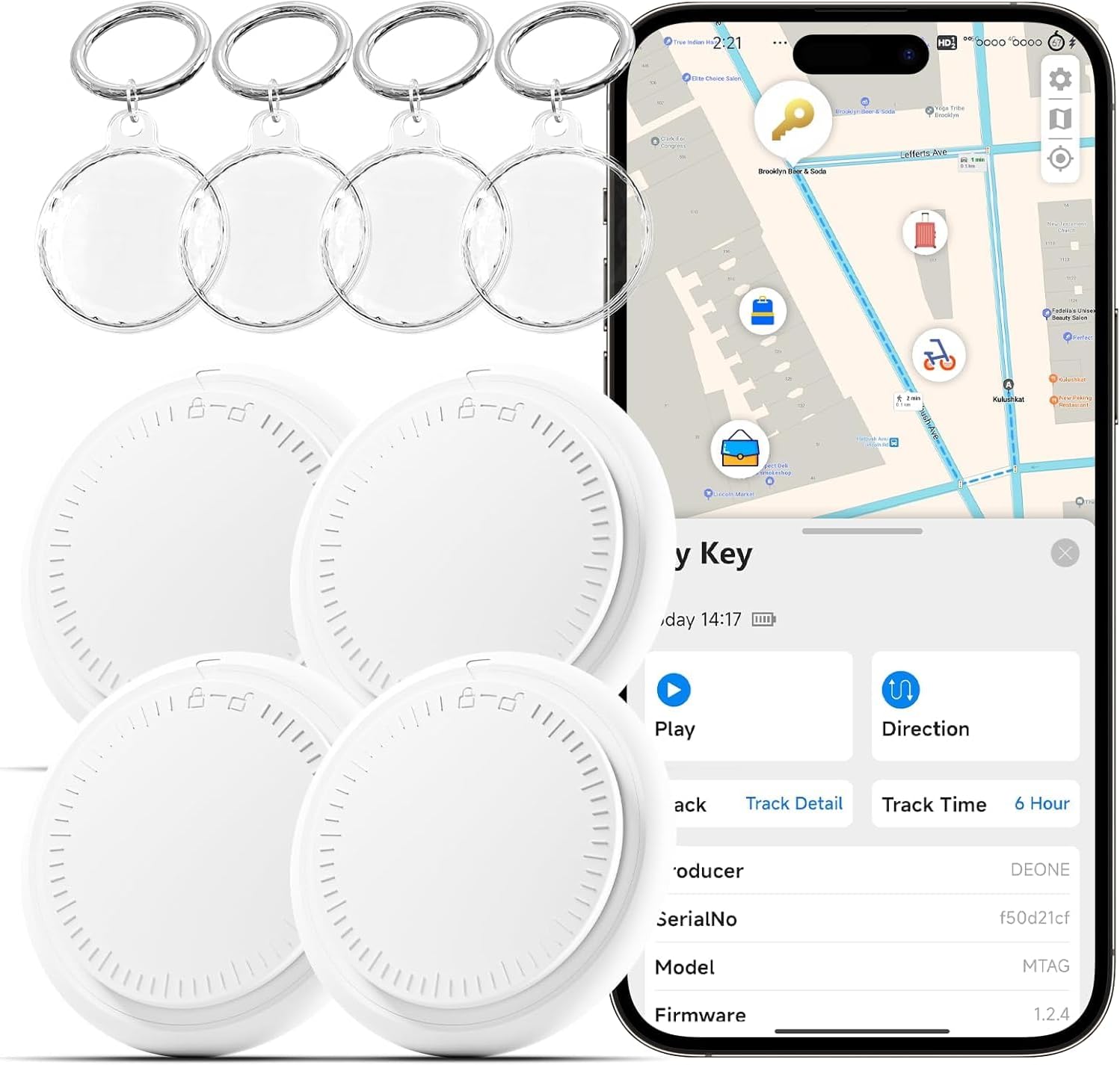
Figure 1: LAOLASEED Smart Bluetooth Tracker Tags with keyrings and smartphone app interface.
2. What's Included
Your LAOLASEED Smart Bluetooth Tracker Tags package includes the following items:
- 4 x Smart Bluetooth Tracker Tags (Model: 3PCS)
- 4 x Waterproof Keyrings/Silicone Cases
- Pre-installed CR2032 coin cell batteries (one per tag)
- User Manual
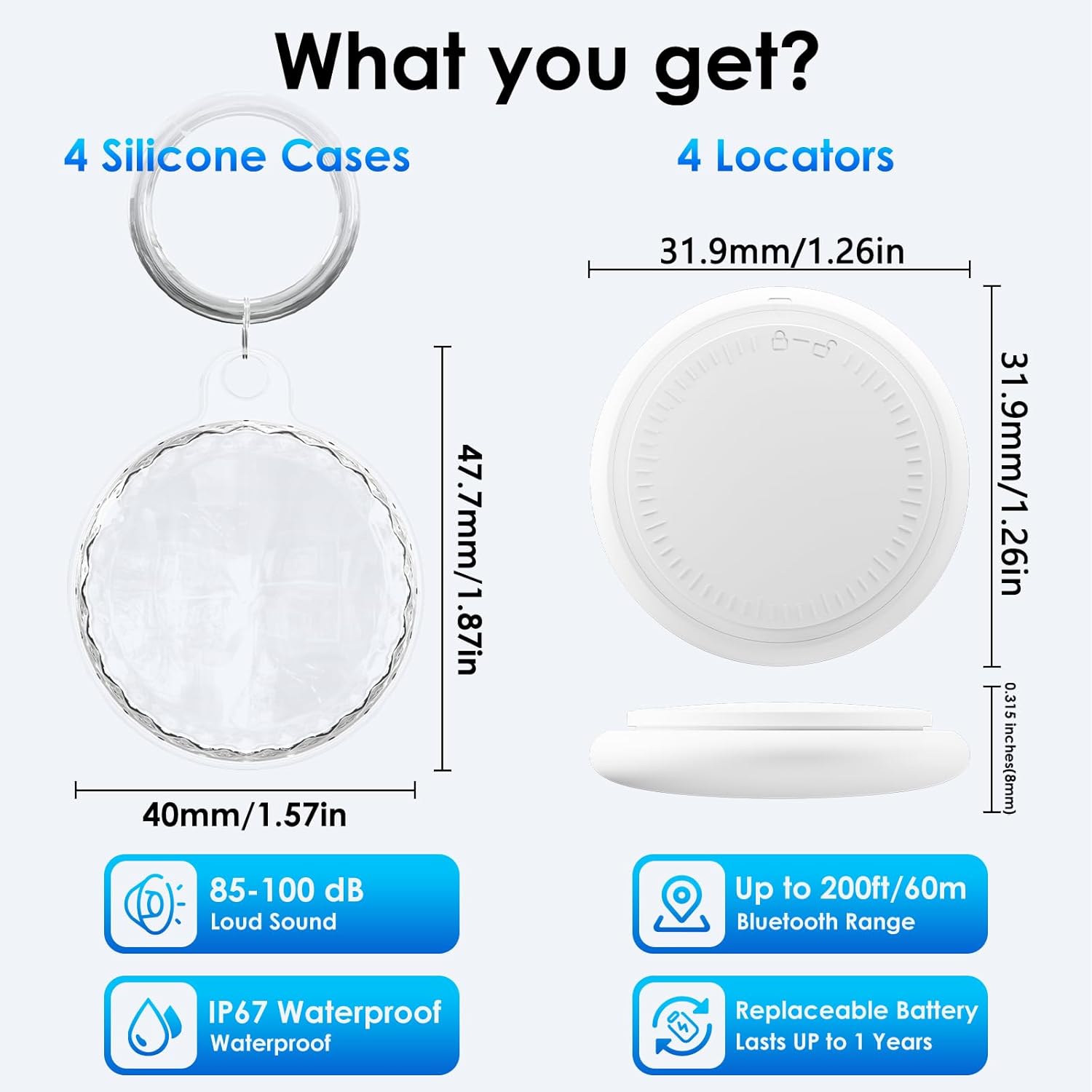
Figure 2: Package contents including tracker tags and silicone cases with key features highlighted.
3. Setup Guide
3.1. Powering On Your Tracker Tag
To activate your tracker tag, locate the small button on the side of the device. Press and hold this button until you hear a sound. This indicates the tag is powered on and ready for pairing.
3.2. App Installation
Download and install the "FINDME" application on your smartphone. This app is compatible with both iOS and Android devices. You can find the app by scanning the QR code provided in the quick start guide or by searching for "FINDME" in your device's app store.
3.3. Pairing Your Tracker Tag
- Ensure Bluetooth is enabled on your smartphone.
- Open the "FINDME" app.
- The app will automatically search for nearby tracker tags.
- Once your tag appears in the app, select it to initiate the pairing process.
- Follow any on-screen prompts to complete the connection. You may be able to name your tag and assign an emoji for easy identification.
Video 1: A seller-provided video demonstrating the setup and pairing process for the tracker tag.
Video 2: A seller-provided video illustrating how to connect the air tracker tag to an Android device.
4. Operating Instructions
4.1. Finding Nearby Items
When your item is within Bluetooth range (up to 200 feet without obstacles), open the "FINDME" app and tap the "Play Sound" option. Your tracker tag will ring loudly (80-100 decibels) to help you locate it.

Figure 3: Using the "Play Sound" feature to locate a nearby item.
4.2. Finding Far Away Items (Map Location)
If your item is beyond Bluetooth range, you can use the "Directions" feature in the "FINDME" app. This will display the last known location of your tracker tag on a map and can even provide navigation to guide you to its vicinity.
4.3. Lost Mode
In the event that your item is lost, you can enable "Lost Mode" through the app. You can leave your email or phone number as contact information. If another person finds your tag, they can use the "FINDME" app to view your contact details and help return your item. Your location data and history are never stored publicly; all information is anonymous and encrypted to protect your privacy.
5. Features & Benefits
- IP67 Water-resistant: The tracker tags are durable and water-resistant with an IP67 rating, making them suitable for various environments.
- Replaceable Battery: Each tag is powered by a CR2032 coin cell battery, offering a life of over 1 year. The app will notify you when the battery is low and needs replacement.
- Wide Compatibility: Supports both iOS and Android devices, allowing broad usage.
- Loud Ringing: Built-in speaker emits a loud sound (80-100 decibels) for easy location of nearby items.
- Privacy Protection: All communication data is anonymous and encrypted, ensuring your location information remains private.
- Compact and Lightweight: Each tag weighs only 8 grams and measures 31.9mm x 8mm, making it easy to attach to various items without adding bulk.

Figure 4: The tracker tag and its transparent TPU case are IPX8 waterproof.
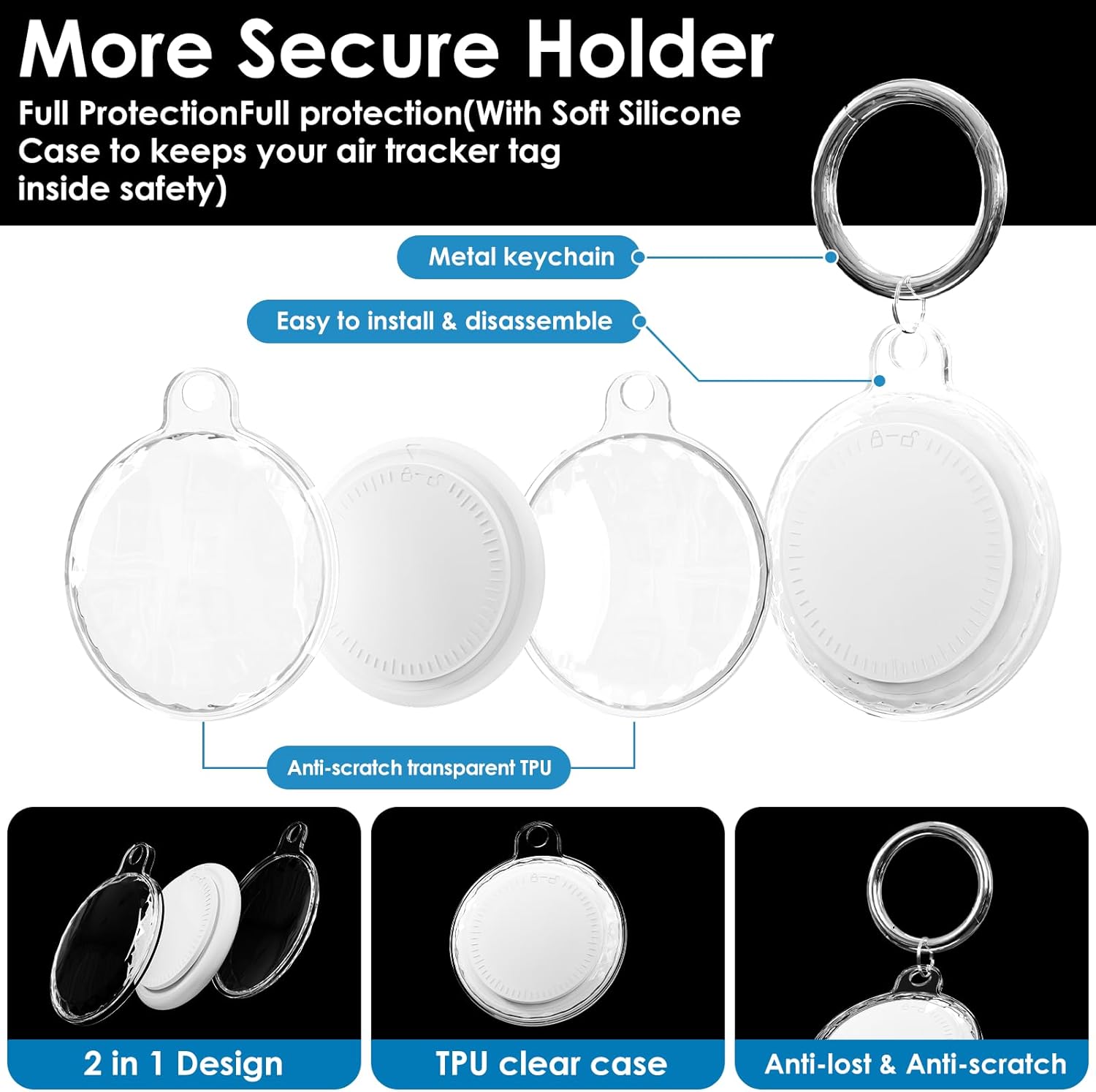
Figure 5: Secure holder design for the tracker tag, featuring a metal keychain and soft silicone case.

Figure 6: Examples of common items where the tracker tags can be used.
6. Maintenance
6.1. Battery Replacement
The LAOLASEED Smart Bluetooth Tracker Tags use standard CR2032 coin cell batteries. The app will notify you when a tag's battery level is low. To replace the battery, carefully open the tag casing (a small tool or coin may be needed to gently pry it open), remove the old battery, and insert a new CR2032 battery with the positive (+) side facing up. Close the casing securely.
Video 3: A seller-provided video demonstrating the unboxing and initial setup, which may include battery access.
7. Troubleshooting
- Tag not connecting: Ensure Bluetooth is on and the tag's battery is not depleted. Try restarting your phone and the tag.
- Sound not playing: Check the tag's battery level. Ensure your phone's volume is up and the tag is within Bluetooth range.
- Inaccurate location: GPS accuracy can vary. Ensure your phone's location services are enabled and the app has permission to access them.
8. Specifications
- Brand: LAOLASEED
- Model Number: 3PCS
- Connectivity Technology: Bluetooth
- Compatible Devices: Android, iOS
- Material: Plastic
- Battery Life: Approximately 365 days
- Battery Type: CR2032 (replaceable)
- Water Resistance: IP67 (tags), IPX8 (with transparent TPU case)
- Item Weight: 3.84 ounces (total for 4 packs)
- Package Dimensions: 5.94 x 5.94 x 0.67 inches
9. Warranty & Support
For warranty information and customer support, please refer to the contact details provided on the product packaging or visit the LAOLASEED official website. Keep your purchase receipt for any warranty claims.