
1. Product Overview
The Vigorwise 14-inch Wood Day of the Week Wall Clock is designed to display the current day of the week. This analog clock features a durable wood frame and a clear, easy-to-read dial, making it suitable for indoor use.
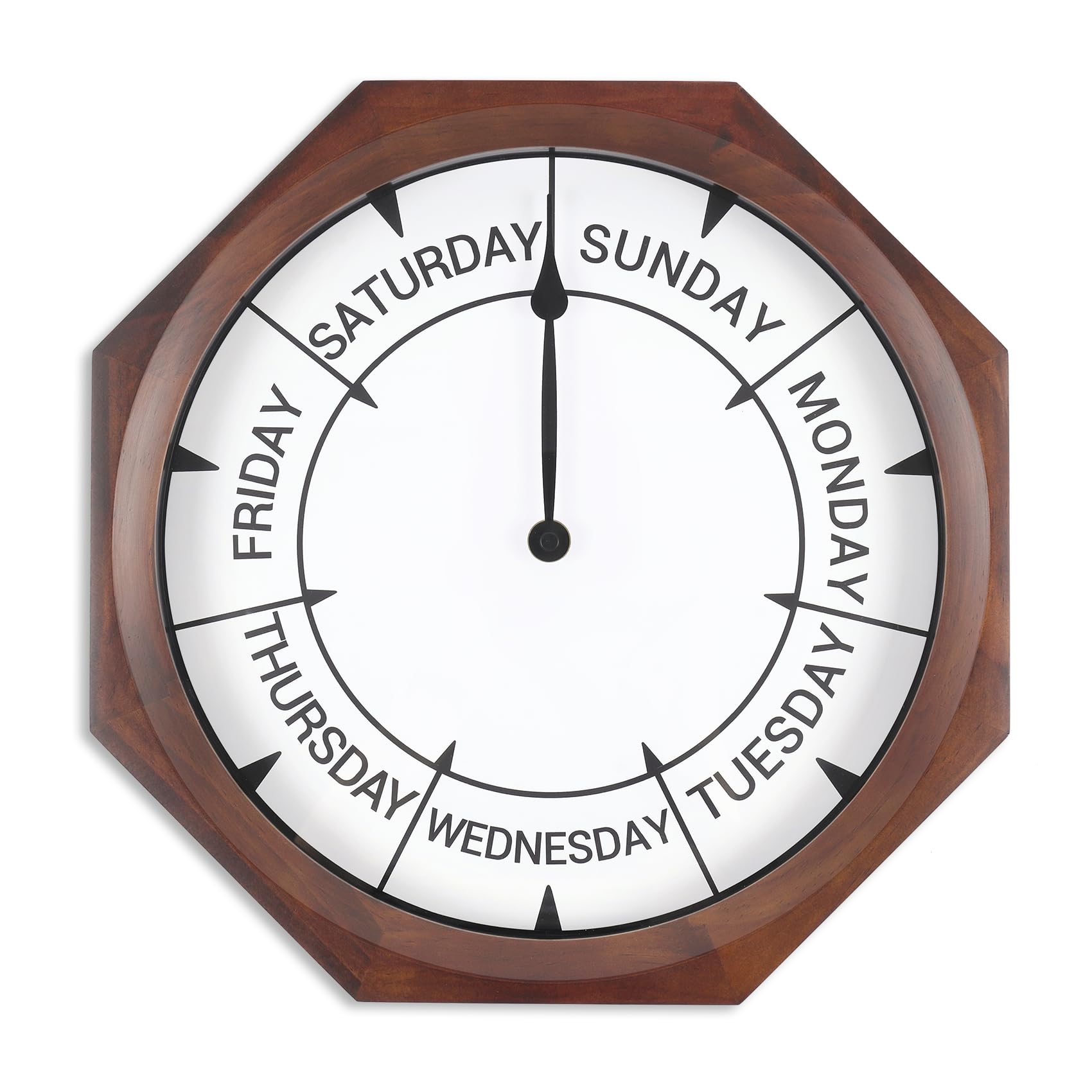
Image 1.1: Front view of the Vigorwise Day of the Week Wall Clock. The clock face clearly indicates the days of the week in a circular arrangement, with the hand pointing to 'Friday'.
Key Features:
- Day of the Week Display: Clearly indicates the current day, eliminating the need to check a calendar.
- High-Quality Movement: Ensures accurate timekeeping for the day display.
- Durable Wood Frame: Constructed with a vintage-style wood frame for lasting quality.
- Easy-to-Read Dial: Large and clear words on the clock face enhance readability from a distance.
- Silent Operation: Features a no-ticking, silent scanning movement for a quiet environment.

Image 1.2: Visual representation of the clock's key features, highlighting its silent operation, accurate movement, durable wood frame, and clear display.
2. Setup Instructions
2.1 Unpacking and Inspection
- Carefully remove the clock from its packaging.
- Inspect the clock for any signs of damage during transit. If damaged, contact customer support.
- Ensure all components are present: the clock unit.
2.2 Battery Installation
The clock requires one AA battery (not included). To install:
- Locate the battery compartment on the back of the clock.
- Insert one AA battery, ensuring the positive (+) and negative (-) terminals align correctly with the markings in the compartment.
- Close the battery compartment cover securely.
2.3 Setting the Day
The clock's hand completes one full rotation every seven days. For accurate day display, it is recommended to set the clock at either noon (12:00 PM) or midnight (12:00 AM) on the current day.
- Turn the adjustment knob on the back of the clock (labeled "Time Adjustment" or similar) to move the hand.
- Rotate the hand until it points directly to the middle of the current day's segment if setting at noon, or to the edge between the current day and the next day if setting at midnight.
- There is a small arrow (representing 12:00) in the center of each day segment to assist with precise setting.

Image 2.1: Detailed view of the clock's rear, indicating the "Week Adjustment" and "Time Adjustment" mechanisms. An accompanying image illustrates the recommended setting position at noon.
2.4 Mounting the Clock
The clock is designed for wall mounting.
- Choose a suitable location on an indoor wall.
- Use an appropriate wall anchor and screw (not included) for your wall type.
- Hang the clock securely using the keyhole slot on the back.
3. Operating Instructions
Once the battery is installed and the day is set, the Vigorwise Day of the Week Wall Clock operates automatically. The hand will slowly advance, indicating the current day of the week.
3.1 Reading the Day
The clock face is divided into seven segments, each labeled with a day of the week. The single hand points to the current day. As the day progresses, the hand moves across the segment. It will transition to the next day's segment at midnight.
4. Care and Maintenance
- Cleaning: Wipe the clock face and frame with a soft, dry cloth. Do not use abrasive cleaners or solvents, as these may damage the finish.
- Battery Replacement: Replace the AA battery annually or when the clock hand stops moving or becomes inaccurate.
- Environment: Keep the clock in a dry, indoor environment. Avoid direct sunlight, extreme temperatures, and high humidity, which can affect its performance and lifespan.
- Handling: Handle the clock with care to prevent damage to the movement or frame.
5. Troubleshooting
| Problem | Possible Cause | Solution |
|---|---|---|
| Clock hand is not moving. | Dead or incorrectly installed battery. | Check battery polarity. Replace with a fresh AA battery. |
| Clock hand is inaccurate. | Incorrect initial setting or low battery. | Re-set the day following "2.3 Setting the Day" instructions. Replace battery if it's old. |
| Clock makes noise. | Internal mechanism issue (unlikely for silent movement). | Ensure the clock is securely mounted and not vibrating against the wall. If noise persists, contact customer support. |
6. Product Specifications
| Brand | Vigorwise |
| Model Number | 14inchweekclock |
| Display Type | Analog |
| Power Source | Battery Powered (1x AA battery, not included) |
| Product Dimensions | 14 inches (Width) x 1.7 inches (Height/Depth) |
| Material | Wood, Plastic |
| Frame Material | Wood (Walnut color) |
| Mounting Type | Wall Mount |
| Item Weight | 1.07 kg (2.35 lbs) |
| Indoor/Outdoor Usage | Indoor Only |
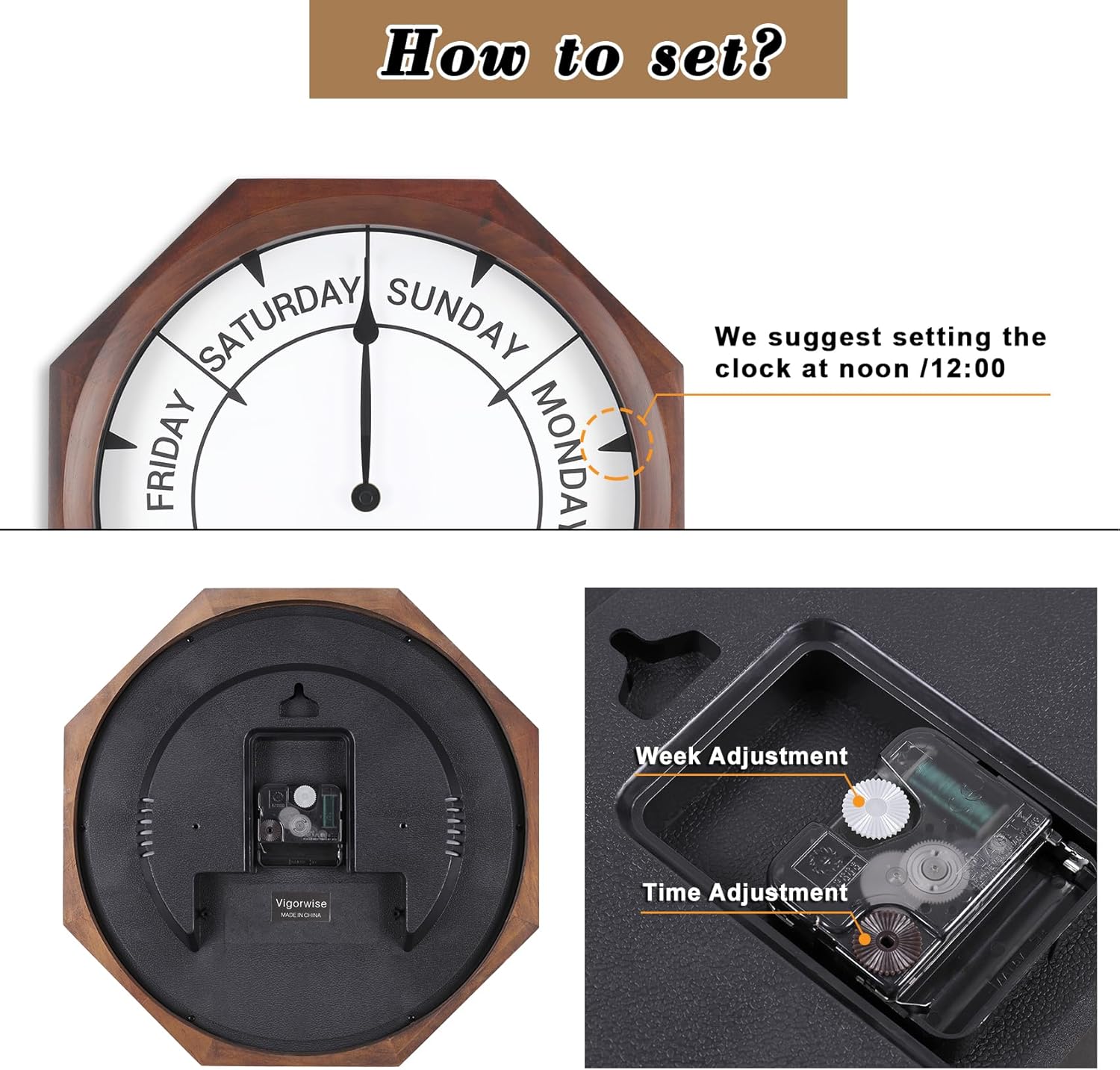
Image 6.1: The Vigorwise Day of the Week Wall Clock displayed in a room, illustrating its 14-inch diameter in context.
7. Warranty and Support
7.1 Warranty Information
Specific warranty details for the Vigorwise 14-inch Wood Day of the Week Wall Clock are typically provided at the point of purchase or within the product packaging. Please refer to your purchase documentation for the most accurate and up-to-date warranty terms and conditions.
7.2 Customer Support
For technical assistance, questions, or to report any issues with your Vigorwise product, please contact Vigorwise customer support through the retailer where the product was purchased or visit the official Vigorwise store page on Amazon: