
1. Introduction
Thank you for choosing the DESINO L-Shaped Desk. This manual provides essential information for the safe assembly, operation, and maintenance of your new desk. Please read these instructions carefully before beginning assembly and retain them for future reference.
This L-shaped desk is designed to provide a spacious and ergonomic workspace, suitable for home offices, gaming setups, and general study or work. It features a durable carbon fiber texture desktop, a sturdy steel frame, and integrated accessories for enhanced functionality.
2. Safety Information
- Always assemble the desk on a soft, clean surface to prevent scratches.
- Ensure all screws and fasteners are securely tightened before use. Periodically check and re-tighten as necessary.
- Do not overload the desk or shelves beyond their intended weight capacity.
- Keep small parts and packaging materials away from children to prevent choking hazards.
- Avoid placing hot items directly on the desk surface without protection.
- Use caution when moving the assembled desk to prevent injury or damage.
3. Package Contents
Before assembly, verify that all components listed below are present and undamaged. If any parts are missing or damaged, please contact customer support.
- Desktop Panels (L-shaped sections)
- Steel Frame Components (legs, support beams, diagonal braces)
- Storage Shelf Unit (if applicable to your model)
- Monitor Stand Riser
- Cup Holder
- Headphone Hook
- Assembly Hardware (screws, bolts, nuts, washers)
- Assembly Tools (Allen wrench, screwdriver)
- Instruction Manual
4. Setup and Assembly Instructions
Assembly typically requires two people. Follow the steps carefully. An installation video may also be available on the product page for visual guidance.
4.1 Preparation
- Clear a spacious area for assembly.
- Lay out all parts and hardware, comparing them against the parts list.
- While an Allen wrench is included, using a higher quality tool may improve ease of assembly.
4.2 Assembly Steps
- Assemble the Main Frame: Connect the steel legs and support beams using the provided hardware. Ensure all connections are finger-tightened initially.
- Attach Diagonal Braces: Install the diagonal braces to enhance the desk's stability.
- Position the Desktop Panels: Carefully place the L-shaped desktop panels onto the assembled frame. The design allows for flexible placement, enabling the L-shape to be configured for either a left or right corner setup.
- Secure Desktop: Attach the desktop panels to the frame using the designated screws. Fully tighten all screws on the frame and desktop.
- Install Storage Shelf (if applicable): Assemble and attach the multi-tier storage shelf unit to the designated side of the desk.
- Attach Accessories: Install the monitor stand riser, cup holder, and headphone hook in your preferred locations.
- Final Check: Ensure all connections are secure and the desk is stable before placing any items on it.

Image 4.2.1: Overview of the DESINO L-Shaped Desk with key dimensions (160CM width, 120CM depth, 75CM height) and illustrating the 'Swap around' feature for flexible configuration. The image shows the desk with a monitor, keyboard, and various accessories, highlighting its spacious design.
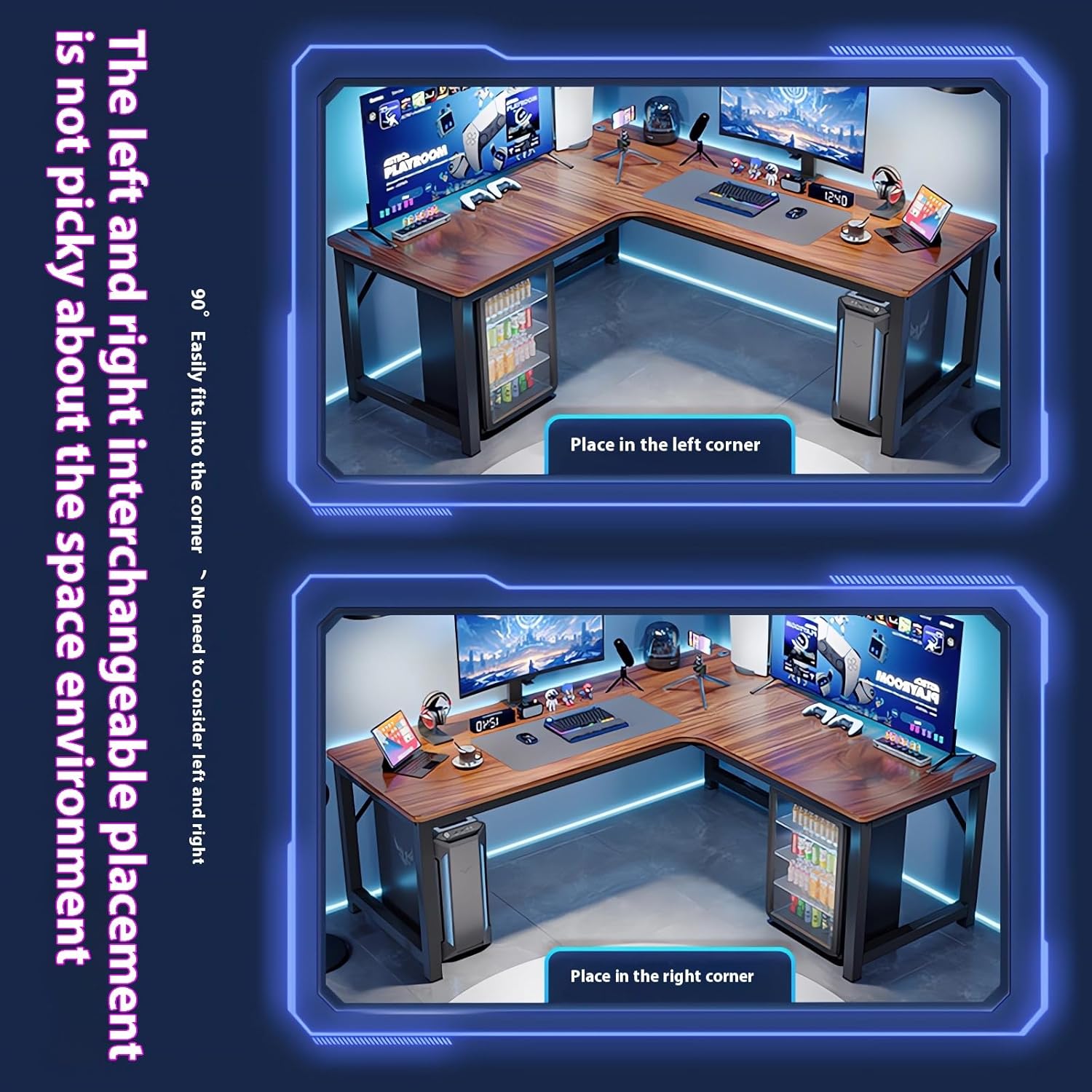
Image 4.2.2: Visual representation of the desk's interchangeable placement. The top panel shows the desk configured for a left corner, while the bottom panel shows it configured for a right corner, demonstrating its adaptability to different room layouts.
5. Operating Instructions
Your DESINO L-Shaped Desk is designed for versatile use. Here's how to maximize its features:
- Workspace Utilization: The L-shaped design provides ample surface area for multiple monitors, a keyboard, mouse, and other peripherals. The ergonomic wraparound shape allows for comfortable positioning during extended use.
- Integrated Shelf: Use the multi-tier shelf for organizing books, decor, or additional equipment, keeping your main desktop clear.
- Accessory Holders: Utilize the dedicated cup holder to prevent spills and the headphone hook to keep your headphones easily accessible and off the desk surface.
- Monitor Stand Riser: Position your monitor on the riser to achieve an optimal viewing height, promoting better posture and reducing neck strain.

Image 5.1: Diagram showing the ergonomic benefits of the L-shaped desktop, allowing for increased arm activity area and comfortable operation without lifting the abdomen. It highlights left-hand storage, central, and right-hand storage areas.

Image 5.2: A black version of the DESINO L-Shaped Desk showcasing a complete gaming setup, including multiple monitors, a gaming chair, PC tower, and various peripherals, demonstrating its capacity to hold a full set of equipment.
6. Maintenance
To ensure the longevity and appearance of your DESINO L-Shaped Desk, follow these maintenance guidelines:
- Cleaning: Wipe the desktop and frame with a soft, damp cloth. Avoid abrasive cleaners or harsh chemicals that could damage the carbon fiber finish or paint.
- Spills: Clean up spills immediately to prevent staining or damage to the surface.
- Hardware Check: Periodically inspect all screws and bolts to ensure they remain tight. Re-tighten any loose fasteners to maintain stability.
- Avoid Direct Sunlight: Prolonged exposure to direct sunlight may cause fading or material degradation over time.
7. Troubleshooting
If you encounter issues with your DESINO L-Shaped Desk, refer to the following common problems and solutions:
- Desk is Wobbly:
Solution: Ensure all screws and bolts are fully tightened. Check that the desk is placed on a level surface. Adjust leveling feet if present. - Difficulty During Assembly:
Solution: Re-read the instructions carefully, paying attention to part orientation. Refer to the installation video if available. Ensure you are using the correct hardware for each step. - Missing or Damaged Parts:
Solution: Immediately contact DESINO customer support with your purchase details and a description of the missing or damaged components. Do not attempt to force assembly with incorrect or incomplete parts. - Scratches on Surface:
Solution: While the carbon fiber texture is durable, minor scratches can occur. Use a desk mat or coasters to protect the surface from sharp objects or hot items.
8. Specifications
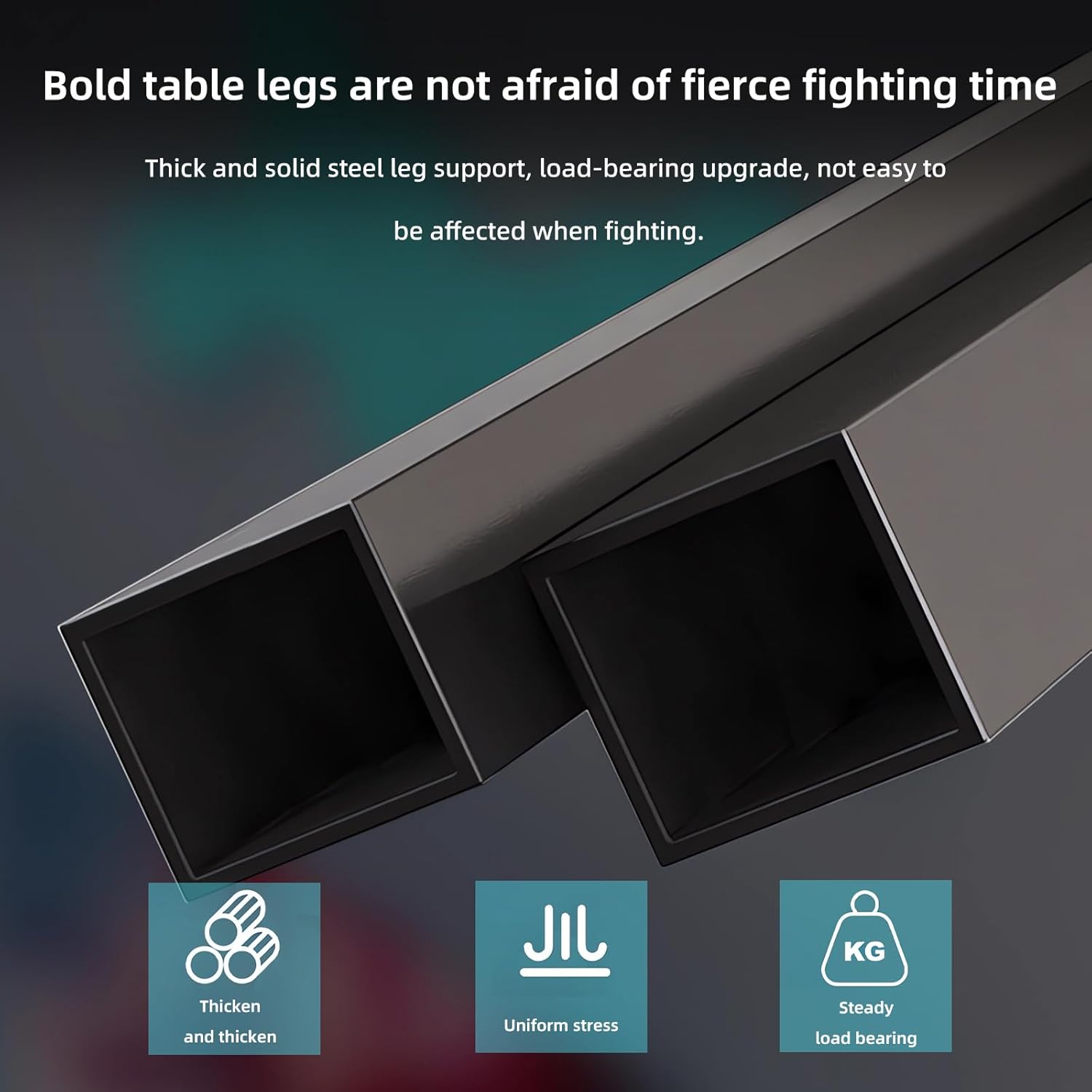
Image 8.1: Close-up view of the desk's thick and solid steel leg support, highlighting its robust construction for uniform stress distribution and steady load bearing.
| Feature | Detail |
|---|---|
| Brand | DESINO |
| Model Number | desk-00A |
| Color | Rustic Brown with Shelf |
| Product Dimensions (L x W x H) | 160D x 60W x 75H centimeters (main section) / 120D x 60W x 75H centimeters (return section) |
| Item Weight | 8.5 Kilograms |
| Shape | L-Shape |
| Desk Design | Computer Desk |
| Top Material Type | Carbon Fiber |
| Base Material | Steel |
| Special Features | Ergonomic, Cup Holder, Headphone Hook, Monitor Stand Riser, Reversible L-Shape |
9. Warranty and Support
For warranty information, product support, or to order replacement parts, please contact DESINO customer service through the retailer where you purchased the product or visit the official DESINO website. Please have your model number (desk-00A) and purchase date available when contacting support.