
1. Introduction
Thank you for choosing the HEIXSMT TY196 Fingerprint Smart Door Knob. This smart lock provides multiple access methods including fingerprint, passcode, Bluetooth app, keyfob card, and traditional key. Designed for convenience and security, this manual will guide you through the installation, operation, and maintenance of your new smart door knob.
2. Product Overview
2.1 Key Features
- Smart App Control: Unlock via Bluetooth app, view access records, and share temporary or scheduled access.
- 5 Ways to Access: Fingerprint, passcode, app, keyfob card, and physical key.
- Fast Fingerprint Recognition: Recognizes fingerprints in 0.3 seconds with a 99% success rate. Supports up to 100 fingerprints.
- Anti-Peeping Passcode: Enter random digits before or after your real passcode to prevent others from guessing your code.
- Adjustable Backset: Compatible with 2-3/8″ or 2-1/8″ backsets and door thicknesses from 1-3/8'' to 2-1/8''.
- Low Battery Reminder: Red light flashes three times when unlocking to indicate low battery.
- Emergency Power: Equipped with a USB interface for backup power in case of full battery depletion.
- Auto-Lock Function: Configurable to automatically lock after 5 to 60 seconds.
- Silent Mode: Option to mute button beeps.
- Passage Mode: Allows users to move freely without restrictions, ideal for high-traffic areas.
2.2 Included Components
- 1 x Door lock unit
- 2 x Handles
- 1 x Deadbolt
- 1 x Mounting Kit
- 1 x User Manual
- Keyfob Cards (quantity may vary, typically 4)
- Physical Keys
3. Setup and Installation
The HEIXSMT TY196 Fingerprint Smart Door Knob is designed for easy installation without the need for drilling or a locksmith. Please follow these steps carefully.
3.1 Pre-Installation Check
Before beginning installation, ensure your door meets the following specifications:
- Backset: Adjustable to 2-3/8 inches (60mm) or 2-1/8 inches (70mm).
- Door Thickness: Between 1-3/8 inches (35mm) and 2-1/8 inches (55mm).
- Door Handing: Compatible with both left-handed and right-handed doors.

Image: Door dimensions and lock measurements for compatibility check.

Image: The smart door knob is compatible with both left and right-handed doors.
3.2 Battery Installation
The fingerprint door knob requires 4 AAA batteries (not included). Install them into the designated battery compartment, ensuring correct polarity. The lock can operate for 8-10 months depending on usage frequency.
3.3 Physical Installation
Refer to the detailed instructions in the included Mounting Kit for step-by-step physical installation. Generally, this involves:
- Removing your existing door knob.
- Installing the new deadbolt and strike plate.
- Mounting the exterior and interior handles, ensuring proper cable connection.
- Securing the components with screws.
4. Operating Instructions
Your HEIXSMT TY196 Smart Door Knob offers multiple convenient ways to unlock and manage access.
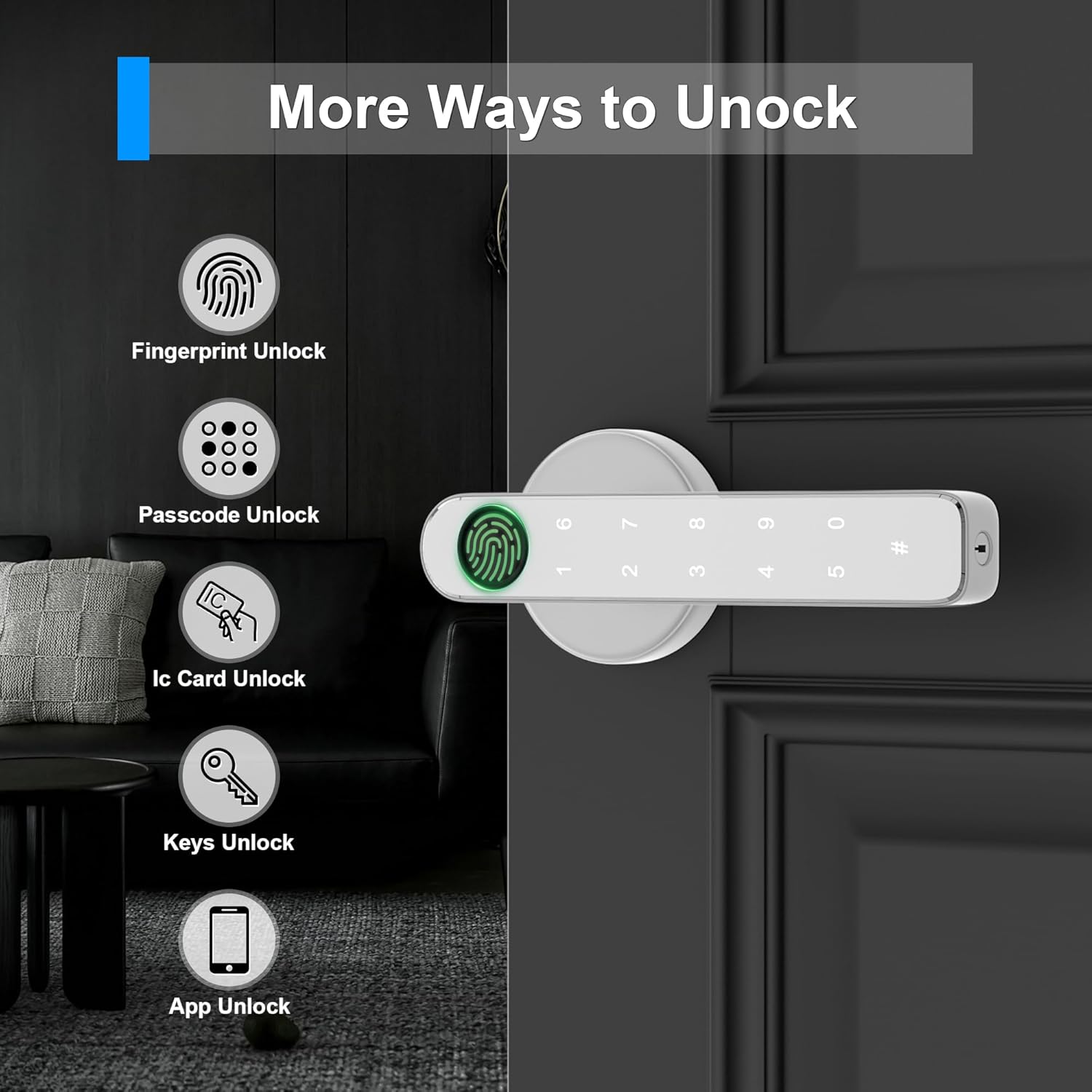
Image: The smart door knob offers five distinct unlocking methods for versatile access.
4.1 Unlocking Methods
- Fingerprint Unlock: Place your registered finger on the sensor. The lock will unlock in 0.3 seconds if recognized.
- Passcode Unlock: Enter your registered passcode on the keypad, followed by the '#' key.
- IC Card Unlock: Present a registered keyfob card to the card reader area on the lock.
- Key Unlock: Use the physical key provided as a traditional backup method.
- App Unlock (Bluetooth): Use the dedicated mobile application to unlock the door via Bluetooth when within range.

Image: Fast and reliable fingerprint recognition for quick access.
4.2 Anti-Peeping Passcode
To enhance security, you can enter random digits before or after your actual passcode. For example, if your passcode is 051013, you can enter 134684 + 051013 + 464658. The lock will still recognize the correct sequence within the longer string.

Image: Example of using the anti-peeping passcode feature.
4.3 Smart App Control
The mobile application allows for comprehensive management of your smart door knob:
- User Management: Add, modify, or delete fingerprints, passcodes, and IC cards for various users.
- Generate Passcodes: Create permanent, temporary, or scheduled passcodes for guests or service providers.
- Access Records: View a log of all unlock events, including method and time.
- Real-time Notifications: Receive alerts for lock activity.
- Remote Unlock: Unlock the door remotely via the app (requires Bluetooth range or a compatible gateway if available).

Image: Mobile application interface for managing lock records, users, passcodes, and notifications.
4.4 Auto-Lock Settings
The auto-lock feature can be configured to automatically lock the door after a set period (5 to 60 seconds) once it has been unlocked. This prevents situations where you might forget to lock the door.

Image: The auto-lock feature ensures the door is secured automatically after a customizable delay.
4.5 Silent Mode
For quiet environments, the lock offers a silent mode that mutes button beeps. This mode is disabled by default after resetting the lock.

Image: Silent mode for discreet operation, ideal for quiet environments.
4.6 Passage Mode
Passage mode allows the door to remain unlocked for continuous access, which is useful for high-traffic periods or when you want the door to function as a regular, unlocked knob.

Image: Passage mode provides unrestricted access, suitable for high-traffic areas.
5. Maintenance
Proper maintenance ensures the longevity and optimal performance of your smart door knob.
5.1 Battery Replacement
When the low battery reminder activates (red light flashes three times upon unlocking), replace all 4 AAA batteries promptly. Use high-quality alkaline batteries for best performance.
5.2 Cleaning
Wipe the lock's surface with a soft, dry cloth. Avoid using abrasive cleaners, solvents, or harsh chemicals, as these can damage the finish and electronic components.
5.3 Fingerprint Sensor Care
Keep the fingerprint sensor clean and dry. Avoid scratching the sensor surface. Ensure your fingers are clean and dry when using the fingerprint function.
6. Troubleshooting
If you encounter issues with your HEIXSMT TY196 Smart Door Knob, refer to the following common problems and solutions.
- Lock does not power on:
- Ensure 4 AAA batteries are correctly installed with proper polarity.
- Replace with new batteries.
- If batteries are completely dead, use the USB interface for emergency power to unlock. - Fingerprint not recognized:
- Ensure your finger is clean and dry.
- Try repositioning your finger on the sensor.
- Re-register your fingerprint, ensuring multiple angles are captured during enrollment.
- If you have very faint prints, consider registering the same finger multiple times for better recognition. - Passcode not working:
- Ensure you are entering the correct passcode.
- Remember to press '#' after entering the passcode.
- Check if the anti-peeping feature is confusing your entry; try entering only the correct passcode. - App connectivity issues:
- Ensure Bluetooth is enabled on your smartphone.
- Make sure you are within Bluetooth range of the lock.
- Restart the app and try reconnecting.
- Check if the lock's batteries are low. - Lock is loose after installation:
- Recheck all mounting screws and ensure they are tightened securely.
7. Specifications
| Feature | Detail |
|---|---|
| Brand | HEIXSMT |
| Model Number | TY196 |
| Lock Type | Biometric, Combination Lock, Deadbolt Lock |
| Material | Metal |
| Color | Silver |
| Item Dimensions (L x W x H) | 7 x 3 x 3 inches |
| Item Weight | 1.6 Pounds |
| Power Source | 4 x AAA Batteries (not included) |
| Connectivity Protocol | Bluetooth |
| Control Method | App, Keypad, Fingerprint, Keyfob Card, Key |
| Recommended Uses | Home |
8. Warranty and Support
HEIXSMT provides a 30-day free refund or replacement for this product. Additionally, lifetime technical support is available. If you have any questions or require assistance, please contact HEIXSMT customer service. Our team aims to respond within 24 hours to address your concerns.
For support, please refer to the contact information provided with your purchase or visit the official HEIXSMT website.