
DINJOO TC03
DINJOO Dog Bark Collar Instruction Manual
Model: TC03
Introduction
The DINJOO Dog Bark Collar is an advanced automatic anti-barking device designed to assist in training dogs of various sizes, from small to large, to reduce excessive and nuisance barking. This collar features intelligent bark recognition technology, multiple humane training modes, and adjustable sensitivity levels to suit different environments and dog temperaments. Its rechargeable, waterproof design ensures convenience and durability for effective bark control.
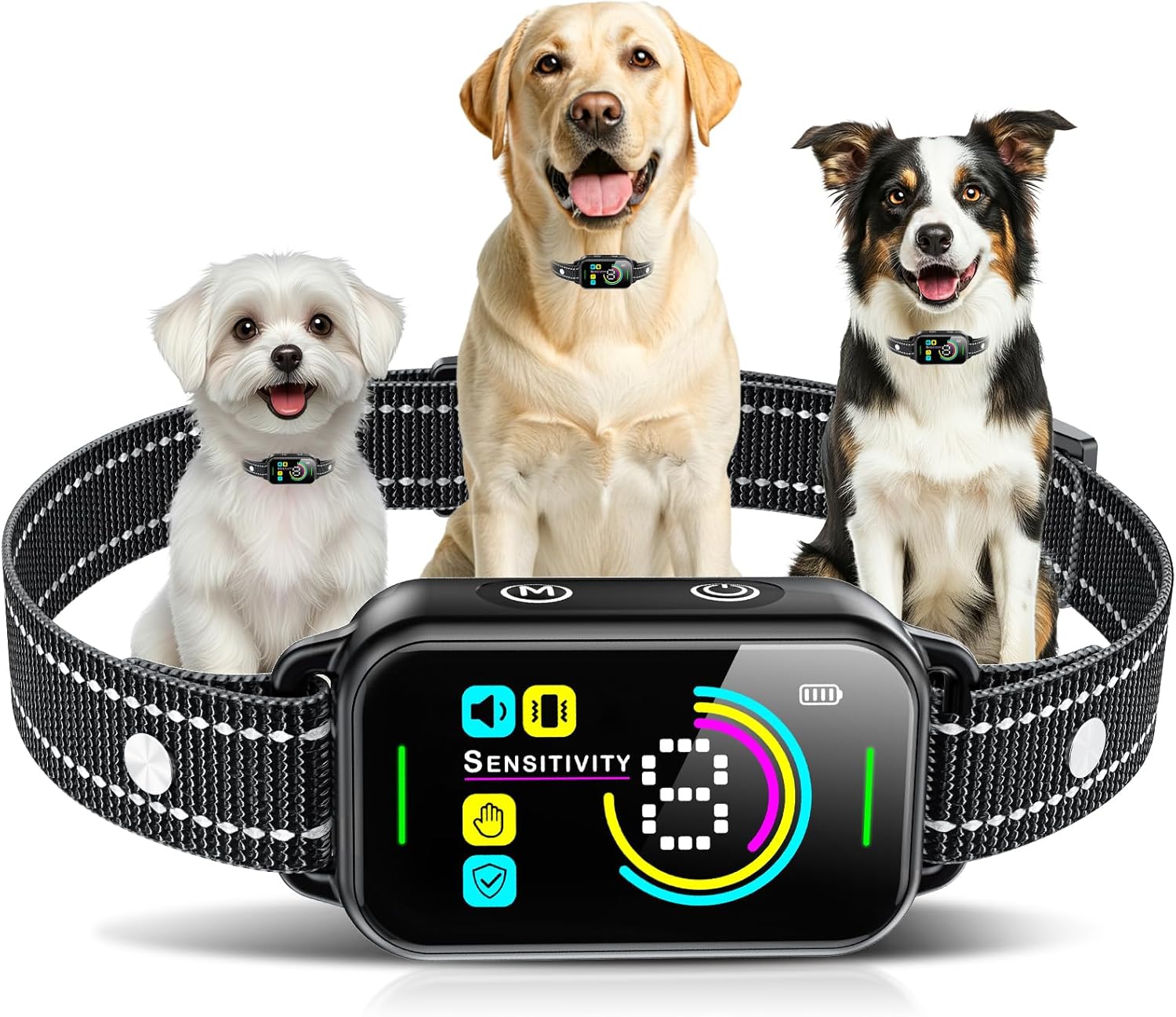
Image: The DINJOO Bark Collar displayed prominently with three dogs of different sizes wearing similar collars, illustrating its suitability for various breeds.
Important Safety Information
- This device is intended for training purposes only and should not be used on aggressive dogs. Consult a professional trainer if your dog exhibits aggressive behavior.
- Do not leave the collar on your dog for more than 12 hours per day. Prolonged wear can lead to skin irritation.
- Regularly check your dog's neck for any signs of irritation, redness, or sores. If irritation occurs, discontinue use and consult a veterinarian.
- Ensure the collar is fitted correctly, allowing two fingers to fit snugly between the collar and your dog's neck. A collar that is too tight can cause discomfort or skin damage, while one that is too loose may not function effectively.
- Keep out of reach of children.

Image: Safety guidelines emphasizing the use of appropriate contact prongs (long for thick coats, short for thin hair) and the importance of checking the dog's skin to prevent irritation.
Package Contents
Please verify that all items listed below are included in your package:
- 1 x DINJOO Bark Collar
- 1 x USB Charging Cable (Magnetic)
- 1 x Test Board
- 2 Pairs x Silicone Protective Covers (Long and Short)
- 2 Pairs x Contact Points (Long and Short)
- 1 x User Manual

Image: A visual representation of the product list, including the bark collar, charging cable, test board, silicone covers, contact points, and user manual.
Product Overview
Familiarize yourself with the components and controls of your DINJOO Bark Collar:
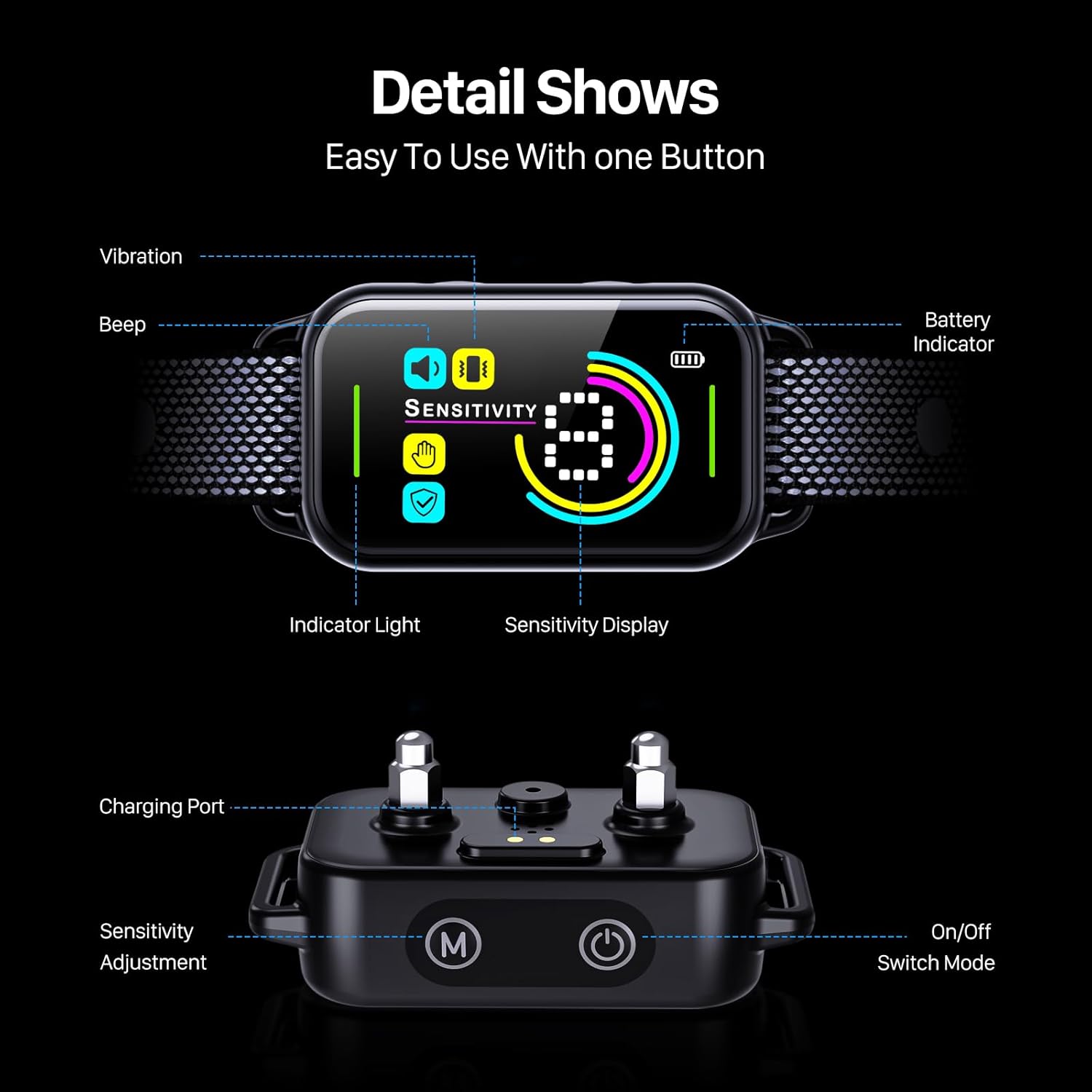
Image: A detailed view of the collar's display and main unit, highlighting key features such as the sensitivity display, battery indicator, and control buttons.
- Display Screen: Shows current mode, sensitivity level, and battery status.
- Sensitivity Adjustment Button (M): Used to cycle through sensitivity levels.
- On/Off Switch Mode Button: Powers the device on/off and switches between training modes.
- Charging Port: Magnetic charging port for convenient power replenishment.
- Contact Points: Deliver the corrective stimulus (beep/vibration).
- Indicator Light: Provides visual feedback on collar status.
- Battery Indicator: Displays remaining battery life.

Image: An illustration of the collar's internal smart chip and the upgraded color screen, emphasizing its advanced technology.
Setup
1. Charging the Collar
Before first use, fully charge the bark collar. Connect the magnetic charging cable to the collar's charging port and a USB power source. A full charge typically takes approximately 2 hours and provides up to 15 days of use.

Image: Visual representation of the collar's fast charging capability and long-lasting battery life.
2. Fitting the Collar
Proper fit is crucial for the collar's effectiveness and your dog's comfort. The DINJOO Bark Collar is adjustable and suitable for dogs weighing 8-120 pounds with neck sizes ranging from 6-27 inches.
- Choose the appropriate length of contact points (long for thick coats, short for thin hair) and screw them securely onto the collar.
- Place the collar around your dog's neck, ensuring the main unit is positioned centrally on the dog's throat.
- Adjust the strap so that it is snug but not too tight. You should be able to comfortably fit two fingers between the collar and your dog's neck. The contact points must touch your dog's skin.
- Trim any excess strap length if necessary, ensuring a comfortable and secure fit.

Image: An illustration demonstrating the adjustable nature of the collar and its suitability for a wide range of dog sizes and weights.
Operating Instructions
1. Powering On/Off
Press and hold the On/Off Switch Mode button for a few seconds to power the collar on or off. The display will light up when powered on.
2. Selecting Training Modes
The DINJOO Bark Collar offers 3 humane training modes: Beep, Vibration, and Beep + Vibration. To cycle through the modes, short press the On/Off Switch Mode button while the collar is on. The display will indicate the currently selected mode.
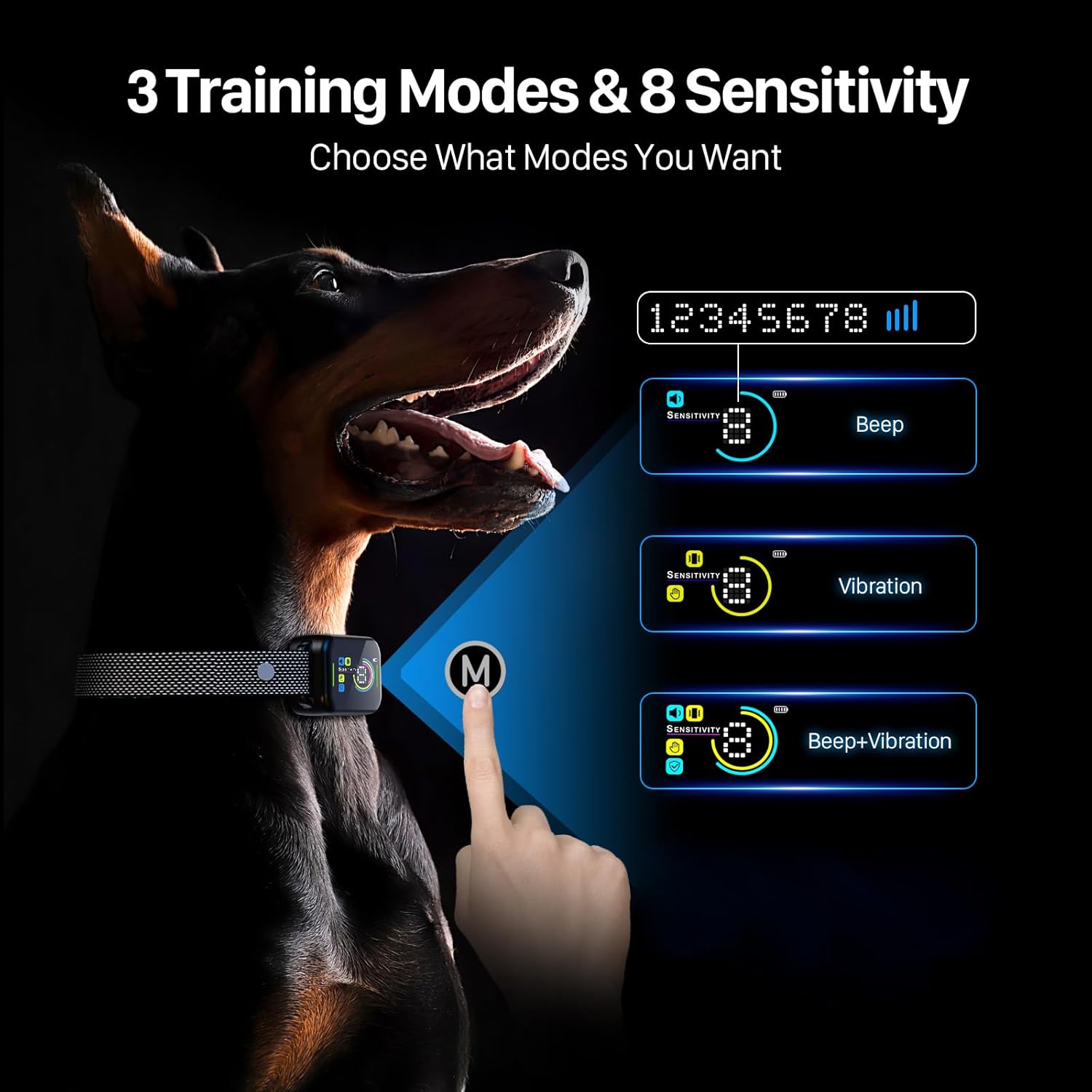
Image: A visual guide to the three training modes available and how to select them using the mode button.
3. Adjusting Sensitivity Levels
The collar features 8 adjustable sensitivity levels (1-8). A higher number indicates higher sensitivity, meaning the collar will activate with less intense barking. To adjust the sensitivity, short press the Sensitivity Adjustment button (M). The sensitivity level will be displayed on the screen.
- Levels 1-3: Recommended for noisy environments (e.g., dog park, areas with music or TV).
- Levels 4-5: Suitable for normal environments (e.g., during conversations, typical daily activity).
- Levels 6-8: Ideal for very quiet environments (e.g., during sleep time or late evening).
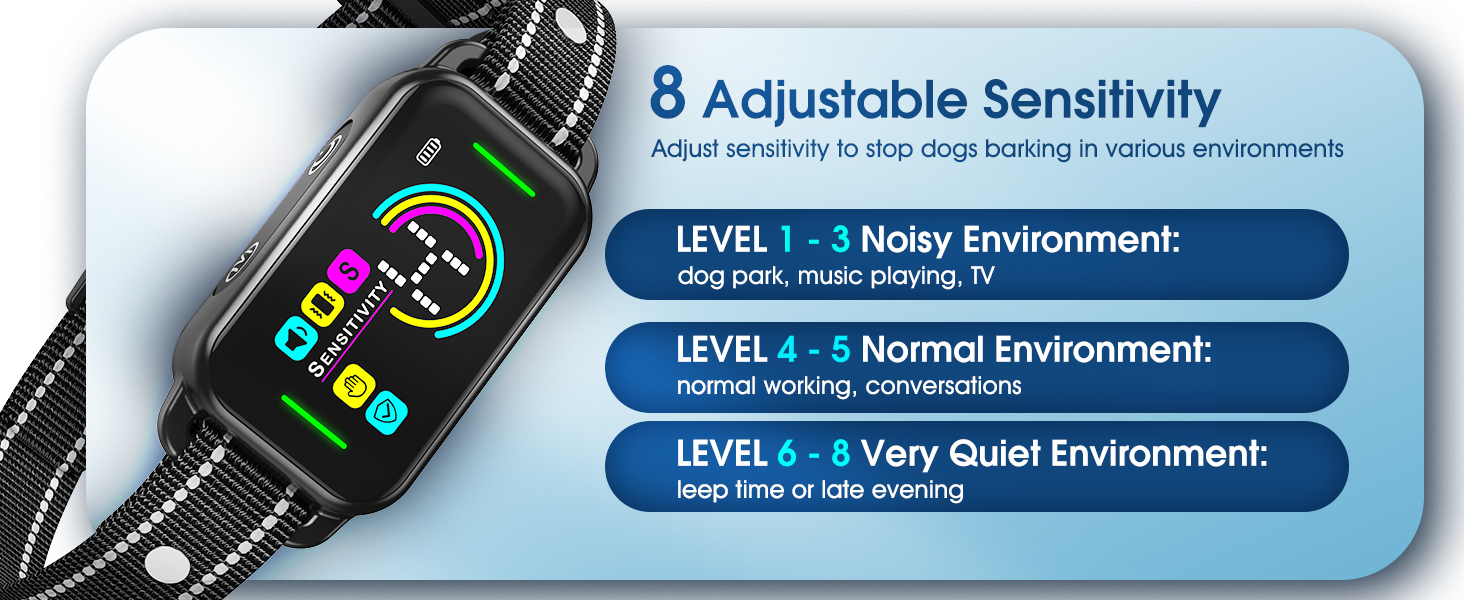
Image: A diagram explaining the different sensitivity levels and when to use each, from noisy to very quiet environments.
4. Smart Anti-Interference Technology
The DINJOO Bark Collar incorporates an advanced intelligent dog barking recognition chip and motion detection technology. This ensures that the collar only activates when your dog's vocal movement and barking are detected, effectively filtering out false triggers from other dogs' barking, head shaking, or environmental noise.

Image: An illustration demonstrating the collar's smart anti-interference feature, which prevents false activations from external sounds or movements.
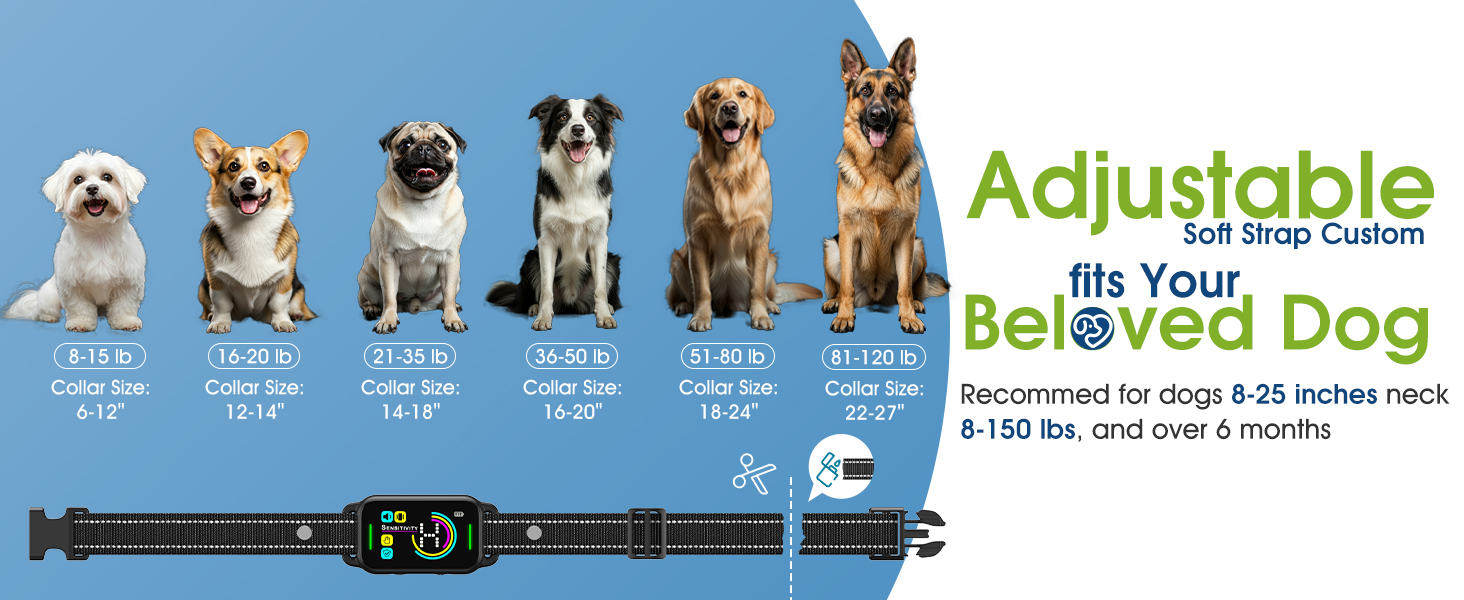
Image: A graphic highlighting the Smart AI Chip and its auto-protection feature, which pauses stimulation after multiple consecutive activations to prevent over-correction.
Maintenance
- Cleaning: Regularly clean the collar strap and the main unit with a damp cloth. Ensure the contact points are free of dirt or debris. Do not submerge the main unit in water, although it is IP67 waterproof, excessive exposure to water or harsh chemicals should be avoided.
- Storage: When not in use, store the collar in a cool, dry place away from direct sunlight and extreme temperatures.
- Battery Care: To prolong battery life, avoid fully discharging the battery frequently. Charge the collar when the battery indicator shows low power.
Troubleshooting
| Problem | Possible Cause | Solution |
|---|---|---|
| Collar not activating when dog barks. |
|
|
| Collar activates without dog barking (false triggers). |
|
|
| Dog continues to bark despite collar activation. |
|
|
Specifications
| Model Number | TC03 |
| Dimensions | 9.8 x 7.5 x 5.2 cm |
| Weight | 150 g |
| Battery Life | Up to 15 days (after 2-hour charge) |
| Waterproof Rating | IP67 |
| Sensitivity Levels | 8 adjustable levels |
| Training Modes | Beep, Vibration, Beep + Vibration |
| Recommended Dog Weight | 8-120 lbs |
| Recommended Neck Size | 6-27 inches |
| Color | Dark Black |
| UPC | 788692944122 |
Warranty and Support
For warranty information and customer support, please refer to the specific warranty card included with your product or contact DINJOO customer service directly through their official website or the retailer from whom you purchased the product. Please have your model number (TC03) and proof of purchase ready when seeking support.
Related Documents - TC03
 |
VolleyBoast VoBo TC LoRaWAN Thermocouple Transmitter Installation Manual Comprehensive installation manual for the VolleyBoast VoBo TC, a 12-channel LoRaWAN thermocouple transmitter designed for hazardous areas. Includes environmental ratings, safety warnings, component details, installation procedures, maintenance guidelines, and regulatory compliance information. |
 |
Campark TC03 Trail Camera Instruction Manual Comprehensive instruction manual for the Campark TC03 Trail Camera, covering setup, operation, features, technical specifications, and troubleshooting for wildlife and surveillance. |
 |
Installation Instructions: HIS Thin Client / Small PC Enclosures (ENCL-TC01/02/03 Series) Detailed installation guide for Hope Industrial Systems' ENCL-TC01, ENCL-TC02, and ENCL-TC03 series thin client and small PC enclosures. Learn how to mount, wire, and connect your devices safely and efficiently. |
 |
Willow Hotel Supplies Amenities Catalog Comprehensive catalog of Willow Hotel Supplies, featuring a wide range of amenities including toothbrushes, combs, razors, vanity kits, bathroom accessories, room accessories, and body care products. Explore customization options for hotels and hospitality businesses. |
 |
はがせるフリース壁紙 カタログ&価格表 | Mon Sucrier, SLOW TIME, What's poppin? 最新のはがせるフリース壁紙コレクション、Mon Sucrier, SLOW TIME, What's poppin? シリーズの製品一覧と価格表。豊富なデザインとカラーバリエーションをご確認ください。 |