
TenHutt 20V 6.0Ah Battery and Multi-Functional Charger Kit
TenHutt 20V 6.0Ah Lithium-ion Battery and Multi-Functional Charger Kit for Craftsman V20 Tools Instruction Manual
1. Introduction
This manual provides essential instructions for the safe and efficient operation, maintenance, and troubleshooting of your TenHutt 20V 6.0Ah Lithium-ion Battery and Multi-Functional Charger Kit. Please read this manual thoroughly before using the product to ensure proper handling and to prevent damage or injury.
The kit includes one 20V 6.0Ah Lithium-ion battery and one multi-functional charger designed for compatibility with Craftsman V20 series power tools and original Craftsman V20 batteries and chargers.
2. Important Safety Instructions
WARNING: Read all safety warnings and all instructions. Failure to follow the warnings and instructions may result in electric shock, fire, and/or serious injury.
- Always use the charger indoors in a dry location.
- Do not charge batteries in damp or wet environments.
- Use only the charger provided with this kit or a compatible Craftsman V20 charger to charge the battery.
- Do not attempt to charge non-rechargeable batteries.
- Keep the battery and charger away from heat sources, direct sunlight, and flammable materials.
- Do not short-circuit the battery terminals.
- Do not disassemble, crush, or incinerate the battery.
- If the battery casing is cracked or damaged, do not use it.
- Dispose of batteries responsibly according to local regulations.
- Unplug the charger from the power outlet when not in use or before cleaning.
- Do not allow liquid to enter the charger.
3. Product Overview
The TenHutt 20V 6.0Ah Lithium-ion Battery and Multi-Functional Charger Kit is designed to provide reliable power for your Craftsman V20 tools and convenient charging for various USB-powered devices.
3.1 Kit Components
- 1 x TenHutt 20V 6.0Ah Lithium-ion Battery
- 1 x TenHutt Multi-Functional Battery Charger
3.2 Key Features
- High Capacity Battery: 6.0Ah (6000mAh) Lithium-ion battery for extended runtime.
- LED Battery Indicator: 3 LED lights on the battery to check charge status.
- Multi-Functional Charger: Features a standard battery charging port, a USB-A port, and a Type-C port for charging external devices.
- Broad Compatibility: Designed to be compatible with Craftsman V20 series tools and original Craftsman V20 batteries and chargers.
- Safety Protections: Integrated intelligent chip provides protection against short circuits, overcharging, over-discharging, over-voltage, and overheating.
- Durable Construction: Robust PC+ABS outer shell for impact and wear resistance.

Figure 1: TenHutt 20V 6.0Ah Lithium-ion Battery and Multi-Functional Charger Kit.
4. Technical Specifications
| Component | Specification |
|---|---|
| Battery Output Voltage | 20V |
| Battery Type | Lithium-ion |
| Battery Capacity | 6000mAh (6.0Ah) |
| Battery Wattage | 120Wh |
| Charger AC Input | 100V-240V / 50-60Hz |
| Charger DC Output | 21V Max / 2.5A Max |
| Charger USB-A Output | 5V / 2.4A Max |
| Charger Type-C Output | 5V / 2.4A Max |
| Product Dimensions | 6.57 x 8.35 x 4.72 inches |
| Item Weight | 2.88 pounds |

Figure 2: Overview of battery and charger specifications.
5. Setup and First Use
5.1 Initial Battery Charge
- Unpack the battery and charger from the packaging.
- Plug the charger into a standard 100-240V AC power outlet. The charger's LED indicator will illuminate to show it is powered.
- Align the battery with the charging port on the charger and slide it in until it clicks securely into place.
- The charger's LED indicator will change to show that charging has begun. Allow the battery to fully charge before first use.
- Once fully charged, the charger's LED indicator will change again (e.g., solid green). Remove the battery by pressing the quick release button and sliding it out.

Figure 3: Charger with USB-A and Type-C ports for versatile charging.
6. Operating Instructions
6.1 Charging the Battery
To charge the battery, follow the steps outlined in Section 5.1. The charger is compatible with TenHutt 20V batteries and original Craftsman V20 batteries (e.g., CMCB201, CMCB202, CMCB204, CMCB205, CMCB206, CMCB209).
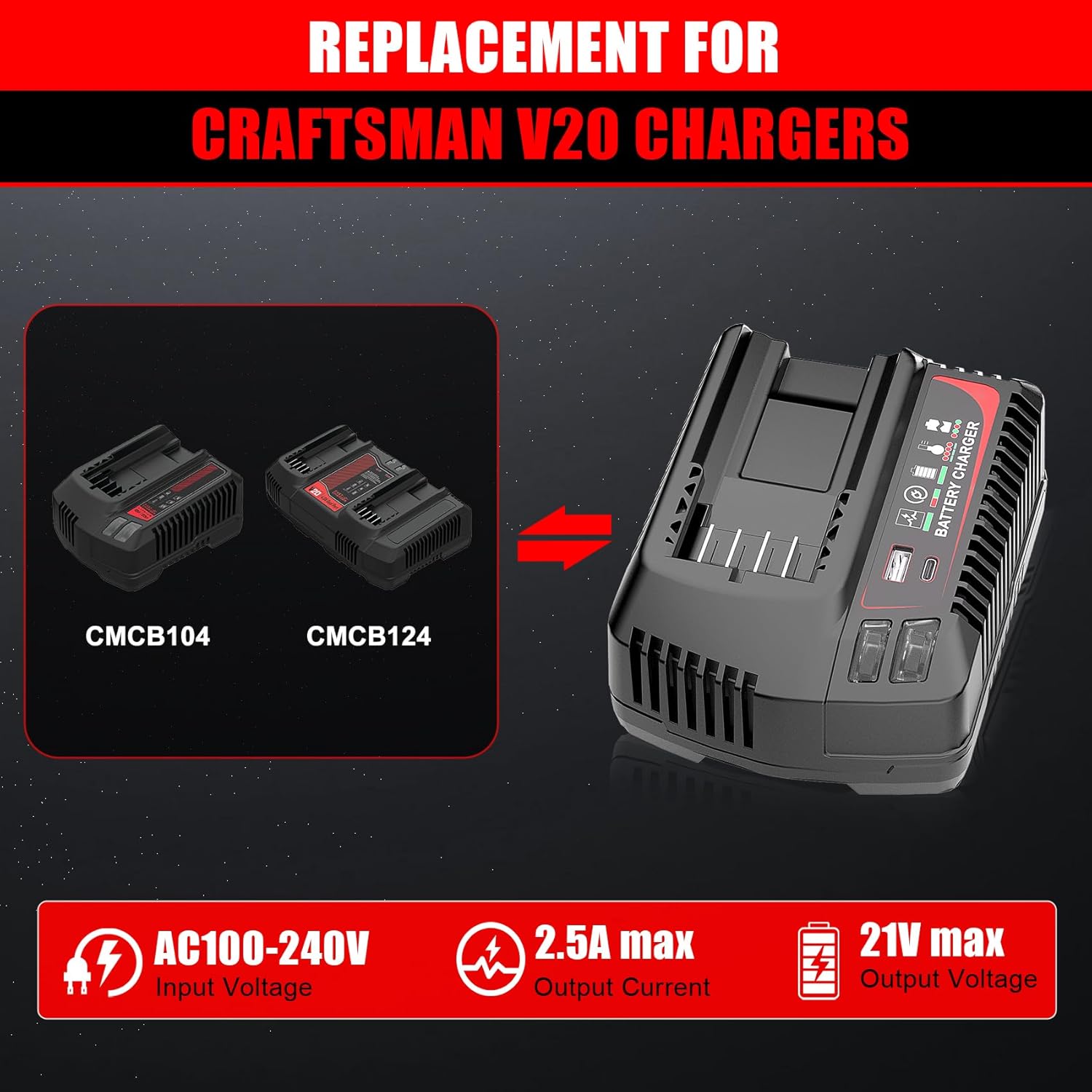
Figure 4: The TenHutt charger is a replacement for Craftsman V20 chargers like CMCB104 and CMCB124.

Figure 5: The TenHutt battery is compatible with various Craftsman V20 battery models.
6.2 Using the Battery with Power Tools
- Ensure the battery is fully charged.
- Align the battery with the battery port on your Craftsman V20 power tool.
- Slide the battery into the tool until it clicks securely into place.
- To remove the battery, press the quick release button on the battery and slide it out of the tool.

Figure 6: The TenHutt battery and charger are compatible with a wide range of Craftsman V20 tools.
6.3 Using the Charger's USB Ports
The charger features a USB-A port and a Type-C port, allowing you to charge smartphones, tablets, and other USB-powered devices simultaneously while charging a power tool battery or independently.
- Plug the charger into a standard 100-240V AC power outlet.
- Connect your USB-powered device to either the USB-A or Type-C port on the charger using an appropriate USB cable.
- The charger will begin providing power to your device.
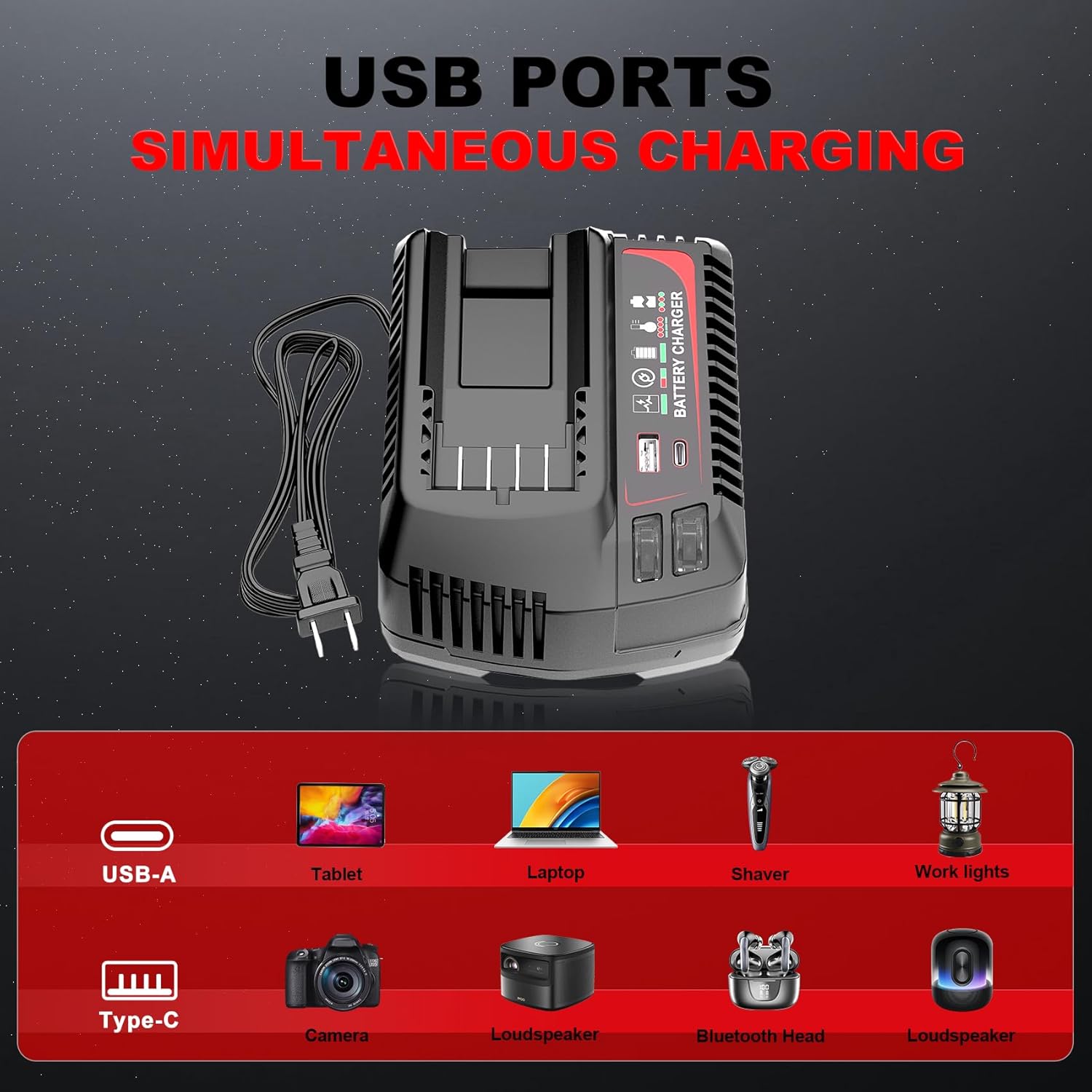
Figure 7: The charger's USB-A and Type-C ports allow for simultaneous charging of various electronic devices.
7. Maintenance and Storage
7.1 General Maintenance
- Keep the battery and charger clean and free from dust and debris. Use a dry cloth to wipe surfaces.
- Do not use cleaning agents or solvents that could damage plastic parts.
- Regularly inspect the battery and charger for any signs of damage, such as cracks, frayed cables, or loose connections. Do not use damaged components.
7.2 Storage
- Store the battery and charger in a cool, dry place, away from direct sunlight and extreme temperatures.
- For long-term storage, charge the battery to approximately 50-70% capacity. Avoid storing fully charged or completely discharged batteries for extended periods.
- Keep out of reach of children.
8. Troubleshooting
If you encounter issues with your TenHutt battery or charger, refer to the following common problems and solutions:
| Problem | Possible Cause | Solution |
|---|---|---|
| Battery not charging | Charger not plugged in; faulty outlet; battery not seated correctly; damaged battery/charger. | Ensure charger is securely plugged into a working outlet. Re-seat the battery. Inspect for damage. If damaged, discontinue use. |
| Charger LED not indicating charge status | Battery fully charged; charger malfunction. | Check battery LED indicator. If battery is full, remove it. If not, try another battery or contact support. |
| Battery not powering tool | Battery discharged; battery not seated correctly in tool; tool malfunction. | Charge the battery. Ensure battery is fully inserted into the tool. Test with another battery if available. |
| USB ports not charging devices | Charger not powered; faulty USB cable; device not compatible. | Ensure charger is plugged in. Try a different USB cable. Verify device compatibility with 5V/2.4A output. |
9. Warranty and Customer Support
The product comes with a replacement warranty. Please refer to the product packaging or purchase documentation for specific warranty terms and duration. For technical assistance, troubleshooting beyond this manual, or warranty claims, please contact TenHutt customer support through your retailer or the official TenHutt website.
Note: The product description mentions a "Free Refund for 1.5 YEAR New Replacement". Please verify this information with your purchase documentation.
Related documents20V 6.0Ah Battery and Multi-Functional Charger Kit

Ask a question about this manual
Ask about setup, troubleshooting, compatibility, parts, safety, or missing instructions. Manuals+ will review the question and use this page’s manual context to help answer it.