
1. Introduction
This manual provides essential information for the proper setup, operation, and maintenance of your MYLOC8 AS500 GPS Tracker. The AS500 is a robust tracking device designed for vehicles, trailers, containers, and other valuable assets, offering long battery life and real-time location capabilities.

Figure 1.1: MYLOC8 AS500 GPS Tracker in use, showing its application for asset tracking and the associated mobile application interface.
2. Product Overview
The MYLOC8 AS500 GPS Tracker is engineered for durability and extended operation. Key features include:
- Ultra-Long Battery Life: Up to 8 years of power using replaceable AA batteries, suitable for long-term monitoring.
- Rugged Waterproof Design: IP69K rated for protection against dust, extreme temperatures, and high-pressure washes.
- Real-Time Asset Security: Provides instant tamper and door-open alerts.
- Global GPS & Indoor Tracking: Utilizes LTE Cat.M and NB-IoT for worldwide tracking, with WiFi scanning for indoor locations.
- Compact and Versatile: Designed for easy installation on various assets using screws or zip ties.

Figure 2.1: Physical characteristics of the MYLOC8 AS500, highlighting its compact size, dimensions (7.5 inches by 2.5 inches), IP69K waterproof rating, and tamper detection capability.
3. Setup
3.1 Battery Installation
The AS500 tracker operates on replaceable AA batteries, providing up to 8 years of life. Refer to the device's casing for instructions on how to open the compartment and correctly insert the batteries, ensuring proper polarity.
3.2 Service Activation
Operation of the MYLOC8 AS500 requires an active subscription plan. Please visit the official MYLOC8 website or contact customer support to activate your device and select a suitable subscription plan.

Figure 3.1: Overview of available subscription plans for the MYLOC8 AS500 GPS Tracker, detailing different durations and pricing.
3.3 Mobile Application Download
To manage and monitor your AS500 tracker, download the MYLOC8 mobile application. The app is available on both the Apple App Store and Google Play Store.

Figure 3.2: The MYLOC8 mobile application interface, illustrating features such as real-time tracking, geo-fence safe zones, place alerts, location history, and device status. Download links for App Store and Google Play are visible.
4. Operating Instructions
4.1 Real-Time Tracking
Once activated, the AS500 provides real-time location updates accessible through the MYLOC8 mobile app. Open the app and select your device to view its current position on the map.

Figure 4.1: Real-time tracking view within the MYLOC8 mobile application, showing the current location of tracked assets on a map.
4.2 Geo-Fence Safe Zones
Set up virtual boundaries (geo-fences) within the app. You will receive notifications when the tracker enters or exits these predefined safe zones.
4.3 Tamper and Door Alerts
The AS500 is equipped with sensors to detect tamper attempts or door openings. Configure these alerts in the app to receive immediate notifications on your mobile device.

Figure 4.2: Mobile application interface demonstrating the setup and notification features for Geo-Fence Safe Zones and Place Alerts.
4.4 Location History
Access a detailed history of your tracker's movements within the MYLOC8 app. This feature allows you to review past routes and stops.
4.5 Indoor WiFi Tracking
For environments where GPS signals may be weak or unavailable, the AS500 utilizes built-in WiFi scanning to provide accurate indoor location data.
4.6 Applications
The MYLOC8 AS500 is suitable for a wide range of tracking applications, including:
- Vehicles (cars, trucks, trailers)
- Shipping Containers
- Construction Equipment
- Generators and other valuable assets
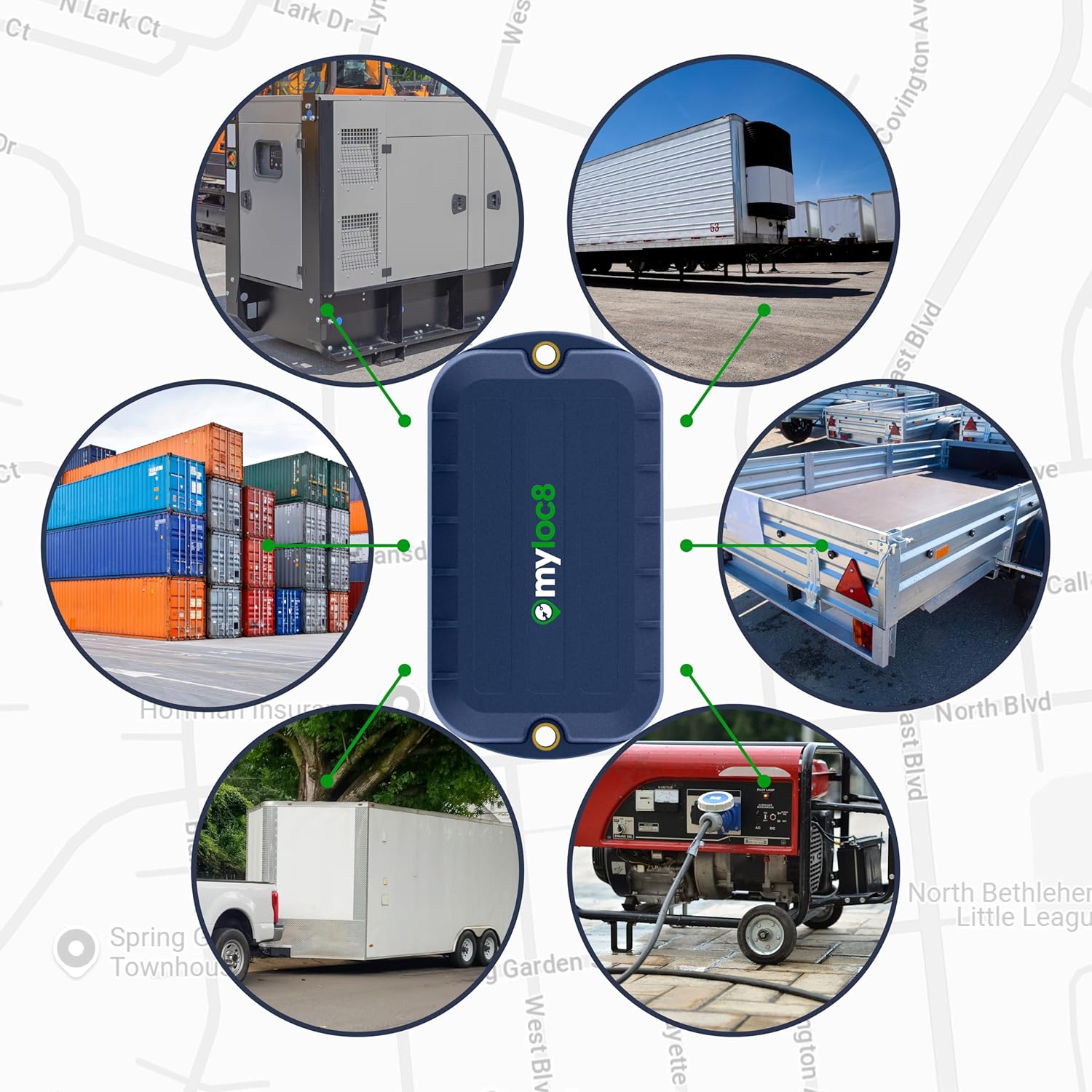
Figure 4.3: The MYLOC8 AS500 tracker shown in context with various assets it is designed to monitor, such as shipping containers, trailers, and industrial equipment.

Figure 4.4: The MYLOC8 AS500 tracker positioned against a backdrop of a semi-truck, emphasizing its suitability for commercial fleet and logistics applications.
5. Maintenance
5.1 Battery Replacement
When the battery life indicator in the app shows low power, replace the AA batteries. Ensure the device is powered off before opening the battery compartment. Use high-quality, long-lasting AA batteries for optimal performance.
5.2 Cleaning
Due to its IP69K rating, the AS500 can withstand dust and high-pressure washes. For general cleaning, wipe the device with a damp cloth. Avoid using harsh chemicals or abrasive materials.
6. Troubleshooting
If you encounter issues with your MYLOC8 AS500 tracker, consider the following:
- No Location Data: Check if the device has an active subscription. Ensure it is in an area with cellular coverage (LTE Cat.M/NB-IoT) or within range of known WiFi networks for indoor tracking.
- Inaccurate Location: GPS accuracy can be affected by environmental factors such as dense urban areas, heavy foliage, or indoor locations without WiFi. Move the device to an open area for better GPS signal.
- Battery Life Shorter Than Expected: Verify that high-quality AA batteries are used. Frequent reporting intervals or constant movement can consume more power. Adjust reporting settings in the app if necessary.
- App Not Updating: Ensure your mobile device has an active internet connection. Try restarting the MYLOC8 app or logging out and back in.
7. Specifications
| Feature | Detail |
|---|---|
| Brand | MYLOC8 |
| Model Number | AS500 |
| Item Weight | 0.36 Kilograms |
| Battery Capacity | 3000 Milliamp Hours (typical for AA batteries) |
| Connectivity | LTE Cat.M, NB-IoT, WiFi Scanning |
| Waterproof Rating | IP69K |
| UPC | 850069040079 |
| ASIN | B0F4RRGW1P |
8. Warranty Information
For detailed warranty information, please refer to the product packaging or contact MYLOC8 customer support. The warranty typically covers manufacturing defects for a specified period from the date of purchase.
9. Support
If you require further assistance or have questions not covered in this manual, please contact MYLOC8 customer support through their official website or the contact information provided with your product.
Online Resources: Visit the MYLOC8 Store on Amazon for additional product information and support.

