1. Introduction
The Zivolixd PH770T Trail Camera is a high-performance device designed for capturing wildlife, monitoring outdoor areas, or for general surveillance. It features advanced imaging capabilities, robust connectivity, and durable construction to withstand various environmental conditions.

Image: Zivolixd 4K WiFi Trail Camera PH770T. This image displays the camera model and brand, highlighting its primary features.
Key Features:
- Crystal-Clear Imaging: Captures 84MP photos and 4K Ultra HD video.
- Ultra-Fast Trigger Speed: 0.1s trigger speed to capture fleeting moments.
- Wide-Angle Detection: 130° sensing angle with 25-meter long-range detection.
- Super Night Vision: Equipped with 45 powerful 850nm IR LEDs for clear night footage without visible glow.
- Effortless WiFi Connectivity: One-click connection to your phone for easy viewing, downloading, and sharing.
- IP67 Waterproof & Dustproof: Designed to operate reliably in harsh weather conditions from -20°C to 60°C.
- Customizable Motion Detection: Define specific zones for targeted monitoring.
- GPS Tracking: 'Map' function to track the camera's last connected location.
2. What's in the Box
Upon opening your Zivolixd Trail Camera package, please ensure all the following components are present:
- Zivolixd PH770T Trail Camera
- 8 x AA Alkaline Batteries
- 1 x 32GB TF (Micro SD) Card
- 1 x Charging Cable (Type-C)
- 1 x Instruction Manual
- Mounting Screw/Stand

Image: The Zivolixd Trail Camera shown with its included 32GB SD card and 8 AA batteries. This image provides a visual representation of the complete ready-to-use kit.
3. Setup Guide
3.1 Battery Installation
- Locate the battery compartment on the camera.
- Open the compartment and insert the 8 AA alkaline batteries, ensuring correct polarity (+/-).
- Close the battery compartment securely to maintain the camera's waterproof seal.
3.2 SD Card Installation
- Identify the TF (Micro SD) card slot, typically located near the battery compartment or on the side of the camera.
- Gently insert the included 32GB TF card into the slot until it clicks into place. Ensure the card is inserted in the correct orientation.
- To remove, press the card inward until it springs out.
3.3 Mounting the Camera
The Zivolixd PH770T is designed for tree mounting, but can be adapted for other surfaces using the included mounting screw/stand.
- Tree Mount: Use the provided strap to secure the camera to a tree trunk. Position the camera at a height that allows for optimal detection range and viewing angle (approximately 3-6 feet from the ground).
- Adjusting Angle: Utilize the adjustable mounting mechanism to angle the camera for the desired coverage area.
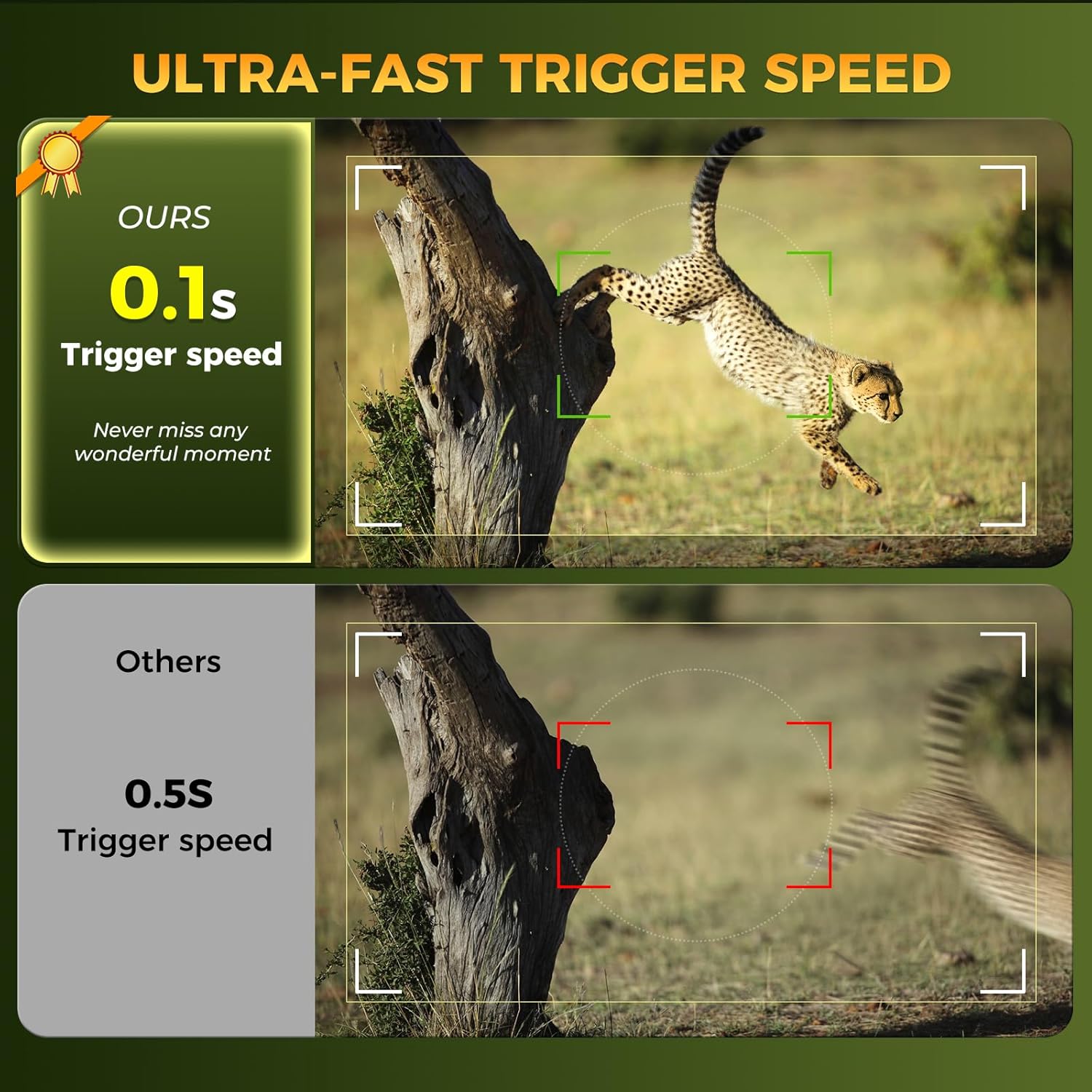
Image: The Zivolixd Trail Camera securely mounted on a tree trunk, demonstrating a typical outdoor setup. This illustrates the camera's intended use in a natural environment.
4. Operating the Camera
4.1 Powering On and Initial Settings
- After installing batteries and the SD card, locate the power switch on the camera.
- Switch the camera to the 'ON' position. The camera will typically enter a setup mode or begin monitoring based on default settings.
- Refer to the on-screen menu (if available) or the mobile application for detailed configuration.
4.2 WiFi Connectivity and App Control
The camera features built-in WiFi for seamless connection to your smartphone or tablet via a dedicated app (compatible with Android). This WiFi is for direct device-to-camera connection and is not designed for home network integration.
- Download the official Zivolixd app from your device's app store.
- Enable WiFi on your smartphone and open the Zivolixd app.
- Follow the in-app instructions for one-click pairing. This typically involves activating the camera's WiFi mode and connecting to its unique WiFi network.
- Once connected, you can view live footage, adjust settings, download photos/videos, and share content directly from your device.

Image: A visual representation of the camera's easy access and operation via WiFi and Bluetooth, showing a user interacting with their phone in a forest setting. This highlights the convenience of remote access to the camera's functions.
4.3 Photo and Video Capture
The camera is equipped to capture high-resolution images and videos:
- Resolution: 84 Megapixel photos and 4K Ultra HD videos.
- Trigger Speed: An ultra-fast 0.1-second trigger ensures that motion is captured almost instantaneously.
- Detection Range: A 130° wide-angle lens combined with 25-meter detection range covers a broad area.

Image: A close-up of a tiger's face, framed as if viewed through the camera's recording interface, illustrating the 84MP photo and 4K video clarity. This emphasizes the high-quality output of the camera.
4.4 Night Vision Capabilities
For effective monitoring in low-light or nighttime conditions, the camera utilizes 45 powerful 850nm IR LEDs. These LEDs provide ample illumination for clear footage without emitting a visible glow that could disturb wildlife.

Image: A comparison showing the camera's super clear night vision (left) versus a less clear night vision (right), featuring a cougar in a dark environment. This demonstrates the superior clarity of the camera's night vision.
4.5 Customizable Motion Detection Zones
To optimize monitoring and reduce unnecessary recordings, you can define specific motion detection zones. This feature allows the camera to focus on areas of interest, improving accuracy and conserving battery life and memory.

Image: An illustration of a customizable detection zone overlaid on a rural landscape with cows, showing how users can define specific areas for motion detection. This highlights the camera's ability to filter extraneous triggers.
4.6 Location Tracking (Map Function)
The integrated 'Map' function within the app allows you to track the camera's last connected location. This is particularly useful for managing multiple cameras or for easily locating a camera deployed in unfamiliar or complex terrain.

Image: A smartphone screen displaying a map with a camera's location marked, illustrating the GPS tracking feature. This shows how users can easily locate their trail camera.
4.7 File Management and Viewing
The camera offers several methods for viewing and managing your captured files:
- App Wireless Connection: View and download files directly to your smartphone via the app's WiFi connection.
- PC Connection: Connect the camera to a computer using the included Type-C cable to access files.
- Card Reader: Remove the TF card and use a card reader to view files on any computer.

Image: Three panels illustrating different methods to view files: connecting to a PC with a Type-C cable, using the APP wireless connection, and using a card reader on a computer. This provides a clear visual guide for accessing recorded media.
4.8 Loop Recording and Time-Lapse
- Loop Recording: When the memory card is full, the camera will automatically overwrite the earliest recorded files, ensuring continuous operation without manual intervention.
- Time-Lapse: The camera can be set to automatically take photos at preset intervals, which can then be seamlessly combined into a motion video.
5. Maintenance
5.1 Weather Resistance
The Zivolixd PH770T Trail Camera boasts an IP67 rating, making it highly resistant to water and dust. It is designed to perform reliably in extreme temperatures ranging from -20°C to 60°C, enduring heavy rain, snow, and dusty conditions.
Image: The camera shown in various weather conditions (blizzard, thunderstorm, dryness, high temperature) with a bear in the rain, emphasizing its IP67 waterproof and dustproof capabilities. This illustrates the camera's durability in harsh environments.
5.2 Cleaning and Care
- Regularly wipe the camera lens and sensors with a soft, clean cloth to ensure optimal image quality.
- Keep the battery compartment and SD card slot free from dirt and moisture.
- Avoid using harsh chemicals or abrasive materials for cleaning.
5.3 Battery Life
The camera is designed for extended operation. Battery life can vary depending on usage frequency, video length, and environmental temperature. Using high-quality alkaline batteries is recommended for best performance.
6. Troubleshooting
Common Issues and Solutions:
- Camera not powering on:
- Ensure batteries are inserted correctly with proper polarity.
- Check if batteries are fully charged or replace them with new ones.
- Verify the power switch is in the 'ON' position.
- Difficulty connecting to phone via WiFi:
- Ensure the camera's WiFi mode is activated.
- Confirm your phone's WiFi is enabled and you are selecting the correct camera network.
- Make sure you are within the effective WiFi range (approximately 98 feet).
- Restart both the camera and your phone, then try connecting again.
- No photos/videos captured:
- Check if the TF (Micro SD) card is properly inserted and not full.
- Ensure the camera is in the correct operating mode (e.g., photo, video, or photo+video).
- Verify motion detection settings and sensitivity.
- Format the SD card (this will erase all data, so back up important files first).
- Poor image/video quality:
- Clean the camera lens and IR sensors.
- Ensure the camera is mounted securely to prevent shaking.
- Check lighting conditions; while night vision is strong, extreme darkness can still affect clarity.
7. Specifications
| Model Number | PH770T |
| Brand | Zivolixd |
| Effective Still Resolution | 84 MP |
| Effective Video Resolution | 4K (2160p) |
| Trigger Speed | 0.1 seconds |
| Viewing Angle | 130 Degrees |
| Night Vision Range | 25 Meters |
| Number of IR LEDs | 45 |
| Connectivity Technology | Wireless (Wi-Fi, Bluetooth) |
| Control Method | App (Android compatible) |
| Power Source | 8 x AA Batteries (required) |
| Flash Memory Supported Size Maximum | 256 GB |
| International Protection Rating | IP67 (Waterproof) |
| Material | Acrylonitrile Butadiene Styrene (ABS) |
| Product Dimensions (L x W x H) | 7.09 x 4.3 x 4.7 inches |
| Item Weight | 1.68 pounds |
8. Warranty and Support
For any questions, technical assistance, or warranty inquiries regarding your Zivolixd Trail Camera PH770T, please contact Zivolixd customer support. Refer to the contact information provided on the product packaging or the official Zivolixd website.
Please retain your proof of purchase for warranty claims.