
Introduction
This manual provides detailed instructions for the safe and proper installation, operation, and maintenance of your monTEK Heavy Duty Full Motion TV Wall Mount (Model HW1276BK). Please read all instructions carefully before beginning installation. Retain this manual for future reference.
This wall mount is designed for 43-100 inch flat or curved TVs weighing up to 150 lbs (68 kg), with VESA compatibility from 200x200mm to 800x600mm.
Safety Information
- WARNING: This product is designed for installation on wood stud, solid concrete, or masonry walls only. DO NOT INSTALL ON DRYWALL ALONE.
- Ensure the mounting surface can safely support the combined weight of the mount and your TV.
- Always use appropriate safety gear during installation.
- If you have any installation concerns, consult a qualified professional.
- Keep children and pets away during installation.
Package Contents
Verify all parts are present before installation. Refer to the included hardware bags for specific screw and anchor types.

The package includes the pre-assembled wall mount, TV brackets, various screws (M-A, M-B, M-C, M-D), washers (M-E, M-F), spacers (M-G), wall anchors (W-B), lag bolts (W-A), and washers (W-C) for wall mounting. A bubble level and a small wrench are also provided.
Tools Required (Not Included)
- Phillips Screwdriver
- Electric Drill
- Socket Wrench
- Pencil
- Stud Finder (for wood stud installation)
- Measuring Tape
Setup and Installation
Step 1: Attach TV Brackets to TV
- Carefully place your TV face down on a soft, clean surface.
- Identify the VESA mounting holes on the back of your TV.
- Select the appropriate screws (M-A, M-B, M-C, M-D), washers (M-E, M-F), and spacers (M-G) that fit your TV's VESA pattern. Hand-thread screws to determine correct diameter.
- Attach the two vertical TV brackets to the back of your TV using the selected hardware. Ensure the brackets are centered and level.
- If the brackets block input ports, adjust their position upwards to clear the ports, ensuring they do not exceed the top edge of the TV.


Step 2: Install Wall Plate to Wall
- Determine Wall Type: This mount is compatible with wood stud walls (16"/18" spacing), concrete walls, and solid brick walls. Do not mount on drywall alone.
- For Wood Stud Walls:
- Use a stud finder to locate the edges and center of your wood studs. Mark the center of the studs at your desired TV height.
- Place the wall plate against the wall, aligning the mounting holes with the marked stud centers. Use the included bubble level to ensure it is perfectly horizontal.
- Mark the drill points. Drill pilot holes using a 6.0mm (1/4") drill bit to a depth of 90mm (3.5").
- Attach the wall plate using lag bolts (W-A) and washers (W-C). Tighten securely with a socket wrench.
- For Concrete/Brick Walls:
- Place the wall plate against the wall at your desired TV height. Use the included bubble level to ensure it is perfectly horizontal.
- Mark the drill points. Drill pilot holes using a 12mm (1/2") drill bit to a depth of 95mm (3.7").
- Insert concrete anchors (W-B) into the drilled holes.
- Attach the wall plate using lag bolts (W-A) and washers (W-C). Tighten securely with a socket wrench.
- Extend the wall plate arms and verify that the mount is firmly secured to the wall.
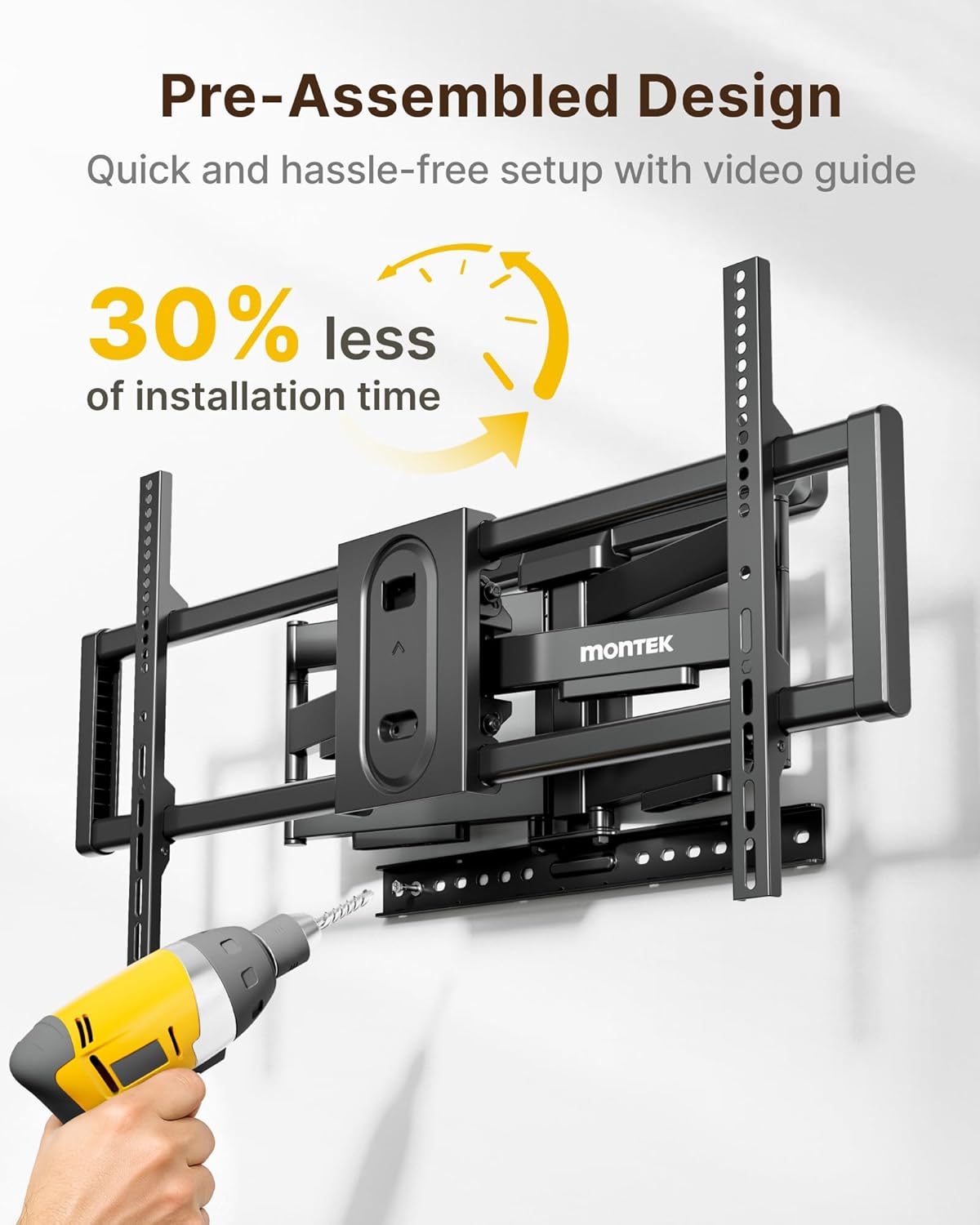


Video: Detailed animation of the TV Wall Mount Installation process.
Step 3: Hang the TV
- With assistance, carefully lift the TV and hook the attached TV brackets onto the wall plate.
- Ensure the TV is securely seated on the wall plate.
- Engage the safety locks on the TV brackets to prevent accidental dislodgement.

Operating Instructions
Adjusting TV Position
- Extension/Retraction: The dual swing arms allow the TV to extend up to 18.9 inches from the wall for viewing and retract back to 2.56 inches for a low-profile look.
- Swivel: The mount offers a smooth ±60° swivel range, allowing you to adjust the TV for optimal viewing from various angles in the room.
- Tilt: Adjust the TV tilt from +5° to -10° to reduce glare and achieve a comfortable viewing angle. Use the provided wrench to loosen/tighten the tilt mechanism.
- Screen Leveling: After hanging, the screen can be leveled ±3° to ensure perfect horizontal alignment. Use the provided wrench to adjust the leveling bolts on the TV brackets.


Video: Overview of the monTEK Heavy Duty Full Motion TV Wall Mount features, including movement and stability.
Video: Demonstration of the monTEK Heavy Duty Tilting TV Wall Mount's tilting capabilities.
Cable Management
The mount features a built-in cable management design to help organize and hide cables, maintaining a neat and orderly appearance for your entertainment area.
Maintenance
- Periodically check all screws and bolts to ensure they remain tight and secure.
- Clean the mount with a soft, dry cloth. Avoid abrasive cleaners or solvents.
- Ensure the moving parts operate smoothly. Do not force any adjustments.
Troubleshooting
- TV not level: Use the screen leveling adjustment feature as described in the Operating Instructions.
- Mount feels loose: Re-check all wall mounting bolts and TV bracket screws. Ensure they are tightened securely. If mounted on wood studs, verify studs were correctly located.
- Difficulty adjusting: Ensure no cables are snagged. Loosen adjustment bolts slightly if movement is too stiff, then re-tighten to desired tension.
- Missing parts: Contact monTEK customer service for assistance.
Specifications
| Brand | monTEK |
| Model Number | HW1276BK |
| Mounting Type | Wall Mount |
| Movement Type | Articulating, Swivel |
| Material | Alloy Steel |
| Color | Black |
| Compatible Devices | Television (43-100 Inches) |
| Minimum Supported Screen Size | 43 Inches |
| Maximum Supported Screen Size | 100 Inches |
| Max Load Capacity | 150 lbs (68 kg) - 4X Strength Tested |
| VESA Compatibility | 200x200mm to 800x600mm |
| Swivel Range | ±60° |
| Tilt Range | +5° to -10° |
| Screen Leveling | ±3° |
| Extension from Wall | 2.56" (retracted) to 18.9" (extended) |
| Item Weight | 17.9 Pounds |
Warranty and Support
This monTEK TV Wall Mount comes with a 10-Year Warranty. For any questions, technical support, or warranty claims, please contact monTEK customer service through the retailer where you purchased the product or visit the official monTEK website.
Online Resources:


