
Introduction
This manual provides essential information for the safe and effective use of your sublue Mix Pro Dual Motor Underwater Scooter. Please read thoroughly before operation to ensure proper setup, usage, and maintenance. This device is designed for adults for recreational diving, snorkeling, and pool use.
1. Setup and Assembly
1.1. Unpacking and Contents Verification
Carefully unpack all components. Refer to the 'What's in the Box' section to ensure all items are present and undamaged.
1.2. Attaching the Controller Handles
Attach the two controller handles to the main body of the scooter. Ensure they click securely into place, providing a firm grip for operation.
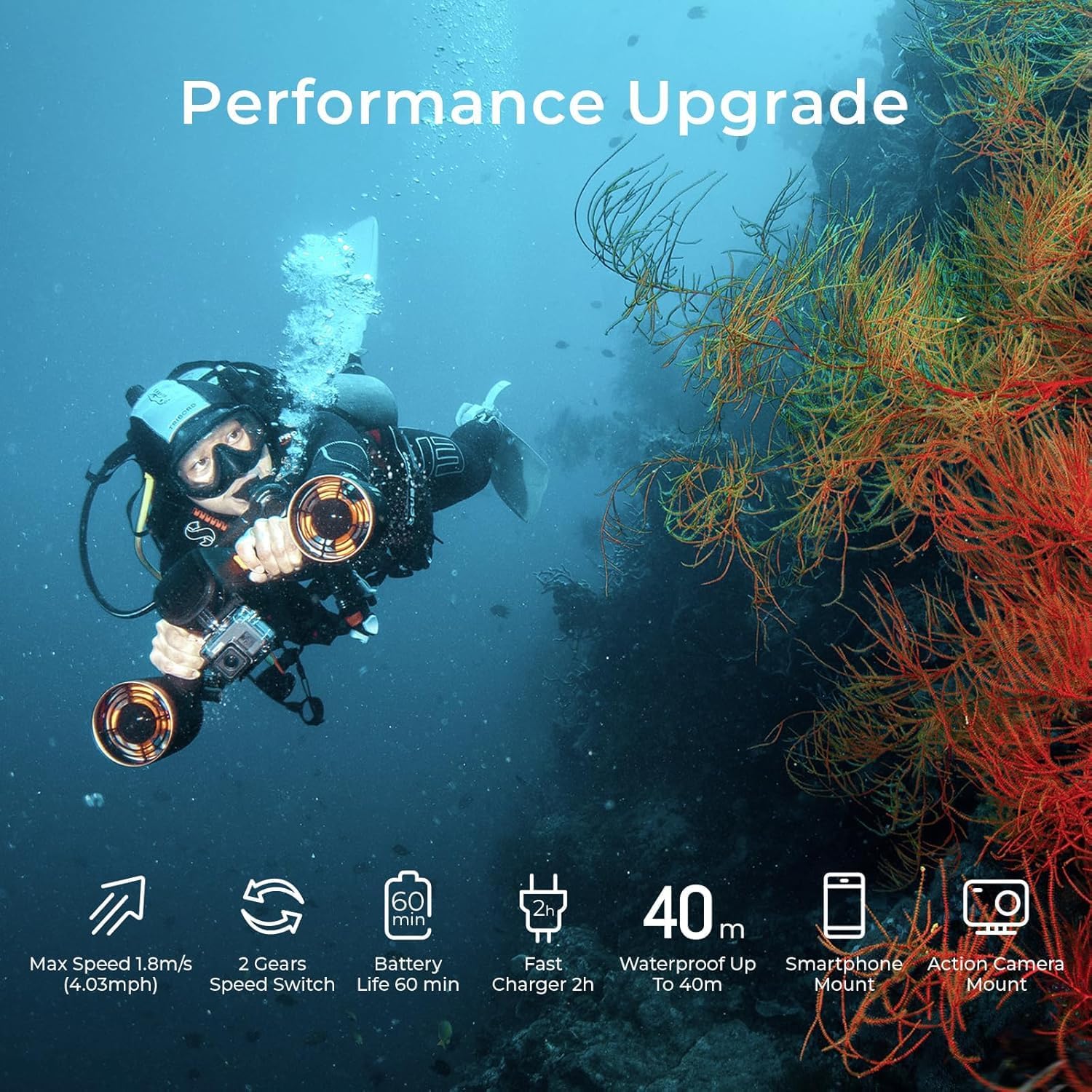
Image: The sublue Mix Pro underwater scooter with its dual handles securely attached, ready for use.
1.3. Applying Waterproof Grease to Seals
Before first use and periodically thereafter, apply the provided waterproof grease to the USB-C charging port and its protective cap. This is critical for maintaining the device's waterproof integrity and preventing water ingress.
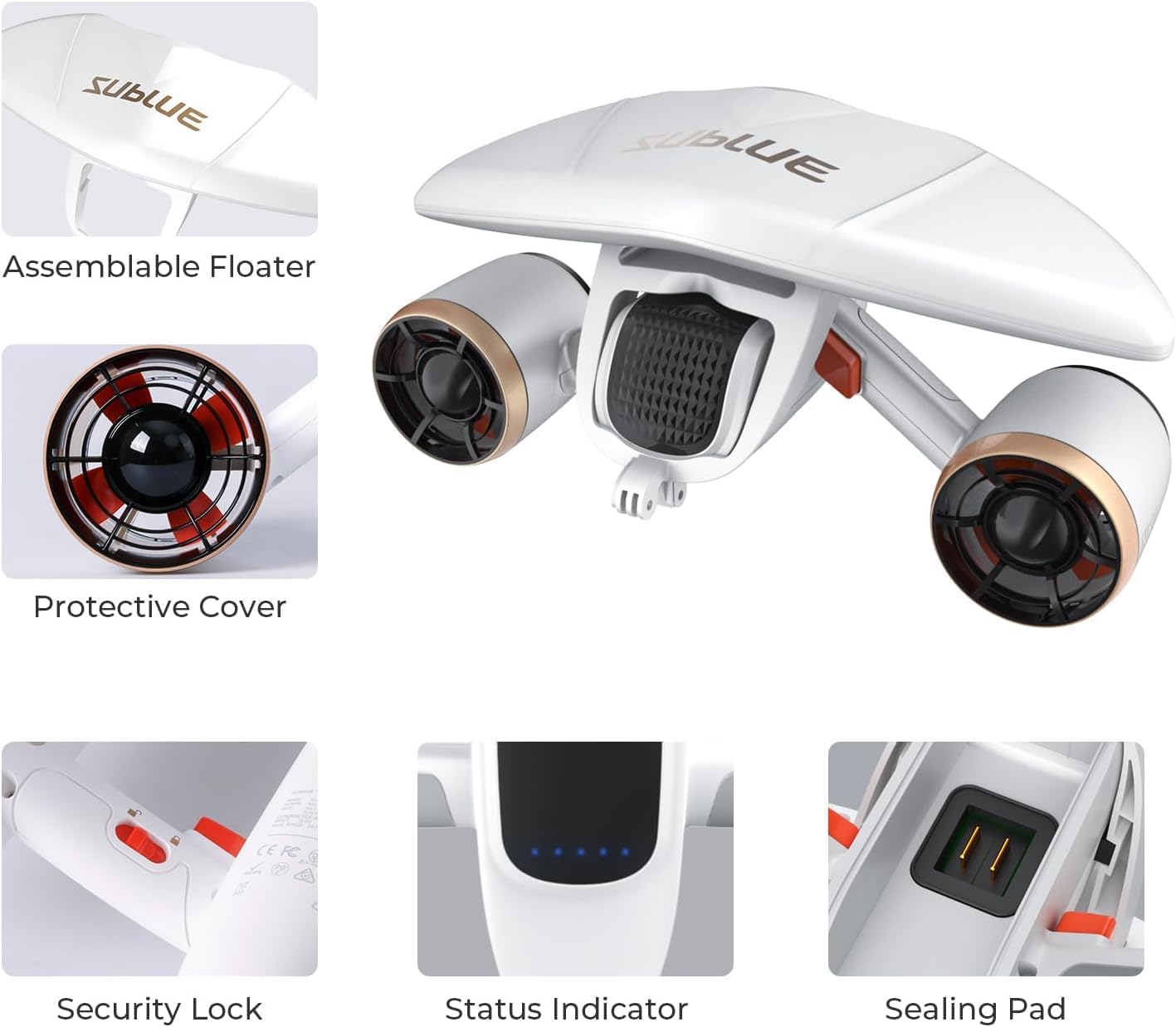
Image: A detailed view of the sublue Mix Pro, highlighting the sealing pad and status indicator, where grease should be applied.
1.4. Securing the Safety Wrist Strap
Attach the safety wrist strap to the designated point on the scooter and secure it firmly to your wrist. This prevents accidental loss of the device during underwater activities.

Image: A person demonstrating how to properly attach and secure the safety wrist strap to the sublue Mix Pro underwater scooter.
1.5. Optional Buoyancy Attachment
For surface swimming or snorkeling, attach the removable floater to the scooter. For deeper diving (up to 40m), detach the floater to allow the scooter to sink naturally.

Image: Illustration showing the removable buoyancy attachment for the sublue Mix Pro, indicating its use for surface or underwater activities.
2. Operating Your Scooter
2.1. Powering On/Off
To power on the device, slide the power switch located on the main body. The LED indicator lights will illuminate, indicating the device is active. To power off, slide the switch back to its original position.

Image: The LED indicators on the sublue Mix Pro, providing real-time monitoring of device status and battery level.
2.2. Engaging and Changing Speed Modes
The sublue Mix Pro features two speed modes. To engage the scooter, press the control button on the handle twice. You will hear a beep for the lower speed. To switch to the higher speed, press the control button three times. The device will emit a distinct sound to confirm the speed change.

Image: Visual representation of the 2-gear speed switch mechanism on the sublue Mix Pro underwater scooter.
2.3. Underwater Navigation
Guide the scooter by adjusting your body position and arm movements. The thrust from the dual motors will propel you through the water. Practice in shallow water to familiarize yourself with its handling.

Image: A person enjoying underwater diving with the sublue Mix Pro, showcasing its ease of navigation.
3. Maintenance and Care
3.1. Post-Use Cleaning
After each use, especially in saltwater, thoroughly rinse the entire scooter with fresh water. Ensure all caps and seals are closed during rinsing. Dry the device completely before storage.
3.2. Battery Charging
Charge the battery using the provided USB-C cable and charger. Ensure the charging port is completely dry before connecting the charger. A full charge typically takes approximately 2 hours. Do not overcharge the battery.

Image: The sublue Mix Pro connected to its charger, illustrating the 2-hour fast charging process.
3.3. Regular Grease Application
Periodically reapply waterproof grease to all rubber seals and O-rings, especially around the charging port and battery compartment, to maintain optimal water resistance and prolong the lifespan of these components.
3.4. Storage
Store the scooter in a cool, dry place away from direct sunlight and extreme temperatures. Ensure the battery is partially charged (around 50%) if storing for extended periods.
4. Product Specifications
| Feature | Detail |
|---|---|
| Brand | sublue |
| Model | Mix Pro |
| Max Speed | 1.8m/s (4.03mph) |
| Battery Life | Up to 60 minutes |
| Waterproof Depth | Up to 40m (131ft) |
| Thrust | 11 kgf (24 lbf) |
| Charging Time | 2 hours |
| Age Range | Adult |
5. What's in the Box
- sublue Mix Pro Underwater Scooter
- Waterproof Bag
- Mask
- Snorkel
- Fins
- Waterproof Grease
- USB-C Charging Cable
- Safety Wrist Strap
- Instruction Manual
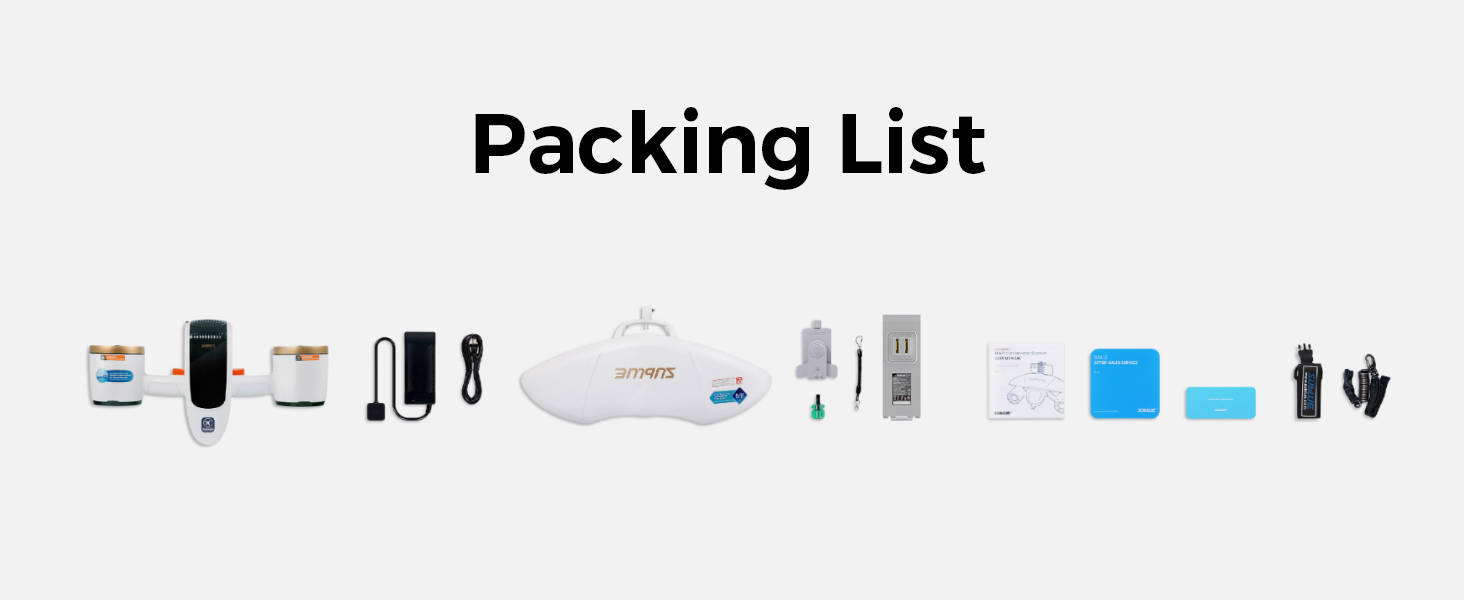
Image: A visual representation of all components included in the sublue Mix Pro package.
6. Safety Guidelines
Adhering to these safety guidelines is crucial for a safe and enjoyable experience:
- Always ensure all seals and caps are properly greased and securely closed before submerging the device.
- Do not operate the scooter if the battery indicator shows critically low power.
- Maintain constant awareness of your surroundings, including other swimmers, divers, and marine life.
- Children should only use the device under direct, competent adult supervision.
- Never attempt to disassemble, modify, or repair the device yourself. Contact sublue customer support for any service needs.
- Always follow local regulations and guidelines for water activities and personal watercraft.
- Avoid operating the scooter in areas with strong currents or heavy boat traffic.
7. Troubleshooting
If you encounter any issues with your sublue Mix Pro, please refer to the following common solutions:
- Device not powering on: Ensure the battery is charged and the power switch is fully engaged. Check that the safety lock is disengaged.
- Reduced thrust: Verify that the propellers are free from obstructions (e.g., seaweed, debris). Check battery level.
- Water leakage: Immediately remove the device from water. Inspect all seals and caps for proper seating and ensure sufficient waterproof grease has been applied. Do not use until the issue is resolved.
For further assistance, please contact sublue customer support.
8. Warranty and Customer Support
For detailed warranty information, product registration, or technical support, please visit the official sublue website or contact their customer service department directly. It is recommended to keep your purchase receipt as proof of purchase for any warranty claims.