
1. Introduction
The Vipdream Wireless Headset with Mic for Work, Model BT-881C, is designed for clear communication and comfort in various professional and personal settings. Featuring Bluetooth 6.0 connectivity, AI noise-cancelling microphone, and a long-lasting battery, this headset is ideal for office use, remote work, and online meetings.
2. Package Contents
- Vipdream Wireless Headset (Model BT-881C)
- Charging Station
- USB-C Charging Cable
- User Manual
- Carrying Pouch

Image 2.1: The Vipdream Wireless Headset with its charging dock, showcasing the main components included in the package.
3. Product Overview
3.1 Key Features
- AI Noise Cancellation: Filters up to 99.9% of background noise for clear calls.
- Extended Battery Life: Up to 45 hours of call time.
- Wireless Connectivity: Bluetooth 6.0 for stable connections up to 49 feet (15 meters).
- Comfortable Design: Soft protein ear pads, adjustable headband, and 270° rotatable microphone for all-day wear.
- One-Click Mute: Quickly activate privacy mode during calls.
- Universal Compatibility: Works with PC, iPhone, Android devices, and platforms like Zoom, Microsoft Teams, Skype.
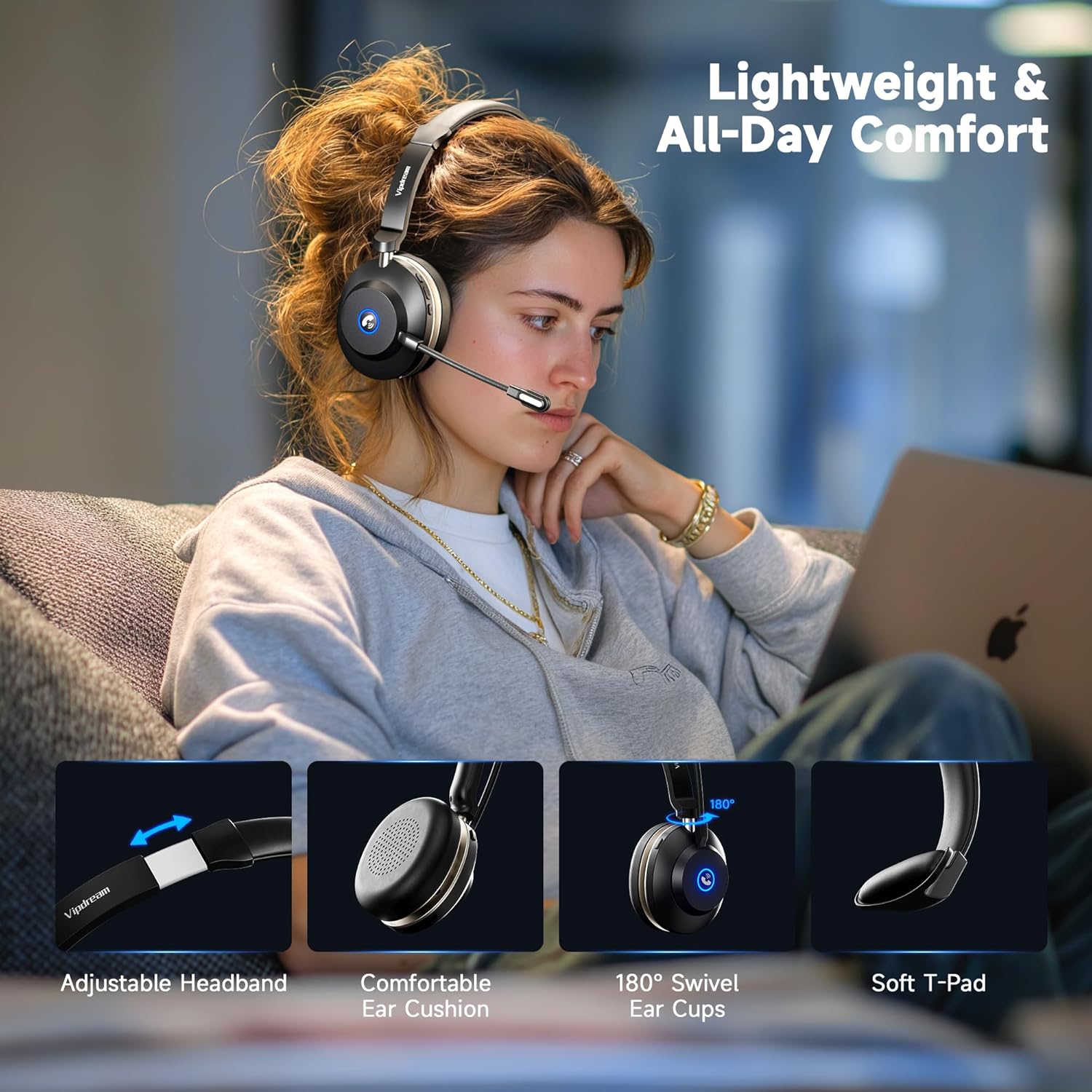
Image 3.1: Demonstrates the headset's comfort features including adjustable headband, comfortable ear cushions, 180° swivel ear cups, and soft T-pad.

Image 3.2: Close-up view highlighting the soft ear cushions, adjustable headband, and 270° rotatable microphone for personalized fit.
3.2 Controls and Indicators
The headset features intuitive controls for managing calls and audio. The microphone can be rotated 270° to be worn on either the left or right side. A dedicated mute button is located on the headset for quick privacy.
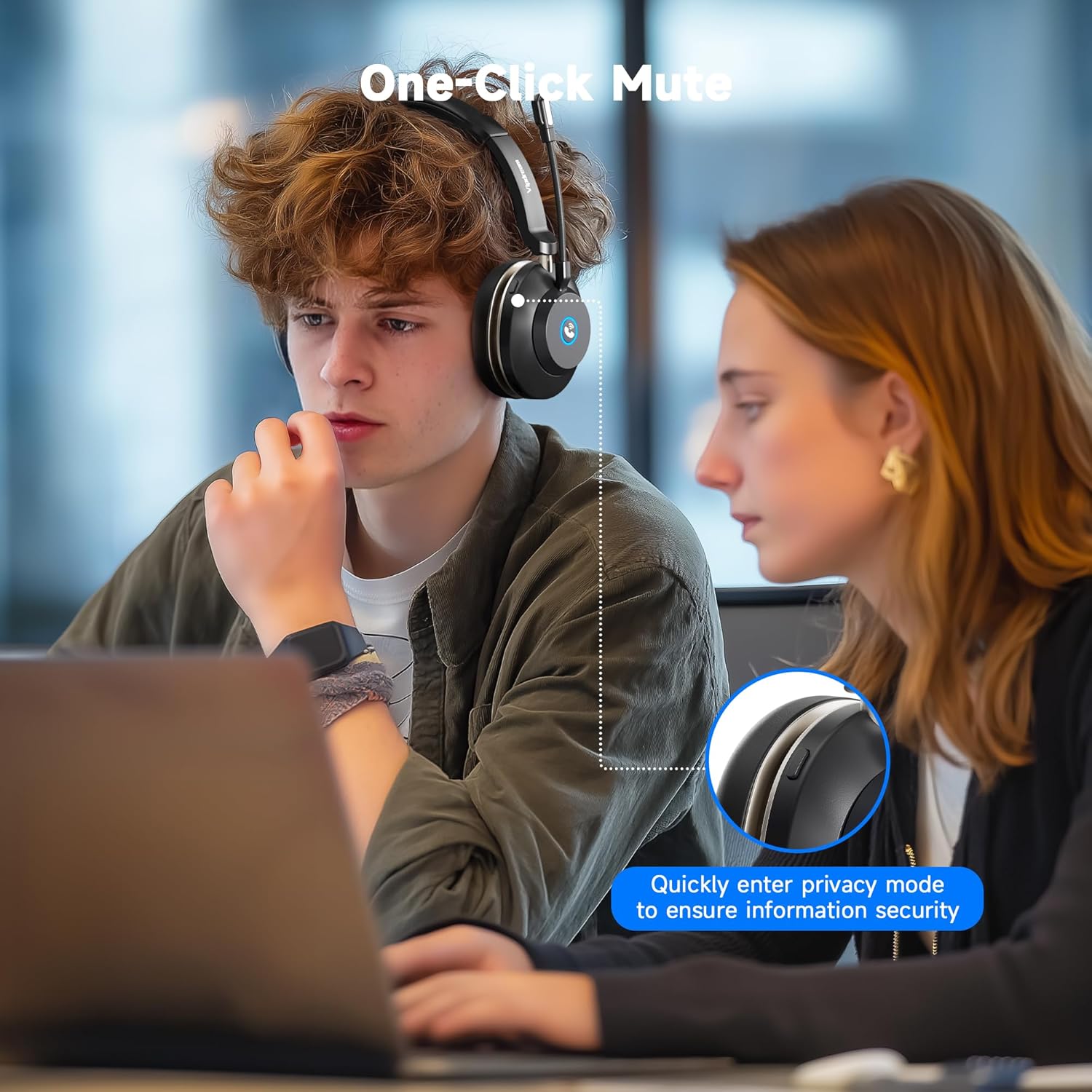
Image 3.3: A user demonstrating the one-click mute function on the headset, allowing for quick entry into privacy mode.
4. Setup
4.1 Charging the Headset
Before first use, fully charge the headset. You can charge it using the included charging station or directly via the USB-C cable.
- Place the headset onto the charging station, ensuring the contacts align. The indicator light on the station will show charging status.
- Alternatively, connect the USB-C cable directly to the headset's charging port and a power source.
Charging time is approximately 2 hours for a full charge.

Image 4.1: The headset resting on its charging dock, indicating its 45-hour battery life and 2-hour charging time.
4.2 Bluetooth Pairing
- Power on the headset. It will automatically enter pairing mode, indicated by a flashing LED.
- On your device (PC, iPhone, Android, etc.), go to Bluetooth settings.
- Search for available devices and select "Vipdream Headset" (or similar name).
- Once connected, the LED indicator on the headset will change to a solid light or stop flashing.

Image 4.2: The headset connected wirelessly via Bluetooth 5.3 to a smartphone, illustrating quick connection capabilities.
5. Operating Instructions
5.1 Call Management
- Answer/End Call: Press the multi-function button on the earcup.
- Mute Microphone: Press the dedicated mute button on the headset. This allows you to quickly switch to privacy mode.
- Volume Control: Use the volume buttons on the earcup to adjust audio levels.
Important Note:
The answer/end call button is compatible with phone system calls and most third-party software. However, it may not function for answering/ending calls directly within some third-party apps (e.g., Zoom, Cisco, Webex). For these applications, please manage calls directly within the software interface.
5.2 Mono Audio Mode (PC Users)
The headset defaults to mono mode. To merge left and right audio channels on a PC:
- Open your PC's system settings.
- Navigate to the "Sound" option.
- In the "Output" section, locate "Mono audio."
- Toggle the switch to the "On" position to merge channels.
5.3 Switching Between Devices
The headset supports quick switching between connected devices like a PC and a phone, allowing for seamless transitions between work and personal use.
Video 5.1: An overview of the Vipdream Wireless Headset, demonstrating its features, setup, and use in a work environment, including switching between devices.
6. Maintenance
- Cleaning: Use a soft, dry cloth to clean the headset and charging station. Avoid harsh chemicals or abrasive materials.
- Storage: When not in use, store the headset on its charging station or in the provided carrying pouch to protect it from dust and damage.
- Battery Care: To prolong battery life, avoid fully discharging the headset frequently. Charge it regularly, especially if not used for extended periods.
7. Troubleshooting
- No Power: Ensure the headset is fully charged. Check the charging cable and power source.
- Cannot Pair: Make sure the headset is in pairing mode (flashing LED). Turn off and on your device's Bluetooth, then try pairing again. Ensure the headset is not already connected to another device.
- Poor Audio Quality: Check the Bluetooth connection range (up to 49 feet/15 meters). Ensure there are no obstructions between the headset and your device. Verify device volume settings.
- Microphone Not Working: Ensure the microphone is not muted. Check your device's audio input settings to confirm the headset microphone is selected.
8. Specifications
| Feature | Specification |
|---|---|
| Model Name | Wireless Headset |
| Item Model Number | BT-881C |
| Brand | Vipdream |
| Connectivity Technology | Wireless (Bluetooth) |
| Wireless Communication Technology | Bluetooth 6.0 |
| Bluetooth Range | 15 Meters (49 feet) |
| Noise Control | Hybrid Noise Cancellation (AI Noise Cancelling Mic) |
| Battery Life | Up to 45 Hours (Call Time) |
| Charging Time | 2 Hours |
| Included Components | Charging Station |
| Ear Placement | On Ear |
| Control Type | Button / Touch |
| Compatible Devices | Cellphones, Gaming Consoles, Laptops, Portable Media Player, Telephones |
| Item Weight | 0.55 Kilograms (1.21 pounds) |
9. Warranty and Support
For warranty information and technical support, please refer to the contact details provided in the product packaging or visit the official Vipdream website. Keep your purchase receipt for warranty claims.