
Introduction
Thank you for purchasing the SWOFY 128GB MP3 Player with Bluetooth. This manual provides detailed instructions on how to set up, operate, and maintain your device. Please read this manual thoroughly before use to ensure proper functionality and to maximize your listening experience.
Product Features
- High Capacity Storage: 128GB built-in memory, expandable up to 512GB via Micro SD card.
- HiFi Lossless Sound: Supports MP3, OGG, FLAC, AAC, WMA, WAV, APE audio formats.
- Bluetooth 5.3 Connectivity: Enhanced speed and stable connection for wireless audio.
- Long Battery Life: Up to 50 hours of usage time on a full charge (approximately 2 hours charging time).
- 2.4-Inch Sensitive Touchscreen: Intuitive navigation and control.
- Multiple Functions: Includes Music Player, FM Radio, Voice Recorder, Video Player, Picture Viewer, E-Book Reader, Calendar, and Settings.

Image: The SWOFY MP3 Player highlighting its 128GB built-in storage, expandable to 512GB, with charging and usage times.

Image: A person enjoying music with headphones, representing the HiFi Lossless Sound quality and supported audio formats.
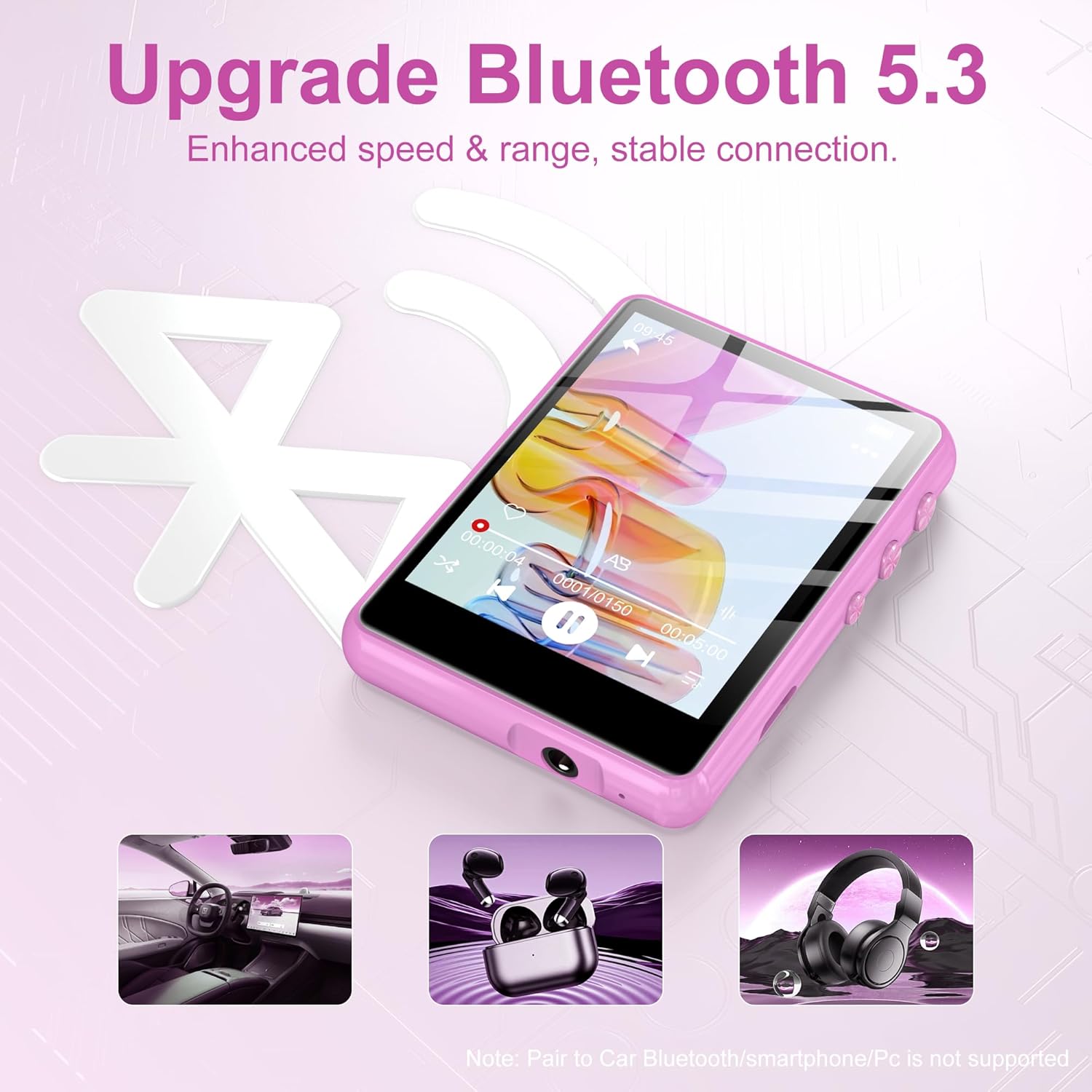
Image: The MP3 player displaying the Bluetooth 5.3 feature, indicating enhanced speed and stable connection. Note: Direct pairing to car Bluetooth, smartphones, or PCs is not supported for audio streaming.

Image: The MP3 player screen indicating a long battery life of up to 50 hours of continuous music playback after a 2-hour charge.
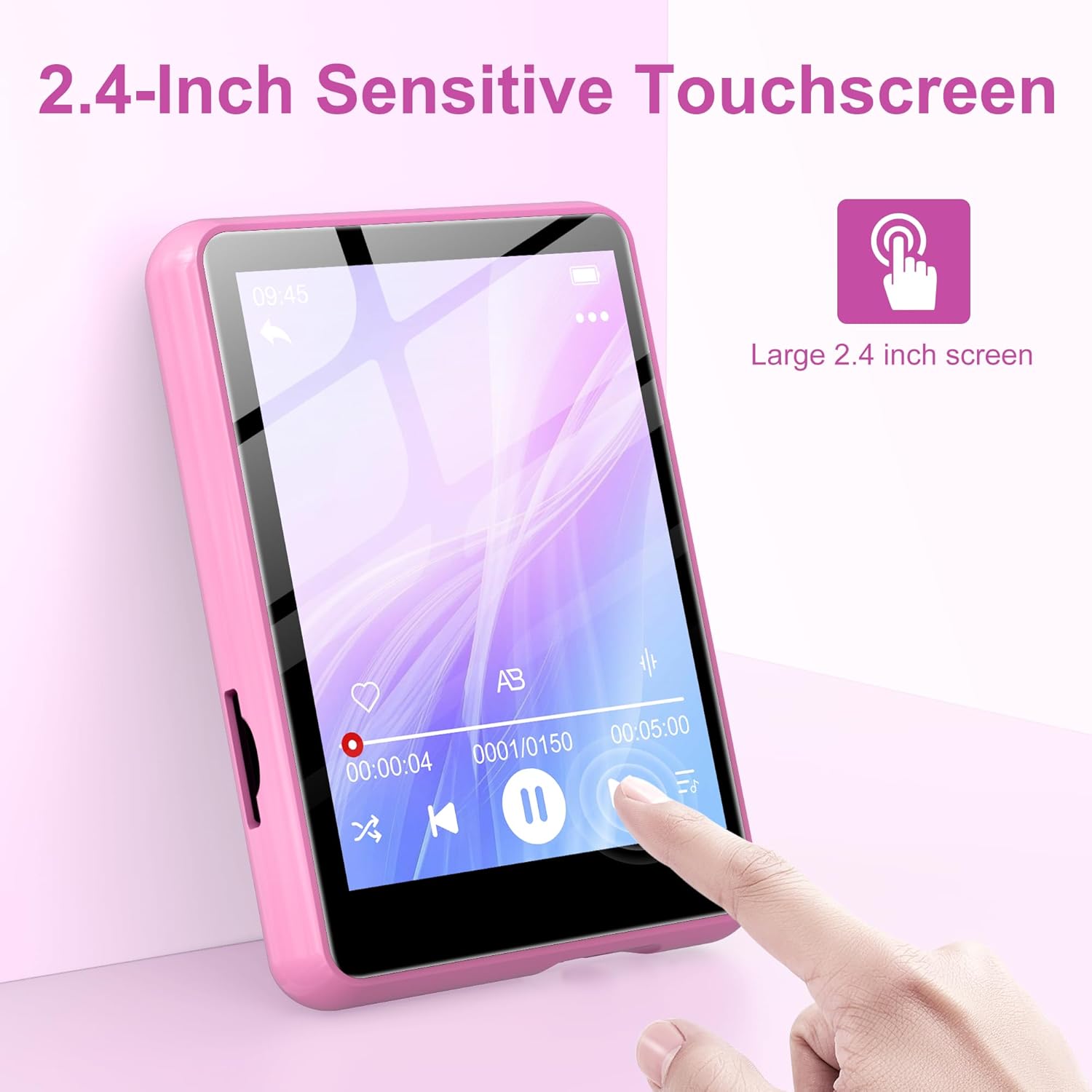
Image: A hand interacting with the 2.4-inch sensitive touchscreen of the MP3 player, demonstrating its touch interface.

Image: The MP3 player showcasing its various functions through icons, including Music, FM Radio, Folder, Bluetooth, Recording, Picture, Video, Calendar, EBook, and Settings.
Package Contents
Please check the package for the following items:
- SWOFY 128GB MP3 Player
- USB Charging Cable
- Wired Earphones
- Protective Case (silicone)
- User Manual
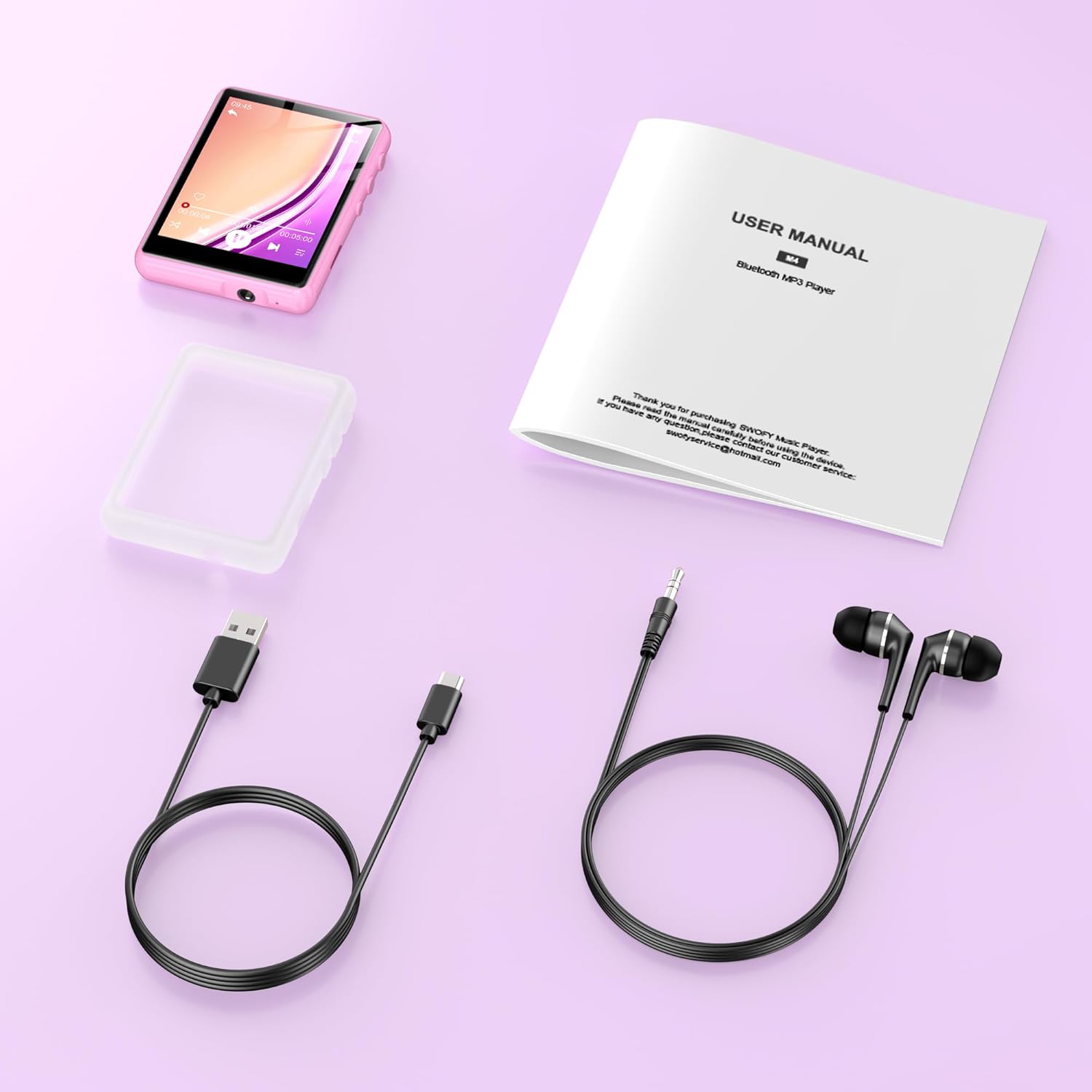
Image: All items included in the product package: the MP3 player, USB charging cable, wired earphones, a protective case, and the user manual.
Setup
1. Charging the Device
- Connect the small end of the USB charging cable to the MP3 player's charging port.
- Connect the larger end of the USB cable to a USB power adapter (not included) or a computer's USB port.
- The device will indicate charging status. A full charge takes approximately 2 hours.
2. Inserting a Micro SD Card (Optional)
To expand storage beyond the built-in 128GB, you can insert a Micro SD card (up to 512GB).
- Locate the Micro SD card slot on the side of the MP3 player.
- Gently insert the Micro SD card into the slot until it clicks into place. Ensure the card is oriented correctly.
- To remove, gently push the card inward until it springs out.
3. Transferring Files
To transfer music, videos, pictures, or e-books to your MP3 player:
- Connect the MP3 player to your computer using the provided USB cable.
- The device will appear as a removable disk on your computer.
- Drag and drop your desired files into the appropriate folders on the MP3 player (e.g., 'Music' for audio files, 'Video' for videos).
- Once files are transferred, safely eject the device from your computer before disconnecting the USB cable.
Operating Instructions
1. Power On/Off
- To Power On: Press and hold the power button until the screen lights up.
- To Power Off: Press and hold the power button until a power-off option appears on the screen, then confirm.
2. Basic Navigation
- The device features a 2.4-inch sensitive touchscreen. Tap icons to select functions or options.
- Swipe left/right or up/down to navigate through menus or lists.
- Use the physical buttons on the side for volume control and screen lock/unlock.
3. Music Playback
- From the main menu, tap the 'Music' icon.
- Browse your music by Artist, Album, Songs, or Folder.
- Tap a song to begin playback.
- On the playback screen, you can pause/play, skip tracks, adjust volume, and access playback settings.
4. Bluetooth Connection
To connect to Bluetooth headphones or speakers:
- From the main menu, tap the 'Bluetooth' icon.
- Turn on Bluetooth on the MP3 player.
- Ensure your Bluetooth audio device is in pairing mode.
- The MP3 player will scan for available devices. Select your device from the list to pair.
- Once paired, audio will be routed to your Bluetooth device.
5. FM Radio
- Connect wired earphones to the 3.5mm audio jack; they act as the antenna.
- From the main menu, tap the 'FM Radio' icon.
- Use the on-screen controls to scan for stations or manually tune to a frequency.
6. Other Functions
- Recording: Tap the 'Recording' icon to access the voice recorder.
- Video/Picture: Tap 'Video' or 'Picture' to browse and view your media files.
- EBook: Tap 'EBook' to read supported text files.
- Settings: Access device settings such as display, date/time, language, and system information.
Maintenance
- Cleaning: Use a soft, dry cloth to clean the device. Avoid liquid cleaners or abrasive materials.
- Storage: Store the MP3 player in a cool, dry place away from direct sunlight and extreme temperatures.
- Battery Care: To prolong battery life, avoid fully discharging the device frequently. Charge it regularly, even if not in use for extended periods.
- Software Updates: Check the manufacturer's website periodically for any available firmware updates.
Troubleshooting
- Device not turning on: Ensure the battery is charged. Connect to a power source and try again.
- Cannot transfer files: Ensure the USB cable is securely connected and the device is recognized by your computer. Try a different USB port or cable.
- No sound: Check the volume level. Ensure headphones or Bluetooth devices are properly connected and functioning.
- Bluetooth device not pairing: Ensure both devices are in pairing mode and within range. Disconnect and reconnect Bluetooth on the MP3 player.
- Screen unresponsive: Try restarting the device. If the issue persists, contact customer support.
Specifications
| Feature | Specification |
|---|---|
| Brand | SWOFY |
| Model Number | M4-128GB |
| Connectivity Technology | Bluetooth 5.3, USB |
| Memory Storage Capacity | 128 GB (expandable up to 512 GB via Micro SD) |
| Screen Size | 2.4 Inches |
| Display Technology | LCD |
| Compatible Devices | Headphones, Personal Computer, Speaker |
| Supported Media Type | Micro SD |
| Supported Audio Formats | MP3, OGG, FLAC, AAC, WMA, WAV, APE |
| Charging Time | Approx. 2 hours |
| Usage Time | Up to 50 hours |
| Item Weight | 0.18 Kilograms |
Warranty and Support
This product comes with a standard manufacturer's warranty. For detailed warranty information, please refer to the warranty card included in your package or visit the official SWOFY website. For technical support, troubleshooting assistance, or any other inquiries, please contact SWOFY customer service through the contact information provided on the product packaging or website.