1. Introduction
Thank you for choosing the Generic T9 Professional Hair Trimmer. This manual provides essential information for the safe and effective use, maintenance, and troubleshooting of your new hair trimmer. Please read it thoroughly before first use and keep it for future reference.
Important Safety Information
- Keep the appliance dry. Do not use it near water or in wet conditions.
- Do not disassemble the appliance. For repairs, contact customer support.
- Keep out of reach of children.
- Ensure the charging voltage matches the specifications.
- Unplug the trimmer before cleaning.
2. Package Contents
Carefully unpack your Generic T9 Professional Hair Trimmer and check for the following items:
- Hair clipper (Host) x 1
- Cleaning brush x 1
- Limit comb x 4 (various sizes)
- Oil bottle x 1
- USB cable (Type-C) x 1
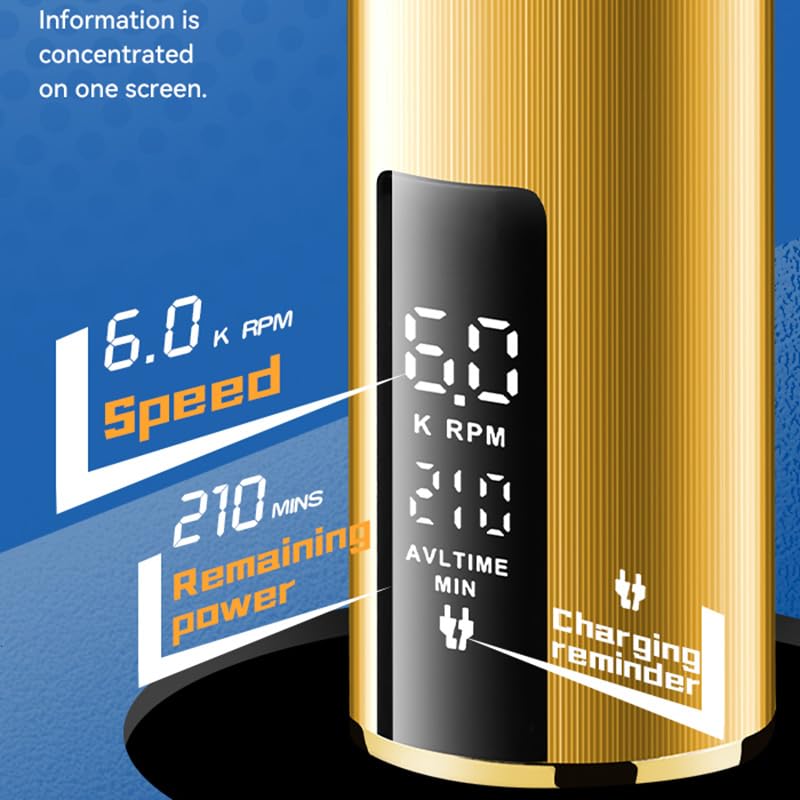
Figure 2.1: All items included in the package, featuring the hair clipper, four limit combs, a USB charging cable, a cleaning brush, and a small oil bottle.
3. Product Features
The Generic T9 Professional Hair Trimmer is designed for efficient and comfortable hair cutting with several key features:
- Powerful Motor: Equipped with an efficient electric motor for consistent cutting performance.
- LCD Display: An intelligent LCD panel provides real-time information such as speed (K RPM), remaining power (minutes), and a charging reminder.
- Long Battery Life: Features a large capacity lithium battery for extended use on a single charge.
- Cordless Design: Offers flexibility and ease of use without the constraint of a power cord.
- Low Noise Operation: Engineered to operate with reduced noise for a more comfortable experience.
- Adjustable Cutter: The blade can be adjusted for different cutting lengths.

Figure 3.1: The Generic T9 Hair Trimmer, showcasing its golden finish and integrated LCD screen displaying operational data.
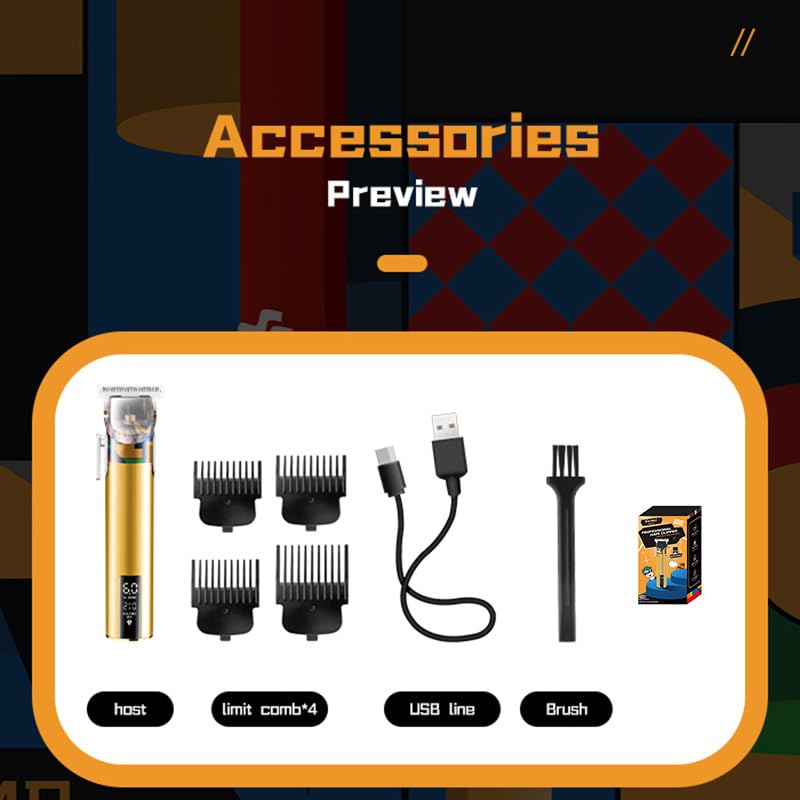
Figure 3.2: A detailed view of the LCD screen, illustrating the display of speed in K RPM, remaining battery life in minutes, and a charging reminder icon.
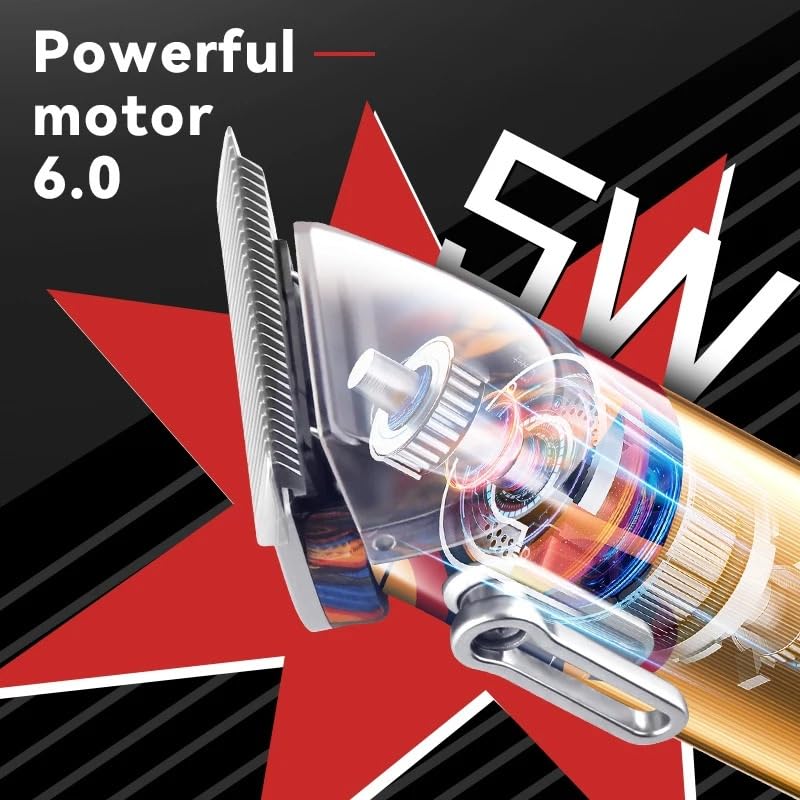
Figure 3.3: An internal view highlighting the powerful motor, indicating its 6.0 power rating and 5W output for efficient cutting.
4. Setup
4.1 Initial Charging
Before first use, fully charge the hair trimmer. Connect the Type-C USB cable to the charging port at the bottom of the trimmer and plug the other end into a compatible USB power adapter (not included). The LCD display will indicate charging status. A full charge typically takes about 3 hours.
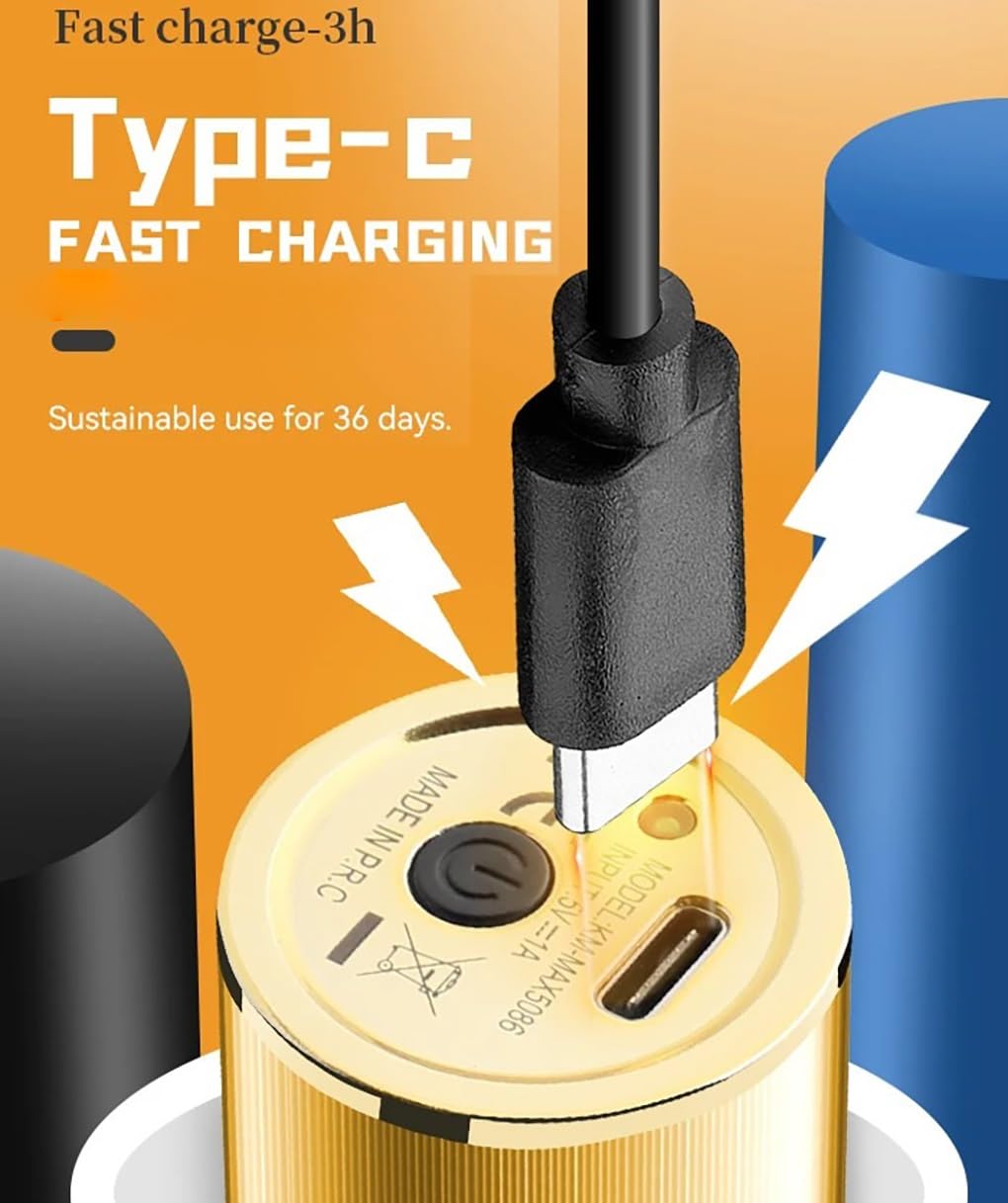
Figure 4.1: The Type-C charging port located at the base of the trimmer, designed for fast charging in approximately 3 hours.
4.2 Attaching Limit Combs
To achieve desired hair lengths, attach one of the four provided limit combs. Align the comb with the trimmer blade and push it firmly until it clicks into place. To remove, gently pull the comb away from the blade.
5. Operating Instructions
5.1 Power On/Off
To turn the hair clipper on, depress the power switch. The LCD display will illuminate. To turn it off, depress the power switch again.
5.2 Hair Cutting
- Ensure the trimmer is fully charged and a suitable limit comb is attached if desired.
- Turn on the trimmer.
- Begin cutting hair by moving the trimmer against the direction of hair growth. For best results, move the trimmer slowly and steadily.
- Avoid cutting hair in the opposite direction of hair growth, as this may result in an uneven cut.
- After use, turn off the trimmer.
5.3 Cutter Adjustment
The trimmer features a 4-gear moving cutter adjustment mechanism, allowing for fine-tuning of cutting length between 0.2mm and 0.6mm without a comb. Use the lever on the side of the trimmer to adjust the blade position.
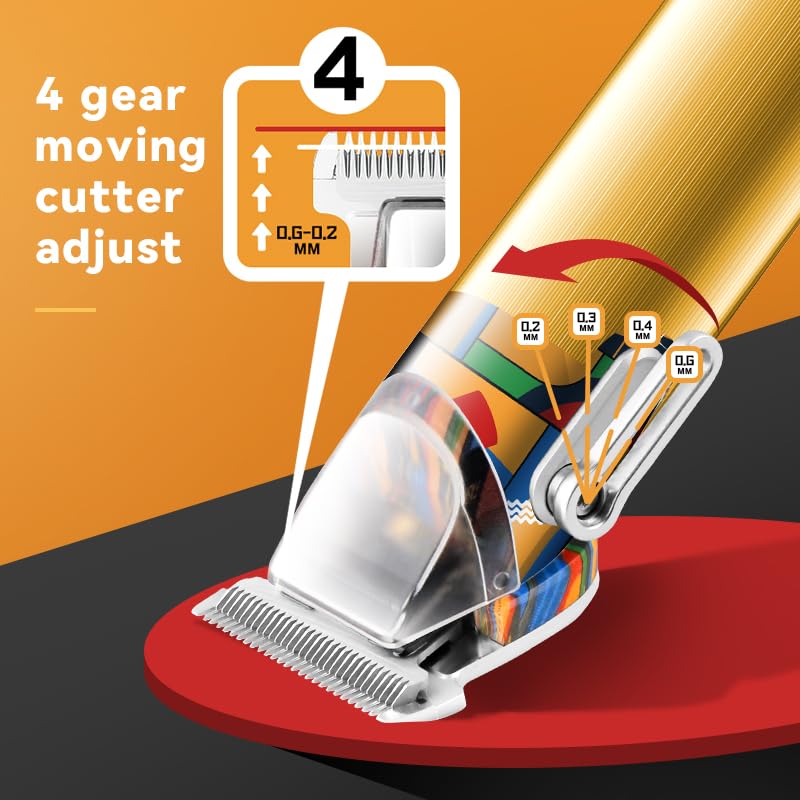
Figure 5.1: Illustration of the 4-gear moving cutter adjustment, demonstrating how to change the blade's cutting length from 0.2mm to 0.6mm.
6. Maintenance
6.1 Cleaning the Blades
- Ensure the trimmer is turned off and unplugged before cleaning.
- Use the provided cleaning brush to remove any loose hair from the blades and the trimmer head.
- For a more thorough clean, you may carefully detach the blade assembly if your model allows (refer to specific product design).
- Do not rinse the trimmer under water unless explicitly stated as waterproof.
6.2 Oiling the Blades
After every few uses, or if the trimmer's performance decreases, apply a small drop of the included oil to the blades. Turn on the trimmer for a few seconds to distribute the oil evenly. This helps maintain blade sharpness and smooth operation.
7. Troubleshooting
If you encounter issues with your hair trimmer, refer to the following common problems and solutions:
| Problem | Possible Cause | Solution |
|---|---|---|
| Trimmer does not turn on | Battery is depleted | Charge the trimmer fully. |
| Poor cutting performance | Blades are dull or clogged with hair | Clean and oil the blades. Ensure no hair is stuck. |
| Trimmer makes unusual noise | Blades need oiling or are misaligned | Oil the blades. If noise persists, contact customer support. |
| Charging not working | Faulty cable or power adapter | Try a different USB cable or power adapter. Ensure connections are secure. |
8. Specifications
- Product Model: T9
- Item Model Number: HZRKCKZZW
- Voltage Power: 110-240V
- Battery Capacity: 2000 mAh
- Charging Time: Approximately 3 hours
- Blade Material: Stainless steel blade
- Package Dimensions: 11.81 x 3.94 x 3.94 inches
- Item Weight: 15.87 ounces
- Manufacturer: Generic
9. Customer Support
For any questions, concerns, or assistance with your Generic T9 Professional Hair Trimmer, please contact our customer service team. We are committed to ensuring customer satisfaction and are available to help resolve any issues you may encounter.