
1. Introduction
Thank you for choosing the Mbeysaq L7Bpro 3-Axis Foldable Smartphone Gimbal. This device is designed to provide stable and smooth video recording and photography with your smartphone, enhancing your creative capabilities. Its 3-axis stabilization system effectively reduces shakes and vibrations, ensuring professional-looking footage. The L7Bpro features Bluetooth connectivity and advanced functions like face tracking, wide-angle, and panoramic modes, making it a versatile tool for various shooting scenarios.
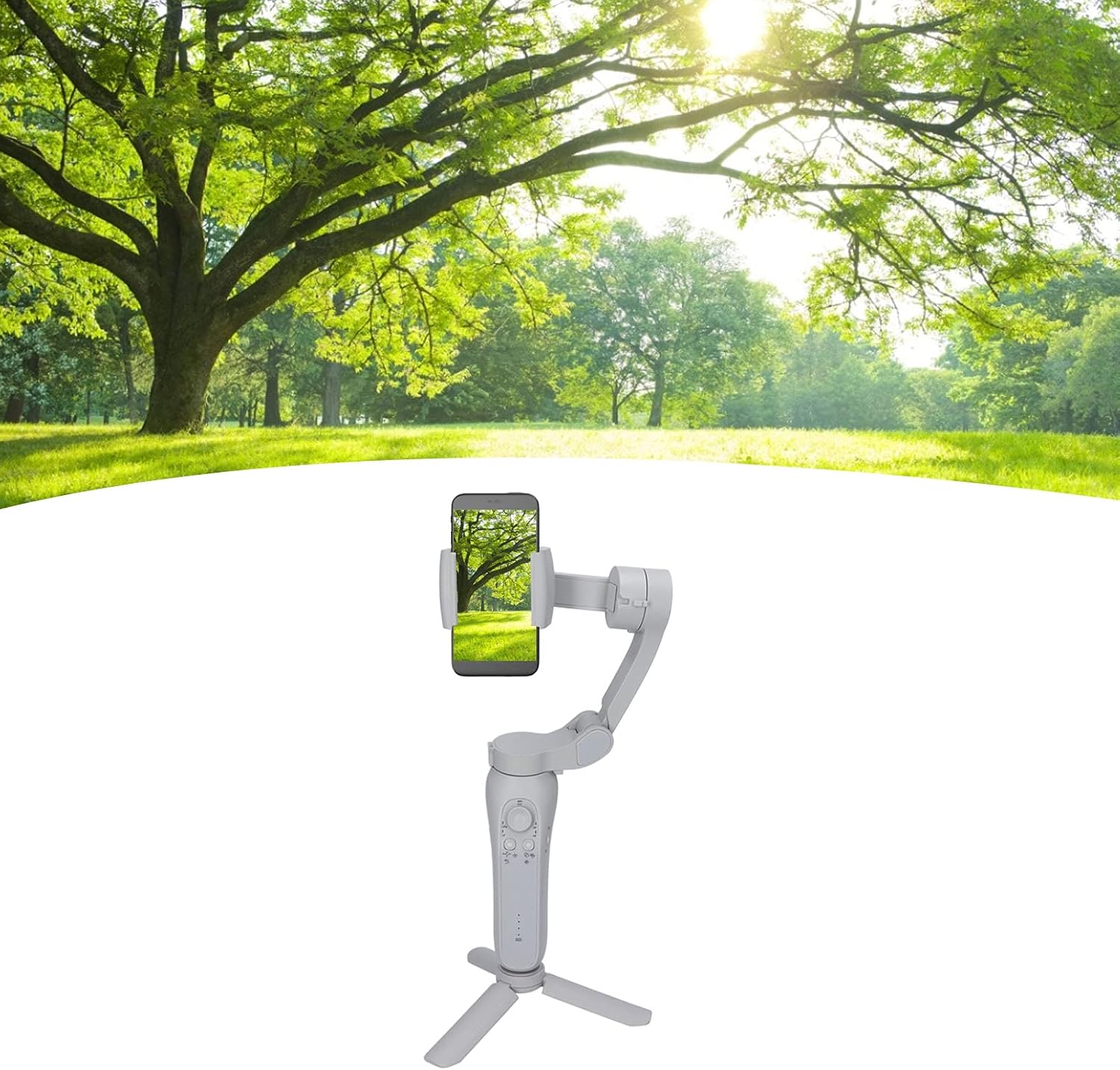
The L7Bpro 3-Axis Foldable Smartphone Gimbal with a smartphone mounted, positioned on its mini tripod in an outdoor setting, demonstrating its use for stable video capture in a natural environment.
2. Safety Information
- Do not expose the gimbal to water or moisture.
- Avoid dropping or subjecting the gimbal to strong impacts.
- Keep the device away from extreme temperatures (hot or cold).
- Do not attempt to disassemble or repair the gimbal yourself. Refer to qualified service personnel.
- Ensure the smartphone is securely mounted before powering on the gimbal.
- Charge the gimbal using the provided cable and a compatible power adapter (not included).
3. Package Contents
Please check the package for the following items:
- L7Bpro 3-Axis Foldable Smartphone Gimbal
- Mini Tripod
- USB Charging Cable
- User Manual (this document)

An overview of the L7Bpro gimbal, its detachable mini tripod, and the included USB charging cable, laid out on a white background.
4. Setup
4.1 Unfolding the Gimbal
- Hold the gimbal handle firmly.
- Gently unfold the gimbal arms until they lock into their operational position. Refer to the diagram for proper unfolding.
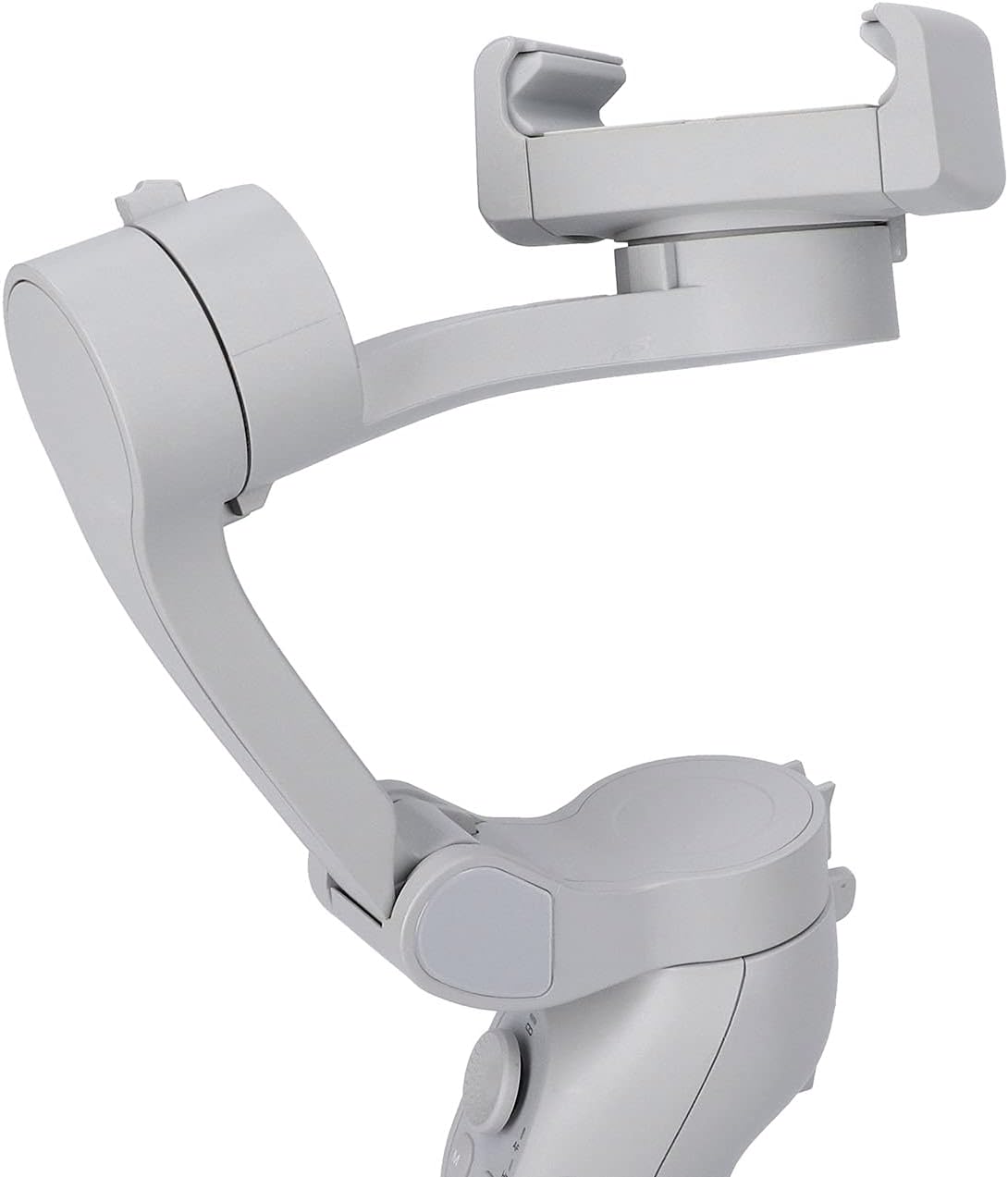
The L7Bpro gimbal shown in a partially unfolded configuration, highlighting its compact, foldable design for portability and storage.
4.2 Attaching Your Smartphone
- Extend the phone clamp and carefully insert your smartphone.
- Ensure the phone is centered and securely held by the clamp.
4.3 Balancing the Gimbal
For optimal performance, ensure your smartphone is balanced on the gimbal before powering it on.
- With the phone mounted, adjust its position within the clamp until it remains level when the gimbal is powered off.
- Slight adjustments may be needed to achieve perfect balance, reducing motor strain and improving stability.

The L7Bpro gimbal with a smartphone securely attached and the mini tripod extended, illustrating a stable setup for recording.
4.4 Powering On/Off
- Power On: Press and hold the Power button (⏻) for 3 seconds until the indicator lights illuminate.
- Power Off: Press and hold the Power button (⏻) for 3 seconds until the indicator lights turn off.
4.5 Bluetooth Pairing
- Ensure the gimbal is powered on.
- Enable Bluetooth on your smartphone.
- Search for "L7Bpro" or a similar device name in your phone's Bluetooth settings.
- Select the device to pair. Once connected, the Bluetooth indicator on the gimbal will stabilize.
5. Operating Instructions
5.1 Control Panel Overview

A detailed view of the L7Bpro gimbal's control interface, including the multi-directional joystick, mode selection button, power button, and indicators for various operational modes and battery status.
- Joystick/Dial: Controls pan and tilt movements of the gimbal.
- M Button (Mode): Cycles through different gimbal modes (e.g., Pan Follow, Lock Mode, FPV).
- Power Button (⏻): Powers the gimbal on/off. Short press may check battery level.
- Shutter Button (Side Trigger): Located on the side of the handle. Press to take a photo or start/stop video recording.

A close-up image of the L7Bpro gimbal's ergonomic side trigger button, designed for convenient photo and video capture during operation.
5.2 Gimbal Modes
The L7Bpro supports various operational modes:
- Pan Follow (PF): The tilt and roll axes are locked, and the pan axis follows the movement of the handle.
- Lock Mode (LM): All three axes are locked, and the camera remains fixed in its current orientation.
- FPV Mode (FPV): All three axes follow the movement of the handle, providing a first-person view effect.
- All Follow (AF): All three axes follow the movement of the handle smoothly.
- Horizontal Lock (HL): Maintains the horizontal level of the phone while allowing pan and tilt.
Press the M button to cycle through these modes. Refer to the indicator lights on the control panel to identify the active mode.
5.3 Face Tracking and Smart Features
To utilize face tracking and other smart features, it is recommended to download the official Mbeysaq gimbal application (if available) from your smartphone's app store. Once connected via Bluetooth, the app will unlock advanced functionalities such as:
- Face Tracking: Automatically keeps a subject's face in the center of the frame.
- Object Tracking: Tracks selected objects.
- Time-lapse: Create dynamic time-lapse videos.
- Panorama: Capture wide panoramic shots.
5.4 Charging the Gimbal
Connect the provided USB charging cable to the gimbal's charging port and to a USB power source (e.g., computer, wall adapter). The battery indicator lights will show the charging status. A full charge is indicated when all lights are solid.
6. Maintenance
- Cleaning: Use a soft, dry cloth to clean the gimbal. Do not use liquid cleaners or solvents.
- Storage: When not in use, fold the gimbal and store it in a cool, dry place, away from direct sunlight and extreme temperatures.
- Battery Care: For long-term storage, charge the battery to approximately 50-60% every three months to maintain battery health.
7. Troubleshooting
| Problem | Possible Cause | Solution |
|---|---|---|
| Gimbal does not power on. | Low battery. | Charge the gimbal fully. |
| Gimbal is unstable or vibrates. | Smartphone not balanced correctly. | Re-balance the smartphone on the clamp. |
| Bluetooth connection fails. | Gimbal not in pairing mode; Bluetooth interference; App issues. | Ensure gimbal is on; Restart gimbal and phone; Try pairing again; Reinstall app if applicable. |
| Motors feel weak or unresponsive. | Overload (phone too heavy); Low battery. | Ensure phone is within weight limits; Charge the gimbal. |
8. Specifications
| Feature | Detail |
|---|---|
| Model Number | Mbeysaq5sz6ofctwe |
| Brand | Mbeysaq |
| Item Weight | 1.32 pounds (approx. 599g) |
| Package Dimensions | 7.09 x 7.09 x 2.36 inches (approx. 18 x 18 x 6 cm) |
| Stabilization | 3-Axis |
| Connectivity | Bluetooth |
| Key Features | Foldable design, Face Tracking, Wide-angle, Panoramic modes |
| Date First Available | April 14, 2025 |
9. Warranty and Support
9.1 Return Policy
This product is eligible for a 30-day refund or replacement policy from the date of purchase. Please refer to your retailer's specific return guidelines for detailed instructions.
9.2 Extended Protection Plans
Extended protection plans may be available for this product, offering coverage beyond the standard return policy. Options may include:
- 2-Year Protection Plan
- 3-Year Protection Plan
- Complete Protect (monthly subscription covering multiple eligible purchases)
For details on purchasing and activating these plans, please consult your point of purchase or the product's listing page.
9.3 Manufacturer Support
For technical assistance, troubleshooting beyond this manual, or warranty claims, please contact Mbeysaq customer support. Refer to the Mbeysaq official website or product packaging for the most current contact information.