
1. Introduction
This instruction manual provides essential information for the safe and effective use of the YTGWLKCO TV Power Board, model BN44-00872A. This power board is designed as a replacement component for compatible Samsung LCD TV models. Please read this manual thoroughly before attempting any installation or maintenance.
2. Product Overview
The TV power board is a critical component responsible for converting household alternating current (AC) into direct current (DC) required by the television's internal circuits. Understanding its functions and composition is key to proper handling.
- Basic Functions: The primary role of this power board is to convert incoming AC power into stable DC power suitable for the television's operation.
- Component Composition: The board integrates various electronic components, including transformers, rectifiers, filters, and voltage regulators, all working in concert to deliver consistent power.
- Protection Features: Many power boards, including this model, incorporate protection mechanisms such as overload protection, short circuit protection, and overheat protection to safeguard the TV and its components from electrical damage.
- Circuit Design: The design of the power board's circuitry directly influences the television's performance characteristics, including its startup time, operational stability, and overall energy consumption.
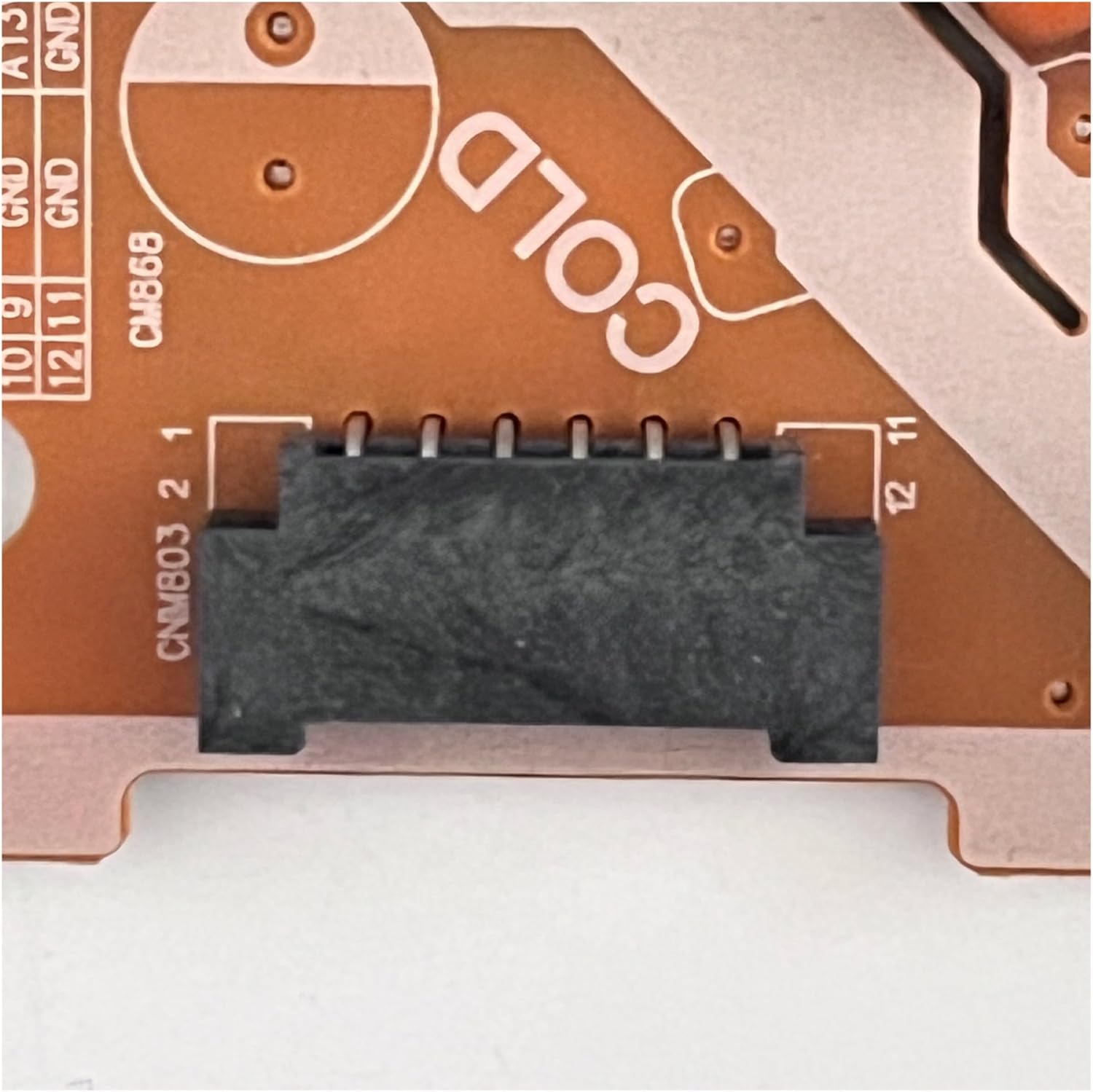
Figure 2.1: Overall view of the YTGWLKCO TV Power Board BN44-00872A. This image displays the complete layout of the power board, showing the arrangement of various electronic components.
3. Setup and Installation
WARNING: Installation of this component requires technical expertise and should only be performed by qualified professionals. Improper installation can result in electric shock, damage to the television, or personal injury. Always disconnect the TV from the power source before beginning any installation.
- Safety First: Ensure the television is completely unplugged from the wall outlet. Allow sufficient time for any residual charge to dissipate.
- Access the TV Internals: Carefully remove the back panel of your television to gain access to the internal components. Refer to your specific TV model's service manual for precise instructions on panel removal.
- Locate the Old Power Board: Identify the existing power board within the television chassis. It is typically connected to the main AC input and various internal cables.
- Disconnect Cables: Gently disconnect all cables connected to the old power board. Pay close attention to the orientation and type of each connector. It is advisable to take photos for reference.
- Remove Old Board: Unscrew and carefully remove the old power board from its mounting points.
- Install New Board: Position the new YTGWLKCO BN44-00872A power board in the same location. Secure it with the appropriate screws.
- Reconnect Cables: Reconnect all cables to the new power board, ensuring each connection is firm and correctly oriented. Refer to your earlier photos if necessary.

Figure 3.1: Close-up of the AC power input connector. This image highlights the main AC power input connector, where the television's power cord connects to the board.
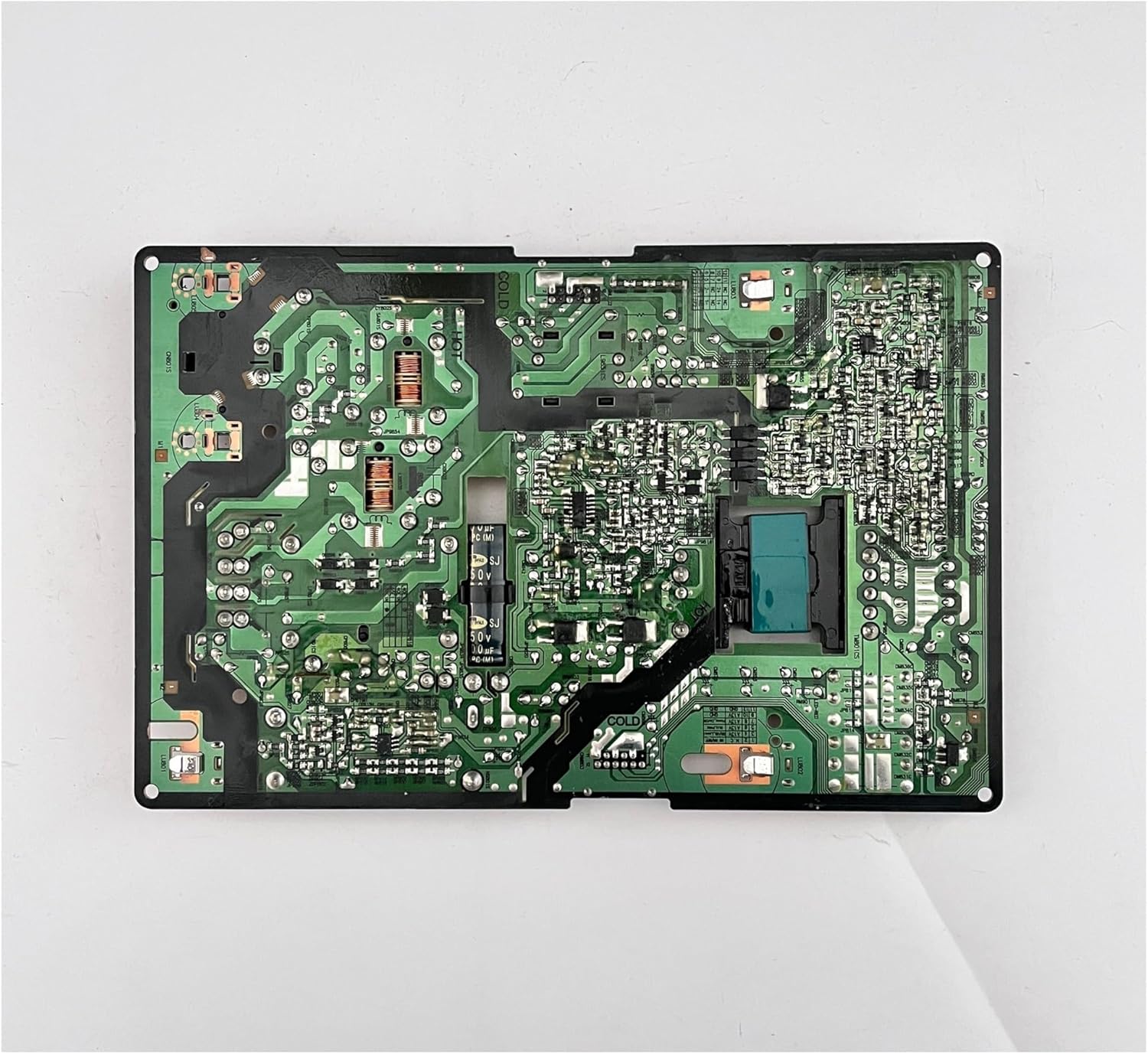
Figure 3.2: Close-up of an internal connector. This image shows a multi-pin connector used for transmitting power or signals to other internal components of the television.
4. Operating Instructions
The YTGWLKCO TV Power Board BN44-00872A operates automatically once correctly installed within the television. Its function is to continuously supply stable power to the TV's internal components. No user interaction is required for its operation beyond the normal use of the television.
5. Maintenance
The power board itself requires minimal maintenance. However, adhering to general electronic device care practices can prolong its lifespan and the overall health of your television:
- Keep Dry: Ensure the television is operated in a dry environment, away from moisture and humidity, which can damage electronic components.
- Cleanliness: Periodically clean the exterior of the television to prevent dust buildup, which can impede cooling and potentially lead to component overheating. Do not spray liquids directly onto the TV.
- Ventilation: Ensure the television's ventilation openings are not blocked to allow for proper airflow and heat dissipation.
- Avoid Physical Damage: Protect the television from impacts or drops that could dislodge or damage internal components, including the power board.
6. Troubleshooting
If your television experiences issues after power board replacement, or if you suspect a power board malfunction, consider the following common faults and troubleshooting steps:
- No Power: If the TV does not turn on at all, ensure all power cables are securely connected, both to the wall outlet and to the power board itself. Verify the wall outlet is functional.
- Flashing/Intermittent Power: This could indicate an unstable power supply. Check all internal connections to the power board for looseness.
- TV Turns Off After Starting: This might be a symptom of component aging or damage on the power board, or an issue with other TV components.
If these basic steps do not resolve the issue, it is recommended to consult a qualified television repair technician for diagnosis and repair. Attempting complex repairs without proper knowledge and tools can cause further damage or injury.
7. Specifications
| Specification | Detail |
|---|---|
| Product Name | TV Power Supply Board (LIPS)/LED |
| Part Model | BN44-00872A |
| Compatible Part Models | BN44-00872A = BN44-00872B |
| Input Voltage | AC 100-240V ~ 50/60Hz 2.5A |
| LED Output (L40E1(N)_KDY) | 98V --- 500mA (100%) CH1 |
| LED Output (L55E1(N)_KDY) | 126V --- 500mA (100%) CH1 |
| Item Weight | 1.76 ounces |
| Package Dimensions | 1.18 x 0.79 x 0.39 inches |
| Manufacturer | wenhao97 |
| Number of Pieces | 1 |

Figure 7.1: Detailed view of the specification label on the TV power board. This image provides a clear view of the label indicating the input voltage requirements (AC100-240V) and LED output specifications (98V/126V, 500mA) for the power board.
8. Compatible TV Models
This power board (BN44-00872A) is compatible with a range of Samsung LCD TV models. Please verify your TV's model number against the list below to ensure compatibility. This list is not exhaustive and may include other models.
- HG49AE680DJXXZ
- HG49AE690DJXXZ
- HG49AE690DJXZK
- HG49AE690DKXXD
- HG49AE690DKXXM
- HG49AE690DKXXS
- HG49AE690DKXXT
- HG49AE690DWXXP
- HG49AE690DWXXY
- HG49AE690DWXZW
- HG49EE670DKXEN
- HG49EE670DKXXU
- HG49EE690ACREN
- HG49EE690ACRXU
- HG49EE690DBXCI
- HG49EE690DBXEN
- HG49EE690DBXRU
- HG49EE690DBXXU
- HG49EE694DKXEN
- HG49EE694DKXXU
- HG55AE680DJXXZ
- HG55AE690DJXXZ
- HG55AE690DJXZK
- HG55AE690DKXXD
- HG55AE690DKXXM
- HG55AE690DKXXS
- HG55AE690DKXXT
- HG55AE690DKXZN
- HG55AE690DWXXP
- HG55AE690DWXXY
- HG55EE670DKXEN
- HG55EE670DKXXU
- HG55EE690ACREN
- HG55EE690ACRXU
- HG55EE690DBXCI
- HG55EE690DBXEN
- HG55EE690DBXRU
- HG55EE690DBXXU
- UA49K5500AGXXP
- UA49K5500AKXXM
- UA49K5500ASXNZ
- UA49K5500AWXXY
- UA49K5520AKXXV
- UA49K6300AGXXP
- UA49K6300AKPXD
- UA49K6300AKXMR
- UA49K6300AKXXM
- UA49K6300AKXXT
- UA49K6300AKXXV
- UA49K6300AWXZW
- UA49K6800AJXXZ
- UA49K6800AJXZK
- UA49KC20SAJXXZ
- UA55K5500AGXXP
- UA55K5500AKPXD
- UA55K5500AKXMR
- UA55K5500AKXXM
- UA55K5500AKXXT
- UA55K5500AWXZW
- UA55K6300AGXXP
- UA55K6300AKPXD
- UA55K6300AKXMR
- UA55K6300AKXXM
- UA55K6300AKXXT
- UA55K6300AKXXV
- UA55K6300AWXZW
- UA55K6800AJXXZ
- UA55K6800AJXZK
- UA55KC20SAJXXZ
- UE49K5500AKXXC
- UE49K5500AKXXU
- UE49K5500AKXZF
- UE49K5500AKXZT
- UE49K5500AUXCE
- UE49K5500AUXRU
- UE49K5500AUXUA
- UE49K5500AWXXH
- UE49K5500AWXXN
- UE49K5500BUXCE
- UE49K5500BUXRU
- UE49K5500BUXUA
- UE49K5502AKXXH
- UE49K5505AKXXE
- UE49K5510AKXXC
- UE49K5510AKXXU
- UE49K5510AKXZF
- UE49K5510AKXZT
- UE49K5510AUXCE
- UE49K5510AUXRU
- UE49K5510AUXUA
- UE49K5510AWXXH
- UE49K5510AWXXN
- UE49K5510BUXCE
- UE49K5510BUXRU
- UE49K5510BUXUA
- UE49K5515AK
9. Warranty and Support
Specific warranty terms for the YTGWLKCO TV Power Board BN44-00872A are typically provided by the seller at the time of purchase. Please refer to your purchase documentation or contact the seller directly for detailed warranty information.
For technical support or further assistance, please contact the retailer or manufacturer through their official support channels. When contacting support, please have your product model number (BN44-00872A) and your television's model number readily available.