1. Product Overview
This document provides instructions for the Generic 6-Fin Blender Blade Assembly, a replacement part designed for specific Nutri Ninja blender models. This blade assembly is constructed from durable stainless steel and plastic, ensuring efficient blending performance.
Features:
- 6-Fin Blade Design: Engineered for effective blending and pulverizing ingredients.
- Durable Construction: Made from stainless steel blades and a robust plastic base for longevity.
- Easy Installation: Designed for straightforward attachment and removal from compatible blender cups.
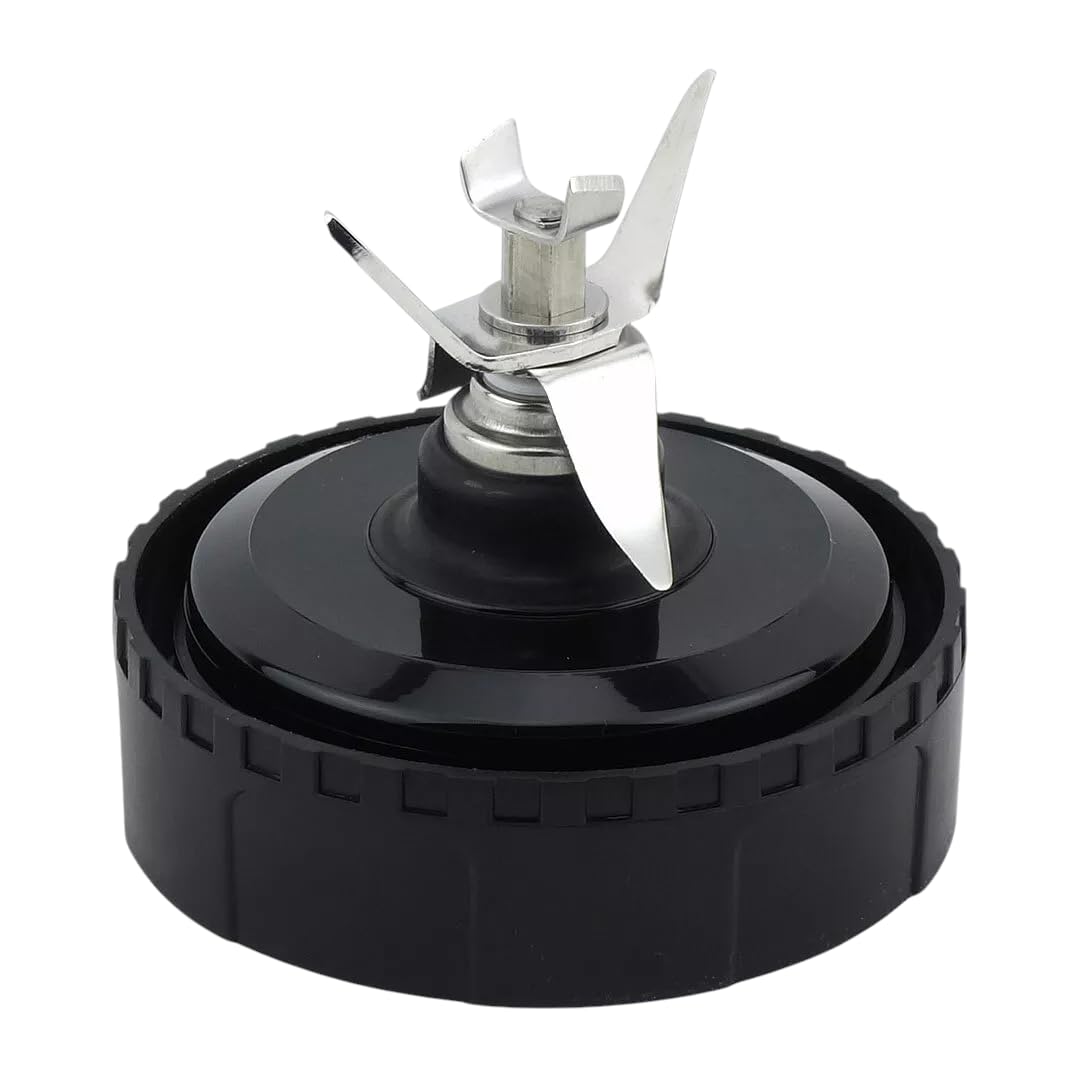
Image 1: The 6-fin blender blade assembly, showing its overall dimensions. The assembly has a total height of 3 inches, a diameter of 3.38 inches, and the blade section measures 1 inch in height.

Image 2: Top-down view of the 6-fin blade assembly, highlighting the sharp stainless steel blades.
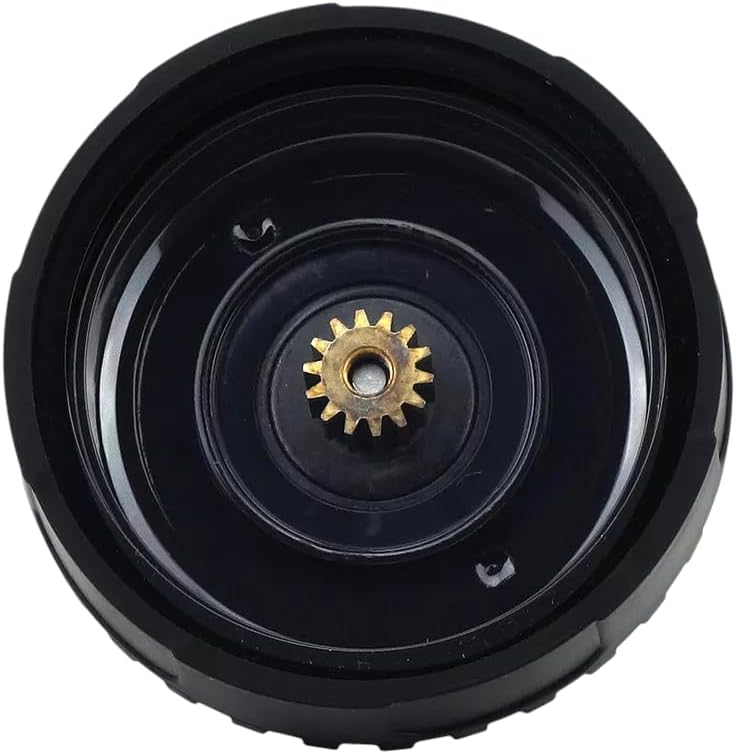
Image 3: Bottom view of the blade assembly, displaying the central drive gear that connects to the blender motor base.
2. Compatibility
This 6-fin blender blade assembly is specifically designed for use with Nutri Ninja blender models BL810, BL810C, BL810Q, BL820, and BL830. It is compatible with 18oz, 24oz, and 32oz blender cups. It is NOT compatible with 16oz cups. Please verify your blender model and cup size before installation.
Video 1: This video demonstrates the 6-fin blade assembly and its compatibility with various blender cup sizes (18oz, 24oz, 32oz), emphasizing that it is not suitable for 16oz cups. The video also highlights the blade's design and how it attaches to the cup.
3. Safety Information
- Sharp Blades: The blades are extremely sharp. Handle with extreme care to prevent injury.
- Unplug Before Handling: Always ensure the blender base is unplugged from the power outlet before attaching, detaching, or cleaning the blade assembly.
- Secure Attachment: Ensure the blade assembly is securely tightened onto the blender cup before placing it on the motor base.
- Do Not Overfill: Do not fill the blender cup beyond the maximum fill line to prevent leaks and potential damage.
- Supervision: Keep out of reach of children. Adult supervision is required when operating the blender.
4. Setup & Installation
- Prepare Ingredients: Place your desired ingredients into a compatible Nutri Ninja blender cup (18oz, 24oz, or 32oz). Do not exceed the MAX FILL line.
- Attach Blade Assembly: Place the 6-fin blade assembly onto the open end of the blender cup. Twist clockwise until it is securely tightened. Ensure there are no gaps.
- Place on Motor Base: Invert the assembled cup and blade, then place it onto the Nutri Ninja motor base. Align the tabs on the cup with the slots on the base and twist clockwise until it locks into place.
5. Operating Instructions
- Power On: Plug the blender motor base into a power outlet.
- Select Function: Choose your desired blending function (e.g., BLEND, MAX BLEND, PULSE) on the blender's control panel.
- Blend: Press the appropriate button to start blending. The blender will operate according to the selected program.
- Stop: Press the START/STOP button to halt the blending process, or allow the program to complete automatically.
- Remove Cup: Once blending is complete, twist the cup counter-clockwise to unlock it from the motor base, then lift it off.
- Remove Blade: Carefully twist the blade assembly counter-clockwise to remove it from the cup.
Video 2: This video demonstrates the process of preparing ingredients, attaching the blade assembly to a blender cup, placing it on the Nutri Ninja motor base, and initiating the blending cycle to create a smoothie.
6. Care & Maintenance
- Cleaning: After each use, immediately rinse the blade assembly under running water. Use a brush to carefully clean around the blades.
- Dishwasher Safe: The blade assembly is top-rack dishwasher safe.
- Drying: Ensure the blade assembly is completely dry before storing to prevent rust or odor.
- Storage: Store the blade assembly in a safe place where the sharp blades cannot cause accidental injury.
7. Troubleshooting
- Blender Not Starting: Ensure the cup with the blade assembly is securely locked onto the motor base. The blender has safety features that prevent operation if not properly assembled.
- Leaking: Check that the blade assembly is tightly screwed onto the blender cup. Ensure the gasket is properly seated and not damaged. Do not overfill the cup.
- Poor Blending: Ensure the ingredients are not packed too tightly. Add more liquid if necessary. For tough ingredients, use the PULSE function first.
- Unusual Noise/Vibration: Stop the blender immediately. Check for any foreign objects in the cup or blade assembly. Ensure the blade is not damaged.
8. Specifications
| Attribute | Detail |
|---|---|
| Product Type | Blender Blade Assembly |
| Material | Stainless Steel, Plastic |
| Blade Type | 6-Fin |
| Compatibility | Nutri Ninja BL810, BL810C, BL810Q, BL820, BL830 |
| Item Model Number | BTA-186526621739 |
| ASIN | B0F4PDRH3R |
| Date First Available | April 13, 2025 |
9. Warranty & Support
For warranty information or customer support regarding this product, please refer to the seller's policies or contact the manufacturer directly. Keep your purchase receipt as proof of purchase.


